My 2024.9 update is out, and swiping is back on the now-playing screen!

Swipe between the artwork page and the new chapters/info combo page. It fits WAY more info on screen than the old app, and it feels so good!

Also:
- Swipe left to download an episode
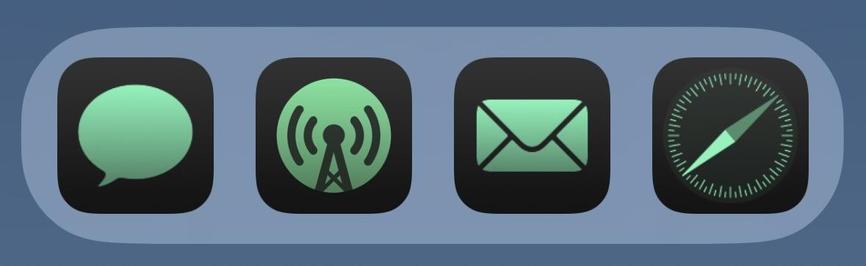
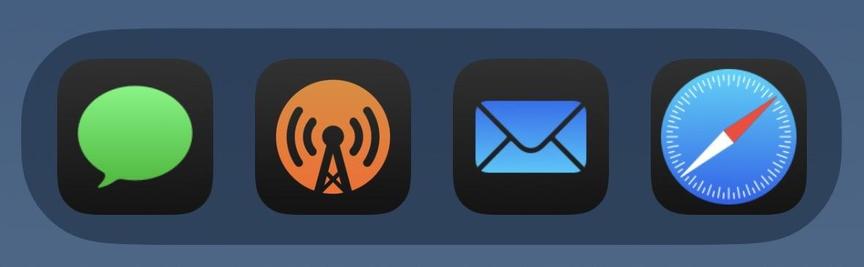
- New iOS 18 dark and color-tinted icons
- Download All Episodes option in playlist menu
- Fixed Episode Limit enforcement
Sooooo convenient to swipe to download…
And the iOS 18 icons fit right in. 😎

@overcastfm how do I get the orange icon with black boarder? Do I need iOS 18? I love it but I can’t find it in the app.

EDIT: nvm, figured out this is a dark icon in iOS 18. So I need to wait until iOS 18 is out to get it

@amundsen It’s part of iOS 18. Once that’s out on Monday you can switch the icons to the dark mode.
@overcastfm Again, huge props for the SwiftUI overhaul. You’re shipping features so quickly and responding really well to all the UI/UX requests!
@overcastfm this icon actually convinced me to switch back to the orange icon after never using it for years
@overcastfm btw, is there a way to download the next episode when listening to old episodes of a fee?
@overcastfm that black and orange icon!!! 😍
@overcastfm the icon switches instantly to light mode
@overcastfm switching to tinted icon and back to system depended fixed it
@overcastfm Should the previous premium-only dark icon look any different in iOS 18? I assume that it’s just lower on the priority list.
@overcastfm Weirdly, the icon in a folder remains untinted, but opening the folder shows the properly tinted icon. (Yes, I am a monster who keeps an entire folder of music/audio apps in my dock.) I have no idea if this is an Overcast thing or an iOS beta thing, but thought it worth mentioning.
@overcastfm It eventually fixed itself on its own, so I'm going to blame this one on iOS.
@overcastfm thank you for this! I was having OCD about this but didn’t file a bug report because I know you’re a busy, one-man “team”. :)
@overcastfm excited for the dark mode icon!
@overcastfm @marcoarment that looks like swipe right to me, or swipe from the left.
@TeeeBear I am convinced I am too old to ever learn which way to swipe 😭 @overcastfm @marcoarment
@rconti Swipe right, swipe left make sense to me. But scroll up/down and which way your fingers move on the mouse vs the screen moving is mind boggling.
@overcastfm it is, but pleaaaaseee can you add swipe to add to a specific playlist? 🥺 this would be amazing to add episodes to my queue! Pretty please… 🥺🥺🥺
@overcastfm this was the only big pain with the new version. I use overcast mostly for audiobooks uploads and is a pain to download one by one manually with so many taps. Swipe helps a lot!
Maybe some day you can add a select all or edit mode on that screen? 🙏🏻
@overcastfm love this! Marco, would you ever implement customizable swipe options? I rarely star episodes and I’d rather have a swipe right option to add them to my queue.
@overcastfm could we please get a swipe action for adding items to queue? 🥺

@overcastfm disable cellular download, swipe to download -- nothing happens when on cellular..

thanks for the update!

@overcastfm two releases back it looked like sorting was fixed. Then broke last release. Was hoping this one would fix it, but it did not. New podcasts are being added to top of playlist instead of in order. Edit, sort new, save, edit, sort old first, save and the order is fixed. For a while, then it breaks again.
@overcastfm I would love to bring back more informations about download: transfer rate, size of file etc. 👍
@overcastfm and thanks for this, my muscle memory salutes you! 🫡
@overcastfm Perfect! Awesome job on the update!
@overcastfm very happy with the episode limit fix!
@overcastfm This looks great. I'm on the beta, and this was a very welcome feature return.
@overcastfm 2 more months and we will get full feature parity from June.
@overcastfm I am once again asking you to fix airplay
@galonsky I’ll definitely be trying overcast again once my new phone gets here too, just in case a fresh device and iOS18 install has helped. But for now I’m back on the Apple Podcasts app because 95% of my podcast listening is at home on Sonos, so AirPlay needs to work for my use case. @overcastfm
@overcastfm Such a great update! It might even be a little too nice—you may have accidentally made it into a fidget device… I just keep swiping back and forth… need to focus on my work.
@overcastfm Wow, the controls transition is so good.
@overcastfm And one fewer tap to get to the podcast's page. Nice!
@overcastfm @marcoarment yet still no bulk delete option in the queue with no explanation (that I know of) of why not
@overcastfm hmm looks like I lost some sort of phased rollout lottery, I can't even update using the App Store page haha
@modulusshift @overcastfm same here, UK based frantically refreshing App Store but no luck
@overcastfm is the episode limit enforcement perhaps related to the “episodes are being constantly deleted from my playlists” thing?
@overcastfm dark mode makes the swipe “dots” navigation indicator invisible
@LoganHighlen @overcastfm They’re not there when the show has chapters, for some reason. (Less needed for discoverability, I guess, since the chapter button does the same thing.)
@overcastfm It looks and feels a little weird, but it is very much appreciated that I can reach chapters again with the swipe that I've become accustomed to. Removed my only point of friction in the rewrite I think. Thanks for following through! 🙏
@overcastfm Oooooh my god I love this. I’ve spent the last 30 seconds swiping back and forth.
@overcastfm Bin langer Zeit Fan gewesen, aber mittlerweile ist die offizielle Podcast App von Apple wirklich sehr gut. Für mich ist der Unterschied für Overcast zu klein geworden.
@overcastfm I dunno if you saw my testflight report yesterday but while the episode limit is now enforced, it’s a bit too aggressive: manually downloaded episode are cleaned up, even during playback!
@bibipov @overcastfm in the past episodes, that hade some listen time, were not deleted. I used that as a trick to safe episodes. They get deleted now as well. Well, it did free over 10GB of space.
@Touri @overcastfm I know! I must admit that old way was both a blessing and a curse 😀 It mostly meant I had to manually skip old episodes with only a few minutes of outro left, so I'm not sure I want to return to that way of doing things. But right now it’s pretty inconvenient when the playback of an old episode stops midway. Moreover the « xxx left » that hints at playback resuming is fakenews, it always streams from the beginning. I think manually downloading episodes should be flagged as such, with a visual cue in the list and never deleted automatically
@bibipov @overcastfm I’m with you. Manually downloaded should not count against the limit and should not be auto-deleted. Keeping and not counting the “started” against the limit, was most probably a bug and not a feature. But for some daily news podcasts, I have set the limit to 1. In those cases, I want to keep the episode I’m currently listing to. The best solution would be a per podcast setting. Also, maybe a “save” option on an episode could help.
@Touri @overcastfm Maybe Marco doesn’t want to add complexity but I agree that it would be great to be able to customize the behavior, especially at the podcast level. That way everyone can decide for themselves.

@bibipov @overcastfm This is my number one annoyance right now, and it's a major one :(

When resuming my queue the playback frequently suddenly stops because an episode has been cleaned up. Took me a while to understand why it happens. I don't want any episodes in my queue to be cleaned up before I've listened to them, much less while I'm currently listening to them. I hope this is not working as intended.

@overcastfm share links still don’t seem to work…(opening them, generating them works fine.)

@overcastfm This is so well done. This is one of those things where you not only brought the feature back, but you made it better than before. THIS is how the info and chapters should have been handled the whole time, but it’s only obvious in hindsight because it never felt wrong before.

Great work.