 Barret
From the archives...
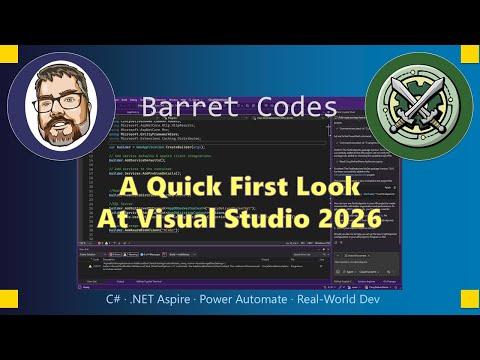
A Quick First Look At Visual Studio 2026
https://barretblake.dev/posts/videos/2025/09/a-quick-first-look-at-visual-studio-2026/ #youtube #visualstudio #visualstudio2026
From the archives...
A Quick First Look At Visual Studio 2026
https://barretblake.dev/posts/videos/2025/09/a-quick-first-look-at-visual-studio-2026/ #youtube #visualstudio #visualstudio2026

GitHub Actions’ Windows hosted runner migration to Visual Studio 2026 starts soon
GitHub has recently planned a migration process for those who are using the Windows workflows in their GitHub-hosted Actions instances that migrates the installation of Visual Studio 2022 to the newer Visual Studio 2026. The windows-latest and windows-2025 runner images will use Visual Studio 2026, starting from June 8th, 2026.
The February 2026 announcement post stated that there’s a newer runner image that focuses on using Visual Studio 2026 as a public preview. As the windows-2025 runner image has reached general availability on May 4th, it used Visual Studio 2026 as the integrated development environment instead of Visual Studio 2022.
Starting from June 8th, 2026, the rollout is expected to end by June 15th, 2026. The workflows will gradually shift over to the newer Visual Studio 2026 IDE instead of the older VS2022 version. However, for those who are still depending on the older Visual Studio 2022 IDE, manual adjustments are needed to ensure that the migration to VS2026 is complete without any issues, as things might break during the migration process.
In most situations, you won’t need to do anything, as the migration happens transparently. However, in case things break after migration, you’ll have to perform some changes to ensure that workflows continue to work even after migration.
#github #GitHubActions #news #Tech #Technology #update #visualStudio #VisualStudio2026 #Windows #Windows11

Every UI framework Microsoft has shipped since WinForms (2002) was sold as its successor. WPF, Silverlight, UWP, MAUI, Blazor desktop. Twenty-four years on, WinForms is still there, on modern .NET, with a designer that any VB6 developer would recognise on sight. The Cooper and Geary form-designer architecture from 1987 is still the path of least resistance for a working line-of-business app in 2026, and that is not an accident.
Visual Studio 2026 still ships the form designer Alan Cooper drew in 1987
https://evilgeniuslabs.ca/blog/winforms-still-ships-in-visual-studio-2026
#HackerNews #VisualStudio2026 #AlanCooper #FormDesigner #WinForms #SoftwareDevelopment #TechHistory
Every UI framework Microsoft has shipped since WinForms (2002) was sold as its successor. WPF, Silverlight, UWP, MAUI, Blazor desktop. Twenty-four years on, WinForms is still there, on modern .NET, with a designer that any VB6 developer would recognise on sight. The Cooper and Geary form-designer architecture from 1987 is still the path of least resistance for a working line-of-business app in 2026, and that is not an accident.
Microsoft Visual Studio 2026’daki bulut ajan entegrasyonu ile kod doğrudan buluta taşınıyor. C++ Copilot ve Debugger Agent gerçek zamanlı işaretim ile hataları tespit ediyor. #VisualStudio2026
🚩 #VisualStudio2026 #BulutEntegrasyonu #Copilot #YazılımGeliştirme


 Shawn Brink
 Aptivi
 N-gated Hacker News
 Hacker News
 S.v. N.Sönmez