 U3dn
U3dnHigh-Quality Hoes for Unity Projects #Unity #Hoes #Pbr #Primitives #Game #Render #Vr #Ar #Lowpoly #Highquality #Materials #Textures #Uvmap #Smoothinggroup #Pivotpoint #AssetStore
https://u3dn.com/packages/high-quality-hoes-for-unity-projects-254690
High-Quality Hoes for Unity Projects #Unity #Hoes #Pbr #Primitives #Game #Render #Vr #Ar #Lowpoly #Highquality #Materials #Textures #Uvmap #Smoothinggroup #Pivotpoint #AssetStore
https://u3dn.com/packages/high-quality-hoes-for-unity-projects-254690
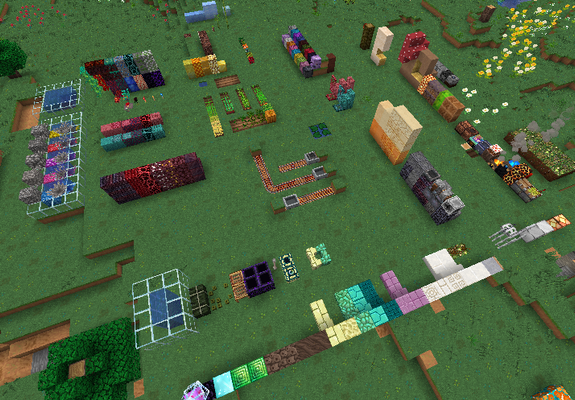
Eventuell ist das Minecraft Texture Pack sogut wie fertig mit den Blöcken🥰(-gebrannter Terracotta 🥸)
Einige Entities (Minecraft hat schreckliche UVs🧐) und zumindest teilweise connected Textures für Holz & Teppich würden dann fürs nächste Update kommen.🌸
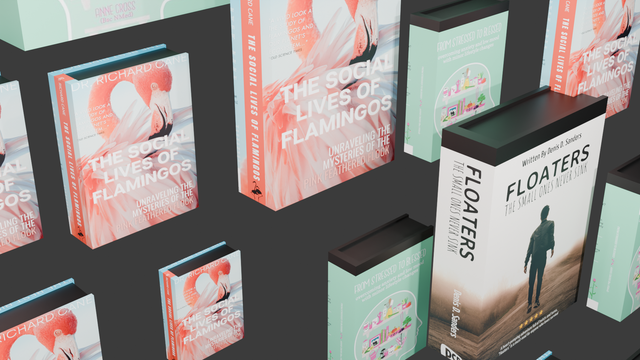
I seem to have mashed something together that works.
UDIM book covers.
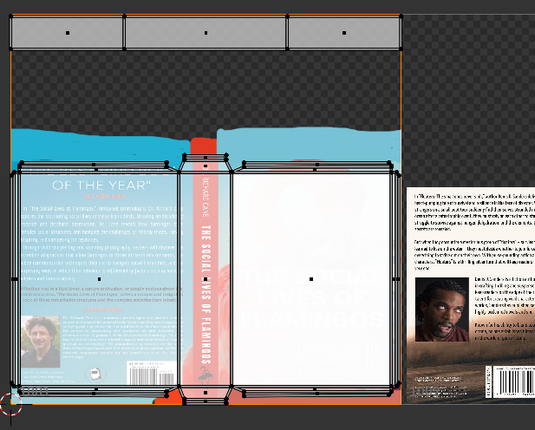
2 UV Maps (covers, and Paper)
Use alpha from Covers as Mask to mix 2 Shaders (covers and paper).
Now to see how I can Map lots more covers. I've got a real messy UV map, so it's not just a case of resizing.
Tips appreciated

Random UDIM seems to work (thanks to Johnny Matthews on Youtube).
Now to get a load of book covers, and sort the UV maps out properly...
No idea what I'm doing. Any tips appreciated.
Blender Question (probably not actually Blender...)
There must be a way of automating the resizing of images, and making the right .png to add to my UDIMs.
I can get Image, but I need it to fit for the UV Map. Including edges.
How to be doing the thing?

#Blender #Godot #UVMap #GeoNodes
A bit of a kick in the teeth. Seems when you assign uv maps in Geo Nodes, the order of the maps is, frankly, random and the devs seem to think this is fine.
<this is fine gif>
If one cannot assign uvs in the right order in Blender, then your game engine is gonna have to guess?
https://projects.blender.org/blender/blender/issues/122994#issuecomment-1573021
Seems this could be fixed with some kind of sort index, surely?
🦇 😕

**System Information** Operating system: Blender 4.1 **Blender Version** Broken: Blender 4.1 **Short description of error** Geometry Nodes change UV Maps sequence after applying the GN modifier. It's important to have the same UV Maps sequence for game engines like UE5/Unity/Godot. ...
I share another very simple but useful #GeoNode my Magic-UV #UnWrap, to do #UV #mapping, and if you export the file in #glTF format the #UVmap is perfect, this is the tool everyone was looking for, and I'll give you for free, what more do you want?🤌 #b3d #Blender #Blender3D
In the video I add a Vertex Group with the same name of my Named Attribute and then I start assigning to that group some vertexes as the Seam Attribute for UV Unwrap node. and if apply the node you've unwrapped the mesh😎
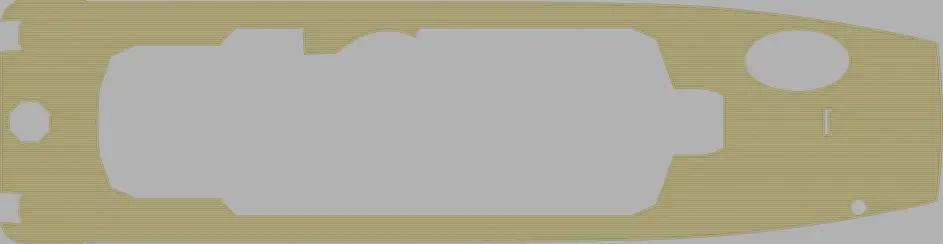
I also made a rotor, with Blender. I tried to create an "old worn shed" effect for the background. I worked on UV map this time. I unfolded a photo on the 3D model, but the photo of the rotor did not have the rusty appearance quite evident.
Ici, un rotor dans un "vieux hangar usé".
Le rotor devait être plus rouillé mais la photo utilisée pour sa texture ne l'était pas assez.
#blender #blenderrender #blender3D #UVMap #uvmapping #aviation #3dvisualization #3dmodeling #fun #learning3d

Needed a quick way to expand the edge of a texture... so I made a quick action for it. It's not perfect, but it does the job.
Want to try/use it, here you go :
https://drive.google.com/file/d/19MklDyVDSCxA5NQZT1jo_B4EMJ-px0_9/view?usp=sharing
 vanlau
 Armoured Wizard
 dbat
dbat 
 pafurijaz
 Christophe
 Cub'
Cub'