 VoidZeroOne


Doing more unholy stuff
This time we run Chimera Linux's generic EFI aarch64 live boot image inside a VM on o a Raspberry Pi 4.
The Pi runs Lirefang's Pxvirt (Proxmox port to non-x86_64)
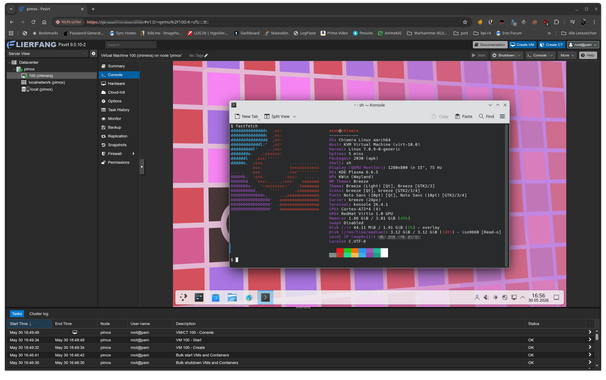
Doing more unholy stuff
This time we run Chimera Linux's generic EFI aarch64 live boot image inside a VM on o a Raspberry Pi 4.
The Pi runs Lirefang's Pxvirt (Proxmox port to non-x86_64)
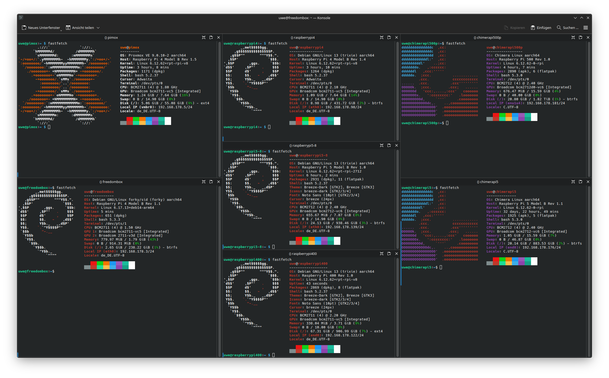
Just remembered that someone asked my how the new style (Deb822) .sources file for Pxvirt looks like
first get the signing key
curl -L https://mirrors.lierfang.com/pxcloud/lierfang.gpg -o /etc/apt/trusted.gpg.d/lierfang.gpg
Then create /etc/apt/sources.list/pxvirt.sources with the following content:
Types: deb
Architectures: arm64
URIs: https://mirrors.lierfang.com/pxcloud/pxvirt/
Suites: trixie
Components: main
Signed-By: /etc/apt/trusted.gpg.d/lierfang.gpg
#screenshot
Pxvirt (PROXMOX 9) running under Raspberry Pi OS Debain 13 Trixie on a Raspberry Pi 4 8GB
#raspberrypi #trixie #debian #aarch64 #proxmox #pxvirt #proxmox9 #raspberrypi4 #virtualization

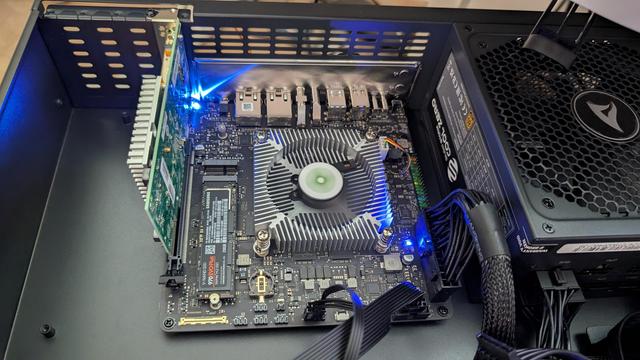
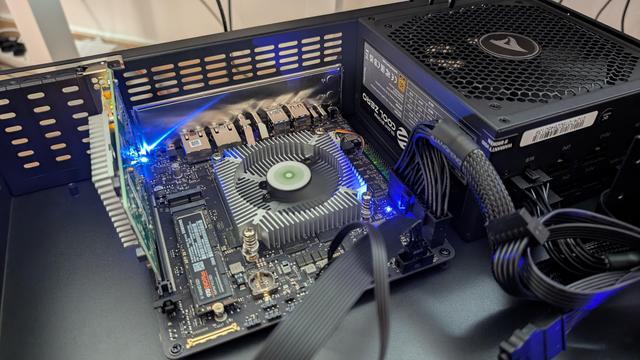
New #Proxmox #PXVIRT host spawned in my server rack : a Radxa #OrionO6 Armv9.2 board with 12 cores, 64 GiB RAM and an SFP+ card via PCIe. Amazing hardware & mainline support !
I'll have lots of fun migrating most of my VMs and k8s clusters to #aarch64 the next weeks 😁 !

Guess it's time to let people know again that they can run Proxmox on a Raspberry Pi thanks to PXVIRT
The Trixie pre-release is already available -insert usual warning about software eating your face-
#raspberrypi #proxmox #pxvirt #trixie #debian #raspberrypios
I've been seeing a lot of people saying they would love proxmox on raspberry pi obviously unaware that that's a reality for years by now.
If you are one of 'em have a look at
https://github.com/jiangcuo/pxvirt/wiki
pxvirt is the new name of the pimox project
It supports running proxmox on ARM64, RISC-V & LoongArch.
I personally only tested it on Raspbery Pi 4 & 5 as I still need a performant RISC-V system and a LoongArch machine.
 Fabián Rodríguez 🛡💾 🇨🇴 🌴
 The one with the headscarf 🧕🏽