@[email protected]
Best apology evva.

I hope other admins are learning and checking their backup processes.

Also I'll be aware that backing up my account successfully might depend on just me.

Would like to see you getting paid to teach organisations how to apologise.

#Apologies #MastodonBackup #ApologiesDoneWell

#MastodonHelp
Is there any tool to download public posts and retoots and reply toots of an inactive Mastodon account? I forgot to backup my posts before migrating, and I don't know a method that doesn't involve disabling inactivity on the account (and not sure what that will do).

#mastodonBackup #backups #archival #archiving #python #bash #shell #storage #datahoarder

@patrickmcurry

Thank you, Patrick. Web pages for Mastodon posts. Just stumbled upon your earlier templates, these seem super useful.

I had been thinking about setting up a simple website as an intermediate repository for selected older posts of mine, to give context to my current posts. Your template is minimalist and functional, and suitably low-tech too! Many thanks!!

#MastodonBackup #MastodonRepository
#TootView
#MastodonIntoWeb
#WebForMastodon

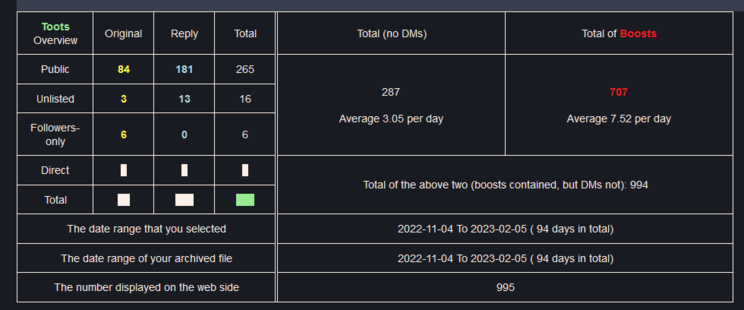
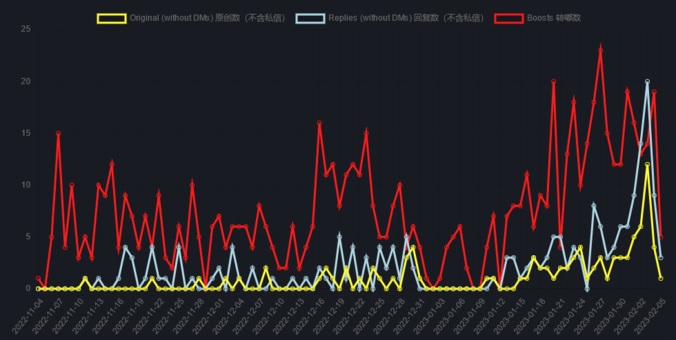
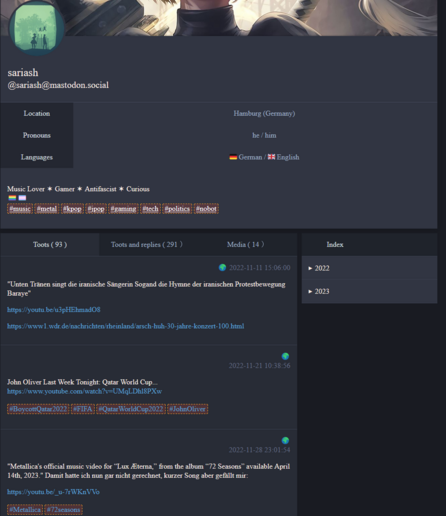
Trying to get the mastodon exported backup in a nicer view I just found this small little "Mastodon Archive Viewer" on github.

https://github.com/zero-mstd/mav-z/tree/master

It's just a local html page you open in your browser, open the archive .tar.gz file from mastodon and voila.

You get some stats and the toots in a nice readable way mimicking the official mastodon layout.

#Mastodon #MastodonBackup #MastodonDataExport #MastodonArchiveViewer

GitHub - zero-mstd/mav-z: An offline web page to view a mastodon archive.

An offline web page to view a mastodon archive. Contribute to zero-mstd/mav-z development by creating an account on GitHub.

GitHub

Remember to backup your account data from Mastodon! You can do it from the main menu under "Preferences" and on the left go to "Import and export" then "Data export". In the center of your screen you will see a table of different data types. Choose the CSV for your follows.

Then, if you ever lose access to your account or your server went under, you can re-follow the accounts again.

I am keeping mine in a folder in my cloud storage.

#mastodonMigration #Tips #Backup #MastodonBackup