When Strong Passwords Fail: Lessons from a Silent, Persistent Attack
1,038 words, 5 minutes read time.
Pro Git 2nd Edition, Kindle Edition Affiliate LinkToday’s affiliate link features Pro Git, 2nd Edition — available for free at the time of this post. Be sure to grab your copy before the offer ends!
As an IT professional, I pride myself on maintaining robust security practices. I use unique, complex passwords, enable two-factor authentication (2FA), and regularly monitor my accounts. Despite these precautions, I recently experienced a security breach that served as a stark reminder: even the most diligent efforts can fall short if certain vulnerabilities are overlooked.
The Unexpected Breach
I maintain a Microsoft 365 Developer account primarily for SharePoint development. This account isn’t part of my daily workflow; it’s used sporadically for testing and development purposes. To secure it, I employed a 36-character random password—a combination of letters, numbers, and symbols. This password was unique to the account and stored securely.
Despite these measures, I received a notification early one morning indicating a successful login attempt from an unfamiliar location. Fortunately, 2FA was enabled, and the unauthorized user couldn’t proceed without the second authentication factor. This incident prompted an immediate investigation into how such a breach could occur despite stringent password security.
The Silent Persistence of Attackers
Upon reviewing the account’s activity logs, I discovered a disturbing pattern: months of failed login attempts originating from various IP addresses. These attempts were methodical and spread out over time, likely to avoid triggering security alerts or lockouts. This tactic, known as a “low and slow” brute-force attack, is designed to fly under the radar of standard security monitoring systems.
Such persistent attacks underscore the importance of not only having strong passwords but also implementing additional security measures. According to the Cybersecurity and Infrastructure Security Agency (CISA), 2FA is essential to web security because it immediately neutralizes the risks associated with compromised passwords. If a password is hacked, guessed, or even phished, that’s no longer enough to give an intruder access: without approval at the second factor, a password alone is useless .
The Vulnerability of Dormant Accounts
One critical oversight on my part was the assumption that an infrequently used account posed less of a security risk. In reality, dormant accounts can be prime targets for attackers. These accounts often retain access privileges but are not actively monitored, making them susceptible to unauthorized access. As noted by security experts, dormant accounts often fly under the radar, making them perfect targets for threat actors. Since they aren’t actively monitored, cybercriminals can exploit them for weeks—or even months—before being detected .
This realization led me to reassess the security of all my accounts, especially those not regularly used. It’s imperative to treat every account with the same level of scrutiny and protection, regardless of its frequency of use.
Immediate Actions Taken
In response to the breach, I took several immediate steps to secure the compromised account and prevent future incidents:
First, I changed the account’s password to a new, equally complex and unique one. Recognizing that the email address associated with the account might have been targeted, I updated it to a more obscure variation, reducing the likelihood of automated credential stuffing attacks.
Next, I thoroughly reviewed the account’s security settings, ensuring that all recovery options were up-to-date and secure. I also examined the activity logs for any other suspicious behavior and reported the incident to Microsoft for further analysis.
Finally, I conducted a comprehensive audit of all my accounts, focusing on those that were dormant or infrequently used. I enabled 2FA on every account that supported it and closed any accounts that were no longer necessary.
Lessons Learned
This experience reinforced several critical lessons about cybersecurity:
Firstly, password strength alone is insufficient. While complex passwords are a fundamental aspect of security, they must be complemented by additional measures like 2FA. According to research, implementing 2FA can prevent up to 99.9% of account compromise attacks .
Secondly, dormant accounts are not inherently safe. Their inactivity can lead to complacency, making them attractive targets for attackers. Regular audits and monitoring of all accounts, regardless of usage frequency, are essential.
Thirdly, attackers are persistent and patient. The “low and slow” approach to brute-force attacks demonstrates a strategic method to bypass traditional security measures. Staying vigilant and proactive in monitoring account activity is crucial.
Strengthening Security Measures
In light of this incident, I have adopted several practices to enhance my cybersecurity posture:
I now regularly audit all my accounts, paying special attention to those that are dormant or infrequently used. I ensure that 2FA is enabled wherever possible and that all recovery options are secure and up-to-date.
Additionally, I have started using a reputable password manager to generate and store complex, unique passwords for each account. This tool simplifies the process of maintaining strong passwords without the need to remember each one individually.
Furthermore, I stay informed about the latest cybersecurity threats and best practices by subscribing to security newsletters and participating in professional forums. This continuous learning approach helps me adapt to the evolving threat landscape.
Conclusion
This incident served as a sobering reminder that no one is immune to cyber threats, regardless of their expertise or precautions. It highlighted the importance of a comprehensive security strategy that includes strong passwords, multi-factor authentication, regular account audits, and continuous education.
I encourage everyone to take a proactive approach to cybersecurity. Regularly review your accounts, enable 2FA, use a password manager, and stay informed about emerging threats. Remember, security is not a one-time setup but an ongoing process.
If you found this account insightful, consider subscribing to our newsletter for more cybersecurity tips and updates. Share your thoughts or experiences in the comments below—we can all learn from each other’s stories.
D. Bryan King
Sources
Disclaimer:
The views and opinions expressed in this post are solely those of the author. The information provided is based on personal research, experience, and understanding of the subject matter at the time of writing. Readers should consult relevant experts or authorities for specific guidance related to their unique situations.
Related Posts
#2FA #accountHacking #accountMonitoring #accountTakeover #bruteForceAttack #cloudAccountProtection #cloudSecurity #compromisedAccount #compromisedCredentials #compromisedMicrosoftAccount #credentialStuffing #credentialTheft #cyberattack #cybercrime #cybersecurity #cybersecurityAwareness #cybersecurityLessons #developerAccountSecurity #dormantAccounts #emailSecurity #hackerPrevention #howHackersBypassMFA #identityProtection #infosec #ITProfessionals #ITSecurity #ITSecurityIncident #loginSecurity #lowAndSlowAttack #MFA #MFAImportance #Microsoft365Security #MicrosoftLogin #passwordAloneNotEnough #passwordBreach #passwordEntropy #passwordHygiene #passwordManagement #PasswordSecurity #passwordVulnerability #persistentThreats #phishingProtection #randomHashPassword #realWorldBreach #realWorldCybersecurity #securePasswords #securingDormantAccounts #securityAudit #securityBestPractices #securityBreach #SharePointDeveloperAccount #SharePointSecurity #strongPasswords #techSecurityBreach #tokenHijacking #TwoFactorAuthentication
 PPC Land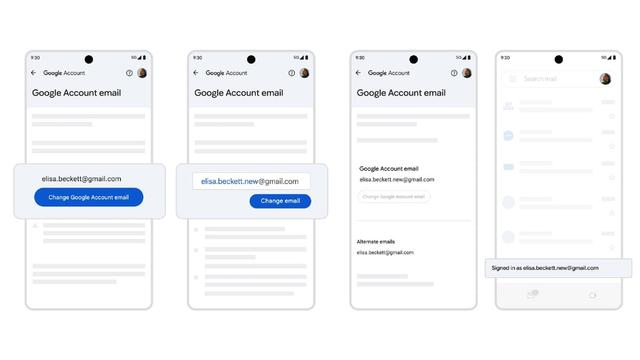
 Zevonix
 5021tips
 nickbalancom
 Bryan King
 GGLVXD