 bot
botArtoo: Ruby 기반 로보틱스 및 피지컬 컴퓨팅 프레임워크
Artoo는 Celluloid를 활용해 다중 하드웨어 기기를 동시 제어할 수 있는 Ruby 기반 로보틱스 프레임워크다.
Artoo: Ruby 기반 로보틱스 및 피지컬 컴퓨팅 프레임워크
Artoo는 Celluloid를 활용해 다중 하드웨어 기기를 동시 제어할 수 있는 Ruby 기반 로보틱스 프레임워크다.
Ruby 백그라운드 작업의 실패 사례와 설계적 대안
데이터베이스 트랜잭션이 커밋되기 전 백그라운드 작업이 먼저 실행되어 발생하는 ActiveRecord::RecordNotFound 예외와 서비스 객체를 이용한 해결책을 다룬다.
I'm sometimes quite stuck with the software I use, trying to make it work rather than looking for something new.
But I finally made the switch to Celluloid on desktop and mpv on Android, and it is working so much better for me than VLC did!
#Celluloid ist eine Kamera-App für #macOS. Sie ist #OpenSource und ermöglicht einerseits die Aufnahme des Videostreams von der Kamera am #Mac und andererseits kann man damit selbigen mit Echtzeitfiltern für die Videokonferenz z.B. in Zoom behübschen.
3/3
If you prefer a smoother experience, I highly recommend Celluloid 👉 https://flathub.org/en/apps/io.github.celluloid_player.Celluloid
It’s a frontend for mpv, giving you the speed and flexibility of mpv with a clean, modern UI.
In my experience, it just gets video player UX right 👌🏻
I've been experiencing segfaults while using Celluloid to watch certain YouTube videos and decided to investigate... It appears that there is a bug in the intel-media-va-driver reporting support for AV1 support on my Tiger Lake GPU:
- https://github.com/mpv-player/mpv/issues/14941
- https://trac.ffmpeg.org/ticket/11213
To workaround this, I configured mpv to have yt-dlp avoid AV1 files by adding the following to my ~/.config/mpv/mpv.conf
ytdl-format=bestvideo[vcodec!^=av01][height<=1080]+bestaudio
This has yt-dlp pick the best video format that isn't AV1 and is no more than 1080p, while choosing w/e is the best audio format.
So far, this has fixed the issues of Celluloid crashing while playing some YouTube videos.

mpv Information mpv 0.38.0 Copyright © 2000-2024 mpv/MPlayer/mplayer2 projects libplacebo version: v7.349.0 FFmpeg version: 7.0.2-3 FFmpeg library versions: libavutil 59.8.100 libavcodec 61.3.100 l...
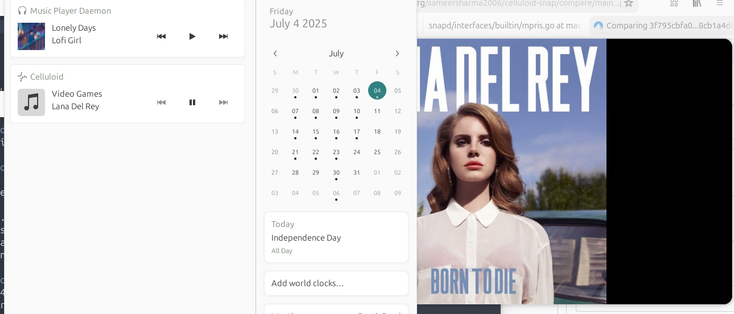
MPRIS is a neat mechanism that allows media players to communicate what is playing and provide playback controls.
Unfortunately, this was not working in the snap version of celluloid, a mpv + GTK media player.
After some digging around (and grepping dbus-monitor), I discovered a quick fix:
https://codeberg.org/sameersharma2006/celluloid-snap/pulls/12
Basically, rename the DBUS path to something allowed by the snap appamour profile.
I happy to say that the change worked and is now merged!
Celluloid 0.28 Adds Lua Module Support, Refreshes UI
Open-source video player Celluloid saw a notable new release at the weekend, bringing a refreshed user interface (among many other changes) to users. Celluloid is a popular GTK front-end to MPV, the (exhaustingly) configurable cross-platform, command-line based media player, and makes many of MPV’s more advanced features a touch easier for users to find, try and benefit from. In Celluloid 0.28 its developers have focused on improving the UI —not hugely, don’t fret. Player controls see refinement in both regular mode, full-screen mode and if ‘floating’ controls are enabled for windowed mode – fewer buttons are shown by default: As 
#News #AppUpdates #Celluloid
 https://www.omgubuntu.co.uk/2025/04/celluloid-0-28-adds-lua-module-support-refreshes-ui



 zeroase

 Thomas Mathoi
 Norbi📷🚴♀️💻
 Serge Matveenko ♻️☮️ ⩜⃝
 Peter Bui
 Dudley Storey
 OMG! Ubuntu!