A third party report highlights a critical auth bypass in AdGuard Home that could grant admin control to attackers. Users are urged to patch immediately and review access controls. 🛡️🔧 Update to the latest release and rotate credentials. More: https://cyberinsider.com/adguard-home-vulnerable-to-critical-auth-bypass-allowing-admin-control/ #CyberSecurity #AdGuardHome #Vulnerability #PatchNow
AdGuard Home vulnerable to critical auth bypass allowing admin control

AdGuard Home patched a critical bug that could allow unauthenticated attackers to bypass authentication and gain full administrative access.

CyberInsider
CVE-2026-32136 (CRITICAL): AdGuard Home <0.107.73 allows remote auth bypass via HTTP/2 cleartext upgrade. Full admin access at risk. Upgrade now! 🔐 https://radar.offseq.com/threat/cve-2026-32136-cwe-287-improper-authentication-in--91bc9287 #OffSeq #AdGuardHome #Vulnerability #Infosec

Note to self: When you migrate your adblocking DNS server from bare metal to docker, make sure to update your monitoring platform so it knows the new addresses/IP's... otherwise your uptime goes to crap.

Also remember to read the notifications from your Teams channel, that receives the notification webhook for down and up notifications; so you don't find this as an afterthought when working out how to monitor if DoH and TLS queries are working.

#Homelab #AdGuardHome #Docker #Uptime #UptimeKuma

@operative #AdGuardHome is open-source so nothing to fear about their authors.
It works very well even from outside your LAN.
You can set your instance on your mobile devices without the need to install a VPN.
Here I use AGH with ad-filters and #unbound as DNS resolver.
More information on their blog https://adguard.com/en/blog/adguard-home-on-public-server.html
How to setup AdGuard Home on a public server

This post explains in detail how to setup your own AdGuard Home on a public server, configure encryption and use it.

AdGuard Blog

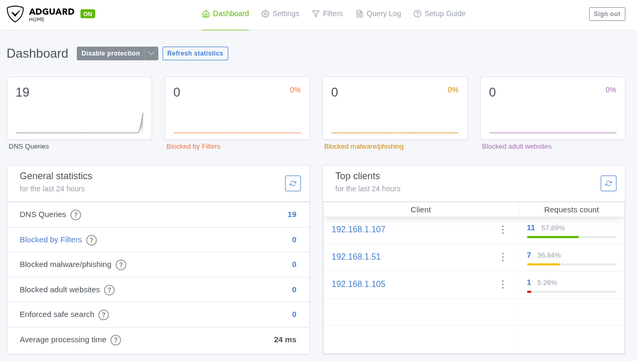
I run AdGuard at home, to block trackers and advertising.. running 30 day statistics.

#adguard #AdGuardHome

@blablalinux c'est facile à installer #adguardhome dans un container ? Tuto ?
Marre que votre trafic local fasse le tour du web ? En réécrivant vos domaines vers vos IP locales, vous décuplez vos performances.
Avec cette configuration, vos services (fichiers) s'ouvrent à la vitesse de votre réseau local sans dépendre de votre connexion internet. C'est la solution idéale pour garder des certificats HTTPS valides tout en restant en circuit court.
Simple, invisible et redoutable pour l'auto-hébergement !
#BlablaLinux #AdGuardHome #SelfHosted #SysAdmin #Nextcloud

Habe mich in den letzten Tagen wieder etwas mit lokalen DNS-Servern wie Pi-Hole oder AdGuard Home beschäftigt. Neu hinzugekommen ist Technitium.

Also AdGuard Home und Pi-Hole schenken sich meiner Meinung nach immer noch nichts. Denke, das ist reine Geschmackssache. Was mir bei Technitium sehr gefällt, dass man dort recht einfach eine eigene "root Zone" erstellen kann. Dadurch werden die Anfragen gegen die DNS Root Server aufgelöst. Gerade bzgl. Datenschutz und Privatsphäre ein Feature, das ich gerne nutze. Dies ist beim Pihole Out-of-the-Box nur mit einer nachträglichen, manuellen Installation möglich. Soweit ich weiß, ist das bei AdGuard Home überhaupt nicht möglich. Lasse mich diesbezüglich aber gerne eines Besseren belehren.

Generell lässt sich Technitium auch zum Blocken von Werbung oder ähnlichen Unsinn verwenden. Man kann dort auch sämtliche Blocklisten hinzufügen. Allerdings ist es bei Technitium so, dass die Oberfläche etwas "gewöhnungsbedürftig" ist. Aber man kann nicht alles haben. 😉

Ich habe mich dafür entschieden, AdGuard Home für das Blocking weiterzunutzen der dann die Anfragen zum Auflösen an den Technitium schickt. Also ist Technitium ein reiner lokaler DNS-Server mit Cache.

Dieses Setup läuft seit gestern und ich muss sagen, dass ich wirklich zufrieden bin.
Hier mal ein Vergleich was die Zeiten bzgl. der Namensauflösung betrifft.

AdGuard Home --> Technitium:

Und hier zum Vergleich eine Messung mit dem Google Server (8.8.8.8):

Also schon ein gewisser Speed-Vorteil. Bin gespannt, was der Langzeittest zeigen wird.

#AdGuardHome #Technitium #PiHole #DNS #Selfhosting #Linux #Datenschutz

Immer die gleiche Frage, die sich einem #Datenschutz bewussten Nerd beim #Selfhosting stellt: Was verwendet man: #PiHole oder #AdGuardHome?

Was meint ihr? Und wieso? 🤔

#fragdasfediverse #askfedi #followerpower

@Viq Good additions. AdGuard Home is arguably a better pick for most people now — built-in HTTPS filtering, encrypted DNS out of the box, and a cleaner UI. Pi-hole still wins on community blocklists and ecosystem.

Technitium is underrated. Full authoritative DNS server, not just a blocker. Worth it if you're running split-horizon DNS or need zone management.

#selfhosted #dns #pihole #adguardhome #homelab