@kieliscalling 🙈

Ich habe den Wechsel von 10 zu 11 noch nicht vollzogen und bin derzeit am Überlegen ob ich es mal mit Linux (evtl. Mint) probieren sollte. 🤔

Wenngleich ich natürlich meine lieb gewonnenen und stark an meine Bedürfnisse angepassten Programme und Werkzeuge, wie den utlimativen Dateimanager "Total Commander", den sehr vielseitigen Editor "notepad++" und den kleinen, schlanken und alles anzeigenden Bildbetrachter "Irfanview", sehr vermissen würde. 🙄

Ich hadere noch ein wenig, werde die 11er Version wohl versuchen, aber nicht ohne vorher alle Telemetrie und sonstige Schnüffelkanäle mit W10privacy abzuschalten.
Glücklicherweise hat der Entwickler die Möglichkeiten erweitert und auch für Windoof 11 angepasst. 😃

https://www.w10privacy.de/

#Windows11 #W10Privacy #Linux #LinuxMint

W10Privacy - Datenschutz leicht gemacht

Auf die Idee zur Entwicklung dieses kleinen Programmes kam ich durch die standardmäßig doch äußerst bedenklich gesetzten Datenschutz- sowie Privatsphäreneinstellungen in Windows 10 - vorsichtig formuliert! Microsoft überlässt es dabei großzügiger Weise jedem, den Großteil der Einstellungen anzupassen, verbirgt diese aber in unzähligen Menüs, die die wenigsten "Standardanwender" absuchen möchten. Das Programm soll daher eine Hilfe sein, die verfügbaren Einstellungen relativ übersichtlich darzustellen und die gewünschten Optionen bei Bedarf zu setzen. Der primäre Focus steht dabei auf Einstellungen für Windows 10/11 sowie dessen Apps (z. B. dem neuen Browser "Edge"), es werden aber für Windows 8.1 verfügbare Features integriert. W10Privacy ist sicherlich kein programmier-technisches Meisterwerk, erfüllt aber den von mir angedachten Zweck. Die Software befindet sich in permanenter Weiterentwicklung: Verbesserungsvorschläge und Wünsche werden gerne entgegengenommen und fließen auch ggf. in das Programm ein!

W10Privacy

One short recommendation: Because I use it every time after an installation.

Take a look at #w10privacy, in MS eyes it is absolute evil :D In my eyes absolute useful to set all the hidden registry keys for make Windows a little more quiet at the end.

Also wenn ich Nachrichten lese, scheint mir das #Problem, bei dem ich #fedihelp brauche, ja sehr klein, aber seit kurzem funktioniert die #Beleuchtung vom #Typecover an meinem #surface9 mit #Win11 nicht mehr. Tippen und Scrollen geht, ebenso die LED der FN-Taste.

Könnte es an einem Update liegen oder an einer zu strengen Einstellung von #w10privacy?

Neustart und Deinstallation der Tastatur haben nichts bewirkt.

Erhellende Ideen, die Licht ins Dunkel bringen, würden mich Strahlen lassen.

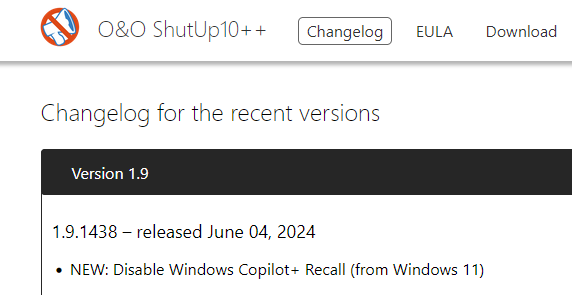
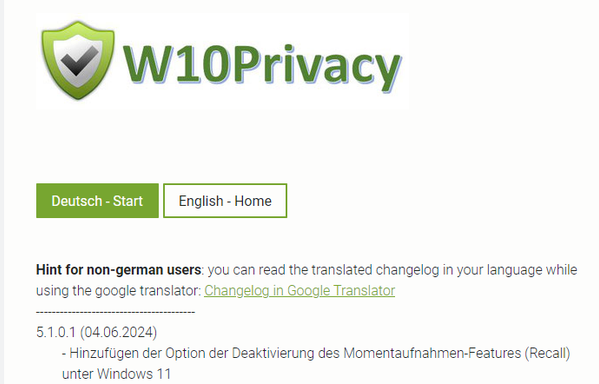
Here we go #OOSU10 #W10Privacy have updated versions which can "Disable" #Recall

/cc @GossiTheDog

W10Privacy - Privacy made ​​easy

The by default highly questionable set options concerning privacy and data protection in Windows 10 brought me to the idea to develop this program. Microsoft generously enables everybody to change the concerning settings, but hides them in countless menus, where a normal user does not want to search for! The program should therefore be a help, to display the available settings relatively clearly and to set the desired options if necessary. The primary focus is on settings for Windows 10/11 and its apps (for example the new browser "Edge"). The program will be expanded gradually, if possible and available, with the corresponding Windows 8.1 features in the future. W10Privacy is certainly no programming masterpiece, but it fulfills my intended purpose. The software is still in an early development phase, requests are welcome and may be included in future releases!

W10Privacy

@ordinarylava

W10privacy fonctionne aussi sous W11.

#w10privacy #windows10 #windows11

Hello there!

Je commence à avoir quelques clients avec des machines sous #Windows11 🤮

De quels outils de configuration (comprenez : tordage de bras de l'OS pour limiter ses envois de données et autre tweaks d'UI) dispose t-on actuellement pour régler Win11 ?

Sous #Windows10 j'utilise l'excellent #W10Privacy (qui ne fait pas de copinage avec M$, contrairement à ShutUp10). Est-ce que des outils similaires à W10Privacy ont été développés pour la version 11 de Windoze ?

Merci d'avance pour vos recommandations. Repouëts appreciés 👍

@boilingsteam
using https://www.w10privacy.de/english-home/
as a basic counter measure is a must.

#w10privacy

W10Privacy - Privacy made ​​easy

The by default highly questionable set options concerning privacy and data protection in Windows 10 brought me to the idea to develop this program. Microsoft generously enables everybody to change the concerning settings, but hides them in countless menus, where a normal user does not want to search for! The program should therefore be a help, to display the available settings relatively clearly and to set the desired options if necessary. The primary focus is on settings for Windows 10/11 and its apps (for example the new browser "Edge"). The program will be expanded gradually, if possible and available, with the corresponding Windows 8.1 features in the future. W10Privacy is certainly no programming masterpiece, but it fulfills my intended purpose. The software is still in an early development phase, requests are welcome and may be included in future releases!

W10Privacy
@dadosch ich habe da auch schon ein image für neue Installationen vorbereitet.
Installation, dann mit #w10privacy behandeln, dann notwendigste Programme wie #VLC, #Firefox, #npackd installieren und dann mit c't #WIMage ein neues Installations medium Backen.
Persönlich bleibe ich bei #Linux. Wobei man da die Installation mit #CUBIC auch wunderbar, und viel Einfacher anpassen kann.
Federated Services · Friendica Social Network | Search

#W10Privacy : logiciel libre pour rendre votre #Windows10 moins bavard en le nettoyant de tous les « dispositifs espions » qui y sont inclus par Microsoft (télémétrie, localisation, rapports d'activités, etc.), pour préserver (un peu) votre #ViePrivée.
https://www.winprivacy.de/english-home/
W10Privacy - Privacy made ​​easy

The by default highly questionable set options concerning privacy and data protection in Windows 10 brought me to the idea to develop this program. Microsoft generously enables everybody to change the concerning settings, but hides them in countless menus, where a normal user does not want to search for! The program should therefore be a help, to display the available settings relatively clearly and to set the desired options if necessary. The primary focus is on settings for Windows 10 and its apps (for example the new browser "Edge"). The program will be expanded gradually, if possible and available, with the corresponding Windows 8.1 features in the future. W10Privacy is certainly no programming masterpiece, but it fulfills my intended purpose. The software is still in an early development phase, requests are welcome and may be included in future releases!