

Fedora Ostree gamers, do you install steam as a flatpak, toolbox/distrobox container or layer it?
#silverblue #kinoite #fedora #sericea #vauxite #onyx #steam #linuxgaming #ostree
Fedora Ostree gamers, do you install steam as a flatpak, toolbox/distrobox container or layer it?
#silverblue #kinoite #fedora #sericea #vauxite #onyx #steam #linuxgaming #ostree
Lucky for your
has spins:
https://fedoraproject.org/spins/xfce/download
Or install Silverblue and rebase to a #universalblue image:
https://fedoraproject.org/silverblue/download
#Vauxite is also available for cloud based container native XFCE x 
https://universal-blue.org/images/
Images for Nvidia, ASUS, Framework and Surface as well.
I recommend Fedora Media Writer for flashing media.
Ublue has an installer.
I still suggest installing Silverblue or Kinoite first and rebasing for best troubleshooting/practices.
If you use
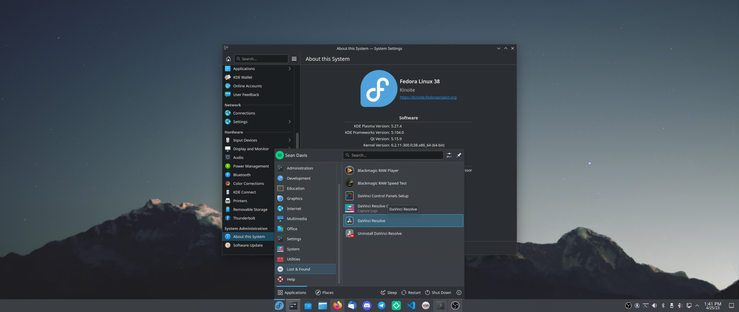
#Fedora 38, #Silverblue, #Kinoite, #Vauxite, or other systems where #davinciresolve doesn't work or isn't easily installed... I've got a solution!
https://gist.github.com/bluesabre/8814afece711b0ca49de34c41e50b296
Using a Fedora 37 toolbox, copying launchers and icons, and updating everything to be container-friendly, you can get DaVinci Resolve up and running!
I haven't tested any editing, but successfully launching the app gives me hope.
Flatpaks aktualisieren mit systemd
Neben rpm-ostree basierten Basissystemen, lassen sich auch Flatpak Pakete auf einfache Weise automatisch aktualisieren.
#Flatpak #rpm-ostree #Silverblue #Kinoite #Vauxite #immutable #Updates #systemd