Extra features:
- Start short from beginning with J
- Go to the next or previous frame of the video
- Set default playback rate when first opening shorts
- Auto skip short with likes below custom threshold (e.g. 500 likes)
- Auto open comment section on each short
- Hide overlay on shorts (title, channel, etc.)
- Go to the next frame or previous frame with . and , while paused
- View counter and upload date above video title
*Enhancer for YouTube™ - *take control of YouTube and boost your user experience!
Built to get the most out of YouTube, this extension comes packed with all sorts of features that allow you, among other things, to control the playback speed and the volume level with the mouse wheel, automate repetitive tasks such as selecting the appropriate playback quality, configure dozens of keyboard shortcuts to control YouTube like a pro, and much more... Give it a try! But be aware that you will never want to use YouTube without it again ;)
*Personal usage: boost volume, video effects, loop*
*Return YouTube Dislike - *returns ability to see dislikes, really hate YouTube's decision to hide them.
*SponsorBlock for YouTube* - Skip Sponsorships
Skip sponsorships, subscription begging and more on YouTube videos. Report sponsors on videos you watch to save others' time.
SponsorBlock lets you skip over sponsors, intros, outros, subscription reminders, and other annoying parts of YouTube videos. SponsorBlock is a crowdsourced browser extension that lets anyone submit the start and end times of sponsored segments and other segments of YouTube videos. Once one person submits this information, everyone else with this extension will skip right over the sponsored segment.
You can also skip over non music sections of music videos.
Supports Invidious, old YouTube and mobile YouTube.
With this extension, you will automatically skip YouTube sponsors.
*Personal usage: I skip annoying sponsors, fillers, intros, asks to subscribe or like, and intros.*
*DeArrow* - a browser extension for crowdsourcing better titles and thumbnails on YouTube. The goal of DeArrow is to make titles accurate and reduce sensationalism.
*Personal usage and reasons: I'm tired of MrBeastification and clickbait thumbnails and titles. This extension helps me to see what videos are actually do look like, so I can decide myself whether to watch this video or not.*
*TubeMod - *TubeMod allows you to customize YouTube's UI to your preferences, by keeping you focused on what matters!
*Personal history and usage: today I discovered this extension, because YouTube recommended it to me. See the video for yourself: https://www.youtube.com/watch?v=vf0kLSZO-wc . My own usage is that I hide everything that I don't need. Very useful, especially if you tired of your adblocker (like uBlock Origin) making weird spaces after videos, the spaces that are actually hidden ads.*
*YouTube High Definition* - this extension is powerful tool that will let you play all videos in HD and change video player size automatically.
YouTube High Definition solves a number of annoying YouTube issues.
Features
Automatically play all YouTube videos in the highest resolution possible
Specify your preferred resolution (4k, 1440p,1080p, 720p, 480p, 360p, 240p, 144p)
Change video player size
Control auto-mute volume and auto-stop video play
Supports HD play when videos are embedded in external sites like Facebook, Twitter, Reddit, and others
---
Well, these aren't all extensions that I have installed, but most of them.
Rest of them are either for Mastodon, either for Bluesky, or just homepage extensions. For example, I personally use Bonjourr.
I didn't gave you all extensions names, but I did shared all privacy-focused extensions and all YouTube-related extensions.
Some of these extensions are made for increasing the volume on else websites then YouTube, and some are just vertical tabs extensions, but I don't use them because I don't need them. Why?
Well, it's because it's time to share my setup, I think :-)
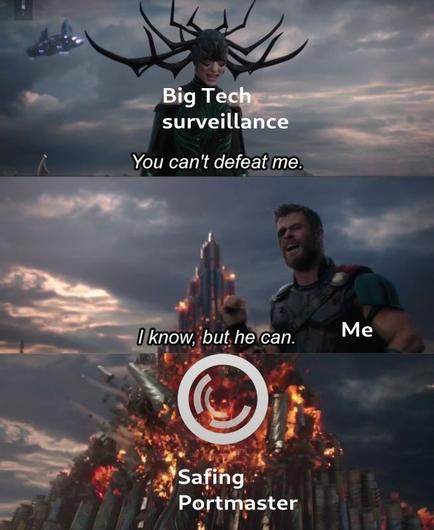
I use @zenbrowser as my main and @brave as secondary. I as well have @safing 's Portmaster app installed since it is privacy-focused.
So, I use personally Linux Mint, 20.3, Cinnamon as my OS.
My default search engine is Brave.
So, this is basically all it :-)
10K characters weren't enough for me, huh :-)
#mastodon #privacy #google #bluesky #firefox #zenbrowser #linux #linuxmint #youtube #safing #brave #bravesearch #bravebrowser #ublockorigin
 The New Oil
 Fossery Tech


 hertg
hertg
 @leX 🤘🏻
 Expert Plus 🍀🔱
 This account is inactive!
 SolSoCoG
 JP
JP 


 Fossery Tech