 Robin Frost
Dear #iOS dictation when I say "picture smart" as in the #Jaws For Windows feature #PictureSmart I mean say it with me now #PictureSmart not #PetSmart bwahahahahahahahahahahahaha. But I did laugh so there's that. Thanks for the laugh dictation.
Dear @freedomscientific thank you, thank you, thank you, thank you, thank you for #PictureSmart I can't tell you what a help that feature has been to me just in the past day. Though I must admit last night when I was using it to get ready for tax season to look at check images on my bank's site I kept thinking I'd eventually get yelled at for using it too much. Mercifully I did not. But again, I just want to say thank you for making it possible for me to complete a task that used to always involve sighted assistance. 👏👏👍👍🙌🙌
 Lanie Carmelo
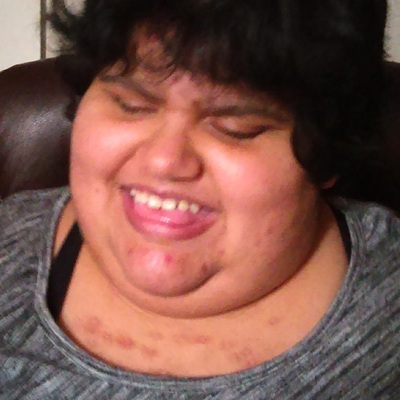
Lol, just had to laugh at this! 😄 I’m going through my photos using #JAWS #PictureSmart to describe them so I can figure out what to do with them, and it gave me this description:
"The image shows a person with short, dark hair wearing a teal shirt. The person’s eyes are closed, and their tongue is slightly sticking out. The background appears to be a teal and white patterned blanket and part of a bed. The photo is slightly blurred."
What cracked me up was the mention of my tongue sticking out! 😂 I do this a lot because I have a large tongue and often breathe through my mouth since I don’t feel like I get enough air just through my nose. That part of the description made me laugh out loud! #BlindHumor #TechForTheBlind #Accessibility #FunnyMoments #OrganizingPhotos #BlindLife #DisabilityHumor
"The image shows a person with short, dark hair wearing a teal shirt. The person’s eyes are closed, and their tongue is slightly sticking out. The background appears to be a teal and white patterned blanket and part of a bed. The photo is slightly blurred."
What cracked me up was the mention of my tongue sticking out! 😂 I do this a lot because I have a large tongue and often breathe through my mouth since I don’t feel like I get enough air just through my nose. That part of the description made me laugh out loud! #BlindHumor #TechForTheBlind #Accessibility #FunnyMoments #OrganizingPhotos #BlindLife #DisabilityHumor
I just used the #JawsForWindows #PictureSmart feature to describe an item on EBay to me and it worked flawlessly. Just to be able to do such a thing without having to bother another human makes me feel a bit emotional. Thank you @freedomscientific for such literal freedom.
 Robin Frost Has Moved
I find it interesting that on every instance I've visited under one's Mastodon profile when adding profile or header picture #ScreenReader says "Profile picture: No file chosen
Header picture: No file chosen" even after one has been added. I wish this could be made to verbalize with more accuracy. And yes I did try employing #PictureSmart to confirm whether or not my image was actually there.
This post will be more about #Tech, school, and hobbies. I've been using a computer running #ArchLinux for a while now. I had a computer with #Windows10, but it wasn't running so great so I tried to put #Linux on it. Something went wrong and it wouldn't boot.
My mom had another computer she let me put Linux on. It's not as good as the other and only has 4 gb of RAM and 64 gb storage, but I can't afford anything better. I tried #Ubuntu and #LinuxMint, but I didn't like how out of date software was. Now I'm on #Arch and like a lot of things about it. My biggest issues are that I wish #Braille support was better and there are one or two apps I haven't been able to find equivalents for, or what I've found isn't as good. I love the customizability though, and the way you can put just what you want on the computer and no more. I also like the #commandLine. On #Windows, I was a #JAWS user, and there are some features I miss from that, particularly #PictureSmart, #SplitBraille, and being able to configure profiles for websites. The one Windows app I haven't found a good equivalent for is one called Perky Duck. It's an editor that lets you create Braille files using six keys on your computer keyboard. There's a Linux app called BrailleZephyr, but it has far fewer features and isn't as easy to use. This is needed for the #BrailleTranscription course I'm taking. I'm using BrailleZephyr now because it's my only choice unless I want to write my lessons with a Braillewriter and mail them in. I'm also trying to find an #accessible #Telegram client. I tried the web and desktop apps and they were both inaccessible.
I also tried some #gardening a while back. We were doing it inside but it had to be moved outside and my mom wound up caring for the #plants because it's usually too hot for me out there, but a couple nights ago, she took me out there to pick a #cucumber. I got to pick it, she cut it up, and we ate it. It was so much better than storebought cucumber! There are more growing, too, so that won't be the last one we pick. Helping grow and then picking that cucumber was really satisfying.
#accessibility #technology #gardening
My mom had another computer she let me put Linux on. It's not as good as the other and only has 4 gb of RAM and 64 gb storage, but I can't afford anything better. I tried #Ubuntu and #LinuxMint, but I didn't like how out of date software was. Now I'm on #Arch and like a lot of things about it. My biggest issues are that I wish #Braille support was better and there are one or two apps I haven't been able to find equivalents for, or what I've found isn't as good. I love the customizability though, and the way you can put just what you want on the computer and no more. I also like the #commandLine. On #Windows, I was a #JAWS user, and there are some features I miss from that, particularly #PictureSmart, #SplitBraille, and being able to configure profiles for websites. The one Windows app I haven't found a good equivalent for is one called Perky Duck. It's an editor that lets you create Braille files using six keys on your computer keyboard. There's a Linux app called BrailleZephyr, but it has far fewer features and isn't as easy to use. This is needed for the #BrailleTranscription course I'm taking. I'm using BrailleZephyr now because it's my only choice unless I want to write my lessons with a Braillewriter and mail them in. I'm also trying to find an #accessible #Telegram client. I tried the web and desktop apps and they were both inaccessible.
I also tried some #gardening a while back. We were doing it inside but it had to be moved outside and my mom wound up caring for the #plants because it's usually too hot for me out there, but a couple nights ago, she took me out there to pick a #cucumber. I got to pick it, she cut it up, and we ate it. It was so much better than storebought cucumber! There are more growing, too, so that won't be the last one we pick. Helping grow and then picking that cucumber was really satisfying.
#accessibility #technology #gardening
I just ran into a web page with an #Inaccessible prompt at my bank. I could have panicked. I could have called @AiraVI but since I was at the fabulous presentation that @brian_hartgen did for @bitsacb last Saturday, I thought I know what I'll do and employed #PictureSmart in #JawsForWindows and dealt with the prompt and entered the choice I needed and went on my way. Empowerment through learning from a friend is a wondrous blessing. #Winning!
 André Polykanine
today I passed an image from my wife's blog through #PictureSmart AI in #JAWS just for fun, then showed the description to her. She was very impressed! @freedomscientific
 Aaron John Dizon
@freedomscientific #question and #suggestion here. can you add #OpenAI #Bing or #Bard to the sources of image descriptions from the #PictureSmart feature in #JAWS? this picture smart feature is very efficient because on a press of a keystroke, you can get descriptions of image files and controls. except sometime, it provides descriptions that are totally not helpful, for example identifying logos that are really not in the picture. i think it will be grate and much more efficient if these #AI things could be intigrated to this feature. #Blind #Blindness #Accessibility #ScreenReader #JFW