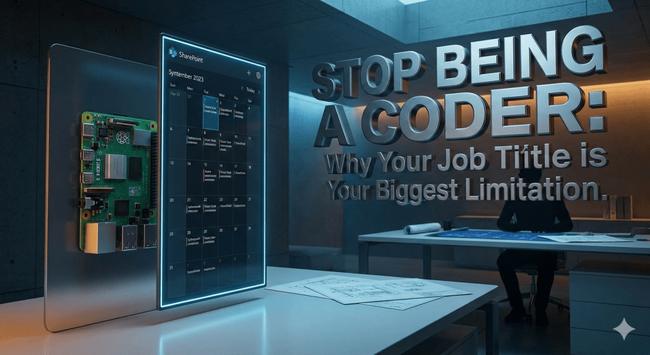
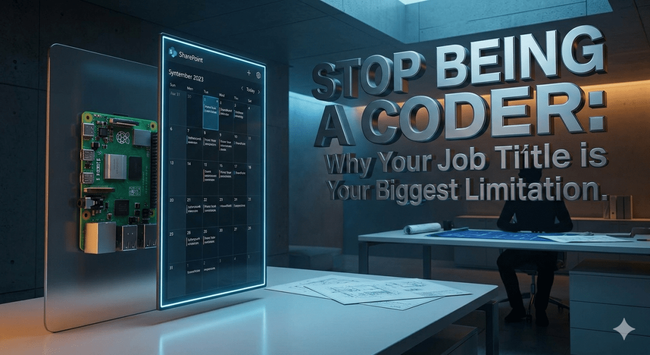
Stop Being a Coder: Why Your Job Title is Your Biggest Limitation
2,522 words, 13 minutes read time.
In the early stages of my career, I operated within an IT department of eighteen people where the culture was defined by a rigid, almost suffocating level of compartmentalization. Most of my colleagues viewed their job titles as a protective shield, a way to say “that isn’t my responsibility” the moment a task veered slightly outside the narrow confines of their specific niche. If a problem required a blend of database knowledge, a bit of electrical troubleshooting, and a grasp of network protocols, it would often sit in limbo because nobody wanted to step out of their lane. During this time, I kept a tagline in my email signature that served as a personal North Star: “I do today what others won’t so tomorrow I can do what others can’t.” It was a reminder to myself that while my official designation might have been specialized, my actual value to the organization was my willingness to be a generalist who could bridge the gaps between disparate technologies.
This mindset of doing what others refused to do—whether it was crawling under a desk to fix a printer or diving into the nuances of server rack power distribution—inevitably led to a unique professional paradox. On one hand, I became the go-to person for high-profile projects that required a holistic understanding of how systems actually interact in the real world. On the other hand, this cross-functional agility often drew grief from those who felt threatened by anyone operating outside of a designated silo. The reality of modern development is that “just being a coder” is a precarious position; code does not exist in a vacuum, and it certainly does not run on magic. If you cannot understand the hardware it sits on, the network it travels across, or the physical environment where the user interacts with it, you are not a solution provider—you are just a specialized laborer.
The transition from a SharePoint WebPart developer to a hardware-integrated generalist is perhaps the best example of how a broader skill base creates superior outcomes. While many developers are content to stay within the SPFx sandbox, true innovation often requires stepping into the physical realm where software meets silicon. My first encounter with piSignage did not happen in a boardroom, but rather through a personal project involving a Christmas display meant to show hours of operation and holiday information. It was a low-stakes environment that allowed me to test the limits of the Raspberry Pi and the piSignage management layer, proving that a low-cost, high-reliability hardware node could handle dynamic data delivery with minimal overhead. When the professional requirement later arose for a robust system to display real-time calendar events in an office setting, I did not have to start from scratch or wait for a “hardware specialist” to tell me what was possible. I already had the blueprint because I had been willing to experiment with electronics and networking when others were busy staying in their lanes.
The Polymath’s Advantage: Why SharePoint Developers Must Master Hardware
In the specific context of SharePoint development, the leap from creating a WebPart to deploying a global digital signage solution like piSignage represents a massive expansion of a developer’s utility. Most SharePoint developers spend their lives worrying about state management, API calls, and CSS, but they often lose sight of the fact that the most critical data—like corporate calendaring—frequently needs to live outside of a browser tab. To effectively move that data onto a wall-mounted display, a developer must suddenly care about things like Power over Ethernet (PoE) injectors, heat dissipation in small enclosures, and the stability of a Linux-based OS running on an ARM processor. This is where the “common sense” of a generalist becomes more valuable than the syntax knowledge of a specialist. Understanding how to pull a JSON feed from a SharePoint calendar is one thing; ensuring that the hardware player can maintain a secure, persistent connection to that feed in a high-traffic enterprise network is quite another.
This broader skill base acts as a force multiplier because it allows a developer to speak the languages of multiple departments simultaneously. When you understand why a printer is failing or how a server’s subnets are partitioned, you gain the ability to troubleshoot the entire stack rather than just pointing fingers at the infrastructure team. In the case of piSignage, the integration involves more than just a URL; it requires an understanding of how the Raspberry Pi interacts with HDMI-CEC to control screen power, how the local cache handles network outages, and how to scale a deployment across dozens of nodes without manual intervention. By mastering these “non-dev” skills, you transform from a person who writes code into a person who builds ecosystems. This is exactly what I mean by doing what others won’t; while the rest of the team is waiting for a ticket to be resolved by the networking group, the polymath developer has already diagnosed the latency issue and proposed a hardware-level fix that keeps the project moving forward.
The refusal to be “just a developer” is what ultimately leads to the high-profile projects that define a career. When leadership sees that you can take a complex business need—like a synchronized, automated signage system—and handle every aspect from the API integration to the physical installation and networking, they stop seeing you as a line-item expense and start seeing you as a strategic asset. It is a path that requires a thick skin, as you will inevitably encounter pushback from those who prefer the safety of their silos. However, the long-term payoff is the ability to work on projects with actual physical impact, moving beyond the screen and into the environment. The “grief” received from colleagues is a small price to pay for the professional autonomy that comes from being the only person in the room who truly understands how the whole machine works, from the code in the cloud to the copper in the wall.
Analyzing the piSignage Ecosystem as an Enterprise Solution
When evaluating a platform like piSignage from the perspective of an integrated developer, one must look past the user interface and into the architectural stability of the underlying hardware-software stack. The choice of the Raspberry Pi as the primary node is not merely a cost-saving measure; it is a strategic decision that leverages a mature Linux ecosystem and a robust GPIO header for physical world interaction. In a professional environment, reliability is the only currency that matters, and piSignage capitalizes on the Pi’s ability to run for months without a reboot by utilizing a lean, specialized operating system image. This architecture allows the player to act as a persistent gateway for SharePoint calendar data, pulling updates via synchronized zones that can handle high-definition video, static imagery, and live web components simultaneously. By treating the signage player as a dedicated IoT endpoint rather than just a “browser on a stick,” the developer ensures that the system can recover gracefully from power cycles and network interruptions without requiring manual intervention from the IT staff.
The true power of this ecosystem lies in its centralized management layer, which can be deployed either as a hosted cloud service or as a private on-premise server. For a developer who understands the intricacies of corporate security and data sovereignty, the ability to host the management server internally is a significant advantage over consumer-grade signage solutions. This configuration allows for the seamless synchronization of sensitive internal calendaring events without exposing those data streams to the public internet, satisfying the stringent requirements of NIST and ISO security frameworks. The piSignage API further extends this utility, enabling a SharePoint developer to write custom scripts that trigger specific content changes on the physical displays based on real-time triggers within the Microsoft 365 environment. This level of deep integration is only possible when the person designing the software also understands the capabilities of the hardware node, proving once again that specialized silos are the enemy of truly sophisticated technical solutions.
Common Sense and Copper: The Technical Skills Coding Bootcamps Forget
There is a profound disconnect in the modern tech industry between the ability to write functional code and the ability to understand the physical infrastructure that code inhabits. Many developers entering the field today are proficient in high-level abstractions but are functionally illiterate when it comes to the “copper” layer—the networking, electronics, and basic hardware troubleshooting that keeps a business operational. Understanding why a Raspberry Pi is failing to pull a DHCP lease or recognizing the symptoms of a failing power supply is just as critical as debugging a memory leak in a WebPart. When I speak about “common sense” in engineering, I am referring to the diagnostic intuition that allows a developer to look at a black box and systematically isolate whether the failure point is the software, the ethernet cable, or the monitor’s internal scaler. This is a skill set that cannot be taught in a 12-week coding bootcamp; it is forged by a willingness to take apart a printer, rewire a server rack, or troubleshoot an office-wide connectivity issue that “isn’t your job.”
This foundational knowledge of electronics and networking actually makes you a significantly better software engineer because it informs how you handle error states and data persistence. A developer who understands the volatility of a Wi-Fi connection in a crowded office space will write much more resilient polling logic for their signage application than one who assumes the network is an infinite, unbreakable pipe. By embracing the “drudge work” of hardware—the very tasks that my eighteen colleagues in that compartmentalized IT department avoided—you gain a visceral understanding of system latency and resource constraints. This allows you to optimize your SharePoint integrations not just for the ideal desktop environment, but for the rugged, often unpredictable reality of edge computing. Whether it is adjusting the refresh rate of a calendar view to prevent screen burn-in or configuring a hardware watchdog timer to auto-recover a frozen player, these “low-level” insights are what separate a mere coder from a true systems architect.
Navigating the Politics of High-Profile Generalism
The inevitable consequence of adopting a “do what others won’t” mentality is that you will eventually collide with the rigid boundaries of corporate bureaucracy. In a department where eighteen people are incentivized to stay within their silos, a developer who successfully bridges the gap between SharePoint, networking, and hardware integration creates a visible disruption to the status quo. This friction often manifests as professional grief, where colleagues may perceive your cross-functional capability as an overstep or a critique of their own specialized limitations. However, the high-profile projects that define a career—such as deploying a global, automated signage network tied to live enterprise data—simply cannot be executed by committee members who refuse to touch a piece of hardware or troubleshoot a network switch. Navigating this political landscape requires a commitment to the objective success of the project over the comfort of the department’s departmentalization. By delivering a working solution like piSignage that flawlessly synchronizes calendar events, you provide a tangible proof of value that silences critics through pure technical efficacy.
This transition from being a specialized “coder” to a comprehensive technical architect is fundamentally about ownership of the entire problem-solving lifecycle. While the specialists in my former department were waiting for documentation or permission to investigate a failure, my background in electronics and “common sense” troubleshooting allowed me to bypass those artificial bottlenecks. When a high-stakes project involving real-time data visualization on physical screens is on the line, the organization does not need someone who only understands the JavaScript layer; they need the person who can verify the PoE voltage, configure the VLAN, and debug the API response in the same hour. This level of versatility is what earns the trust of stakeholders and leads to the most challenging, rewarding assignments in the industry. It is a demanding path that requires constant learning and a willingness to handle the “dirty” work of IT, but it is the only way to ensure that your career is defined by what you can uniquely accomplish rather than by the limitations of a job title.
Conclusion: Why the Integrated Generalist Always Wins the Long Game
In the final analysis, the most successful developers are those who view their job titles as a baseline rather than a boundary. Moving beyond the SharePoint WebPart to master hardware integration tools like piSignage is a microcosm of a much larger professional truth: the physical and digital worlds are no longer separate. Whether you are building a personal Christmas display to communicate holiday hours or architecting a mission-critical enterprise calendar system, the principles of networking, hardware stability, and common-sense engineering remain the same. By refusing to be compartmentalized, you develop a resilience that makes you indispensable to any organization. The grief from colleagues and the intensity of high-profile projects are merely indicators that you are operating at a level that others cannot reach because they are unwilling to do the foundational work required to get there.
The “Polymath Developer” is not a myth; it is a necessity in an era where software must live and breathe in a physical environment. As you move forward in your career, remember that every printer you fix, every server you rack, and every IoT node you configure is an investment in your future capability. Your willingness to do today what others won’t is exactly what will allow you to do tomorrow what others can’t. By embracing the complexity of the entire stack—from the code in the cloud to the copper in the walls—you transcend the role of a specialized laborer and become a true architect of solutions. The world has enough people who can write a line of code; it needs more people who can make that code matter in the real world.
Call to Action
If this post sparked your creativity, don’t just scroll past. Join the community of makers and tinkerers—people turning ideas into reality with 3D printing. Subscribe for more 3D printing guides and projects, drop a comment sharing what you’re printing, or reach out and tell me about your latest project. Let’s build together.
D. Bryan King
Sources
Disclaimer:
The views and opinions expressed in this post are solely those of the author. The information provided is based on personal research, experience, and understanding of the subject matter at the time of writing. Readers should consult relevant experts or authorities for specific guidance related to their unique situations.
#APIIntegration #AutomatedSignage #CalendarSynchronization #CareerLimitations #CloudSignageManagement #ContentScheduling #CorporateCommunicationTech #CrossFunctionalDeveloper #DigitalSignageArchitecture #DigitalSignageSecurity #DigitalSignageSolutions #DIYEnterpriseSolutions #EdgeComputing #ElectronicsForCoders #EnterpriseITStrategy #FullStackEngineering #GPIOProgramming #HardwareGeneralist #HardwareTroubleshooting #HDMICECControl #HighProfileProjects #HTML5Signage #IoTIntegration #IoTSecurityStandards #ITCareerAdvice #ITCompartmentalization #ITInfrastructure #ITSilos #JSONDataFeeds #LinuxForDevelopers #LowPowerSignage #ManagementServerOnPremise #Microsoft365Integration #NetworkingForDevelopers #NISTIoTFramework #OfficeAutomation #OutlookCalendarSignage #piSignage #piSignageTutorial #PolymathDeveloper #PowerOverEthernet #ProfessionalDevelopment #ProfessionalManifesto #RaspberryPi4 #RaspberryPiDigitalSignage #RaspberryPiEnterprise #RaspberryPiServer #RealTimeDataVisualization #RemoteDeviceManagement #ScalableSignage #SharePointDeveloper #SharePointWebPartDevelopment #SoftwareHardwareIntegration #SystemsArchitect #SystemsEngineering #techCareerGrowth #TechGeneralism #technicalGhostwriting #WorkspaceInnovation Bryan King
 Bryan King (W8DBK)