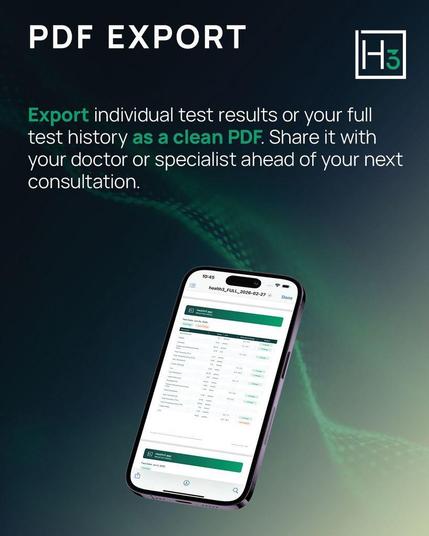
Health3 now lets you export your blood test results as a clean, branded PDF report.

Export a single test or your full biomarker history. Share it with your GP or specialist before your next consultation — they get a clear overview of your results and trends.

Works on both iOS and Android.

#Health3 #PDFExport #HealthTech #Biomarkers #DigitalHealth #PreventiveHealth
🖼️🎨 Ah, finally! A groundbreaking tool to view those ancient PICT files nobody uses anymore. For all seven of you PICT enthusiasts out there, rejoice! Now you can export into PDF and pretend it's 2001 again! 📎🎉
https://github.com/wiesmann/QuickDrawViewer #PICTfiles #retro #tech #PDFexport #nostalgia #HackerNews #ngated
GitHub - wiesmann/QuickDrawViewer: A Mac OS X utility to visualise QuickDraw (PICT) files. It allows exporting to PDF format.

A Mac OS X utility to visualise QuickDraw (PICT) files. It allows exporting to PDF format. - GitHub - wiesmann/QuickDrawViewer: A Mac OS X utility to visualise QuickDraw (PICT) files. It allows ex...

GitHub

📣🤩 #BlueSpice 5.0 is here! Reach a new level in managing your #company #knowledge. Discover new #features like the automated #DeepL #translation or the editor for #BPMN #process diagrams.

Test BlueSpice 5.0 now in our online #demo:
https://en.demo.bluespice.com/wiki/

Overview of all new features at:
https://bluespice.com/bluespice-5-0-has-arrived/

#Mediawiki #Wiki #Knowledgebase #KnowledgeManagement #QualityManagement #Documentation #OrganizationManual #Compliance #MultiLanguage #Blog #PDFExport

BlueSpice Demo

PDF im CKEditor - Community Hub für TYPO3

Das TYPO3 Forum für Fragen rund um das CMS und Extensions: der Community Hub für TYPO3.

Community Hub für TYPO3

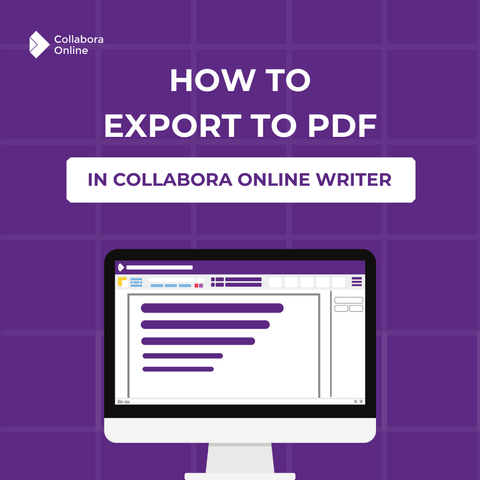
📄 Exporting to PDF? Make sure it looks exactly how you need it!

With Collabora Online, you get professional PDF export features that let you:

✅ Adjust image quality & compression
✅ Add watermarks
✅ Set initial view & display preferences
✅ Fine-tune UI elements for the best reading experience, and more!

Learn more about PDF export settings and how they can improve your workflow: https://www.collaboraonline.com/blog/professional-pdf-export-features-in-collabora-online/?utm_campaign=Blog&utm_medium=Social&utm_source=Mastodon&utm_content=Pdf

#CollaboraOnline #PDFExport #OpenSource

Professional PDF Export Features in Collabora Online

Collabora Online offers you the range of professional settings and selection options that you are used to from a professional office application package on the desktop. This article introduces some of the many PDF export options.

Collabora Online and Collabora Office

📄 Discover how to easily export your spreadsheets to PDF in Collabora Online. Follow our step-by-step guide to ensure your data is ready for sharing and printing, all while preserving its formatting!

🔗 https://buff.ly/3BLaleU

#CollaboraOnline #PDF #PDFExport

Today I learned that Apple Preview can export animated PNGs. 😵‍💫

#ApplePreview #PDFExport

#cppbuilder
#fastreport
#pdfexport
#error

PDFExport

FastReportへ文字を貼り付けしようとして

> 次のエラーが発生しました:
> Memo1: 式にエラーがあります 'x':宣言されていない識別しです: 'x'

特定の文字列に起因するエラー?

#cppbuilder
#teechart
#fastreport
#pdfexport

グラフのPDF出力

グラフを拡大して解像度を上げてBMPに落としてPDFへ

こうすると配置くずれは防げる

ただし、文字の解像度が300dpiとか拡大率に依存する

別途、文字を綺麗に配置するには、FastReportのTfrxMemoView機能を使えばいいが、その場合は上記の拡大+BMPへの変換上で除外する必要あり

今回はそれを追加実装

#DPI
#font

#graph
#PDFexport

PDF化するときはビットマップ画像になるため、解像度をいったんあげている

その時に
A. 画像は比率で拡大
B. フォントはフォントサイズを指定して拡大

Bの数値の調整を探る
かどうか

拡大率からフォントサイズを自動計算
はしんどそうではある

(そういう実装例もあるだろうが)

シンプルな解決法は何か