Yoav HaCohen (@yoavhacohen)

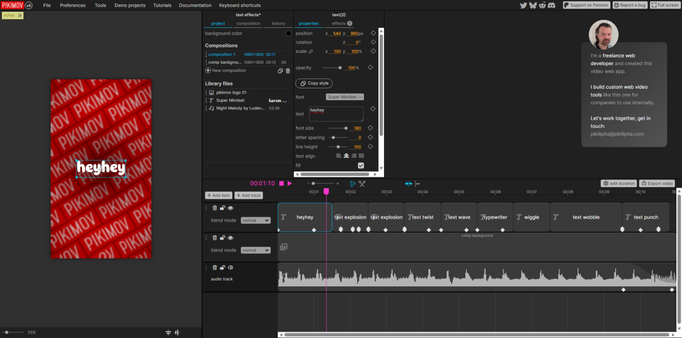
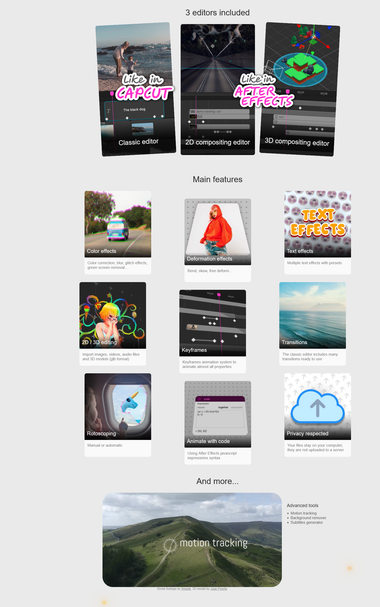
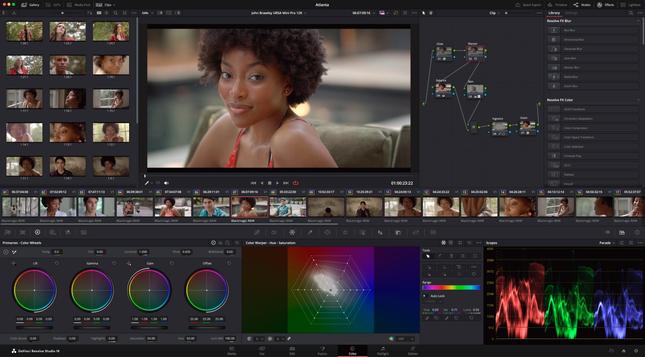
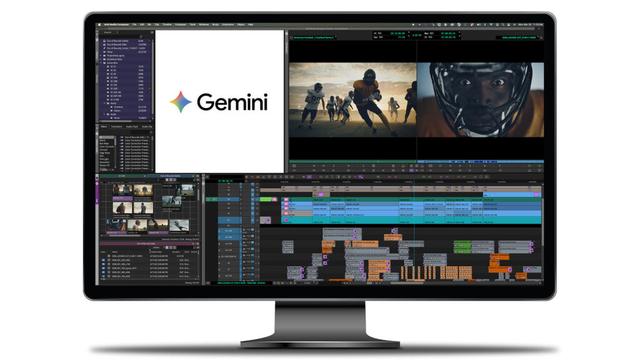
기존 UI/래퍼 중심의 SaaS 가치가 기반 엔진으로 이동하는 가운데, LTX-Desktop이 그 전환의 이정표로 소개됩니다. LTX-Desktop은 전문적인 오픈소스 NLE(비선형 편집기)로 LTX-2.3 엔진으로 구동되며, 레거시 시대의 폐쇄 소스·독점 인터페이스 대신 엔진 중심의 가치 제공을 강조합니다.

https://x.com/yoavhacohen/status/2029897868845150213

#opensource #ltx #nle #videoediting #ai

Yoav HaCohen (@yoavhacohen) on X

SaaS as we know it is ending. Value is shifting from the UI/wrapper layer to the foundational engine. LTX-Desktop is a milestone in this shift: a professional, open-source NLE powered by LTX-2.3. In the legacy era, we paid for closed-source code and proprietary interfaces. In

X (formerly Twitter)

Welche ältere #NVidia Grafikkarte ist nicht mies und gebraucht nicht zu teuer?

Ja, ich meine wirklich eine Grafikkarte mit mindestens 3 Bildschirm-Anschlüssen, keine #GPU für KI oder BitCoin. Sie sollte auch lieber nicht zu laut sein (Lüfter). Die Ansprüche sind nicht sehr hoch… OpenCL, OpenGL, CUDA für #DaVinciResolve wäre gut. 4GB RAM Minimum.

EDIT: GPU Decoding h264 un h265 für 10bit Video. Bräuchte ich auch.

Es ist eine verbleibende Hoffnung, mein ewig kaputtes #Lightworks als #NLE wieder zum Leben zu erwecken. (OS: UbuntuStudio #Linux 24.04)

Die uralte AMD Radeon RX480 läuft eigentlich noch super, aber das Programm crasht mir wegen einem OpenGL-verwandten Fehler alle paar Minuten.

#fedihelp

And then there's this other bug in #Lightworks on #Linux, which can only be worked around by constantly restarting that #NLE.

(Well, the upload will take a while… since #DeutscheGlasfaser is stuck at 4mbps upstream.)

https://www.youtube.com/watch?v=0brnx09AP5Y

Lightworks Beta Bug on Linux

YouTube

So. Having failed in so many ways today because I insist on using #Linux also for video editing – my wife even offered me her Windows laptop to edit my video, because #Resolve just runs fine on it…

… actually not even a special, big, cinematic movie something. Just a nerdy video for #Peetertube / #Makertube that isn't even 6 minutes. But it took me so long to get my #NLE workflow back that I have to do a Sunday night shift with freelance work in order to prepare for an appointment tomorrow. I feel so stupid for using Linux. It could be all so much easier.

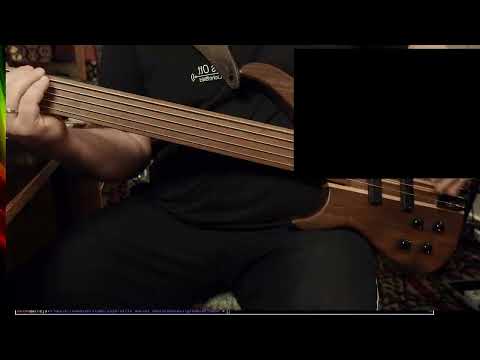
Anyways, what I was trying to do was playing #bass into the #Descent #GranularSynthesis #FX #plugin by #AudioDamage, which I actually did buy because it is available for… erm… Linux… and it can do cool stuff.

So here's a preview.

For the full video yet to come, please make shure to subscribe to @atkwap

#Linux #LinuxAudio #LinuxProAudio #GranularFX #vst #vst3 #vstPlugin #AudioPlugin #VideoEditing #UbuntuStudio

🧵 Turns out, after a journey of many hours with #Lightworks… (and hoped-for alternatives)

… they have introduced new video scopes based on #OpenCL which do not always work.

Since I just recently got to work AMD OpenCL on my #Linux box, these new scopes changed #LKWS behavior to constant crashing, yet it enabled to run #DavinciResolve at all.

The Lightworks #NLE people were smart enough to put a switch in the project workspace's menu to deactivate these “advanced scopes”… yet the switch forgets its setting and needs to be flicked on every start.

This is exactly underlining my criticism about Lightworks these days: They have good ideas, they try to tackle them, but they make things worse by not fully managing.

E.g., there's VST3 audio plugin support now which does work – but on export of the video, it introduces an ugly noise in the beginning of your exported clip. So it's perfect but still useless.

Now trying to remember what I was about to do half a day ago.

🧵 So, now that I #Resolve didn't work, #OpenShot was too stupid, #Kdenlive is lacking playback performance, I thought…

… well if that #rgbParade crashes that hole of bugs called #Lightworks I have been using for years, why not just… switch off that scope and use an external analyzer.

Attached this #Lilliput field monitor that can do rgbParade, and from there passing through to my Eizo.

Turns out: The HDMI output of that monitor is not compatible with the DVI input of my old Eizo monitors. No image.

So now that I have explored all ways of failing, which perhaps would be a therapist's description of being clinically manic, the only solution remaining is: Don't do it.

There's a little hope still that Lightworks will not go bankrupt but instead will manage to fix the heap of bugs they introduced lately. This still won't give them really working audio editing,m but still…

#VideoEditing / #NLE on #Linux

🧵 #Lightworks fails me, #Blackmagic doesn't want me to try their #DaVincieResolve since it can't do h264 on #Linux (except you pay a lot of cash), #OpenShot is too stupid (can't do full screen monitor, and after 5 minutes of not finding out how to mute an audio track, I gave up on it)…

… now back at where it all started with my video editing on 2014 or so: #Kdenlive.

Now that looks familiar still. And it still can't do GPU acceleration. Oh well, it can, but the option is greyed-out even though I have libmovit8 installed.

So while Lightworks has learned to effectively play back even h265 on elderly machines, even without GPU decoding, Kdenlive already struggles playing back 4k h264 with flip and flop effect on that clip. (Lightworks uses OpenCL for FX, as would Resolve)

Actually after now 1,5hrs of trying to get a decent #NLE to run on Linux, after more than 10 years of doing video on Linux, I'm not at all in the mood for doing creative video work any more now.

🧵 20 min of 1-camera video shoot, already over 1hr trying to get a #NLE on #Linux to work.

#Lightworks current beta (I paid for the entire product range)… crashes on displaying RGB parade or vectorscope.

#DavinciResolve: Hard to install, free version does not read h264 video on Linux (only on Windows, Mac), “patch” to enabled Proversion testing without spending almost 400€ requires advanced knowledge of #Rust.

Now #OpenShot offers an #AppImage download, that by nature cannot work with #Pipewire audio. There is a #PPA for #Ubuntu users, though… https://launchpad.net/~openshot.developers/+archive/ubuntu/ppa

… turns out OpenShot cannot do fullscreen video preview. Just not possible. WTF.

Ultimately I must get #Resolve to run and learn to use it, it's an industry standard at least.

After all, this journey started with the desire to make a 3 minute video with the tool I already have and did pay for.

OpenShot: Stable PPA - Official Releases : “OpenShot Developers” team

This PPA contains the official stable releases of libopenshot (OpenShot Video Library), libopenshot-audio (OpenShot Audio Library), and openshot-qt (OpenShot Video Editor). If you are looking for unstable, daily builds of OpenShot 2.x/3.x, please go here: https://launchpad.net/~openshot.developers/+archive/ubuntu/libopenshot-daily If you are looking for older builds of the depreciated OpenShot 1.x, please go here: https://code.launchpad.net/~openshot.developers/+archive/daily

Launchpad

🧵 So, in order to do further testing with #BlackmagicResolve, I make it want to think it is activated already.

Because the demo version does not even read files from my cameras, so how could I test anything? Should I spend towards 400€ just to find out that the Pro version also doesn't work with my camera data?

(On Windows and OS X, there is no demo limitation on h264 video data. Only on Linux…)

There's a tool written in #Rust that will solve this for Resolve…

Theoretically. Now I cam facing Rust errors. I don't speak Rust. So I have to learn Rust in order to test #Resolve?

So, #NLE manufacturers are fooling #Linux users, and #Linux nerds are fooling Linux users again?

Rust explaines: “Feature attributes are only allowed on the nightly release channel. Stable or beta compilers will not comply.”

https://github.com/unknowntrojan/resolvepatch

Other “patches“ are written in good old Perl and don't have an effect.

I'm glad I don't do video editing for money these days, I'd have to by a Mac after 26 years on Linux.

So now that #Lightworks has screwed another video project of mine, I'm trying to install #Blackmagic #DaVinciResolve ono my #UbuntuStudio #Linux system.

I have been using #Resolve a couple of times before and I don't like it.

Lightworks had taken me a while to get used to its strange UI ways, but it actually made a lot of sense and then was quite quick to use.

Yet from beta to beta, Lightworks has gotten worse. More and more features have been re-designed, which eventually means: They are now malfunctioning or crashing the entire program.

The Resolve installer, however, asks for packages that Ubuntu can't have, which means managing dependencies manually…

… which does not help, because I do have the libraries installed that Resolve doesn't find.

Compared to #Windows or #macOS, #NLE manufacturers are completely ridiculing #Linux users here.

The WWW to the rescue!: https://qubitsandbytes.co.uk/fixing-davinci-resolve-undefined-symbol-error/