 Ewen Bell 📸
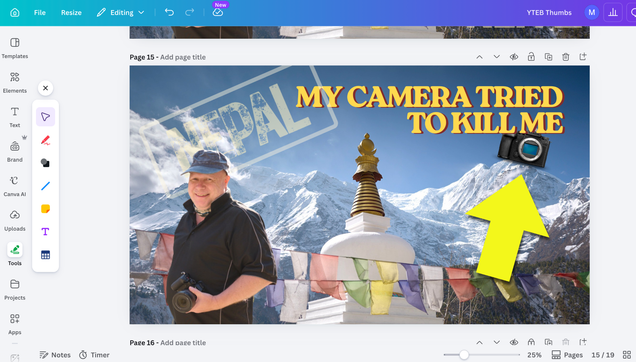
#Canva is awesome! Now I just have to make an actual video for this :)
@mikehindleuk
@kaiser_franz
@chewie
@holger
@sturmsucht
@mikehindleuk
@kaiser_franz
@chewie
@holger
@sturmsucht

Adobe Express vs. Canva in 2026: Why Professional Designers Are Switching Back to Adobe
Something is shifting inside professional design studios. Quietly but unmistakably, designers who once flocked to Canva for its speed and simplicity are reconsidering. They are not abandoning quick design workflows. Instead, they are recognizing that Adobe Express has become a fundamentally different product—one that speaks their language and fits their actual creative stack. The Adobe Express vs. Canva 2026 debate is no longer about who has the better templates. It is about ecosystem depth, AI quality, and what professional work actually demands.
This article lays out that shift honestly. It covers growth numbers, feature comparisons, AI capabilities, and the practical reality of working inside both platforms. It also introduces two frameworks—the Ecosystem Lock-In Index and the Creative Continuity Score—that help evaluate design tools beyond surface-level feature lists. If you are a working designer or creative director, these perspectives will matter to your next software decision.
What Does “Switching Back” Actually Mean for Designers in 2026?
Let’s be precise about this claim. Most designers who “switched” to Canva between 2019 and 2023 never fully left Adobe. They used Canva for quick-turnaround assets—social graphics, presentation decks, and client mood boards—while keeping Photoshop and Illustrator open in separate windows. Canva filled a gap that Adobe had not yet addressed: fast, browser-based design without the overhead of a full desktop application.
Adobe Express was launched as Adobe Spark and rebranded twice before finding its current form. For several years, it lagged behind Canva on template volume, UI refinement, and ease of use. That gap has now closed. More importantly, Adobe has built something Canva structurally cannot replicate: a native bridge between quick design and professional production.
When designers say they are “switching back,” they mean they are consolidating. They are choosing a tool that lives inside the same ecosystem as their serious work, rather than maintaining parallel workflows across competing platforms.
The Numbers Behind the Shift: Adobe Express Growth in 2026
Growth statistics tell part of the story. Adobe Express recorded a 96% quarter-over-quarter increase in monthly active mobile users, alongside an 86% year-over-year surge in cumulative creations. Those are not the numbers of a product coasting on brand legacy. Adobe is investing heavily in Express, and the momentum shows.
Adobe’s overall Creative Cloud ecosystem now counts approximately 41 million paid subscribers as of late 2025—nearly double the figure from five years ago. Adobe Express accounts for 19% of global Firefly usage, confirming that its user base actively engages with AI features rather than just opening templates. Adobe Express Premium student growth increased 84% year-over-year, driven almost entirely by AI feature integration.
Canva’s numbers are also strong—and worth stating clearly. Canva ended 2025 with over 265 million monthly active users and $4 billion in annual recurring revenue. Its B2B segment grew 100% year-over-year, reaching $500 million ARR. By any measure, Canva is a dominant platform. The question is not whether Canva is failing. The question is whether it remains the right tool for professional designers who already live inside the Adobe ecosystem.
The Ecosystem Lock-In Index: A Framework for Evaluating Tool Fit
The Ecosystem Lock-In Index (ELI) is a framework I use to evaluate how deeply a design tool integrates with a professional’s existing workflow. It measures three dimensions: asset portability, tool continuity, and AI coherence.
Asset portability asks, “Can you move files between this tool and your core applications without friction?” Tool continuity asks, “Does work started here complete cleanly in a professional environment?” AI coherence asks, “Does the AI inside this tool share a trained identity with the AI inside your other tools?”
On all three dimensions, Adobe Express scores significantly higher than Canva for designers already inside Creative Cloud. Canva scores better on accessibility and template breadth—but those advantages matter more to non-designers than to professionals.
Adobe Express Premium Features That Professional Designers Actually Use
Adobe Express Premium is priced at $9.99 per month and includes features that go well beyond template access. Here is what professionals consistently point to as genuinely useful.
Native Creative Cloud Integration
Adobe Express reads and edits files from Photoshop and Illustrator directly. A designer can open a layered PSD, apply brand adjustments, export to multiple formats, and return to full Photoshop—without converting files or losing fidelity. Canva offers no equivalent path. Files that begin in Canva tend to stay in Canva, or they are exported as flattened rasters that require reconstruction in professional tools.
This integration is not incidental. It is the core reason professional designers find Express worth reconsidering. The workflow stays intact.
Adobe Fonts: 30,000+ Typefaces, No Licensing Headaches
Typography is where the gap between platforms becomes most visible. Adobe Express Premium users access the complete Adobe Fonts library—over 30,000 typefaces—all cleared for commercial use. Canva’s font library is extensive, but its licensing situation is more complex, and the collection tilts toward display fonts rather than the full range of professional typeface families designers rely on.
For brand work, editorial design, and any project where typography is a primary visual variable, this difference is decisive.
Firefly AI: Commercial Safety as a Professional Standard
Adobe Firefly is trained exclusively on Adobe Stock images, openly licensed content, and public domain material where copyright has expired. Enterprise customers receive IP indemnification. That matters enormously for client work. Every image generated through Firefly inside Adobe Express is cleared for commercial use—by design, not by assumption.
Canva’s AI tools have improved significantly through its Magic Studio suite. But the licensing foundation underlying Canva’s AI-generated outputs does not offer the same level of commercial protection that Adobe explicitly provides. For agencies, brands, and freelancers working on commercial projects, that distinction is not theoretical—it is a liability question.
Firefly Boards: Collaborative Ideation Inside the Adobe Ecosystem
Firefly Boards allow creative teams to collaborate by organizing and editing creative concepts within the Firefly environment. At Adobe MAX 2025, Adobe introduced new AI-powered capabilities in Firefly Boards, including image upscaling and prompt generation, enabling teams to move faster from inspiration to concept. These Boards integrate with Adobe Express workflows, creating a continuous path from early ideation to production-ready assets.
Canva offers collaboration features, and they are strong—particularly for teams that do not use Adobe tools. But Firefly Boards operate within a professional AI environment that produces commercially safe, high-resolution output. The creative quality ceiling is higher.
The ChatGPT Integration: Why This Changes Everything for Adobe Express
On December 10, 2025, Adobe announced a deep integration of Photoshop, Adobe Express, and Acrobat directly into OpenAI’s ChatGPT. The integration allows users to perform creative tasks—designing templates, editing images, animating elements—through conversational prompts inside ChatGPT’s interface.
This is not a minor feature addition. It positions Adobe Express as the design layer inside the world’s most widely used AI interface. ChatGPT has over 800 million users. Adobe Express for ChatGPT lets anyone in that user base generate editable marketing assets, customize designs from the Express library, and export professional-quality graphics—all within a conversation.
For professional designers, this means something specific. Brief-to-draft workflows that used to require multiple tool switches can now begin in a conversation and land directly in an Express file. From there, the file connects back to Creative Cloud. The full production path is intact.
Canva was among the first platforms integrated into ChatGPT’s third-party app ecosystem when OpenAI opened that system in October 2025. Adobe followed in December. Both platforms are present—but Adobe’s integration extends to Photoshop and Acrobat, creating a broader professional workflow that Canva’s integration does not match.
The Creative Continuity Score: Measuring Workflow Integrity
The Creative Continuity Score (CCS) measures how many steps in a typical professional design workflow a platform can handle without requiring an export, format conversion, or tool switch. A higher score means fewer interruptions. Fewer interruptions mean less time lost and less quality degraded through file format translation.
For a typical brand asset workflow—brief, concept, design, revision, export for print and digital—Adobe Express, when used alongside Creative Cloud, achieves a high CCS. Work that starts in Express can finish in Photoshop or Illustrator without reconstruction. Work that starts in Canva typically requires a rebuild when it needs professional-level refinement.
This is the metric that Canva’s broader template library cannot offset for professional users.
Canva’s Real Strengths—and Why They Matter Less for Professionals
Canva deserves honest credit. Its template library is vastly larger than Adobe Express’s. Furthermore, its collaboration tools are mature and well-designed. Canva’s free tier is genuinely useful, more so than Adobe Express’s free plan. Its video editing capabilities are stronger for non-professional use cases. And its user interface remains marginally more intuitive for first-time users without a design background.
These strengths explain why Canva has 265 million monthly active users, and Adobe Express is measured in tens of millions. Canva wins on accessibility, breadth, and ease of adoption. For marketers, educators, small business owners, and social media managers, it remains the right choice.
But professional designers are not that user. A professional designer already knows how to use complex tools. They do not need the friction removed—they need the quality ceiling raised and the workflow maintained.
Where Canva Still Lags for Professionals
Canva’s precision alignment tools frustrate designers accustomed to Illustrator’s control. Its export options, while expanded, still fall short of the format depth Creative Cloud provides. Its AI-generated content carries more licensing ambiguity than Firefly’s commercially safe output. And perhaps most importantly, work created in Canva is contained within Canva. It does not hand off cleanly to the professional tools where final production happens.
That containment is not a flaw for Canva’s primary audience. For a social media manager, finishing the job inside Canva is the entire point. For a graphic designer who needs to deliver a campaign that includes print files, web assets, and a layered source document, containment is a workflow constraint.
Free Design Tools for Professionals: Where Adobe Express Fits
The free tier of Adobe Express provides access to 100,000+ templates, over 1 million Adobe Stock assets, 4,000+ fonts, and 25 generative AI credits per month. For light use, that is a functional toolkit. The Premium plan at $9.99 per month adds 200 million+ royalty-free Adobe Stock assets, the complete Adobe Fonts collection, 250 generative credits, advanced animation tools, and video background removal.
For designers already paying for Creative Cloud, Adobe Express Premium is often included in existing plans—or available at minimal additional cost. That changes the pricing calculus entirely. The comparison is not $9.99 versus $14.99 for Canva Pro. It is often $0 in incremental cost versus $14.99 because Express comes bundled with the tools a professional is already paying for.
Adobe offers a 30-day free trial of Adobe Express Premium for individuals who want to test the full feature set before committing. That trial period is enough to evaluate the Creative Cloud integration, the Firefly AI output quality, and the font library access in real project conditions. For professionals already on Creative Cloud, it is genuinely worth running the trial to see what has changed since they last evaluated Express.
Try Adobe Express Free for 30 DaysAI Quality Comparison: Firefly vs. Canva Magic Studio
Both platforms have made significant AI investments. Canva’s Magic Studio—covering features like Magic Expand, Magic Eraser, and AI image generation—has become genuinely impressive since 2024. Its AI tools are accessible, fast, and well-integrated into the Canva workflow.
Adobe Firefly, now at Image Model 5, produces images at 2240×1792 pixels natively, with a Generative Upscale feature for 4K output. It includes a Harmonize function that automatically matches lighting and color in composite images—a feature that directly addresses one of the most time-consuming tasks in professional photo and campaign work.
The quality difference in output at maximum settings is real. Firefly’s output, particularly for commercial photography-style images and highly detailed illustrations, is measurably more refined. But that advantage narrows for simpler social media assets and template-based work. For quick graphics, the gap between platforms is smaller than Adobe’s technical specifications suggest.
Where the gap does not narrow is in commercial safety. Firefly’s IP indemnification for enterprise customers is not a quality feature—it is a risk management feature. And for professional designers working on client campaigns, it changes the fundamental relationship with AI-generated content.
Firefly’s Multi-Model Architecture: A Professional Differentiator
Adobe’s multi-model support, launched in October 2025, allows designers to access non-Adobe partner models—including Google Imagen 3 and Veo 2, OpenAI GPT image generation, and Flux—directly within the Firefly environment. This means a designer can choose the right AI model for each task without leaving the Adobe ecosystem.
Canva does not offer equivalent model selection. Its AI is built into the Magic Studio suite, and users work with whatever model Canva provides. For professionals who have developed clear preferences about AI output styles—and most who work with AI seriously do—the ability to select models is a meaningful capability advantage.
Canva Pro vs. Adobe Express Premium: A Direct Feature Comparison
Let’s put the key differences in plain terms.
Templates and Assets
Canva Pro offers a larger template library by a significant margin. Its 100+ languages support, educational templates, and presentation-focused assets cover more ground than Express’s current library. For sheer volume of starting points, Canva wins.
Adobe Express Premium counters with 200 million+ royalty-free Adobe Stock assets—a figure that includes professional photography, video, and audio not available in Canva’s asset library. For a designer sourcing imagery for client work, that distinction matters.
Typography
Adobe wins this category clearly. 30,000+ fonts from the Adobe Fonts collection, all commercially cleared, versus Canva’s curated font library. The difference is visible in the breadth of professional typeface families available and the licensing certainty that comes with Adobe Fonts access.
AI Tools
Both platforms offer strong AI capabilities. Firefly’s commercial safety, higher resolution output, and multi-model architecture give it an edge for professional and client work. Canva’s Magic Studio is more accessible and better integrated for non-professionals. For a designer doing client campaigns with commercial deliverables, Firefly is the stronger choice. For a solo creator managing social media, the difference narrows considerably.
Collaboration
Canva’s collaboration tools are more mature and better suited to large teams that do not use Adobe tools. Adobe Express Teams adds administrative controls and brand governance, but Canva’s collaborative experience remains smoother for mixed teams that include non-designers.
Creative Cloud Integration
This is Express’s decisive advantage. The ability to open, edit, and return Photoshop and Illustrator files within Express—without format degradation—is not a feature Canva can replicate. For professionals, this single capability may justify the entire platform decision.
Open Adobe Express and Test It YourselfMy Honest Perspective: What I Think Is Actually Happening Here
I have watched both platforms evolve, and my read is this: Canva built a category from 2013 to 2021 by solving a real problem—professional-looking design without professional-level complexity. It succeeded spectacularly. But the platform it built is optimized for accessibility, not depth.
Adobe was slow to respond. The early versions of Adobe Express were underwhelming—too limited to attract serious professionals, too closely priced to Canva to attract casual users. Adobe looked like a legacy company defending market share rather than building a genuinely competitive product.
That changed with Firefly. The decision to build a commercially safe AI model trained on Adobe Stock was not just a legal hedge—it was a product statement. It said, “Our tools are for professional work, and professional work has commercial stakes.” Firefly’s integration into Express, combined with Creative Cloud connectivity and now the ChatGPT bridge, adds up to something that feels different from what Adobe Express was two years ago.
Does Express beat Canva on template breadth? No. Does it beat Canva on user base size? Nowhere close. But for the specific segment of professional designers who already use Creative Cloud and need a quick-design tool that connects to their serious work, Adobe Express is now the logical choice. The question is whether Adobe can communicate that clearly enough to recapture the professionals who left.
Predictions: Where Adobe Express vs. Canva Goes From Here
Here are three forward-looking theses on this competitive dynamic.
Thesis 1: The professional segment will consolidate around Adobe, while Canva dominates the mass market. Canva’s 265 million users demonstrate that its true market is not professional designers—it is the much larger population of people who need design-like outputs without design training. Adobe Express will grow its professional user base without threatening Canva’s core audience. These are not the same market.
Thesis 2: The ChatGPT integration will be Adobe Express’s most important growth driver in 2026. By embedding Express into ChatGPT’s interface, Adobe gains access to a user base that dwarfs its current reach. Many of those users are professionals across fields—marketing, communications, and product development—who need design output but are not design-trained. Adobe Express, accessed through ChatGPT, meets them where they already work.
Thesis 3: Commercial AI safety will become a purchasing criterion, not a feature. As AI-generated content becomes standard in professional workflows, licensing clarity will matter more, not less. Firefly’s IP indemnification and commercially safe training data will move from a differentiator to a baseline expectation. Platforms that cannot offer equivalent assurance will lose enterprise and agency clients over time.
Who Should Choose Adobe Express Premium in 2026?
Adobe Express Premium makes the most sense for professionals who already pay for Creative Cloud. For them, the incremental cost is minimal, the integration advantage is immediate, and the font and stock asset libraries are already part of their subscription logic. If you are in this group and have not revisited Express recently, the 30-day free trial is a practical way to evaluate what has changed.
It also makes sense for agencies and freelancers who produce commercial content and need the protection that Firefly’s commercially safe AI provides. The risk management value alone, when measured against the cost of licensing disputes or content clearance issues, makes the Adobe approach more defensible for client work.
Canva Pro remains the right choice for individuals or teams who do not use Creative Cloud, who need maximum template breadth, who work primarily on non-commercial projects, or who are managing collaboration across mixed teams with non-designers. Canva is not the wrong tool—it is a different tool for a different workflow.
CategoryAdobe Express PremiumCanva ProMonthly cost (individual)$9.99 / month$14.99 / monthIncluded in a larger plan?Yes—bundled with Creative CloudNoFree trial30 days30 daysFree plan qualityLimitedGenerousTemplate librarySmallerLargerStock assets200M+ Adobe Stock photos, video, audioSmaller libraryFont library30,000+ Adobe Fonts (all commercially cleared)Curated, smaller selectionAI image generationFirefly Image Model 5—higher output qualityCanva Magic StudioCommercial AI safetyYes—IP indemnification for enterpriseNo formal indemnificationAI model selectionFirefly + Google Imagen 3 + OpenAI + FluxCanva AI onlyMonthly generative AI credits250500ChatGPT integrationYes—full design workflow via chatTemplates onlyPhotoshop & Illustrator file supportNative—open, edit, return PSD/AI filesNot supportedCreative Cloud integrationDeep—full CC ecosystemNoneFirefly BoardsYes—collaborative AI ideationNo equivalentExport depthFull professionFinal Verdict: Adobe Express vs. Canva in 2026
The Adobe Express vs. Canva 2026 comparison is not a clean winner-takes-all verdict. Both platforms are well-built, growing, and genuinely useful. But they are no longer competing for the same user.
Adobe has stopped trying to out-Canva Canva. Instead, it has built something more specific: a quick-design tool with a direct line to professional production, commercially safe AI, and the deepest font library in the industry. That specificity is its strength. The Creative Continuity Score—how cleanly work moves from quick design to professional output—favors Adobe Express for anyone already inside the Creative Cloud ecosystem.
Canva’s Ecosystem Lock-In Index is actually one of its appeal points for non-Adobe users: it is self-contained, fast, and requires no other tools. But for professional designers, self-containment is a ceiling, not a feature.
If you have not tested Adobe Express Premium recently, the 30-day free trial is worth your time. The product has genuinely evolved. And for professionals already paying for Creative Cloud, there is a strong argument that you are leaving a capable tool unused—one that connects directly to the work you are already doing.
See What Adobe Express Premium Can DoFrequently Asked Questions About Adobe Express vs. Canva in 2026
Is Adobe Express better than Canva for professional designers?
For designers already using Creative Cloud, Adobe Express offers a significant workflow advantage. Its native integration with Photoshop and Illustrator, access to 30,000+ Adobe Fonts, commercially safe Firefly AI, and direct Creative Cloud connectivity give it an edge that matters for professional and client work. Canva has a larger template library and more accessible collaboration tools, but it does not integrate with professional production environments at the same depth.
What are the Adobe Express Premium features most relevant to designers?
The most relevant features for professional designers are full Creative Cloud integration (including PSD and AI file editing); access to the complete Adobe Fonts library with over 30,000 typefaces; 200 million+ royalty-free Adobe Stock assets; Firefly AI with commercial IP indemnification; Firefly Boards for collaborative ideation; multi-model AI support (including Google Imagen 3 and OpenAI GPT image generation); and the ChatGPT integration for conversational design workflows.
How much does Adobe Express Premium cost in 2026?
Adobe Express Premium costs $9.99 per month for individuals. A Teams plan is available at $9.99 per user per month with a 12-month minimum commitment. For designers already subscribed to Creative Cloud, Express Premium may be included in existing plans at no additional cost. Adobe offers a 30-day free trial for individuals to evaluate the full Premium feature set before committing.
What is Canva’s monthly active user count in 2026?
Canva ended 2025 with over 265 million monthly active users and more than 31 million paid subscribers. Its annual recurring revenue reached $4 billion by the end of 2025. Canva’s B2B segment grew 100% year-over-year, reaching $500 million ARR.
Is Firefly AI commercially safe for client work?
Yes. Adobe Firefly is trained exclusively on Adobe Stock images, openly licensed content, and public domain material where copyright has expired. Enterprise customers receive IP indemnification, meaning Adobe accepts liability for intellectual property claims on Firefly-generated content used in commercial projects. This makes Firefly’s output more defensible for client work than AI models trained on general internet data.
What is the Adobe Express and ChatGPT integration?
In December 2025, Adobe integrated Photoshop, Adobe Express, and Acrobat directly into OpenAI’s ChatGPT. Users can now create and personalize designs, browse the Express template library, animate elements, and export graphics—all through conversational prompts inside ChatGPT. The integration is available globally on desktop, web, and iOS, with Android support following. Users link their Adobe account inside ChatGPT to access authorized creative actions based on their subscription.
Can Adobe Express open Photoshop files?
Yes. Adobe Express integrates natively with Creative Cloud, allowing designers to open and edit layered Photoshop (PSD) and Illustrator (AI) files directly within Express. Work can then be returned to the full Photoshop or Illustrator environment without format conversion or fidelity loss. This is one of the core workflow advantages that distinguishes Adobe Express from Canva for professional designers.
Is Adobe Express a good free design tool for professionals?
Adobe Express offers a free tier with 100,000+ templates, over 1 million Adobe Stock assets, 4,000+ fonts, and 25 monthly generative AI credits. For light professional use, it is functional. The Premium plan at $9.99 per month significantly expands all of these capabilities. For designers already on Creative Cloud, Express Premium is often included in existing plans, making it effectively a free addition to a subscription already in use.
Don’t hesitate to browse WE AND THE COLOR’s Design and Technology categories for more creative news.
#adobe #adobeExpress #Canva #designTools #freeDesignTools
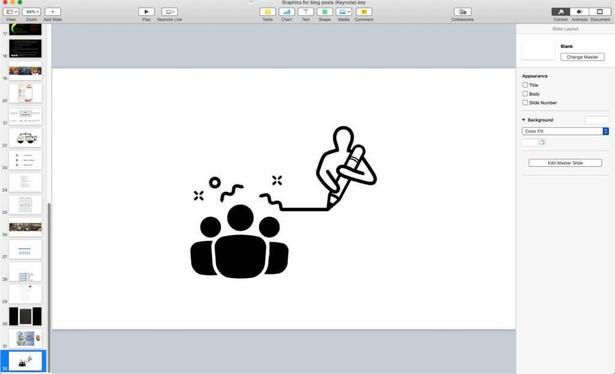
After years of trying many tools, here are my two favorite free easy ways to create graphics for blog posts and presentations
https://www.conferencesthatwork.com/index.php/technology/2019/06/best-free-ways-create-graphics
#graphics #free #easy #tools #keynote #canva #NounProject #OmniGraffle

🏢 Canva is hiring a Staff Data Scientist - International (CJKI)
Location: 🇦🇺 Melbourne, VIC, Australia
#DataScience #DataScientist #tech #JobSearch #GetFediHired #HashyJobs # #Canva
https://datasciencejobs.com/jobs/staff-data-scientist-canva-australia-24/
Wow, this looks 🆒 and impressive!
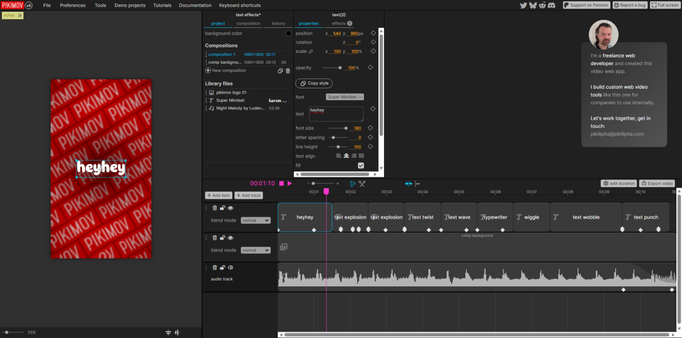
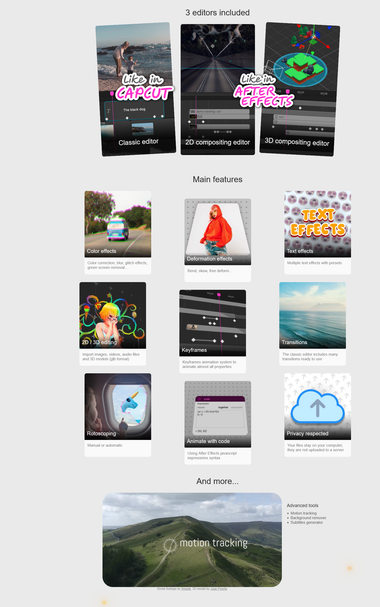
„Motion design and video editor
It is free, no paywall
without sign-up,
browser based,
the editing is done locally,
supports up to 4K resolution,
and it's not bloated with AI stuff.“
https://alternativeto.net/software/pikimov/about/
Looks good for simple social media videos/share vids/loops etc. and as an alternative to #capcut, #canva, #adobeExpress and the likes.
BBC News | 'I live in survival mode': The rise of the multi-job workforce
AI generated summary, Read the full article for complete information.
The article reports that more than a million people in the UK now hold a second job as rising living costs, insecure employment and industry changes push workers into a growing gig economy. It follows three Bristol‑based examples: Billy‑Jo Pierce, 29, who juggles a cosmetics‑teeth business, reception, bar and festival work and even lives in a van to afford the city’s high rents; freelance graphic designer Engy Elboreini, who has diversified into creative production and events management after AI tools and services like Canva reduced demand for traditional design; and single mother Hollie, 41, who combines life‑modelling, legal‑assistant work and occasional TV‑extra gigs to fit her son’s school schedule. Official data shows around 1.3 million UK workers have a second job, a slight dip from a 2025 peak, while unemployment has risen to 5 % and gig work now involves nearly five million people, though only a fifth rely on it as their main income. The piece highlights how financial pressure, the rise of freelance platforms, and the erosion of stable, well‑paid roles are reshaping attitudes toward work, forcing many to adopt multiple, often precarious, jobs just to survive.
Read more: https://www.bbc.com/news/articles/c70vwr8z7pyo?at_medium=RSS&at_campaign=rss
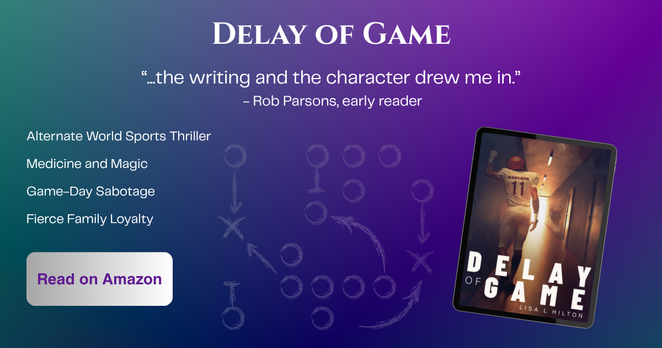
Been working on #Canva to make ads for my book. Love having some good quotes to pull in. :)
 Claudio Pires
 WE AND THE COLOR
 WE AND THE COLOR
 Adrian Segar
 DataScienceJobs
 me·ta·phil, der
 The Bad Place
 Queen of Anxiety