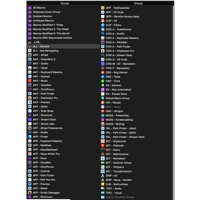
So, I recreated all of my #TextExpander snippets in #KeyBoardMaestro today. I cancelled my subscription to TextExpander. We'll see if i miss it, but i don't think I will.

I've made a #Keyboardmaestro macro that allows me to get a transcribed clip from a timeline imported from #Resolve and match it back to the original multicam file in #FCPX :))

30 keystrokes replaced by one!

This would be impossible with Resolve itself as it's not as driven by keyboard shortcuts as FCP!

Mystified. How can an AppleScript that works perfectly from Script Editor be broken when called by Keyboard Maestro?

(Putting off hunting for an actual answer to next week.)

#AppleScript #KeyboardMaestro

Building off of what we learned at #Macstock2025 from @TheMikeBurke, I automated building new project folders using shell scripting and Keyboard Maestro. I had more fun doing that than starting my ScreenCastsONLINE project. Don't tell @leegarrett

https://www.podfeet.com/blog/2025/08/automation-project-folders/

#Automation #ShellScripting #KeyboardMaestro

Automating Folder Structure for New Projects with Shell Scripting Embedded in Keyboard Maestro - Podfeet Podcasts

At Macstock this year, we had a brand-new attendee who was also a first-time speaker at the conference. His name is Mike Burke, and as I explained in my Macstock coverage, he took a very big swing in his workshop. He had us download 4 apps and a plugin, and taught us just enough to […]

Podfeet Podcasts

Our #OmniFocus #KeyboardMaestro Directory includes the "Toggle Favourite Suffix" macro, helpful for highlighting your favourite projects.

Select the project and press ⌃⌘S to add/remove your Favourite Suffix (⭐️ by default).

Check it out: https://learnomnifocus.com/keyboardmaestro/#toggle-favourite-suffix

Our #OmniFocus #KeyboardMaestro Directory includes the "Add Prefix" macro.

To add a verb to an action:

① Select the Action
② Press ⌃⌘A
③ Choose a Prefix

You can easily customize the list of actions.

Check it out: https://learnomnifocus.com/keyboardmaestro/#add-prefix

My free monthly update for July is live!

This month I've got a powerful new #StreamDeck plugin for #Mac automation, a great update to my #Alfred workflow for #KeyboardMaestro, something geeky on #SuccessFactors #Learning, and a new #3DPrint for “#Underware”, the under desk cable management system based on for #Multiboard.

If you follow me on Buy Me A Coffee (for free, no coffee required), you can get my monthly update as an email straight to your inbox. Tell a friend!

https://buymeacoffee.com/sylumer/july-2025-3895562

v1.7.0 of Conductor, my #Alfred workflow for #KeyboardMaestro is now available with some great new features.

In fact, there are quite a lot of new features (list attached), with code and logic behind the scenes, so if you spot anything buggy, let me know.

https://www.thoughtasylum.com/alfred/alfred_conductor_for_keyboard_maestro/

Another monthly round up is out now. Find out what I got up to in May, including pieces on #KeyboardMaestro, #SuccessFactors Learning, #3DPrinted RC car ramps, and many other geeky things that crossed my path and my mind.

#FreeToFollow

https://buymeacoffee.com/sylumer/may-2025-3750293

New post up using #KeyboardMaestro to build a piece of functionality I missed from the NoteTab text editor - something that while running appends any clipboard updates to a special clipboard. A bit like a printing calculator roll.

https://www.thoughtasylum.com/2025/05/26/keyboard-maestro-clipbook/