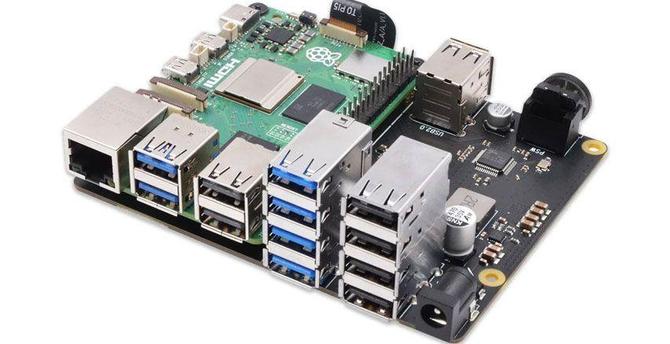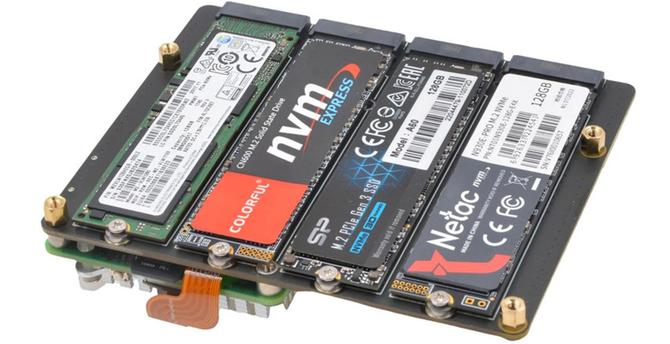
La carte d'extension Geekworm X1208 permet d'ajouter à un Raspberry Pi 5 un port M.2 2280 NVMe PCIe et une batterie Lithium Ion..
https://www.minimachines.net/?p=140688 #geekworm #raspberrypi
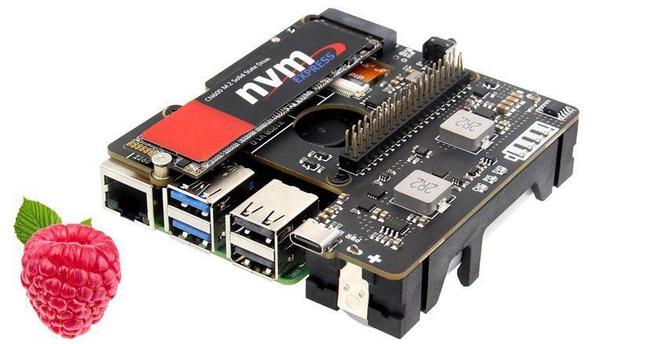
And we're good. Proof of concept is operational.
Hardware: #RaspberryPi 5 4Gb, cooler, X1004 hat, spare 480Gb M.2 stick, P579 case, #Geekworm PSU. Under $200.
Software: Latest Pi OS Lite and some SSH config work. On my Mac, a bunch of #zsh scripts wrapped with #Platypus.
Achieved: on-demand rsync of all my important #Mac folders (about 150Gb) with 1 click. Now the first sync is done, each sync only takes a minute. Zillion times faster than #syncthing on my #Diskstations.
End of thread.
A note about #geekworm hardware:
The #P579 case seems great. Very no-frills compared to #argon40 products but to me that's a plus. Argon40 stuff is too fussy and fragile.
The #X1004 hat, also fine. I had to research to see which way to insert the flat FFC cable (silver connecting strips inwards, you're welcome), but otherwise the instructions were fine.
Looking at ways to replace my elderly & noisy #diskstation with a silent #SSD #NAS...
Hardware: #raspberrypi 5 with a #geekworm X1004 SSD hat in a Geekworm P579 case, with a 480Gb NVMe stick from a defunct laptop, running Pi OS lite.
Software: tried #OpenMediaVault 7, too many crashes & hangs, total dog's breakfast. Looked at #CasaOS but don't trust the privacy policy.
Think I'll just set up #Samba via #SSH and forget fancy web GUIs. I seem to be more confident with the shell these days.