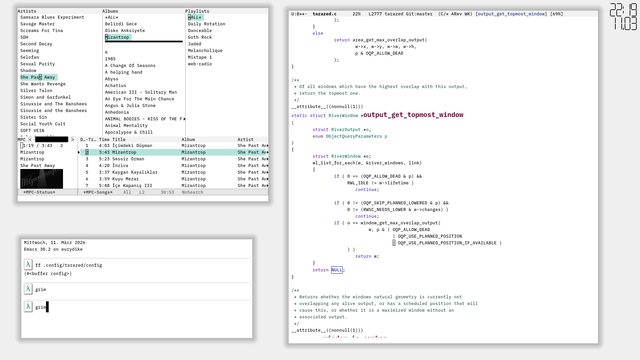

I finally (!!!) managed to (somewhat) correctly implement window and focus move in rhine (my window manager). This was surprisingly hard to get right, a lot of nontrivial recursion.

#riverwm #rhine #linux #river

I'm a happy #SwayWM user, but gosh ... Reading https://isaacfreund.com/blog/river-window-management/ and looking at https://codeberg.org/river/wiki/src/branch/main/pages/wm-list.md I love what #RiverWM folks have been doing.

100% agree with this quote:
Wayland currently does not come close to the diversity of X11 window managers. I believe that separating the Wayland compositor and window manager will change this and I see the beginnings of this change with the 15 window managers already written for river!

Separating the Wayland Compositor and Window Manager

After the story with #systemd, I decided to ditch #Arch. Very liked #chimeralinux, but was scared of finding software outside package manager.
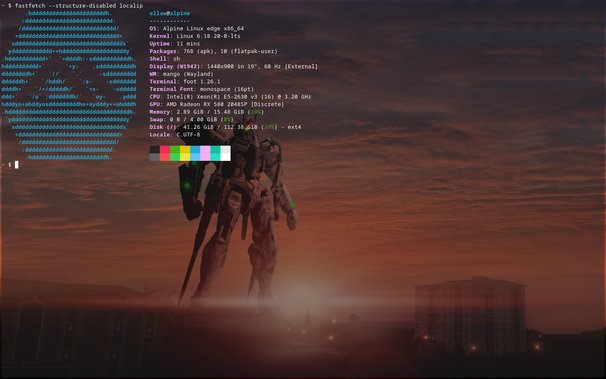
So I ended up with #Alpinelinux. Had a few struggles at first(couldn't configure WIFI and #Wayland compositor), but with second install I started to getting used to it.
Still couldn't launch #riverwm window managers, but found #mango! Hosted on GitHub, unlike river, but looks pretty and has many layouts, including scrolling.
Had to use Flatpak for Steam and #Heroic, but everything else I need is in repos.
I can now finally continue to learn gamedev in peace(until my damned dictatorship eventually block all internet...)
I think the release of #RiverWM 0.4 might be the first software release I've been properly excited about in some time. Time to attempt to write a window manager :D

my WMs UI was designed to mimick old UNIX workstations, but turns out by changing a few colours you can get something that looks fairly modern as well 👀 (might benefit from a less linear shadow gradient...)

Should it ever be used my more than just a hand-full of people, I suspect interesting themes to pop up

#riverwm

I guess by implementing window position caching, I've accidentally also added the feature of retaining window positions across WM restarts?

Sometimes some windows get a bit confused about decoration still (also, is it really server side decoration when it is drawn by another Wayland client?).

Note that this is based on the windows app-id. In this demo I've manually set the app-id of the three terminals.

#riverwm

It's so hard to get enthusiastic about anything these days... otherwise I would look into creating a custom Window Manager for River.

#depression #riverwm

Introducing #Yashiki: A new tiling window manager for macOS.

If you miss #River or #AwesomeWM on your Mac, this is for you.

It features tag-based workspace management and an external layout engine (plugin system), heavily inspired by the River philosophy.
I built this over the weekend because I needed something closer to my Linux workflow.

https://typester.dev/blog/2026/01/18/yashiki-window-manager

#macOS #WindowManager #RiverWM #AwesomeWM #Rustlang #TilingWM

Introducing Yashiki: A macOS window manager with the river/awesome philosophy

typester.dev

I very briefly tried out #riverwm, technically river-classic, this weekend as a replacement for Hyprland. I'm not sold on tags and need to spend more time with it. I like having specific workspaces on specific monitors.

The new 0.4+ river is independent of WM so I could maybe do my own with workspaces if I'm feeling ambitious.

River classic has a bsp layout which is nice. It's making me just want to swap back to #bspwm.

starting to implement widgets! A very windowmaker inspired 7-segment clock block thing. Of course the clock will get a small bezel and I'll have to improve the shape of the segments to look neater. Will probably also add a battery display beneath it in a similar LCD style. And not only does it look neat, it allows me to put off "proper" font-drawing a little longer 🐈

#decemberAdventure #riverwm