 Feoh
FeohI don't think I'll ever <3 #AppImageLauncher but it's a fact of life if you're gonna rock a #linux desktop.
That said, Gear Lever makes managing AppImage apps and keeping them up to date vastly more convenient.
Can't recommend it highly enough.
I don't think I'll ever <3 #AppImageLauncher but it's a fact of life if you're gonna rock a #linux desktop.
That said, Gear Lever makes managing AppImage apps and keeping them up to date vastly more convenient.
Can't recommend it highly enough.
Warum nicht gleich so, und out of the Box? Nach mehrstündigem, hartem Kampf endlich die #SpaceMouse von #3dconnexion unter #FreeCAD 1.1.1 zum Laufen bewegt. Neue Version aus den Quellen kompiliert, den #AppImageLauncher ebenfalls und die Benutzergruppe des konstruierenden Users angepasst.
Benutzerfreundlich ist was anderes.
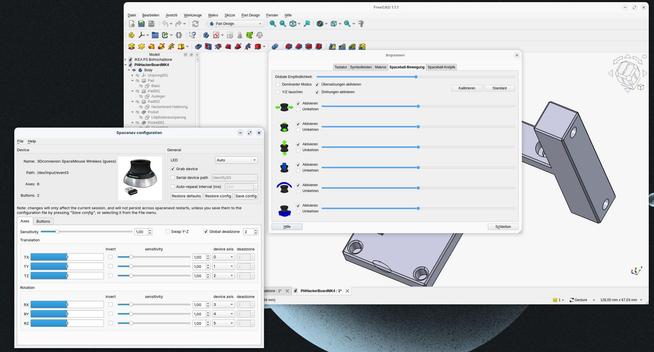
Edit: Es scheint, dass #AppImageLauncher der Culprit ist. Obwohl von #LibreWolf empfohlen 😳 Kaum deinstalliert, funktioniert LibreWolf wie als wäre nichts gewesen!
#Manjaro #LibreWolf #AppImage #FediHelp #FollowerPower 
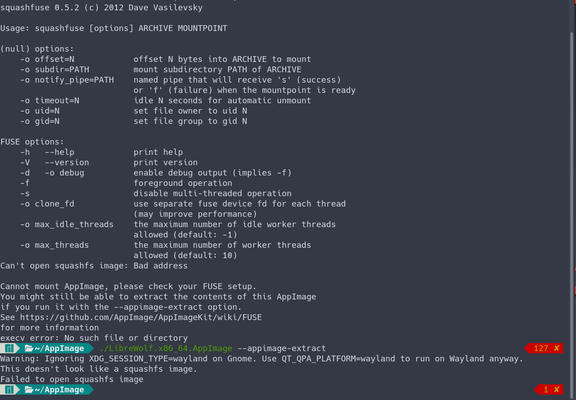
Ich habe ein neues #AppImage von #LibreWolf heruntergeladen. AppImages werden normalerweise über #AppImageLauncher gestartet (und ALLE außer LibreWolf funktionieren einwandfrei). Nachdem der Doppelklick nichts tat, startete ich via Terminal mit folgendem Output...
Leider war die verlinkte Seite keine Hilfe und diese ebenfalls nicht: https://docs.appimage.org/user-guide/troubleshooting/fuse.html
Kann mich jemand in die richtige Richtung lenken? Wie kann ich das Problem lösen?

Gear Lever
Gear Lever
INSTALL
DESCRIPTION:
Testing #AppImageLauncher, an #appimage helper for #Linux (I'm on #Manjaro #XFCE) ...
Helper application for Linux distributions serving as a kind of "entry point" for running and integrating AppImages - TheAssassin/AppImageLauncher
I am a happy user of #logseq. For Linux, it is available as #appimage which I usually install using #AppImageLauncher.
Unfortunately, after upgrading Ubuntu, Logseq couldn't be launched anymore in the usual way. After some searching online, I found a workaround.
You need to locate and open the desktop file and add `--no-sandbox %u` to the end of the line starting with `Exec`.
Not an ideal solution, but it'll have to do for now. See this post for more details. https://ecodiv.earth/post/logseq_desktop_integration/
¿Usas #GNULinux, navegas en #gemini con #Lagrange, instalado desde #AppImageLauncher, pero al pulsar una URL que inicia con `gemini://`, desde fuera de Lagrange no pasa nada o se abre en otro programa?
Quizás seas la única persona con ese perfil en mi red, pero si esto te ayuda me doy por bien servido:
Abre `.local/share/applications/defaults.list`, agrega al final:
```
x-scheme-handler/gemini=appimagekit_NúmerosGeneradosPorAppImageLauncherUsaLosTuyos-fi.skyjake.Lagrange.desktop
```
Y guarda
#AppImageLauncher - integrate #AppImages to your application launcher
https://www.linuxlinks.com/appimagelauncher-integrate-application-launcher/
"How did I install application XYZ again? It seems to reside in /opt/... hmm I don't even have #appimagelauncher installed on this machine... so probably a local dpkg..."
Is it just me or is this actually insanity? #linux #flatpak #appimage #packagemanager
 Don Trueten
 Kajo 📷
 trom
trom Alexandre B A Villares ☔🐍
 Paulo
Paulo
 Leo
Leo  🇲🇽
🇲🇽 ricardo

 M4x
M4x samurro