
With Mac apps just all over the place (react native, AI slop, Catalyst apps, Mobile-first apps)... I thought I'd maybe try to rein it in a bit with this new article I have published.

It is not exhaustive and it is not done yet (I have more items to add) -- but I thought I'd share it now.

It's a checklist of things you can do to your #macOS app to make it feel more Mac-y. These are in response to things (even simple, obvious things) that I just don't see anymore. :(

https://marioaguzman.github.io/design/macintoshchecklist/

Macintosh Checklist

A list of to-dos before you publish your Mac app.

Mario Guzman
Let me know if there is something you think I should add! (and I’ll look into it!)
#macOS
@marioguzman The first things that come to mind are Services and AppleScript support.
@marioguzman great list! thanks for doing the research on how to get a Help book working these days—I’ll definitely be referring to that in future. one thing that might be worth mentioning: testing your app with the “full keyboard access” setting turned on. I’m constantly seeing apps where keyboard focus starts in a weird place or has an ugly button highlight which would take two minutes to fix if the authors were aware of it.
@noah thanks Noah! I remember how long it took to get it right in my MiniPlayer app. It would start in a weird place, and it has a “drawer” too — so it had to account for that if opened or closed. It’s all fixed. But I also custom drew the focus rings because I have round buttons and it would draw squares by default. Haha. You’d be proud.
@marioguzman these are great, thank you!
@marioguzman This is amazing, thank you! I never considered customizing the Dock menu until now, but since you put it there and it looks so easy, I'm now thinking of excuses to make use of this more :)

@ctietze thank you! 😊

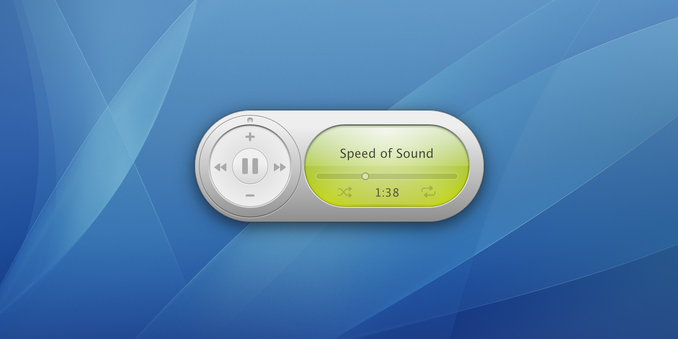
If you want to see it in action, both when the app is and isn’t running, you can try my Music Widget app. This is the only one I’ve updated for Tahoe — but I use everything in this article.

There is the custom menu when running and not running.

And the symbol changes when you’re playing or paused (or if you allow Dark mode) too.

https://marioaguzman.github.io/musicwidget/

Music Widget for macOS

A mini player remote for Apple Music. A take on the classic iTunes widget.

marioaguzman.github.io
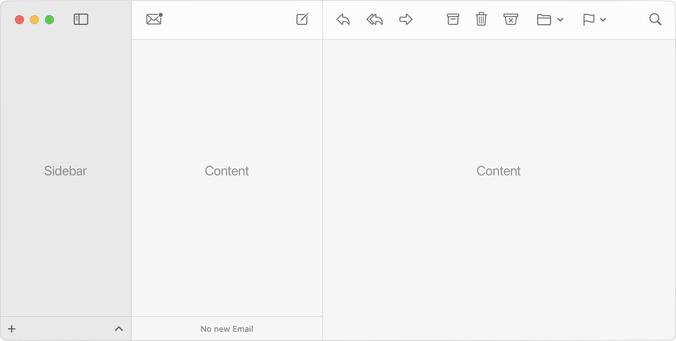
@marioguzman I also like your concrete suggestions for sidebar and window widths a lot. Good to hear my guesstimates fall into range -- maybe add the sidebar widths to your Sidebar Guidelines docs, too?

@ctietze haha yep! I realized today I had never put them in the doc where they’d make most sense! Haha.

Obvious but even Apple forgets to do this in their apps!

@marioguzman @ctietze If you have a search function with text input, all the methods of activating it should do the same thing. Menu item, button click, Command-F, all should open a text input box, and give it focus, ready to accept typing. (This should also work on iOS and iPadOS)
@marioguzman Interesting and helpful.
Thanks for sharing.
@marioguzman I would add plain old menu bar menus to that list. It’s one of the first things I look at when I download a new app. Too many just have the default menus (or even strip those away to almost nothing). Then, if they have keyboard shortcuts at all, the bury a helpful cheat sheet of all of them somewhere in settings.
@marioguzman Supporting common keyboard shortcuts, e.g. “⌘,” to open preferences.
@marioguzman Thank you for that! Will you link that page from the main menu, too?
@czottmann I will. :) I just wanted to get this rough draft going for more refinement and ideas here on Mastodon before I did that.
@marioguzman Regarding the Dock menu, ensure that document-based applications display recent documents. (A neat side effect is that these will also show up automatically in LaunchBar when you hit the right arrow or space while the app is selected.)
@ptujec @marioguzman When your app uses the standard document management APIs (NSDocumentController in Cocoa and DocumentGroup in SwiftUI) you get that basically for free.
@marioguzman @nicklockwood This is going to be really useful as I close in on the first version of 40 Below for Mac. Thanks!

@marioguzman Not about content, but about formatting of the webpage itself:

You should experiment with the max reading width. For sections that go edge-to-edge, the jump to the next line is not comfortable.

Also when you go into single column narrow layout, the order of image vs section title is not working for me. When randomly scanning my mind interprets headers as the beginnings of the sections. Not sure how much of the whitespace there should be to visually convince me otherwise.

@marioguzman Less important things:

Code side note: why the jump from h1 right to h4? This probably has chances of having strange consequences for accessibility and alternative readers.

And now that I thought about accessibility, the image vs title order issue mentioned above should probably be considered not only visual parsing problem, but also structural info hierarchy issue.

@marioguzman Dock menu items are provided by UIApplicationShortcutItem in Catalyst, since you're providing API snippets. Touch Bar kinda sorta still exists, even if nobody has tested the API in years. I always recommend supporting file pickers, not just the built-in photo browser. You could mention Settings windows perhaps
@marioguzman Reading through your guidelines, I noticed how much I miss the former OS designs. It's so clean. We got such a long way to get back to this.
@marioguzman Anything that can make more Mac apps be Mac-assed Mac apps is a good thing.
@marioguzman Thanks for creating this list, Mario. I’ve used your Help tutorial and it’s been a great resource. State Restoration might be worth mentioning.
@marioguzman @carrchr Great article. Thanks for assembling that all in one place. Just wanted to add that the About box can use Credits.html if you prefer writing HTML to RTF.