Goal: Get some #letsencrypt certificate obtained with #uacme deployed on some #Windows box

Step 1: Ok, this probably works best with #Powershell (which I don't really like ...)

Step 2: There's no #FreeBSD port ... but hey, there's now a FreeBSD port of #dotnet, let's try to "just" build Powershell using that.

Step 3: Hell why does it fail to build. Oh, System.Security.Cryptography.Native doesn't play well with #LibreSSL

Patch and retry, I guess I'll take some sleep now first. Bah!

(there's some irony in running into OpenSSL/LibreSSL issues when trying to deploy TLS certificates ...)
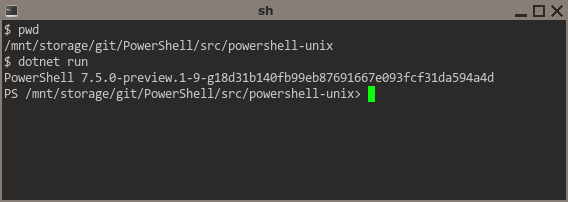
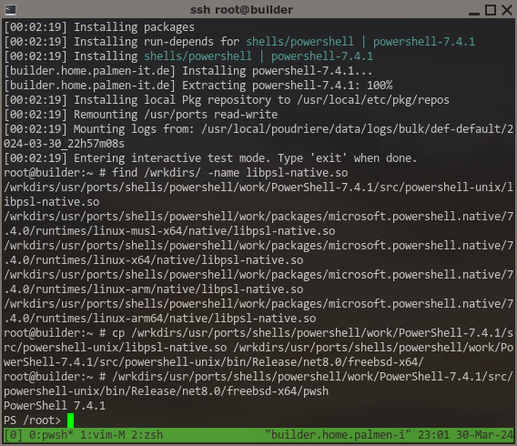
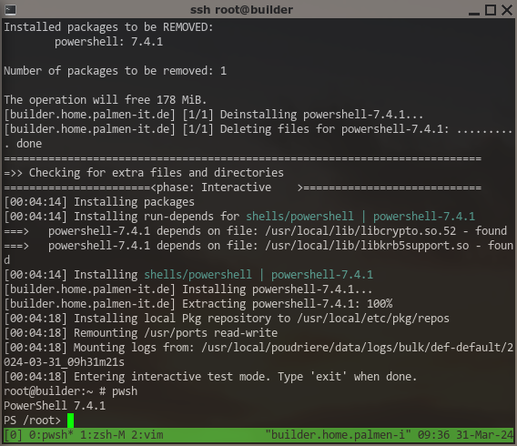
I guess that's progress ... some #PowerShell on #FreeBSD at least starting up. Creating a #port out of this will be a lot of work 😞 had to patch quite some code, e.g. completely disable the "login shell" functionality, the implementations only work on either #Linux or #MacOS....

And the whole build system fails completely if not built from within a #git working copy ... WTF? This will be another challenge for porting.

Ah, this messy version is probably a result of the mess in the upstream repo, a tag v7.4.1 exists, but refers to a commit that is gone.

Oh what did I expect ... πŸ˜‚

This will be though.

Well, I can certainly build #PowerShell for #FreeBSD now. I might be able to just "fake" a #git working copy for its stupid build system. This still doesn't fully solve the version issue, it insists on appending the git hash -> TODO.

The "login shell" feature can be added, an exercise left for later, the code will look pretty similar to the existing MacOS-X implementation. Maybe upstream would even accept it 😎

For a #port, it should probably be "published" as "#ReadyToRun" (I hope this has no negative impact), otherwise lang/dotnet would become a hard run dependency ... This works now as well, but requires changes in lang/dotnet ... requires some platform-specific #NuGet packages that don't exist on MS servers for FreeBSD. They are created during build of dotnet itself, but not installed anywhere by default ... I'll suggest an "on by default" port option to bundle these with lang/dotnet.

[…]

The biggest issue will probably be to find some at least somewhat sane way to download the required #NuGet packages during #port fetch phase, so they can be used "offline" during build later. Of course if ever possible with correct checksumming in distinfo.

This is always the same annoying crap with all these languages and frameworks inventing their own package management. Sucks.

For #NuGet, I tought the commandline client could maybe help with the task. Well if anyone can tell me how to even build that thing ... I guess I'll give up and look for other ideas. Should be possible to somehow automate the process to get the correct uris for package downloads? And then maybe patch the build files of #PowerShell to exclusively use a local directory as the "package source" ... we will see.

A working #FreeBSD #port of #Microsoft #PowerShell is certainly getting closer πŸ˜‰

And now, "staging" and packaging for #FreeBSD works as well 😎

But this is just the "base" #Powershell with no bundled modules. Next step, find out how to build and bundle some "essential" Modules, e.g. #PSResourceGet and/or #PowerShellGet (for Install-Module), and #PSReadLine (for sane commandline editing and stuff) ... any more that absolutely NEED to be bundled? πŸ€”

Next "milestone", bundling #PowerShell modules with the #FreeBSD package (using the nupkg files available from powershellgallery) works! πŸ₯³

One little thing missing, some of these are auto-imported, others are not ... why? πŸ€”

Edit: They are auto-imported as soon as you invoke a commandlet ... nice! 😎

Ok, time to commit to my local branch of #FreeBSD ports. Can't go to main yet because building still requires some patches to lang/dotnet ...

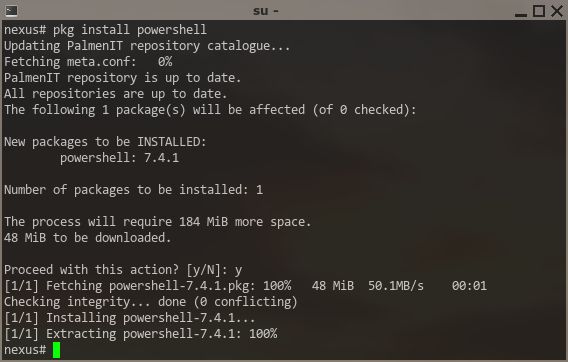
In case you want to test #PowerShell on #FreeBSD *NOW* ... here's a patch for #ports:
https://people.freebsd.org/~zirias/patches/0001-shells-powershell-Add-new-port.patch

It currently requires at least these patches applied before:
https://reviews.freebsd.org/D44560
https://reviews.freebsd.org/D44561

Note they will probably change, the maintainer of lang/dotnet is looking for better options to solve these issues.

Porting PowerShell to FreeBSD, first working poc

Well, I wanted to test #FreeBSD #PowerShell for my usecase (which I *guess* I have, still not entirely sure), but ... I thought now that the port works, let's first rebase #ports (on main).

BAAAD idea. Not only did some change force my #poudriere to rebuild more or less *everything*, I also had fallout to fix from new #LibreSSL incompatibilities and some strange build error with #llvm-17.

Right now STILL waiting for the build of #chromium to finish.

Ok, testing PowerShell: tomorrow. πŸ™„

Testing #PowerShell on #FreeBSD can finally start!

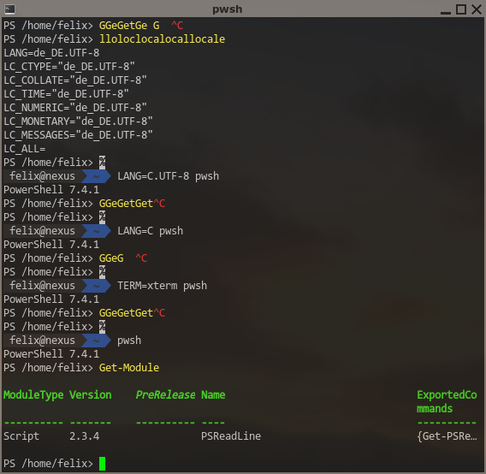
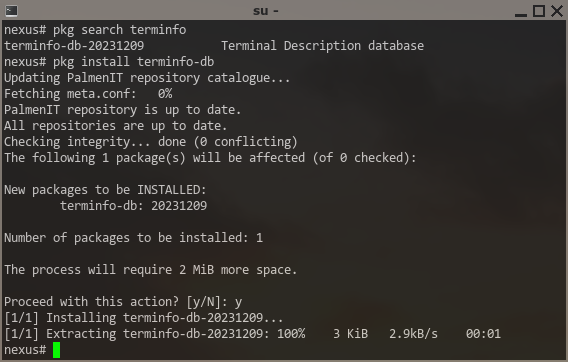
Already found the first issue ... it seems #PSReadline needs terminfo-db from ports installed to work correctly πŸ™„ -- port will be updated!

Getting the #Microsoft #Windows experience once again.

So, as a first step for the #PowerShell "remoting" I intend to test from #FreeBSD for my usecase, I activated #OpenSSH on that Windows server as documented by Microsoft.

Yep, sshd is running and allows logins with local accounts. Trying to use a domain account just results in "Connection reset" (before even asking for a password), and so far, I wasn't able to find any useful information to even start analyzing the cause. 😞

@zirias easiest thing to do is run sshd.exe manually on the Windows server then test your connection

Stop-Service sshd
sshd.exe -ddd
# Test connection
Start-Service sshd

You’ll most likely need to run as SYSTEM (through psexec is the easiest) as pub key auth requires a privilege that normal admins don’t have. You can also enable event logs by editing the sshd_config file as per https://github.com/PowerShell/Win32-OpenSSH/wiki/Logging-Facilities

Logging Facilities

Win32 port of OpenSSH. Contribute to PowerShell/Win32-OpenSSH development by creating an account on GitHub.

GitHub