 mcc
mccComputer just switched off at random, for the second time today. This time, it happened simultaneous with a power flux event (the air conditioner halting).
Maybe I need a UPS. :(
Computer just switched off at random, for the second time today. This time, it happened simultaneous with a power flux event (the air conditioner halting).
Maybe I need a UPS. :(
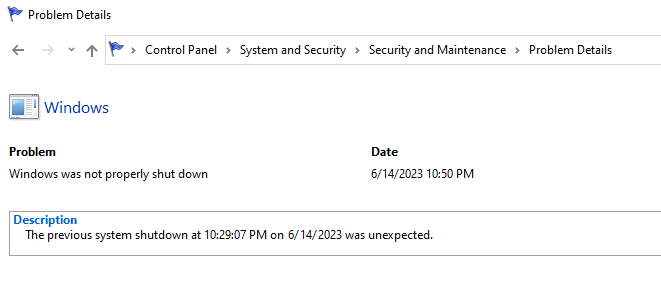
Ha ha heehhhh after several days of no problems my computer just shut off at random while I was sitting at it using it, and then less than five minutes later, did it again. Is there a way to get Windows to tell me, after a restart, why the hell it just restarted
Like I understand it might not know why it shuts down but surely if it restarts there's somewhere a record of why
It's happening now at times it wasn't happening before
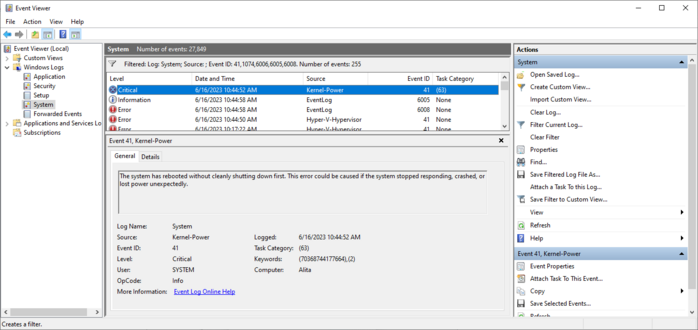
I eventually learned to get the data from the "real" event viewer instead of the fisher price baby and this is all it says.
Two references to "Power". I don't know if that means the problem is with the power, or if that's Windows' way of saying "I don't know?".
I did get a core temp log when the computer died last night. The CPU temperature was not high at all at the moment of the reset.
Every time I buy an Apple computer I eventually have to replace it even though it works and I don't want to replace it, because of planned obsolescence, and every time I buy a non-Apple computer it eventually just breaks
The scariest possible thing that could happen in the next few months is I buy a new mac because Apple forces you to buy a mac to develop for the Vision, then my Windows machine craps out totally and I'm having to use a Macintosh as my daily driver
Okay so everyone has convinced me that probably the problem is my PSU, the computer is power spiking & triggering safeties
My friends who Know Computers say it's important to check review sites like tomshardware or cultist.network & pick a high rated PSU
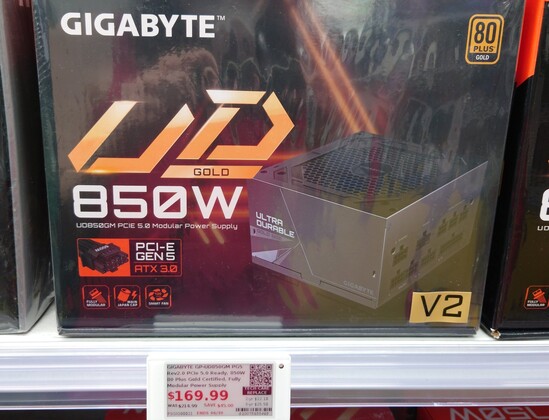
My current is a ThermalTake GF1 750W gold, the store by me only had a Gigabyte for 850W replacements
Trying to decide whether to buy that, go to Amazon & wait, or contact ThermalTake to replace the old one
In the meantime I'm stuck in Linux
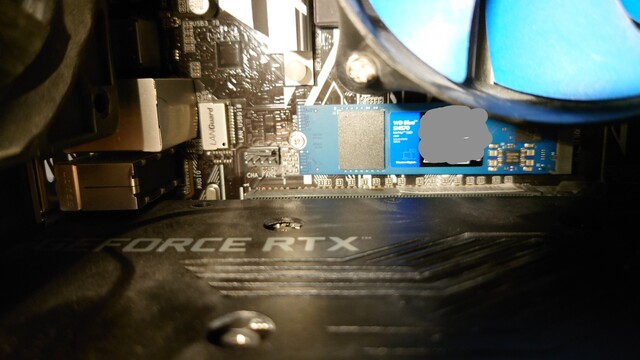
Like the ThermalTake has worked fine for just under two years, nothing obviously changed before the problems started except I swapped my SATA drive for a m.2 one on the motherboard, and that was like a week or two before, then boom problems
So maybe the ThermalTake isn't overloaded, just going bad?
Ohgod I have noidea what I am doing
I have extensive notes of which cables were connected before I pulled the old one out, but I have no Gnosis
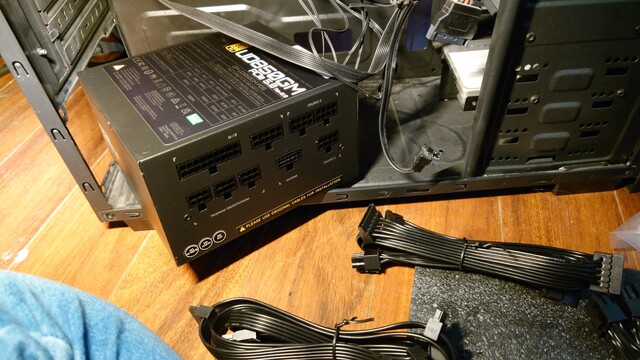
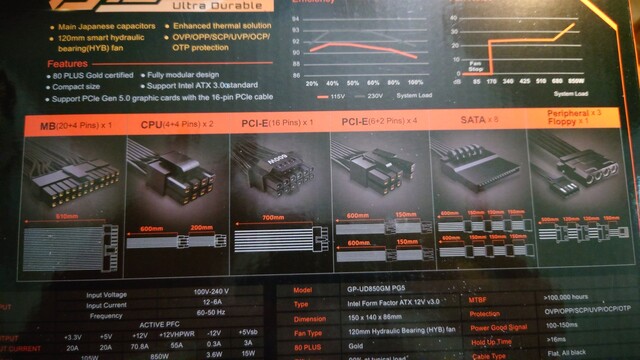
The PSU came with three seemingly identical cables, each of which has a single head at one end and two heads at the other end. I think these are interchangeable and I think one goes from the CPU/PCI-E slot at the top of my motherboard with one head left unused, and the other goes from a CPU/PCI-E slot to the 8pin slot by the CPU with one of the cable heads unused.
However, the three seemingly identical cables are NOT identical. See below. But nothing is labeled and there's no parts manifest
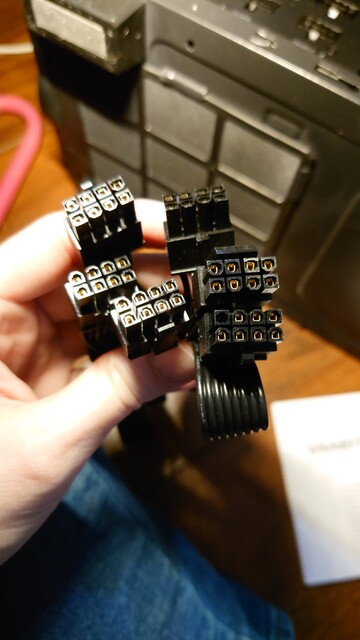
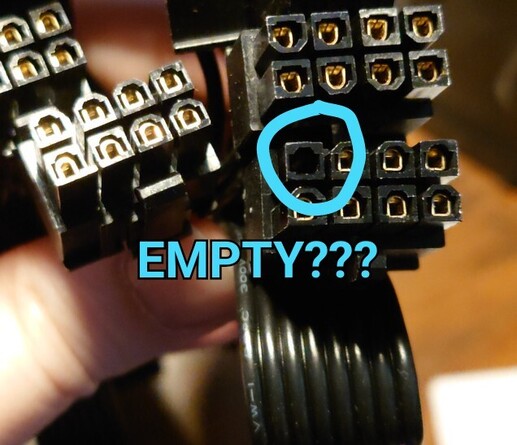
Wait, no! There is a parts manifest…on… the box?! That is the least convenient place to put documentation. I don't have room to store boxes. Also, it seems to be wrong. It claims it comes with two of the 8-pin "CPU" cables and four (?) of the PCI-E "split" 6+2 cables, but all I find in the box is three of the 8-pin CPU cables (Except one appears to have the "empty" pin??)
Last time I did this it somehow wasn't this hard.
Someone asked for a photo of the motherboard. Here's above the video card, the video card, below the video card.
The "wide" motherboard connector (first image right side, in shadow) is obvious. Similarly the cable for the video card (image 2) seems obvious. But the CPU connector (first image top right) is baffling me. EDIT: wait maybe I figured it out.
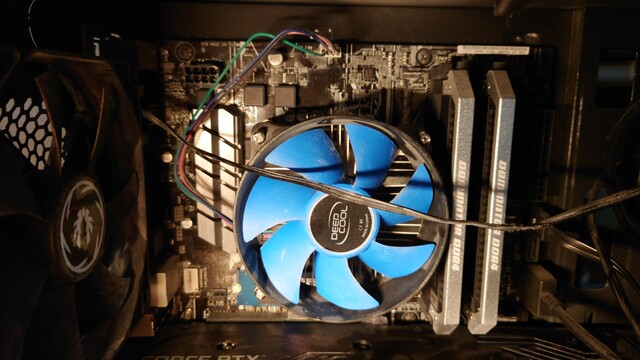

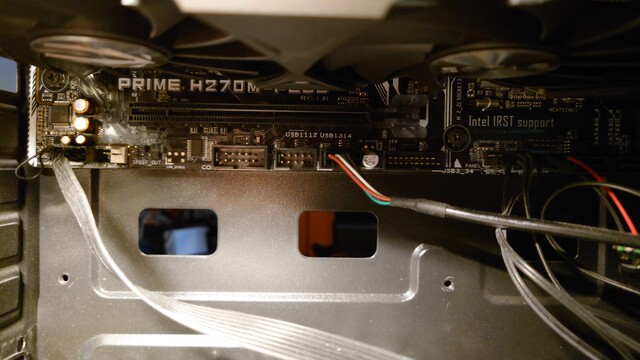
Also I distinctly remember (and wrote down) I unplugged something in the bottom left (image 3 or possibly "CHA_FAN2" in image 1) and I assumed it would be obvious what but now I have literally no idea what it was. I don't think this one could possibly be essential (??) because it's not on the basic plugs lists but I am super angry at myself for not taking clearer notes. Did I hallucinate this?!
I've been stuck on this step for an hour. Just basically a disaster here
@mcc Usually not identical. Check the square pins. Probably only one of them will "really" fit.
Also beware of two plugs which clip together to form a bigger plug – or a big plug you might need to split up to make a smaller one.
@slembcke they're not, but they come with their own cable sets so that's fine.
The problem is you get a lot more cables than you need.
@mcc it will be fine, just take it one cable at a time, one part at a time.
You got this!
@mcc I think you may minimize the risk of that happening if you base things on the parts that need power, not starting at the power supply. When you run out of parts with unconnected power ports, you’re done!
Anything missed will just, not have power on startup, and not show up in Device Manager, so that should be an easy way to catch any oversights.
(Also I like to see the extra cables as ‘just in case’ replacement parts for down the line.)
@mcc ONLY USE NEW CABLES
Cabling is per-model. Your old cables, if they fit, will cause components to explode
@mcc @directhex from a power perspective, there shouldn't be too many. The big 24-pin and 6/8-pin CPU ones are typically all you need on the motherboard. The rest should be obvious - i.e. drives and graphics card.
I expect there will be plenty of spare cables afterwards
Here's your checklist:
* 24 pin ATX into motherboard. This is the top two connectors on the back of the power supply. On the motherboard it's usually on an edge far from the CPU
* 8 pin ATX12V into motherboard. This is usually near the CPU. Typically you'll only need one of them, high end motherboards might use two. Connectors at the top right of the PSU
That's everything for the motherboard
Then
*ATX12VHPWR this is the second connector from the right on the bottom row. Only GeForce 4000 series uses this
* PCIe power. This is bottom right and top right (same on the PSU side as ATX12V). Used for graphics cards that aren't geforce 4000. Use as many connectors as you can, ie avoid using daisy chained cables if you have enough sockets to avoid it
* SATA/MOLEX. Three left connectors on the bottom row. Basically anything that isn't covered above will use these connectors. Watercooling, random internal things that want power like fan controllers, etc etc etc
@directhex thank you, having this to compare against will legitimately help.
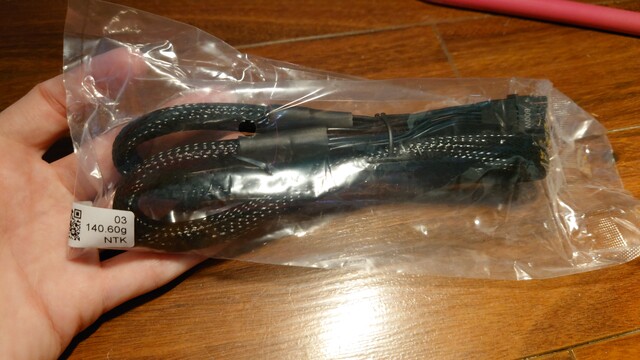
Here is a question. The cables came in two bags. One of them has all the cables except one, and one of them had this cable only. Do you have any idea why they might have done that?

 thatdosbox
 ⁂ Fish Id Wardrobe
 Darkmage
 Brendan Tobolaski
 Joelle
 Richard Hendricks
 Jason Scott
 ocdtrekkie
 Markus
 Sylvhem
 Jesse Morris
 ?
? Oblomov
 C Sawula
 slembcke
 Kaiyalai
 Jo Shields