 mcc
mccComputer just switched off at random, for the second time today. This time, it happened simultaneous with a power flux event (the air conditioner halting).
Maybe I need a UPS. :(
Computer just switched off at random, for the second time today. This time, it happened simultaneous with a power flux event (the air conditioner halting).
Maybe I need a UPS. :(
Ha ha heehhhh after several days of no problems my computer just shut off at random while I was sitting at it using it, and then less than five minutes later, did it again. Is there a way to get Windows to tell me, after a restart, why the hell it just restarted
Like I understand it might not know why it shuts down but surely if it restarts there's somewhere a record of why
It's happening now at times it wasn't happening before
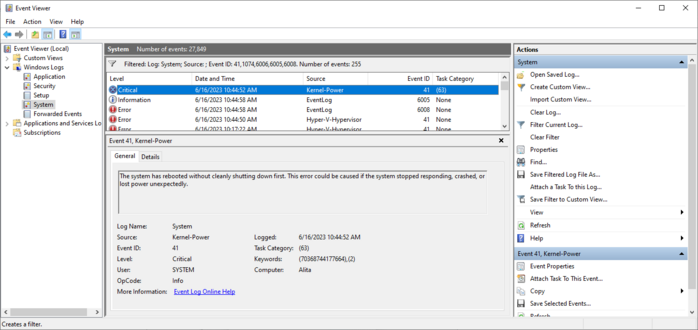
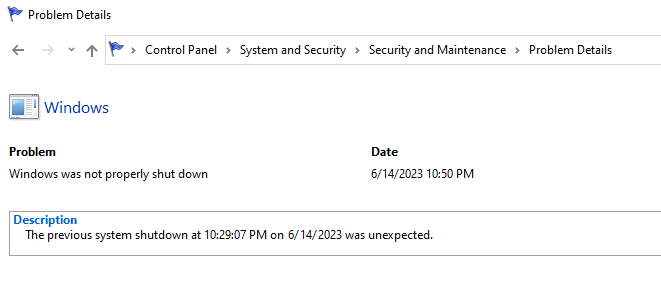
I eventually learned to get the data from the "real" event viewer instead of the fisher price baby and this is all it says.
Two references to "Power". I don't know if that means the problem is with the power, or if that's Windows' way of saying "I don't know?".
I did get a core temp log when the computer died last night. The CPU temperature was not high at all at the moment of the reset.
Every time I buy an Apple computer I eventually have to replace it even though it works and I don't want to replace it, because of planned obsolescence, and every time I buy a non-Apple computer it eventually just breaks
The scariest possible thing that could happen in the next few months is I buy a new mac because Apple forces you to buy a mac to develop for the Vision, then my Windows machine craps out totally and I'm having to use a Macintosh as my daily driver
Okay so everyone has convinced me that probably the problem is my PSU, the computer is power spiking & triggering safeties
My friends who Know Computers say it's important to check review sites like tomshardware or cultist.network & pick a high rated PSU
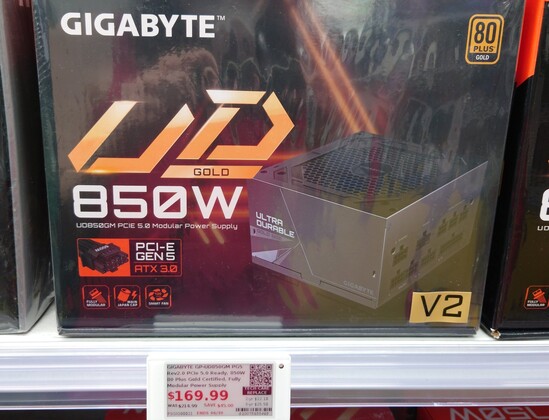
My current is a ThermalTake GF1 750W gold, the store by me only had a Gigabyte for 850W replacements
Trying to decide whether to buy that, go to Amazon & wait, or contact ThermalTake to replace the old one
In the meantime I'm stuck in Linux
Like the ThermalTake has worked fine for just under two years, nothing obviously changed before the problems started except I swapped my SATA drive for a m.2 one on the motherboard, and that was like a week or two before, then boom problems
So maybe the ThermalTake isn't overloaded, just going bad?
Ohgod I have noidea what I am doing
I have extensive notes of which cables were connected before I pulled the old one out, but I have no Gnosis
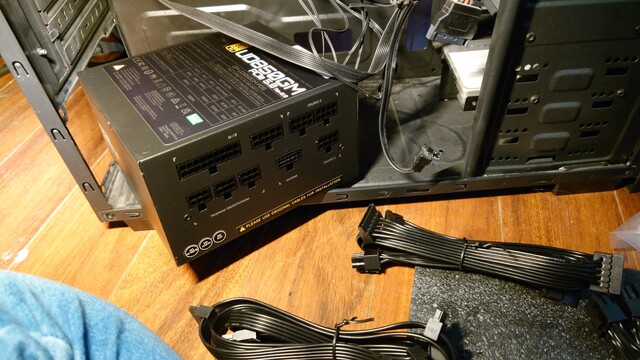
@slembcke they're not, but they come with their own cable sets so that's fine.
The problem is you get a lot more cables than you need.
@mcc it will be fine, just take it one cable at a time, one part at a time.
You got this!
@mcc I think you may minimize the risk of that happening if you base things on the parts that need power, not starting at the power supply. When you run out of parts with unconnected power ports, you’re done!
Anything missed will just, not have power on startup, and not show up in Device Manager, so that should be an easy way to catch any oversights.
(Also I like to see the extra cables as ‘just in case’ replacement parts for down the line.)
@mcc ONLY USE NEW CABLES
Cabling is per-model. Your old cables, if they fit, will cause components to explode
@spinach Reeeeaallly
Would you trust the Gigabyte in the picture?
Review seems to suggest (?) it's a "reliability over performance" pick. I don't even know what "performance" means for a PSU. https://www.tomshardware.com/reviews/gigabyte-ud850gm-power-supply-review
@mcc I also had random halts which took me a while to debug.
Turned out that with the new passive cooling tower on my CPU and setting the fans as silent (low speed), the RAM did not get cooled well enough and overheated under load.
I changed the fan setting to normal and the computer hasn’t crashed since.
The hint was that I saw memory corruption messages with two crashes (after the crash the hardware warned and I saw that in the scrolling text on startup — under Linux).
Maybe m.2 overheats?
@mcc I absolutely had a power supply smoke itself. Thankfully the fusing worked correctly and it didn't damage my motherboard.
All of your recent troubles have only reminded me how unreliable my PCs have actually been in the last 15 years.
- 3 (three) dead video cards
- dead power supply
- dead heat sink/fan
- dead (spinning) hard drive
- dead (CRT) monitor
- dead motherboard
- too many dead home routers/gateways to count without getting very very angry
@jernej__s @mcc there's a lot forum thread which is like the goto for PSU reviews by model because so many brands are wildly variable from model to model.
I had the same issue and found an open box fractal PSU they rated highly on eBay for cheaps and it fixed my world.
@mcc Oh, and as for what I had connected to RM650x:
GTX1070, 1TB SATA SSD, 4x 8TB SATA disks inside a hotplug cage, ARC-1212 RAID controller; originally I had Asus Z9PA-U8 motherboard, Xeon E5-1620 CPU, 4x8GB DDR3 registered RAM and a PCIe USB3 controller; later I changed to Asus Pro WS X570-ACE motherboard, Ryzen 5900X CPU and 2x 32GB DDR4 ECC RAM.
BTW, check the warranty for your Thermaltake – at least Corsair has either 5 or 10-year warranty (not sure which), while Seasonic claims 12-year warranty.
@jernej__s The Thermaltake (it was a GF1 not a GF3) has a 10 year warranty. I will be exploring this. But if I have to mail them the PSU I like… I have to use my computer in the meantime.
The store near me had Corsairs but none with ATX3 which I believe I need for my video card.
@mcc I sympathize. My old 2010 Mac(!) still runs fine but is forever trapped on Catalina because it has a firmware password that I lost; otherwise I'd just crossgrade it to Linux and not care.
Fortunately(?) in the layoff they let us keep our machines, so I have an M1 with not enough disk, but it's current.
@mcc I still use my iPhone SE from 2016, and the most recent update was ~2 weeks ago. In a month it will be seven years old. >_>
The iPad 2 I still sometimes use for reading in bed got updates until 2019. 8 years!

@mcc I think this article or one like it explains the process? That looks like how I found it last time it happened to me.
https://www.sevenforums.com/tutorials/160855-shut-down-view-details-last-shutdown-computer.html
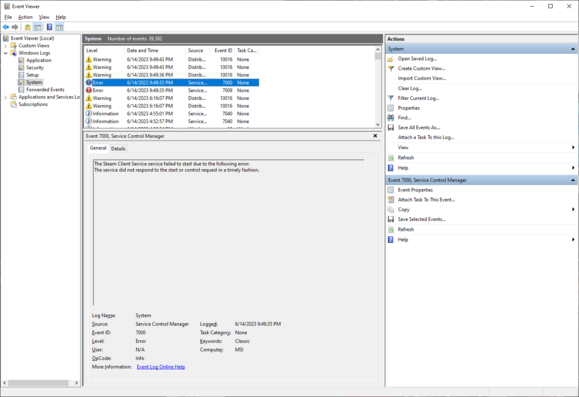
@mcc Assuming they haven't removed it, there's definitely a log for that. Somewhere in the control panel there should be an Event Viewer? Event Log? with a bunch of different logs, one of which includes system startup/shutdown events.
I want to say it's somewhere around Device Manager? You used to right-click on My Computer to get there I think, but probably if you search for "Event" in the start bar and/or control panel it'll pop up. Has a little triangle error symbol iirc.
 Sylvhem
 ?
? Oblomov
 C Sawula
 slembcke
 Kaiyalai
 Jo Shields
 Saffron🏳️⚧️
 ArneBab
 DJ Tent Mode
 Jernej Simončič �
 moopet
 huesm
huesm KayDub
 Luigi
Luigi 
 Equinox Deschanel
 Duane Johnson
 Mike (no not that one)
 Kevin Karhan
 Alex Zandra
 Farce Majeure
 🍂Evan Balster🍂
 LimaBeanHoagie
 Leo
Leo
 Omega Jimes
 Erin
Erin Ell 🏳️⚧️