 mcc
mccComputer just switched off at random, for the second time today. This time, it happened simultaneous with a power flux event (the air conditioner halting).
Maybe I need a UPS. :(
Computer just switched off at random, for the second time today. This time, it happened simultaneous with a power flux event (the air conditioner halting).
Maybe I need a UPS. :(
Ha ha heehhhh after several days of no problems my computer just shut off at random while I was sitting at it using it, and then less than five minutes later, did it again. Is there a way to get Windows to tell me, after a restart, why the hell it just restarted
Like I understand it might not know why it shuts down but surely if it restarts there's somewhere a record of why
It's happening now at times it wasn't happening before
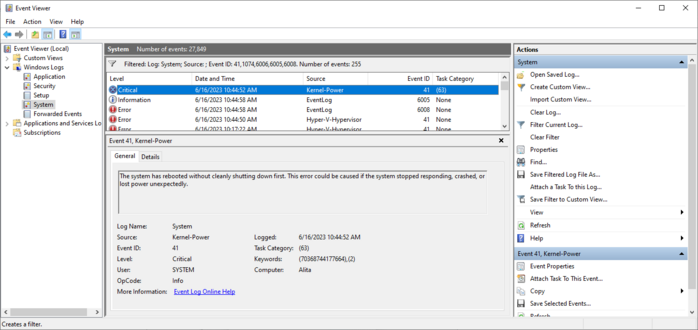
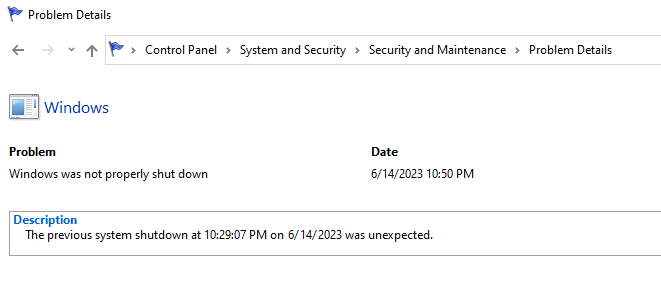
I eventually learned to get the data from the "real" event viewer instead of the fisher price baby and this is all it says.
Two references to "Power". I don't know if that means the problem is with the power, or if that's Windows' way of saying "I don't know?".
I did get a core temp log when the computer died last night. The CPU temperature was not high at all at the moment of the reset.
Every time I buy an Apple computer I eventually have to replace it even though it works and I don't want to replace it, because of planned obsolescence, and every time I buy a non-Apple computer it eventually just breaks
The scariest possible thing that could happen in the next few months is I buy a new mac because Apple forces you to buy a mac to develop for the Vision, then my Windows machine craps out totally and I'm having to use a Macintosh as my daily driver
Okay so everyone has convinced me that probably the problem is my PSU, the computer is power spiking & triggering safeties
My friends who Know Computers say it's important to check review sites like tomshardware or cultist.network & pick a high rated PSU
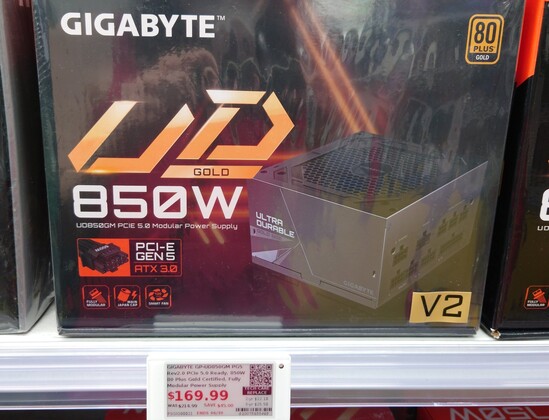
My current is a ThermalTake GF1 750W gold, the store by me only had a Gigabyte for 850W replacements
Trying to decide whether to buy that, go to Amazon & wait, or contact ThermalTake to replace the old one
In the meantime I'm stuck in Linux
Like the ThermalTake has worked fine for just under two years, nothing obviously changed before the problems started except I swapped my SATA drive for a m.2 one on the motherboard, and that was like a week or two before, then boom problems
So maybe the ThermalTake isn't overloaded, just going bad?
Ohgod I have noidea what I am doing
I have extensive notes of which cables were connected before I pulled the old one out, but I have no Gnosis
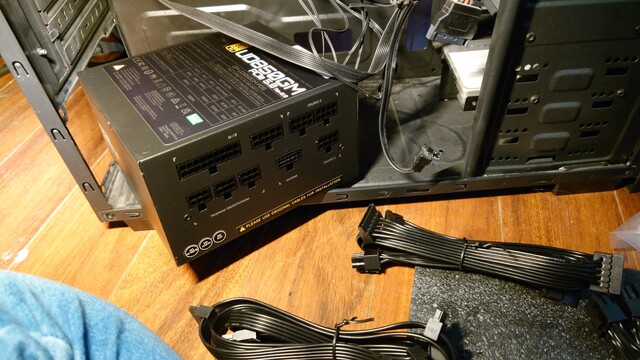
The PSU came with three seemingly identical cables, each of which has a single head at one end and two heads at the other end. I think these are interchangeable and I think one goes from the CPU/PCI-E slot at the top of my motherboard with one head left unused, and the other goes from a CPU/PCI-E slot to the 8pin slot by the CPU with one of the cable heads unused.
However, the three seemingly identical cables are NOT identical. See below. But nothing is labeled and there's no parts manifest
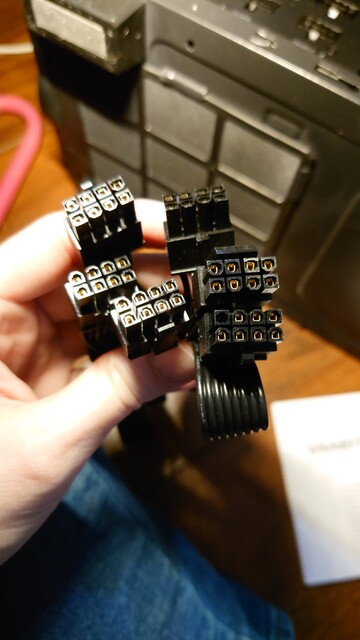
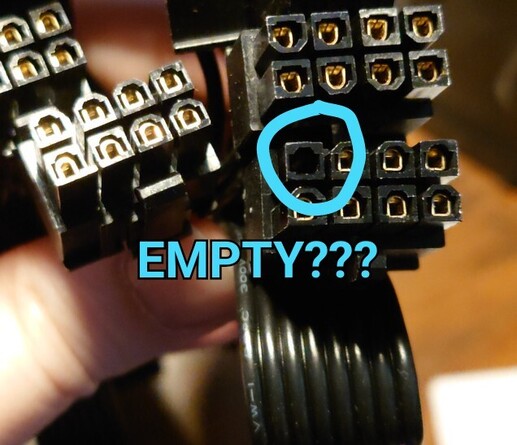
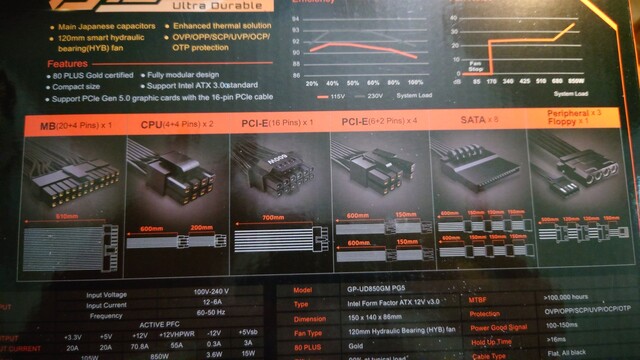
Wait, no! There is a parts manifest…on… the box?! That is the least convenient place to put documentation. I don't have room to store boxes. Also, it seems to be wrong. It claims it comes with two of the 8-pin "CPU" cables and four (?) of the PCI-E "split" 6+2 cables, but all I find in the box is three of the 8-pin CPU cables (Except one appears to have the "empty" pin??)
Last time I did this it somehow wasn't this hard.

 Markus