 mcc
mccComputer just switched off at random, for the second time today. This time, it happened simultaneous with a power flux event (the air conditioner halting).
Maybe I need a UPS. :(
Computer just switched off at random, for the second time today. This time, it happened simultaneous with a power flux event (the air conditioner halting).
Maybe I need a UPS. :(
Could be an older power supply starting to give up the ghost too, depending on its age.
@zetasyanthis @mcc
I've also occasionally seen random shutdowns caused by the mobo chipset overheating. A failing PSU is more likely, but if you're not seeing overheating on your CPU, that's something to look at.
Freaking VIA.
@mcc The more you work with them, the more you realize they are kind of a systems engineering house of cards!
Good luck!
@mcc Good luck.
Could be the outlet being flaky, which is probably your best case scenario. Cheap and generally pretty easy to swap out.
Ha ha heehhhh after several days of no problems my computer just shut off at random while I was sitting at it using it, and then less than five minutes later, did it again. Is there a way to get Windows to tell me, after a restart, why the hell it just restarted
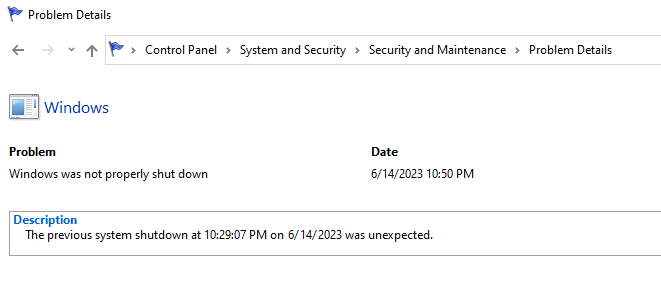
Like I understand it might not know why it shuts down but surely if it restarts there's somewhere a record of why
It's happening now at times it wasn't happening before
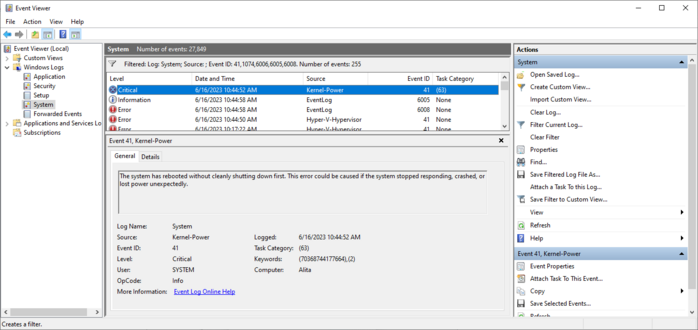
I eventually learned to get the data from the "real" event viewer instead of the fisher price baby and this is all it says.
Two references to "Power". I don't know if that means the problem is with the power, or if that's Windows' way of saying "I don't know?".
I did get a core temp log when the computer died last night. The CPU temperature was not high at all at the moment of the reset.
Every time I buy an Apple computer I eventually have to replace it even though it works and I don't want to replace it, because of planned obsolescence, and every time I buy a non-Apple computer it eventually just breaks
The scariest possible thing that could happen in the next few months is I buy a new mac because Apple forces you to buy a mac to develop for the Vision, then my Windows machine craps out totally and I'm having to use a Macintosh as my daily driver
Okay so everyone has convinced me that probably the problem is my PSU, the computer is power spiking & triggering safeties
My friends who Know Computers say it's important to check review sites like tomshardware or cultist.network & pick a high rated PSU
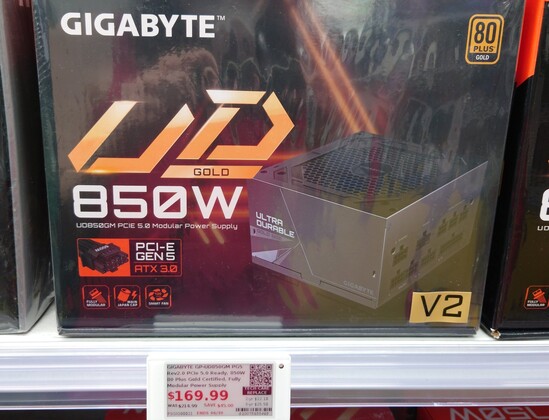
My current is a ThermalTake GF1 750W gold, the store by me only had a Gigabyte for 850W replacements
Trying to decide whether to buy that, go to Amazon & wait, or contact ThermalTake to replace the old one
In the meantime I'm stuck in Linux
Like the ThermalTake has worked fine for just under two years, nothing obviously changed before the problems started except I swapped my SATA drive for a m.2 one on the motherboard, and that was like a week or two before, then boom problems
So maybe the ThermalTake isn't overloaded, just going bad?
@spinach Reeeeaallly
Would you trust the Gigabyte in the picture?
Review seems to suggest (?) it's a "reliability over performance" pick. I don't even know what "performance" means for a PSU. https://www.tomshardware.com/reviews/gigabyte-ud850gm-power-supply-review
@mcc I sympathize. My old 2010 Mac(!) still runs fine but is forever trapped on Catalina because it has a firmware password that I lost; otherwise I'd just crossgrade it to Linux and not care.
Fortunately(?) in the layoff they let us keep our machines, so I have an M1 with not enough disk, but it's current.
@mcc I still use my iPhone SE from 2016, and the most recent update was ~2 weeks ago. In a month it will be seven years old. >_>
The iPad 2 I still sometimes use for reading in bed got updates until 2019. 8 years!

@mcc I think this article or one like it explains the process? That looks like how I found it last time it happened to me.
https://www.sevenforums.com/tutorials/160855-shut-down-view-details-last-shutdown-computer.html
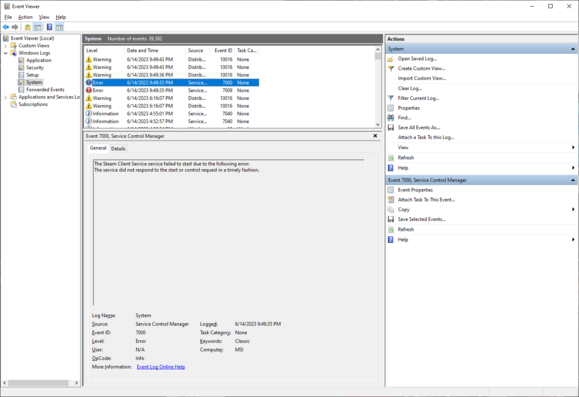
@mcc Assuming they haven't removed it, there's definitely a log for that. Somewhere in the control panel there should be an Event Viewer? Event Log? with a bunch of different logs, one of which includes system startup/shutdown events.
I want to say it's somewhere around Device Manager? You used to right-click on My Computer to get there I think, but probably if you search for "Event" in the start bar and/or control panel it'll pop up. Has a little triangle error symbol iirc.
@ellenor2000 @mcc @avarisclari the one with the trucks is pronounced “oops”; the one with the batteries (that are not part of a truck) is pronounced “U. P. S.”
(Mom always used to point out the “oops truck”, which is silly and fun childhood memory; now it sounds like a reference to the condition the packages might arrive in)
 Zeta Syanthis
 Jennifer Kayla | Theogrin 🦊
 DJ Tent Mode
 Farbs
Farbs Tom Forsyth
 Jesse Morris
 anniethebruce
 Kevin Boyd (he/him) 🇨🇦
 Saffron🏳️⚧️
 huesm
huesm KayDub
 Luigi
Luigi 
 Equinox Deschanel
 Duane Johnson
 slembcke
 Mike (no not that one)
 Kevin Karhan
 Alex Zandra
 Farce Majeure
 🍂Evan Balster🍂
 LimaBeanHoagie
 Leo
Leo Jernej Simončič �
 Omega Jimes
 Erin
Erin Ell 🏳️⚧️
 Meg
Meg Mg Avaris Clari
 Ursidinoj/The Bjornsdottirs
 Jason Petersen (he)
 Gentleman Programmer