 mcc
mccComputer just switched off at random, for the second time today. This time, it happened simultaneous with a power flux event (the air conditioner halting).
Maybe I need a UPS. :(
Computer just switched off at random, for the second time today. This time, it happened simultaneous with a power flux event (the air conditioner halting).
Maybe I need a UPS. :(
Ha ha heehhhh after several days of no problems my computer just shut off at random while I was sitting at it using it, and then less than five minutes later, did it again. Is there a way to get Windows to tell me, after a restart, why the hell it just restarted
Like I understand it might not know why it shuts down but surely if it restarts there's somewhere a record of why
It's happening now at times it wasn't happening before
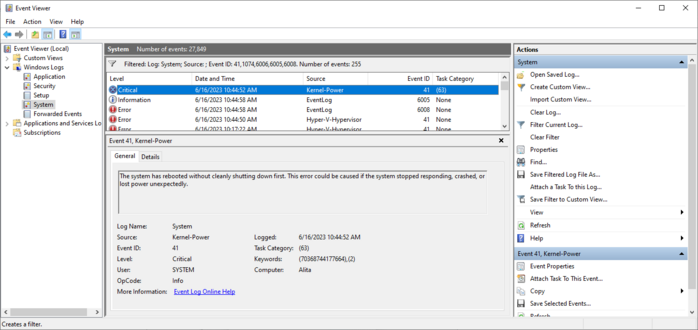
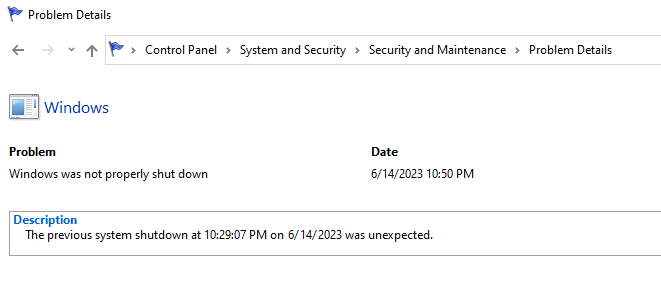
I eventually learned to get the data from the "real" event viewer instead of the fisher price baby and this is all it says.
Two references to "Power". I don't know if that means the problem is with the power, or if that's Windows' way of saying "I don't know?".
I did get a core temp log when the computer died last night. The CPU temperature was not high at all at the moment of the reset.
Every time I buy an Apple computer I eventually have to replace it even though it works and I don't want to replace it, because of planned obsolescence, and every time I buy a non-Apple computer it eventually just breaks
The scariest possible thing that could happen in the next few months is I buy a new mac because Apple forces you to buy a mac to develop for the Vision, then my Windows machine craps out totally and I'm having to use a Macintosh as my daily driver
Okay so everyone has convinced me that probably the problem is my PSU, the computer is power spiking & triggering safeties
My friends who Know Computers say it's important to check review sites like tomshardware or cultist.network & pick a high rated PSU
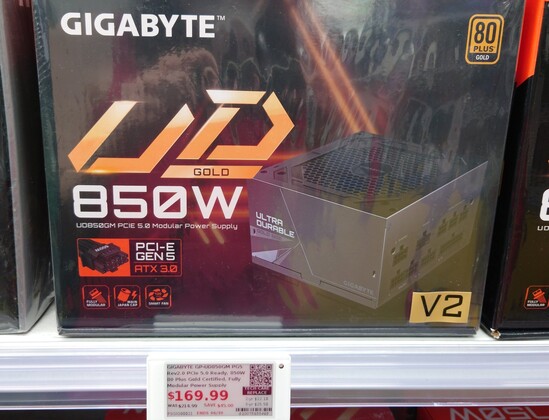
My current is a ThermalTake GF1 750W gold, the store by me only had a Gigabyte for 850W replacements
Trying to decide whether to buy that, go to Amazon & wait, or contact ThermalTake to replace the old one
In the meantime I'm stuck in Linux
Like the ThermalTake has worked fine for just under two years, nothing obviously changed before the problems started except I swapped my SATA drive for a m.2 one on the motherboard, and that was like a week or two before, then boom problems
So maybe the ThermalTake isn't overloaded, just going bad?
Ohgod I have noidea what I am doing
I have extensive notes of which cables were connected before I pulled the old one out, but I have no Gnosis
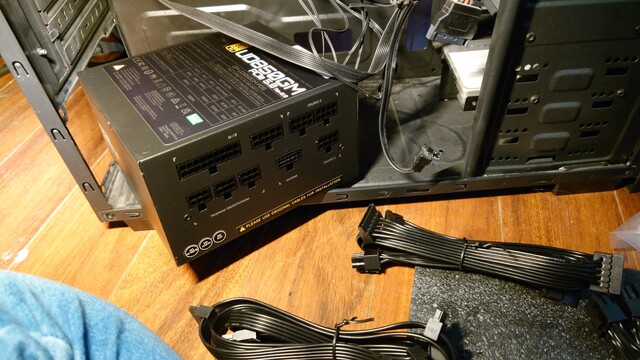
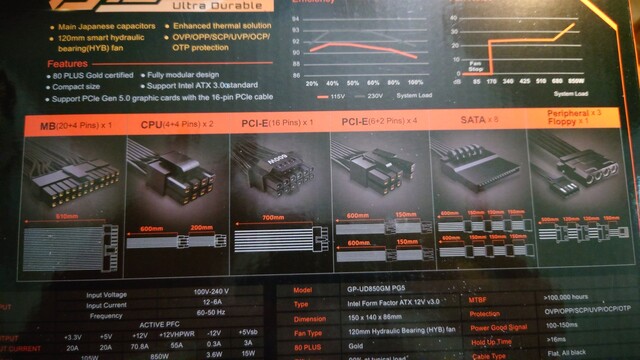
The PSU came with three seemingly identical cables, each of which has a single head at one end and two heads at the other end. I think these are interchangeable and I think one goes from the CPU/PCI-E slot at the top of my motherboard with one head left unused, and the other goes from a CPU/PCI-E slot to the 8pin slot by the CPU with one of the cable heads unused.
However, the three seemingly identical cables are NOT identical. See below. But nothing is labeled and there's no parts manifest
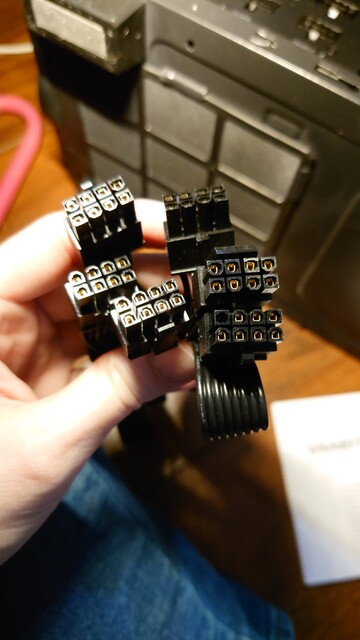
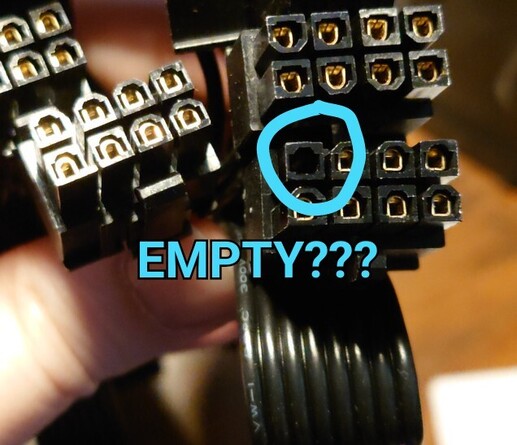
Wait, no! There is a parts manifest…on… the box?! That is the least convenient place to put documentation. I don't have room to store boxes. Also, it seems to be wrong. It claims it comes with two of the 8-pin "CPU" cables and four (?) of the PCI-E "split" 6+2 cables, but all I find in the box is three of the 8-pin CPU cables (Except one appears to have the "empty" pin??)
Last time I did this it somehow wasn't this hard.
Someone asked for a photo of the motherboard. Here's above the video card, the video card, below the video card.
The "wide" motherboard connector (first image right side, in shadow) is obvious. Similarly the cable for the video card (image 2) seems obvious. But the CPU connector (first image top right) is baffling me. EDIT: wait maybe I figured it out.
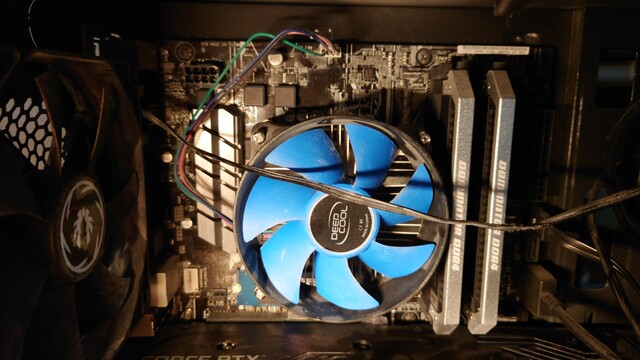

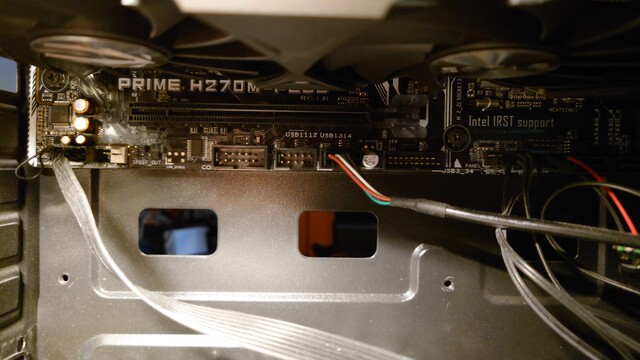
Also I distinctly remember (and wrote down) I unplugged something in the bottom left (image 3 or possibly "CHA_FAN2" in image 1) and I assumed it would be obvious what but now I have literally no idea what it was. I don't think this one could possibly be essential (??) because it's not on the basic plugs lists but I am super angry at myself for not taking clearer notes. Did I hallucinate this?!
I've been stuck on this step for an hour. Just basically a disaster here
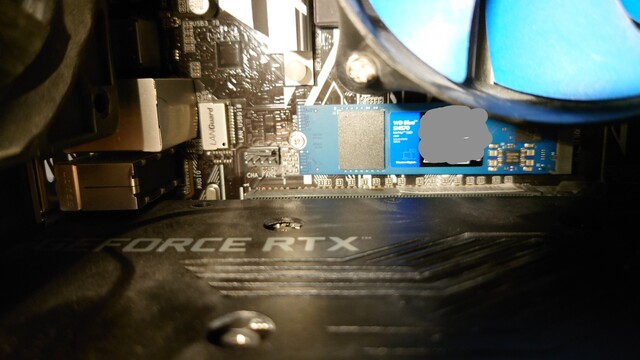
@mcc "Chassis Fan 2". Being a 4-pin connection, it's a PWM speed controlled fan connector with RPM monitor.
If all your fans have power, you can totally ignore this.
I think some PSUs can have their fans powered from the motherboard in this way; maybe your old one did?
@mcc It's chassis fan connector so you might have a cable dangling off a fan somewhere - or sticking out of some cable management contraption. It's a very specific connector type newegg.com/p/N82E16812162026
It's not essential but not having the fan operational will rise temperatures.
@mcc I'd contact the manfuacturer to complain.
A parts manifest on the box is fine, quickly lets you say if you need to buy extra stuff too, but it should be replicated on an info card or manual inside. and, well, accuracy would be nice.
This sounds like someone fucked up at the factory.
@mcc you probably figured this out already, but CPU and PCI-E cables are keyed differently; you physically can't plug them into the wrong place.
As long as all the power inputs on the motherboard and your graphics cards have a lead plugged into them, you're good to go.
(They're just GND+12V to deal with the power consumption of a GPU, which cannot be sourced through the tiny PCI-E pins from the motherboard. Same for CPU aux connector: extra power over what an old ATX connector supplies)
@mcc That's because TT is a brand name manufacturer, and they have the budget to label the cables and/or write proper documentation.
This is usually considered expendable and of little value in computer part reviews but becomes essential when you do not install the part at least monthly, and it's not completely trivial.
Modular power supplies fall outside of the category of parts with trivial installation for sure.

 thatdosbox
 ⁂ Fish Id Wardrobe
 Darkmage
 Brendan Tobolaski
 Joelle
 Richard Hendricks
 Jason Scott
 William
 hramrach
 ocdtrekkie
 Oblomov
 Markus
 Sylvhem
 Jamey Sharp
 JP
JP anniethebruce