 pecet 🦒
 Strateture
When I see people complain about Linux it always boils down to the terminal. If that's the "only" hurdle, Linux is in a good place. I mean, life throws far more hurdles at us as soon as we leave home. If we can survive that, we can survive the terminal.
 shnarazk
 🎄
🎄 Sören Gade
At the same time, managing three Macs is becoming a bit burdensome.
After 15 years, I switched away from #iTerm2 and towards #WezTerm which allows hot-reloaded dotfiles-style configuration.
Together with #GnuStow, a simple `git pull` is enough, and the terminal is in sync!
Really love this, and feel like more apps should offer this kind of configuration (at least developer tools). Synchronizing plist preferences is a pain.
 Дед Цуфершенкин
RE: https://fosstodon.org/@atoponce/116291968418781417
I was today years old, when I got to know about the difference between "vertical split" meaning in #vim and #tmux or #wezTerm
 sayzard
[Kaku – AI 코딩을 위해 설계된 빠른 맥 전용 터미널
Kaku는 macOS 전용 터미널로, WezTerm을 기반으로 AI 코딩을 위해 최적화되었습니다. Zero Config, 경량화, 기본 제공 셸 스택, WezTerm 호환성, AI 코딩 특화 기능 등을 제공하며, 현재 GitHub에서 인기를 끌고 있습니다.

 Aral Balkan
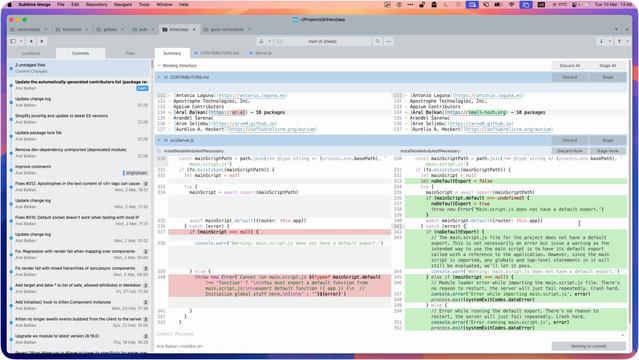
There’s life beyond VSCode… thought I’d share my dev setup:
• Main monitor: WezTerm¹ running in a three (sometimes four)-way split with Helix Editor² as my main editor, a terminal pane for general commands while working, and Yazi³ usually running in another for working with files/directories in a project.
• Other monitor: Sublime Merge⁴ always running full-screen so I can immediately see exactly what I’ve changed (in real time) as I’m working.
Others (not shown): Browser(s) on a third screen and my laptop’s monitor as a fourth screen sometimes for other apps (read: distractions) :)
What’s yours like?
¹ https://wezterm.org
² https://helix-editor.com
³ https://github.com/sxyazi/yazi
⁴ https://www.sublimemerge.com
#myDevSetup #web #dev #WezTerm #HelixEditor #Yazi #SublimeMerge

 gokayburuc
To reanimate my #windows11 (a.k.a. #microslop) using #Wezterm & #neovim
Components:
- Neovim ( Astronvim Distro )
- Theme : Eldritch ( with Transparency Configs )
- Background: https://wall.alphacoders.com/big.php?i=1270022
Related Link:
https://www.reddit.com/r/wezterm/comments/1rncmk4/to_reanimate_my_windows_11_using_wezterm_neovim/

 matthew - retroedge.tech
I think I am most content with a tiling window manager and no bar.
This is i3 on Artix Linux running on another liberated Chromebox.
#Linux #Artix #xLibre #i3wm #wezterm #ChromeBox
This is i3 on Artix Linux running on another liberated Chromebox.
#Linux #Artix #xLibre #i3wm #wezterm #ChromeBox

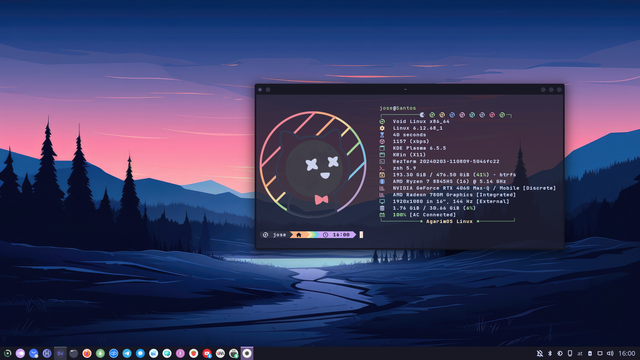
 AgarimOS
Yo básicamente repito la captura de la semana pasada.
#ViernesdeEscritorio #VoidLinux #Plasma #WezTerm #Catppuccin #Starship #Fastfetch
#ViernesdeEscritorio #VoidLinux #Plasma #WezTerm #Catppuccin #Starship #Fastfetch