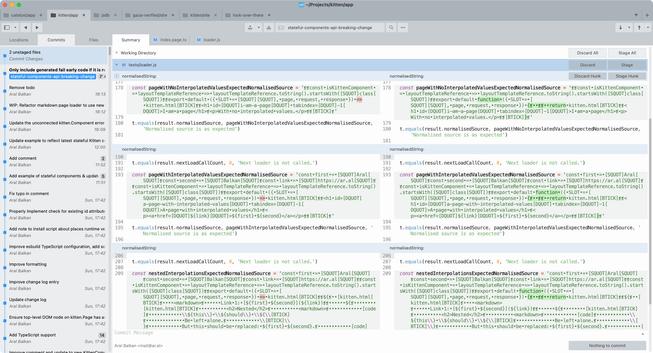
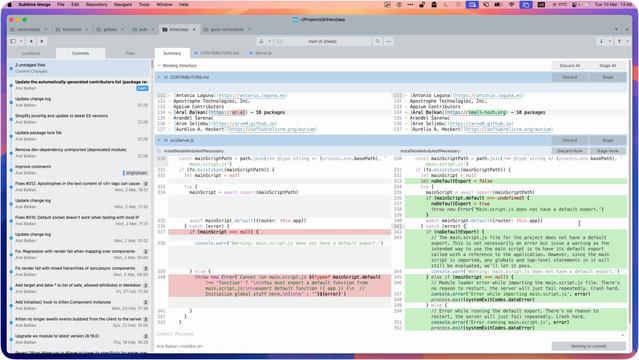
There’s life beyond VSCode… thought I’d share my dev setup:

• Main monitor: WezTerm¹ running in a three (sometimes four)-way split with Helix Editor² as my main editor, a terminal pane for general commands while working, and Yazi³ usually running in another for working with files/directories in a project.

• Other monitor: Sublime Merge⁴ always running full-screen so I can immediately see exactly what I’ve changed (in real time) as I’m working.

Others (not shown): Browser(s) on a third screen and my laptop’s monitor as a fourth screen sometimes for other apps (read: distractions) :)

What’s yours like?

¹ https://wezterm.org
² https://helix-editor.com
³ https://github.com/sxyazi/yazi
https://www.sublimemerge.com

#myDevSetup #web #dev #WezTerm #HelixEditor #Yazi #SublimeMerge

joining the church of #emacs (via #doomemacs )...

#magit just isn't as good as #sublimemerge. I can't deny it. which means, I intend to go forward using tools *outside* of emacs, and will never *truly* join the cult.
but that's fine. emacs insists it's a text editor as opposed to an IDE.
...i just don't get to eat lunch at the cool kids' table.

So, I have just renewed my licence for "Sublime Text" and "Sublime Merge" for another three years. That's worth the money to me.  

#sublimetext #sublimemerge #texteditor

@adam_wysokinski
For the sake of completeness: #SublimeMerge (Australia)
#DeepL (Germany)
This year I completely switched to #SublimeText and #SublimeMerge for my text editing and git purposes. The UI was a bit unusual at first, but it's super fast! These are great power tools and I'm pretty happy with this setup.

Sublime Merge & Sublime Text Upgrade Bundle kaufen?

#SublimeMerge #SublimeText

A very good example of knowing your audience.

#SublimeText #SublimeMerge

I wish Sublime Merge worked better on large git repos. Here is one repo that I work on, and it takes Sublime Merge 20+ min sometimes to just diff changes. Does anyone happen to know of any secret settings to speed it up? Doing `git status` from the command line only takes a couple of seconds, but I much prefer using a GUI for git.

#git #SublimeMerge

For the coming week(s) I will try out using #SublimeText and #SublimeMerge as my text editor and git tool of choice. These things launch super fast and always remember their state. That's exactly what I need!

Right, so, if you’re using Sublime Merge on Linux (Wayland, e.g., Fedora Silverblue like me) and, after an external monitor configuration change it starts hanging your entire system (crashing and taking #GNOME with it, requiring a full restart), the workaround is to delete its session file which stores the (now illegal) last-known location of its window.

i.e., Run:

rm ~/.config/sublime-merge/Local/Session.sublime_session

https://github.com/sublimehq/sublime_merge/issues/1857

#SublimeMerge #wayland #gnome #crash

Crashes GNOME if external monitor configuration changes · Issue #1857 · sublimehq/sublime_merge

Version info OS: Fedora Silverblue Build: n/a (crash on launch) Description If you launch Sublime Merge after the external monitor configuration changes, it crashes, taking GNOME with it. Can’t eve...

GitHub