These are the errors I get with copyQ

`
#
# $ copyq &
[3] 15639
$ Warning: [default] QtWarning: QStandardPaths: wrong permissions on runtime directory /run/user/1000, 0770 instead of 0700
#
$ Warning: [qt.qpa.wayland] QtWarning: Wayland does not support QWindow::requestActivate()
#
#
`

https://mastodon.bsd.cafe/@Dendrobatus_Azureus/115049705395094224

#Wayback #Wayland #Xorg #parcellite
#SBC #ARM #Pie #Raspberry #OpenSource #POSIX #programming

Dendrobatus Azureus (@[email protected])

Attached: 1 image Wayback is an X11 compatibility layer which leverages wlroots and Xwayland This means that you cannot only run X11 applications but a whole desktop. If this project is also compiled for the Raspberry Pi ARM family, I will finally be able to run all my favorite applications from my X86 X11 workflows on the SBC. One important feature that I'm missing is the ability to pop up a window in Wayland using an X11 clipboard application both clipboard managers Parcellite my favorite & CopyQ show this failure when you try to run them on Wayland on ARM on the Pi5 Parcellite totally fails with even showing it's icon on the status bar. Quite natural since it is specifically with programmed with X11 calls libraries and hooks. CopyQ manages to function however you need to use the mouse, to pop up the window severely slowing you down. #Wayback #Wayland #Xorg #parcellite #SBC #ARM #Pie #Raspberry #OpenSource #POSIX #programming https://gitlab.freedesktop.org/wayback/wayback

BSD.cafe Mastodon Portal

Wayback is an X11 compatibility layer which leverages wlroots and Xwayland
This means that you cannot only run X11 applications but a whole desktop.

If this project is also compiled for the Raspberry Pi ARM family, I will finally be able to run all my favorite applications from my X86 X11 workflows on the SBC.

One important feature that I'm missing is the ability to pop up a window in Wayland using an X11 clipboard application both clipboard managers Parcellite my favorite & CopyQ show this failure when you try to run them on Wayland on ARM on the Pi5
Parcellite totally fails with even showing it's icon on the status bar. Quite natural since it is specifically with programmed with X11 calls libraries and hooks.

CopyQ manages to function however you need to use the mouse, to pop up the window severely slowing you down.

#Wayback #Wayland #Xorg #parcellite
#SBC #ARM #Pie #Raspberry #OpenSource #POSIX #programming

https://gitlab.freedesktop.org/wayback/wayback

Because of this omission in Wayland, which does it in a totally different manner, the pop-up window of the clipboard manager CopyQ, cannot function. I'm still going to use it though because at least the icon appears in the status bar

#Wayland #Xorg #parcellite #CopyQ

#SBC #ARM #Pie #Raspberry #GPIO #Electronics #OpenSource #POSIX

@golemwire

Thank you for responding.

We're talking about a Raspberry Pi5 ENV: you can't go KDE on a Pie, since the microSD storage that I have is just 128GB. This is the 8 GB Pie5 not the 16 GB version
The SBC came with a 32 GB card which I moved fast to something else, since just the operating system, the important data and the files that I need to keep, take more than 70% of it

I should say that what I need to work does so properly in CopyQ

If I could only easily map the window pop up to my favorite shortcut

I have to correct myself
The error log clearly shows that the pop-up window will never come up. See the other toot I have put up in the thread

#Wayland #Xorg #parcellite

#SBC #ARM #Pie #Raspberry #GPIO #Electronics #OpenSource #POSIX

Parcellite my favourite clipboard manager fails to show its icon on the taskbar in wayland

CopyQ shows also an important warning

Warning: [qt.qpa.wayland] QtWarning: Wayland does not support QWindow::requestActivate()

So now I'm annoyed a bit

#Wayland #Xorg #parcellite

Just discovered #parcellite for clipboard management on #linux. I was getting bored of copy and pasting stuff from #notes repeatedly and realized someone had to of made something to manage the clipboard. Why did I never think of this before in my 25 years of working with computers?

I suppose I'm currently activily #learning now instead of just doing stuff for #work at my day to day #job so now I'm thinking a little harder. 🫣

I was forced to restore functionality of #parcellite again.

This time I can't trace the reason why the clipboard 📋 manager barfed.

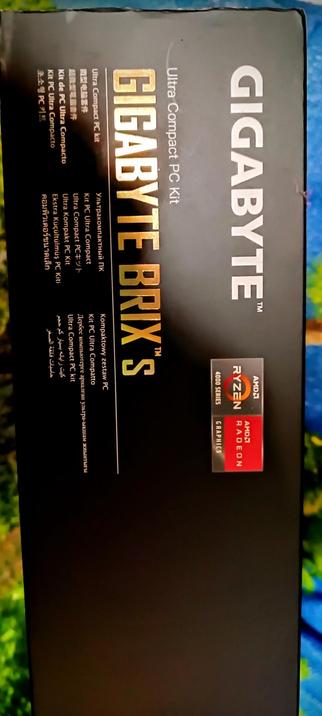
The miniPC did crash, I get continuous heat related crashes due to the small CPU fan / heatsink combo by gigabyte

Important is that I have restored functionality within minutes without history file loss, since I now back it up regularly

https://github.com/rickyrockrat/parcellite

🖋️ #bash #sh #zsh #ksh #csh #100DaysOfCode #1000DaysOfCode #Linux #POSIX #Programming

GitHub - rickyrockrat/parcellite

Contribute to rickyrockrat/parcellite development by creating an account on GitHub.

GitHub

I've been able to restore fairly normal use of #parcellite within hours after the fix. No timeline on how long it will take to restore my extensive permanent history list in it. I may need to merge (with cat) the parcellite history I have on another partition, since I'm in no mood to do all those copies by hand

🖋️ #bash #sh #zsh #ksh #csh #WomenWhoCode #100DaysOfCode #1000DaysOfCode #Linux #POSIX #Programming

My clipboard man #parcellite started to barf after #YAC (yet another crash) of my #miniPC which has a CPU fanblock that's way 2 small for the tropics
The temperature mod threw the CPU clock to zero at the moment it was writing to the history file in $HOME/.local/share/parcellite/history

I got this data thanks to DuckDuckGo, which pointed me to this #arch linux BBS topic when I typed in the full error msg

🖋️ #bash #zsh #ksh #csh #100DaysOfCode #Linux #POSIX #Programming

https://bbs.archlinux.org/viewtopic.php?id=223428

[SOLVED] Problem with Parcellite (core dumped) / Applications & Desktop Environments / Arch Linux Forums