 aluaces
 Linux Easy
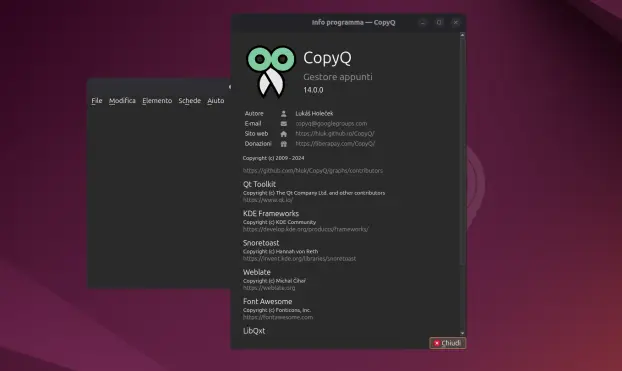
CopyQ 14.0.0 porta cifratura delle schede, audio integrato, statistiche avanzate e un supporto migliore per GNOME. Un aggiornamento ricco per uno dei migliori clipboard manager. #CopyQ #Software #Linux
 T-Man
T-ManDas ist ja genial, danke für den Tipp! Wenn man übrigens #copyq verwendet, muss die Zeile entsprechend
flameshot gui --raw | tesseract stdin stdout | copyq copy -
heißen, sonst funktioniert es nicht.
 Сірьога-Сенсей
 Dendrobatus Azureus
Doing important research on the lightdm default desktop manager on the Pi5 SBC
https://wiki.archlinux.org/title/LightDM
#LXDE #copyq #X11 #Wayland #KDE #programming #XWayland #technology #OpenSource #Linux #POSIX
I can confirm that /usr/bin/Xwayland is running [ps -xa]
pushd /usr/share/wayland-sessions
ls
labwc.desktop LXDE-pi-labwc.desktop LXDE-pi-wayfire.desktop wayfire.desktop
/usr/bin/labwc -m is running
labwc --version
labwc 0.8.4-dirty
copyq show
copyq menu
work flawlessly
#LXDE #copyq #X11 #Wayland #KDE #programming #XWayland #technology #OpenSource #Linux #POSIX
I should first give details about what runs on this Pi5 SBC here
SBC 8GB version of the Pi5
Distribution official Pi5 debian based distro with all the bells and whistles
uname -a
Linux shiva 6.12.47+rpt-rpi-2712 #1 SMP PREEMPT Debian 1:6.12.47-1+rpt1~bookworm (2025-09-16) aarch64 GNU/Linux
LXDE
LXAppearance 0.6.3
LXRandR 0.3.2
lxterminal --version
lxterminal 0.4.0
typing lx [TAB] gives the following output
lx
lxappearance
lxpolkit lxsession-edit
lxclipboard lxrandr
lxsession-logout
lxde-logout lxsession lxsession-xdg-autostart
lxhotkey lxsession-db
lxtask lxpanel lxsession-default lxterminal
lxpanelctl
lxsession-default-terminal
lightdm --version
lightdm 1.26.0
windowmanager
wlroots (output given by lxhotkey)
Xwayland -version
The X.Org Foundation Xwayland Version 22.1.9 (12201009)
X Protocol Version 11, Revision 0
copyq --version
CopyQ Clipboard Manager 6.4.0
Qt: 5.15.8
KNotifications: 5.101.0
Compiler: GCC
Arch: arm64-little_endian-lp64
OS: Debian GNU/Linux 12 (bookworm)
copyq is run as (source ps xa)
/usr/bin/copyq --clipboard-access monitorClipboard
/usr/bin/copyq eval -- runMenuCommandFilters()
I haven't identified my compositor yet from the ps xa output
Error messages:
copyq &
copyq menu
Warning: [qt.qpa.wayland] QtWarning: Wayland does not support QWindow::requestActivate()
Global hotkey addition using copyq config (CTRL P)
Warning: Failed to set global shortcut "Ctrl+Shift+V" for command "Show/hide main window".
Warning: Failed to set global shortcut "Ctrl+Shift+V" for command "Show/hide main window".
I want to add both copyq menu and copyq show as global hotkeys
What have I overlooked?
Meanwhile I read at this lightdm wiki about syntax I need to use and in which file I need to do manual edits
https://wiki.archlinux.org/title/LightDM
#LXDE #copyq #compositor #X11 #Wayland #KDE #programming #XWayland #technology #OpenSource #Linux #POSIX
 viharm
 Alain MICHEL 🤓
#CopyQ : nouvelle version 12 de l'excellent #LogicielLibre, gestionnaire avancé du contenu du presse-papier, qui est disponible pour #Linux, Windows et MacOS.
À télécharger depuis cette page :
https://github.com/hluk/CopyQ/releases
Toute la doc. ici :
https://copyq.readthedocs.io/en/latest/
Beaucoup de fonctionnalités très intéressantes qui font gagner du temps à l'usage.
Je l'utilise depuis plusieurs années, sous Linux (perso) et Windows (Pro), c'est vraiment excellent.
