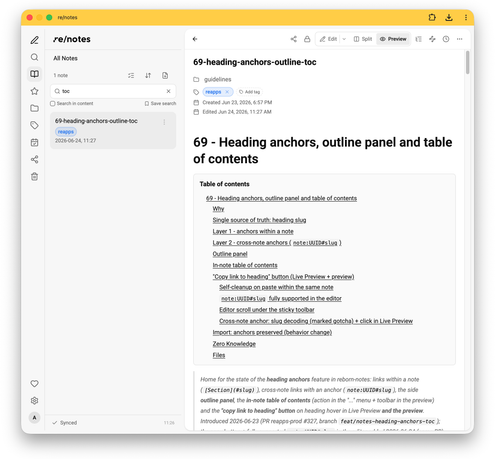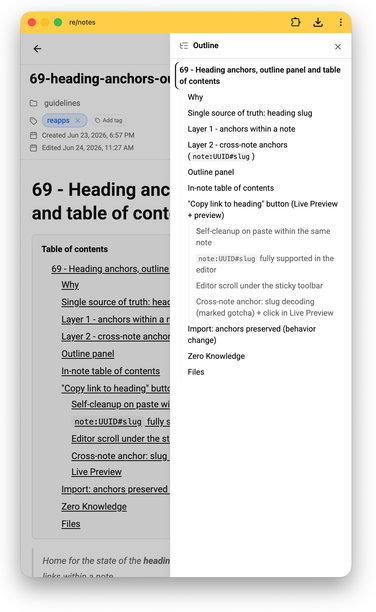
I recently wanted to move away from Apple’s Notes app, since it doesn’t allow storing the actual notes anywhere als than iCloud. So I started a journey regarding self-hosting my notes …

[…]

https://kittsteiner.blog/blog/2026/from-self-hosting-notes/ #Apple #iCloud #Joplin #Notes #OpenSource #Poznote #selfHosting #TriliumNotes #UnplugTrump #ZenNotes

陰謀論とネオリベラリズム

https://fed.brid.gy/r/https://p2ptk.org/notes/5504

Bethel - Note Editor

 New video!
The biggest unanswered question in nearly every book, article, and video on note-taking I have seen is:
WHAT DO YOU DO AFTER YOU HAVE TAKEN #NOTES?!

Well, to misquote the great Carl Sagan, before you can write an essay from scratch, you must first invent the universe:

https://youtu.be/Tyw6quANpiY

Obsidian For Learning II: Process

YouTube

@hell I used #Emacs for fifteen years back in the day. I abandoned it for jEdit, which never quite rose to its potential, then switched to a variety of IDE's for serious work with jEdit as a fallback for small jobs.

Now I've dusted off Emacs for #Notes and ToDo's using #OrgRoam with #OrgRoamUI on top of #OrgMode. Unlike Freeplane, which I used before, this can be set up on a GrapheneOS phone and is a killer app for me. I like that it's an open source #LocalFirst text mode #PKM without lock-in

2026-03-19 Animation & Rigging module meeting

The meeting was on 2026-03-19T17:00:00Z (UTC). It is open for everybody interested to join the video call (link below). People present are referred to by first name for brevity. Others are referred to by full name. Present: Christoph Lendenfeld, David Woolf, Nacho de Andrés, Sybren Stüvel Links Video Call A&R Module Meetings calendar for inclusion in your own calendar app Previous & next meeting notes Long Term Plans & Current Focus Issues & Pull Requests #module-animation chat channel Draft...

Developer Forum
@geffrey Probably people using various hashtags like #pkm #plaintext #notes #zettelkasten or #logseq :)
Over/Under #58 with Brennan Kenneth

Notes for March 16–22

This week’s update is going to be short, largely because work was hell and I ended up spending my Saturday evening poring through my meeting notes backlog until 2AM today and I hav(...)

#agents #ai #balance #bun #dev #life #notes #piclaw #typescript #weekly #windows #work

https://taoofmac.com/space/notes/2026/03/22/1300?utm_content=atom&utm_source=mastodon&utm_medium=social

listed.to

TIL about https://listed.to/

I've been using Standard Notes for a while. It's much handier to type in your toots & posts in a nice editor, than in the puny port in the web interfaces of mastodon and other web interfaces.

I started to look for a handy solution when I began typing long posts on my Androids

  • phone interfaces suck balls when you have a tall corpus
  • touch screen keyboards suck major
  • everything is too small
  • fingers slam & flow over on other letters than touched
  • typing errors are major
  • auto correct is a must but a privacy hell (exposing everything you write to Alphabet / google)
  • It takes 10 times longer to type in a short post on a Android capacitive interface with auto correction keyboard and word suggestion enabled
  • In comes the saviour

Standard Notes is double encrypted, markdown capable, auto-synchronizes and available on all platforms you work in

  • have a browser ready with JavaScript and tls
  • Standard Notes has MFA 2FA encryption for your account
  • paid extras of the service are not needed here
  • you may enable them if you choose to thave that convenience
  • I use md editors on my machines to have previews of my markdown formatted notes
  • On Linux I use the powerful ghostwriter which uses very powerful libraries
  • pandoc version 3.1.11.1
  • cmark version 0.30.2
  • multimarkdown version 1.35
  • These tools and libs make my markdown experience incredible smooth, surpassing what Standard Notes has to offer

Today I learned about Listed when I walked down the Standard Notes preferences

  • Listed is linked to Standard Notes
  • Listed is free (as in beer)
  • You can blog you secure notes when you explicitly choose to do so
  • You have to enter your super long (64 character) password to blog a note standard remark 1
  • A key pair is generated to enable standard notes to publish that one note in your blog
  • You have to enter your password for every note you want to blog [logical since notes are per default secure and private]
  • The blogging port is timer based 60 seconds is the shortest timer
  • You have to manually update your Listed blog post
  • Listed blog posts are presented in a nice clean and fast interface on port 443
  • Listed can be configured to your own taste including your gravatar

remarks

  • Your passwords should be really long, use password managers to process them
  • make sure you have weird characters in them
  • make it a PITA to enter the passwords manually
  • use MFA 2FA everywhere you make accounts
  • There is no cloud just somebody elses server

Sources

https://standardnotes.com/

https://standardnotes.com/privacy

https://app.standardnotes.com/

https://listed.to/

https://github.com/commonmark/cmark

https://fletcher.github.io/MultiMarkdown-6/MMD_Users_Guide.html

https://pandoc.org/

https://listed.to/@kieran/60239/goodbye-windows-11-hello-linux-mint

#network #synchronization #mathematics #technology #encryption #MFA #2FA #sync #standard #notes #listed #to #programming #blogging #opensource #ghost #writer #cmark #pandoc #mulitmarkdown #markdown