I Built a 4 Axis 3D Printer Unlike Anything You’ve Seen

YouTube

It't not very often that you find a master's thesis that you could apply in real life *and* want to do so. I found this thesis on #nonplanar #3dprinting :

Daniel Ahlers: 3D Printing of Nonplanar Layers for Smooth Surface Generation
https://tams.informatik.uni-hamburg.de/publications/2018/MSc_Daniel_Ahlers.pdf

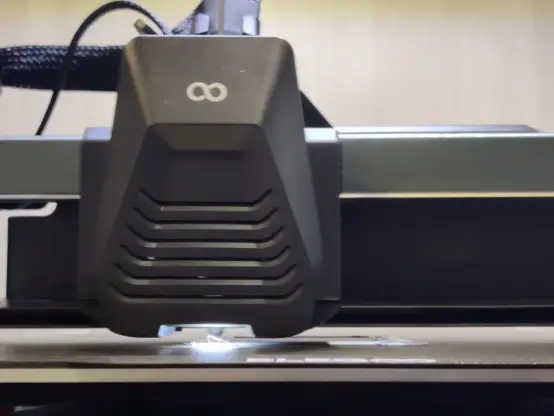
Unfortunately with a bulky extruder head like mine on the #Neptune4 I'd probably not be able to make use of it, since you need some space around the nozzle to be able to move around in 3d :-/

Alright, an #introduction

I'm a #technology enthusiast, #programmer, and #MBA, working in #productmanagement for tech #ecosystems. I think about #businessstrategy a lot.

I use #grasshopper3d to generate #nonplanar designs and #gcode for #3dprinting #ceramics. Slicers are passé.

I love #rapidprototyping, #digitalfabrication, and #masspersonalization, and how #aiart is changing #design

Oh yeah, also #cats, #cars, #wine, #food, #travel, #offroading, #skiing, and #reading #sciencefiction

A Universal, Non-planar Slicer for 3D Printing is Worth Thinking About

One may think that when it comes to 3D printing, slicing software is pretty much a solved problem. Take a 3D model, slice it into flat layers equal to layer height, and make a toolpath so the nozzle can create those layers one at a time. However, as 3D printing becomes more complex and capable, this "flat planar slicing" approach will eventually become a limitation because a series of flat slices won't necessarily the best way to treat all objects (nor all materials or toolheads, for that matter.)

How a 20 mm cube looks when sliced in a cone-shaped plane.

[René K. Müller] works to re-imagine slicing itself, and shows off the results of slicing 3D models using non-planar geometries. There are loads of pictures of a 20 mm cube being sliced with a variety of different geometries, so be sure to give it a look. There's a video embedded below the page break that covers the main points.

It's all forward-thinking stuff, and [René] certainly makes some compelling points in favor of a need for universal slicing; a system capable of handling any geometry, with the freedom to process along any path or direction. This is a concept that raises other interesting questions, too. For example, when slicing a 20 mm cube with non-planar geometries, the resulting slices often look strange. What's the best way to create a toolpath for such a slice? After all, some slicing geometries are clearly better for the object, but can't be accommodated by normal hot ends (that's where a rotating, tilted nozzle comes in.)

Such worries may not be an issue for most users at the moment, but it's worth trying to get ahead of the curve on something like this. And lest anyone think that non-planar slicing has no practical purpose, we previously covered [René]'s demonstration of how non-planar slicing can reliably create 90° overhangs with no supports.

#3dprinterhacks #softwaredevelopment #3dprinting #nonplanar #slicing #universalslicer

A Universal, Non-planar Slicer For 3D Printing Is Worth Thinking About

One may think that when it comes to 3D printing, slicing software is pretty much a solved problem. Take a 3D model, slice it into flat layers equal to layer height, and make a toolpath so the nozzl…

Hackaday

Bend Your Vase Mode Prints By Hacking The GCode

[Stefan] from CNCKitchen wanted to make some bendy tubes for a window-mountable ball run, and rather than coming up with some bent tube models, it seemed there might be a different way to achieve the desired outcome. Starting with a simple tube model designed to be quickly printed in vase mode, he wrote a Python script which read in the G-Code, and modified it allow it to be bent along a spline path.

Vase mode works by slowly ramping up the Z-axis as the extruder follows the object outline, but the slicing process is still essentially the same, with the object sliced in a plane parallel to the bed. Whilst this non-planar method moves the Z-axis in sync with the horizontal motion (although currently limited to only one plane of distortion, which simplifies the maths a bit) it is we guess still technically a planar solution, but just an inclined plane. But we digress, non-planar in this context merely means not parallel to the bed, and we'll roll with that.

[Stefan] explains that there are quite a few difficulties with this approach. The first issue is that on the inside of the bend, the material flow rate needed to be scaled back to compensate. But the main problem stems from the design of the extruder itself. Intended for operating parallel to the bed, there are often a few structures in the way of operating at an angle, such as fan mounts, and the hotend itself. By selecting an appropriate machine and tweaking it a bit, [Stefan] managed to get it to work at angles up to 30 degrees off the horizontal plane. One annoyance was that the stock nozzle shape of his E3D Volcano hotend didn't lend itself to operating at such an inclination, so he needed to mount an older V6-style tip with an adapter. After a lot of tuning and fails, it did work and the final goal was achieved! If you want to try this for yourselves, the code for this can be found on the project GitHub.

If you want to learn more about non-planar printing, we've covered the process of non-planar slicing a while back, and if you think your 2.5D printer doesn't quite have the range for really funky print paths, then you may want to look into a robot arm based printer instead.

Thanks to [Keith] for the tip!

#3dprinterhacks #25dprinting #3dprinting #nonplanar #python

Bend Your Vase Mode Prints By Hacking The GCode

[Stefan] from CNCKitchen wanted to make some bendy tubes for a window-mountable ball run, and rather than coming up with some bent tube models, it seemed there might be a different way to achieve t…

Hackaday