Згадав про свій модуль на python, який відтворює протокол консольного плеєра mocp, і в якому не вистачало декілька функцій пов'язаних з плейлистом та чергами (логіку яких портували з winamp).

Поки що все тестую, та дивлюсь що ще можна покращити, але в теорії тепер можна буде на основі цього модуля створювати повноцінні графічні та/або вебклієнти. Чи навіть http rest api, щоб контролювати плеєр з мобільного додатку. Чи хоча б просто в homeassistant пару кнопок прикрутити...

Звісно, це не перший такий модуль, але альтернативні спілкуються з mocp постійно запускаючи консольні команди з різними параметрами, що інколи виглядає як запуск 2-3 і більше нових процесів. Натомість мій модуль підключається один раз, так само як і консольний клієнт, і через unixsocket сам отримує та відправляє команди.

Трошки шкода, що раніше цей проєкт не закінчив, там не так вже й багато залишалось. З моменту попередньої демки пройшло вже 7 років. 😲

#Україна #Одеса #уанет #лінукс #100ДописівУкраїнською

#Ukraine #Odesa #uanet #linux #mocp

py-mocp 0.1rc5

YouTube
Me canse de complejidades, volvi a music on console, #mocp para los amigos, en mis equipos portables. Si aun tengo algun recopilado musical en local . Si ya estoy en el homelab, mantengo #mopidy para retransmitirlo por la LAN, aunque me tienta desplegar #jellyfin . En fin, tiempo al tiempo. Buenas noches.

Bash csh zsh ksh tksh fish are powerful CLI tools

Entire networks can be controlled and build with them.

Let's take for example command line tools to control media output

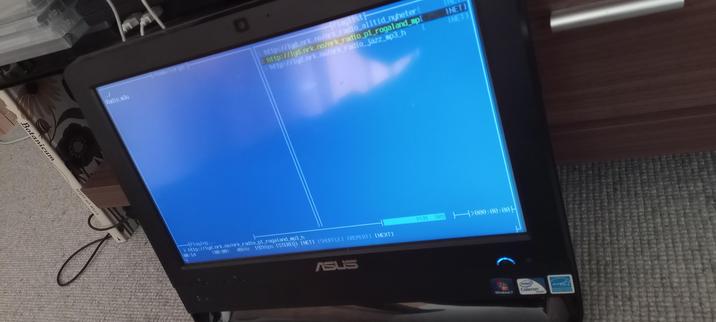
For me e.g mplayer and vlc -I cli are much more interesting when it comes down to standard control of media playback. I prefer to use MOC (mocp) Music 🎼 on Console, instead of bulky RAM hungry programs, which go on the internet to _fetch data that I never asked for$ and thus burn bandwidth

The memory footprint of Music on Console is so low that you can use it on a system which has been built more than two and a half decades ago.

The only graphical media playback program I know that can do that also has been written by my friend Andy Loafoe and that is alsaplayer

Andy programmed alsaplayer when he saw Delitracker playing on my Amiga systems
We're talking the period when Linux was barely moving in Xwindows when you had window managers like fvwm & twm and few others.
The alsa audio interface was also just born.

It is within this context that Andy envisioned alsaplayer. It should be modular just like Delitracker Amiga, it should be lightweight Delitracker runs on an Amiga A500 with just half A megabyte of chip ram
That should still be memory left to do other the things so straight calls were made to widget libraries which explains the simplicity yet great usability of the UI. For as far as I remember Andy has also written an API for Alsaplayer

Within a few weeks to a few months of coding alsaplayer came out of Alpha and went Bèta in code stability.

Because everything was written with efficiency in mind and it was programmed as portable as possible, alsaplayer can still be used many decades after It has been written

One of the main reasons is that it has been coded by a command line programmer

Alsaplayer has been ported to many different Operating System Architectures including freeBSD

For me working on the command line has always been logical, graphic user interfaces were only used when absolutely necessary think about GEOS on the C64

I started coding on the Casio FX 700p programmable calculator. I went so far to make program code that was in the book more efficient by crunching all the commands with two letter abbreviations.

The power of the Command Line something the Young Ones should Learn

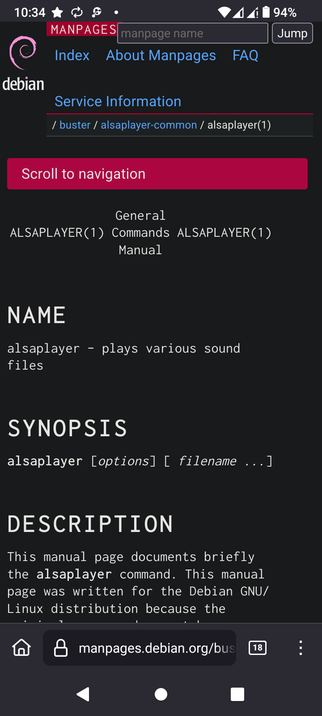
Alsaplayer manpage

https://man.freebsd.org/cgi/man.cgi?query=alsaplayer&sektion=1&apropos=0&manpath=FreeBSD+6.0-RELEASE+and+Ports

#programming #Bash #csh #zsh #ksh #tksh #fish #alsaplayer #MOC #mocp #VLC #widgets #libraries #Amiga #RetroComputing

alsaplayer(1)

@nsartor If all your media is stored on the Linux server, you can also login using SSH and play music using MOC or CMUS on the command line.

#Linux #ssh #moc #mocp #cmus

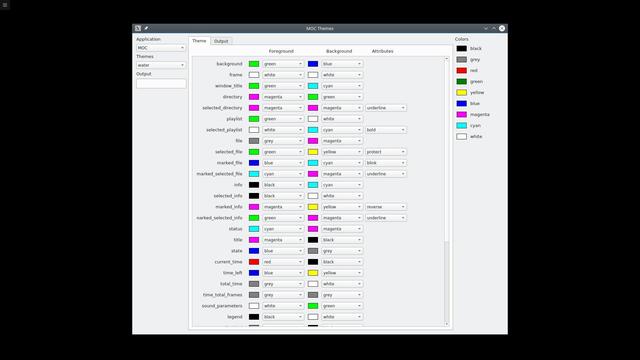
MOC is a console music player that supports themes. After a few hours coding with Python and PyQt, I already have a working application that creates custom themes for MOC.

#Linux #Python #pyqt #pyqt5 #moc #mocp

If you feel adventurous, make your own theme for MOC.

Since themes are just text files, it is easy to create new ones. User defined themes are expected in ~/.moc/themes/.

Here is the adventure map.
https://wiki.archlinux.org/title/MOC

#Linux #moc #mocp

MOC - ArchWiki

Looking to spicing up your MOC experience on Linux, just download a new theme from the internet.

There are some MOC themes on Github.
https://github.com/wimstefan/mocp-themes/tree/master

Download and save the theme file to the MOC theme directory
~/.moc/themes/

Launch MOC on the command line
$ mocp

Press "Shift + T" and select your theme.
Press "Enter" and your done.

#Linux #moc #mocp

GitHub - wimstefan/mocp-themes: My collection of themes for the music on console player

My collection of themes for the music on console player - wimstefan/mocp-themes

GitHub

CMUS and MOC are two audio players that are easier to use. They both just work out-of-the-box; you just install them and they just work without editing any configuration files.

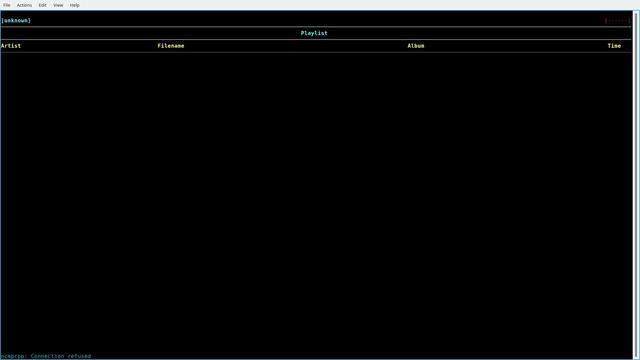
Supposedly, MPD and ncmpcpp have more options and features but require editing configuration files to get them both to work properly. After editing a few files, I still could not get them working. Things do not have to be this hard to listen to audio files on Linux.

#Linux #cmus #moc #mocp #mpd #Ncmpcpp