 Álvaro R.
Anyone playing with #ink #epaper #esp32 ? Complete noob here. Where do you hang out? I want to see what you’re all doing? :) #M5Paper #M5PaperS3 #ESP32S3
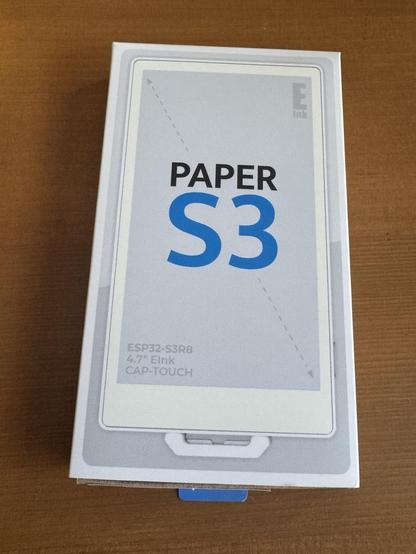
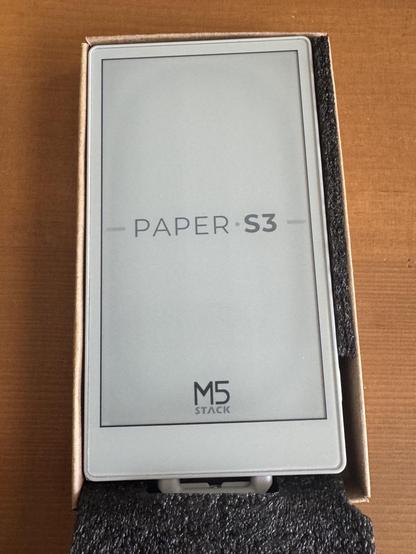

Makes your M5Paper an E-ink RSS Reader with built-in Reader mode, to solve annoyances with the Kindle Experimental browser. - htruong/zenreader
Playing around with my #M5Stack #M5Paper and now I've created a "remote dashboard". It basically renders a JPG every 15min. Which works great. Battery life is around 10-20 days.
Published the source code on Github: https://github.com/capi/M5Paper_Remote_Dashboard
Using Puppeteer to render my #OpenHAB #HABPanel dashboard to PNG, convert to JPG:
https://github.com/capi/M5Paper_Remote_Dashboard_Puppeteer
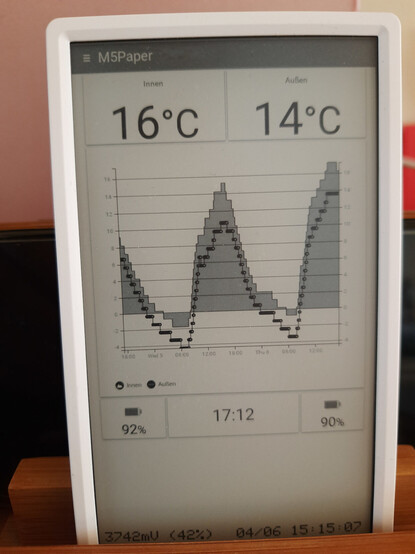
Made the mistake of poking my head into #M5Paper development and am now paying the price. All I wanted was to play with e-ink, but instead I now find myself staring down the four horsemen of maddeningly disparate development options: #Arduino IDE, #PlatformIO, #MicroPython, and #M5Stack #UIFlow.
I don't want to leave #Emacs for an IDE, PlatformIO doesn't get along with the device, MicroPython is a mess, and UIFlow is a visual code block editor over an undocumented MicroPython API 💀
🔧 #3DPrinter Upgrades: ✅ DONE
✅ New Mainboard
✅ Install BL Touch
✅ Install New Hotend
✅ Clean and tune it all
Electrical issue post-upgrades left the printer not booting, adding this to the list of things to fix while taking the opportunity to get a newer chassis
🎹 #FauxP1 rev0.1:
Finish soldering all controls to #teensy
Configure #teensy for USB-MIDI and kbd
Install and Test #Zynthian
☎️ #Shellphone rev0.1:
Finish soldering all connections to pi0 (ugh)
Test boot #postmarketOS
Code an interpreter for keypresses
Find a good linux T9 IME
📚 #TheGuide:
Install #postmarketOS on Kobo Clara HD
Install kiwix & koreader
Install a local copy of Wikipedia
Engrave "Don't Panic" on the back
👑 #Dukebox:
✅ Receive material (finally)
Visit the CNC to cut it all
Stain & Assemble
General Installations:
✅ manjaro/phosh on Pinephone Pro
✅ pmOS/sxmo-de-sway on Pinehpone
inkbox on Kobo Aura SE
dedicated #gemini client on #M5Paper
dedicated #miniflux client on other #M5Paper
To Design:
🧰 #Zapetesta - an electronics toolbox with inbuilt multimemeter, o-scope, PSU, and tool storage with charging (credit to @futurebird for the idea)
♟️#ReGIPF - a storage box for all seven GIPF games with board inlaid in the lid (https://en.wikipedia.org/wiki/GIPF_project)
This is gonna be an awesome week+.
even with having to do customs shenanigans, I already received the #m5paper.
zoom zoom fast
good morning.
I regret to inform you that the #m5paper is back in stock with a translucent case.
https://shop.m5stack.com/products/m5paper-esp32-development-kit-comm-edition
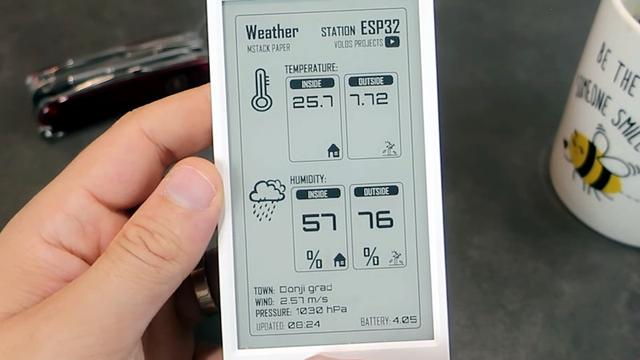
M5Paper Gets Open Source Weather Display Firmware
We know you like soldering irons, we're quite fond of them ourselves. But the reality is, modular components and highly capable development boards allow the modern hardware hacker to get things done with far less solder smoke then ever before. In fact, sometimes all you need to finish your project is the right code.
Case in point, check out the slick electronic paper weather display that [Danko Bertović] shows off in the video below. While it certainly fits the description of a DIY project, he didn't have to put any of the hardware together himself. The M5Paper is an ESP32 development kit designed around a crisp 4.7″, 960 x 540 e-paper panel that includes everything from environmental sensors to an internal 1150 mAh battery. To make your handheld e-paper dreams come true, the only thing you need to provide is the software.
The weather display code provided by [Danko] should certainly get you going in the right direction. Now don't get us wrong, there's certainly no shame in just flashing his code to the device and plunking it on your desk. It's a gorgeous looking interface, and we all know that a sprinkling of open source code is often all it takes to make a standard consumer device extraordinary. But by using the code he's provided as a launching point, you can take this turn-key device and really make it your own.
#microcontrollers #softwarehacks #esp32 #firmware #m5paper #opensource #weatherdisplay
 Larry (Mr.Optimization)
 Tom's Bookmarks
 e_es
e_es
 Martin Carpella
 Correl Roush
 Enron Hubbard
 peter hessler @openbsd
 DJ Sundog
 hackaday unofficial