 MrCopilot
Stop.
When I wiggle my mouse, the cursor gets bigger so I can locate it across three monitors.
No one wants a trigger happy cpu load dump every time they sit down and grab their mouse.
NO ONE
Stop.
When I wiggle my mouse, the cursor gets bigger so I can locate it across three monitors.
No one wants a trigger happy cpu load dump every time they sit down and grab their mouse.
NO ONE
Stupid AI
Q: What’s long and hard on Gemini (Google’s AI)?
A: Third Grade.
I was curious how Gemini would handle this question so I asked it. It filibustered by not letting me get a word in edgewise while it recounted 6 or 7 things named Long in the world. It was only afterwards that it let me finish.
I started using “Hey Google”, Android’s assistant for timing things. Things worked well with this. It worked perfectly and so I continued to use it when Gemini (a so called artificial intelligence) took over.
But very early on, Gemini failed me on a simple, straight forward command. This was all for timing things. I don’t use an assistant or AI for anything else.
So I gave it another chance and it worked a couple times until it didn’t. It gave a chance for me to respond and I gave it the worst rating it could have and said the most important part about timing something is notifying me.
Again it worked the next couple times but didn’t the third time. This time it offered me to rate it on the phone screen. Again I gave it the lowest rating. I typed in that the most important thing about timing something is notifying me.
That’s three failures. When the previous “dumb” assistant had a perfect record. I want “Hey Google” to come back. Gemini blatantly sucks. And in the joke up above I am giving Gemini too much credit. As if it could make it through second grade!
I am not going to give Gemini more complex tasks. It has failed the easy ones. What on earth would get me to trust Gemini for more things when it can’t do the simple things I have asked it. Gemini is a failure.
I know the real reason that Google gave me an inoperable Gemini. Before the 1st time it failed, Gemini asked followups to the timing order. It said something that meant the same as this: “tell me what you need the timer for and that way Gemini can help you better.” I didn’t answer and I refuse to answer. Also it’s trying to force me into doing more work by answering, when the whole point of using Gemini is to do less work.
Gemini is fishing for more information about you to sell so it can have a complete workup on you that is more valuable. I said no, so Gemini maliciously does not comply at times. Shame on you Google for lying and saying that Gemini is better. It’s worse than the “Hey Google” assistant that I want to go back to.
#3Failures #AI #alarm #Android #artificialIntelligence #assistant #Gemini #GeminiHasOrdersToGetMoreInformation #Google #HeyGoogle #IPreferTheOldAssistant #maliciousNonCompliance #notTrustingGemini #simpleTaskFailed #timingGoogle Gemini will answer your Oscar queries & share favorites
Stay updated on Telegram with latest updates from Google Home/Gemini ecosystem.
Have questions about the Oscars? Google Gemini is predicting winners for a handful of Annual Academy Awards.
First up, let’s cover the basics. Just ask:
Get the inside scoop from your Google Gemini.
To hear some predictions ahead of the red carpet, try
And, if you happen to miss a few moments of the big show, just say
Not every category will bring this up, but major ones such as “Best Picture”, “Best Actor” and “Best Actress” do, including answering questions about current nominees, predictions, and a cute Easter egg by joining on the award night fun by saying— “Hey Google, give me an award,” but have your speech prepared.
Interested in learning more about the Google Gemini and Smart Home? Subscribe to WAV newsletter via Email.
Type your email here to subscribe…
Subscribe
From preparing you for an Oscars movie marathon — to enjoying the big night, “Hey Google, turn down the lights,” the Google Gemini is here to help you do more.
Things you can do from here:
A question is the most powerful force in the world
http://www.youtube.com/watch?v=5shykyfmb28
Stay updated on Telegram with latest updates from Google Home/Assistant ecosystem.
A question is the most powerful force in the world, it can take you anywhere.
It can start you on an adventure or spark a connection. See where a question can take you.
What we often miss to realize is, Search is more than just our window onto the world, it is a tool for discovery and connections.
In the future, questions will be more valuable than answers.
Let Curiosity rule
Kids are better when they can explore the world following their curiosities freely building what they care to build, rather than being boxed at school repeating and memorizing facts they don’t care for. We need creative, inquisitive, and persistent children to shape our future. Curiosity about life in all of its aspects, is the secret of creative people.
http://www.youtube.com/watch?v=W1K2jdjLhbo
Stay updated on Google News with the latest updates from Google Home/Assistant ecosystem.Questioning is simply more powerful than answering. Every answer we uncover yields at least two brand new questions. More tools and more answers lead to ever more questions. Thus, even though our knowledge is expanding exponentially, our questions are expanding exponentially faster. In the future, the role of humans, at least for a while, will be to ask questions. To ask a great question will be seen as the mark of an educated person. A great question, ironically, produces not only a good answer, but also more good follow-up questions! A good question is worth a million good answers. If answers indeed become a commodity, questions become the new wealth.
We often see knowledge as a wall of information: individual pieces of knowledge fit together like bricks within the wall, summarizing what is known on a particular topic. This suggests that the way to advance science is to extend this wall of knowledge, strengthening it and extending it beyond the edges of a text book. A hole in the wall is seen as a “knowledge gap,” and we can “flesh out” existing theories by closing such gaps. And indeed, addressing a specific problem may often lead to knowledge that fits squarely within the confines of a wall of knowledge. But this picture gives a false sense of the structure and rigidity of knowledge and its accumulation. The nature of discoveries is that they are unexpected: they may not fit neatly into our existing edifice of knowledge.
Research is what I’m doing when I don’t know what I’m doing.
The framing of a fundamentally new question lies, beyond what we can expect within our frame of knowledge: while answering a question relies upon logic, coming up with a new question often rests on an illogical leap into the unknown—the hallmark of night science(night science, when our minds wander more freely to generate new ideas and find hidden connections). Why, then, does it not seem this way? Why do questions appear secondary to answers? It may be because a new question is so powerful that it transforms our reality. It is certainly easier to imagine science as a logical, step-wise process. But it is the generation of a new question in the unpredictable and wandering process of night science that paves our way towards a discovery, effectively changing our perception of reality.
If an idea is truly unexpected, then we could not have arrived at it solely through existing questions; instead, we had to navigate through night science, moving from disparate observations to previously unknown questions.
The questions we ask reveal who we are.
Interested in learning more about the Google Assistant and Smart Home? Subscribe to WAV newsletter via Email.
Here’s to a thoughtful, inquisitive, and curious kids. Free the kids and trust the new generation as they were always and will be the ones that changed the world! Happy Children’s Day.
To everyone who sees not what the world is, but what it can be. You’ve Questions? Just ask.
Things you can do from here:
#Curiosity #Google #GoogleAssistant #HeyGoogle #Learning #Lifehack #OkGoogle #Search #YearnAndLearn

Google Gemini, now on Google TVs from Sony, LG, Samsung & more
Stay updated on Telegram with latest updates from Google Home/Assistant ecosystem.
Google Gemini is making its way to Google TV
Smart homes are getting smarter every year, with more devices supporting commands from our favorite Google Gemini. Your Assistant is now ready to help on Google TV devices. Press the mic button on your remote to get started.
No more typing or struggling to get to what you’re looking for — just ask the Google Assistant for help, and you’re off to the races. So, a simple voice request can dim the lights to create an ideal movie viewing environment, finding content that’s perfect for a particular context, quickly find and play your favorite shows, get answers and control your smart home devices from your TV. And it will be listening even when you have music or video currently playing.
Assistant/Gemini on Google TV is similar to Google Nest speaker paired with a Chromecast, allowing you to play content from supported services (like YouTube, Netflix, Google Photos, etc.) with a simple voice command.
From playing media to planning for your day, here are some ways the Google Gemini on Google TV can help:
Jump right into your favorite show, find the latest blockbuster, check the score of the big game, dim the lights and more— all with just your voice. Here are some ways Gemini can help you on the big screen:
“Play Game of Thrones” — Gemini can play a wide variety of content, from movies and TV shows to YouTube clips and music. With HBO NOW, Netflix and YouTube, you can instantly watch something by asking for it by name or, if you aren’t sure what to watch, try “show me movies about climbing Mount Everest.” You can also ask Gemini to “play some music” or listen to a specific song on YouTube Music, Spotify or Pandora.
Discover content — “Search YouTube for Jimmy Kimmel.” And you can also ask a follow-up if you’re interested in more videos by saying: “Play the second one.”
“Play business news” — catch up on what’s going on in the news, from business to tech to entertainment. And once you’re caught up, prepare for your own day by asking, “what’s on my agenda for today?”
“Talk to Fitstar” — apps for the Google Assistant are also now available on Google TV, so you can talk to +Fitstar by Fitbit for a quick home workout, Tender for a cocktail recommendation, +Wall Street Journal for a market update and more.
“Order more popcorn” — stock up on binge-watching snacks right from the comfort of your couch. With +Google Express, you can shop and reorder from +Walgreens, +Walmart and many other stores.
“Turn off” — it’s as simple as that. With Gemini on Google TV you can turn up the volume, pause, control your smart home devices and more, just with your voice.
Stay updated on Google News with the latest updates from Google Home/Assistant ecosystem.Smart speakers, specifically Google Assistant-packing Google Home, have been able to command numerous TV brands — including LG, Sony and Vizio — for the last couple of years. Now, Samsung has finally opened its own smart TV system up to the two biggest names in home voice control.
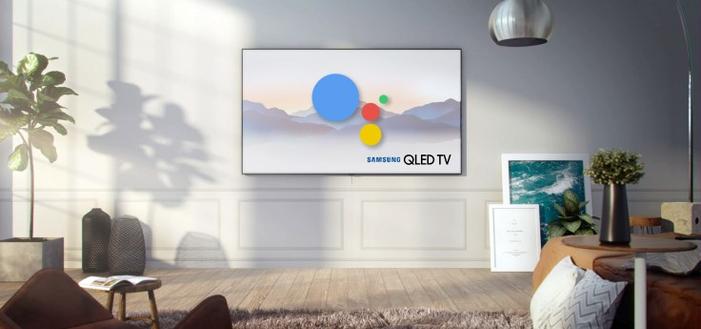
Samsung is the latest to hop on the train. Make way, Bixby: Samsung is opening up its 2019 TV lineup to other voice assistants. Users will be able to control its upcoming QLED sets with Google Assistant. Compatibility requires a separate piece of Google Assistant hardware — like a Home, Home Hub or third-party smart display or speaker. You’ll essentially be able to use those types of devices as limited remote controllers. No surprise, it doesn’t include native Assistant support, but it’s still a nice win for Google. But that won’t be a problem for anyone deeply ingrained into the Google Home/Assistant ecosystem. Samsung TVs will understand and execute commands they receive from Assistant, but the only built-in voice helper will continue to be Bixby.
Samsung TVs from 2019 will be able to respond to voice commands issued via Google Assistant smart speakers. Examples include:
Sony announces 4K OLED, LCD HDR Android TVs with Google Assistant
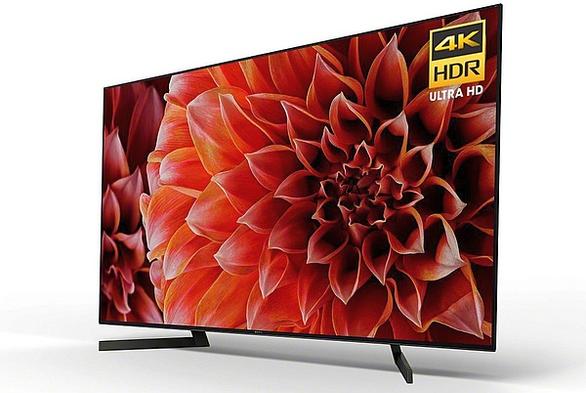
Sony announced expanded 4K HRD TV series, the X900F series and A8F Bravia OLED series.
Android TV with Google Assistant built-in: Find what you want quickly, simply by talking. Dim the lights and control your connected devices while you watch a movie for a better viewing experience.
To fully integrate into the smart home, All of +Sony’s recent 4K HDR TVs were updated to support the Google Assistant a couple of months ago and Sony’s 2018 Android TVs have Google Assistant built-in, which makes it incredibly easy to discover and access content, as well as control other smart home devices through a Sony TV. The Google Assistant on Sony TV works just by pushing the microphone button on the remote and using your voice to ask a question or say a command. This allows users to seamlessly playback content, search for content, play music, movies, play TV shows, stream photos, control their TV, control their smart home devices and find general information (e.g. weather, directions, fast facts, etc.) all through their Sony TV. Furthermore, Sony’s Android TV works with popular smart speakers such as Sony’s own LF-S50G and Google Home.
Hands-free control of a Sony TV with Google Home. Google Home allows you to find the entertainment you want without lifting a finger.
LG teases TV range with built-in Google Assistant
Google Assistant has found a new Home in LG’s OLED and Super UHD TVs. Google Assistant gives viewers voice control over many useful functions. For example,
Viewers don’t have to say “Hey Google” to wake up the Assistant on LG’s TVs. Pushing a button on the remote does the trick. However, if you have a Nest device, you can use it just as you would the Assistant on the TV to control your set.
LG has brought Google Assistant integration to its latest lineup of TVs and has given users the ability to interact with Assistant through their microphone-equipped remotes in countries like US, Australia, Canada, France, Germany, South Korea, Spain, and the United Kingdom. In addition to this full Assistant integration, LG is also planning to expand the ability to connect Google Home to its AI TVs. Currently available in several English-speaking nations, that functionality will spread to users in France, Germany, Japan, and South Korea soon.
Interested in learning more about the Google Assistant and Smart Home? Subscribe to WAV newsletter via Email.
Type your email here to subscribe…
Subscribe
If this sounds familiar, that’s because Chromecast and Android TV devices already support similar functionality. Separate from hands-free voice command via external speakers, many TV makers also offer built-in voice assistants. They’re available by pressing a button and talking into the remote, which can produce on-screen search results and weather reports. LG’s 2019 TVs offer both Google Assistant and Alexa, for example, while Sony TVs have just Google Assistant. However, remote-based voice commands and on-screen results for Samsung TVs will still be powered exclusively by Bixby. This is an important acknowledgment from Samsung that millions of people have already invested in the Google Assistant ecosystem. So, it’d be stubborn to just ignore them.
Hisense is also bringing Android TV and Google Assistant to its high-end 4K TVs
The TVs in this line feature a bezel-less design, Google TV, Google Gemini, and Bluetooth.
Your Google Assistant is now available on Android TV. Google TV users in the U.S. can upgrade their TV experience with the Google Assistant. So dim the lights, order some popcorn and dive into your favorite shows. Languages supported: English, French, German, Spanish, Japanese, and Korean.
Ready to sit back and relax with the help of Google Gemini? Would you consider relying on Gemini only to control your TV? Let us know in the comments below.
Things you can do from here:
#ConnectedHome #Gadgets #GoogleAssistant #GoogleGemini #GoogleHome #GoogleTV #HeyGoogle #HomeAutomation #SmartHome #SmartTV #VoiceTech
Google Gemini gets spooky just in time for Halloween
Stay updated on Telegram with latest updates from Google Home/Gemini ecosystem.
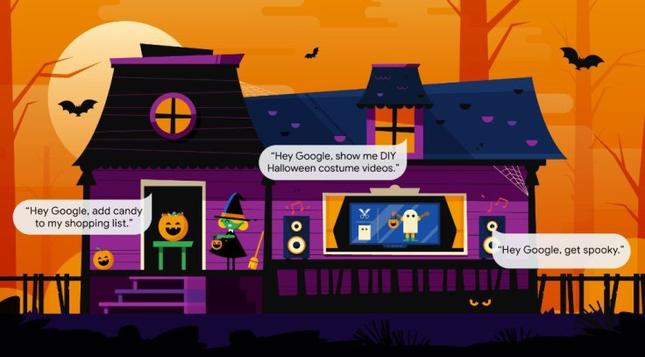
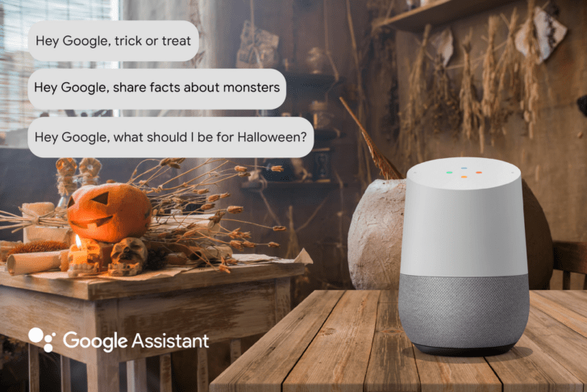
With Halloween just around the corner, Google has unveiled some special Gemini Easter eggs relating to the most terrifying of holidays. If you’re having trouble getting in the spooky spirit, perhaps Google Gemini can help. Whether you’d prefer to hand out candy, dress like a pirate or scare yourself silly, your Google Gemini can help you get in the spooky spirit:
🤖 “Hey Google, what should I be or wear for Halloween?”
🎃 “Hey Google, get directions to the nearest pumpkin patch”
👹 “Hey Google, how do I get rid of monsters?”
🍬 “Hey Google, add Halloween candy to my shopping list”
🙀 “Hey Google, scare me”
👻 “Hey Google, let’s get spooky” (this one sets the Halloween vibe, with spooky music and flickering smart lights)
Halloween questions and commands:
Standard commands with specialized responses (going live nearer Halloween):
If you tried some of the Google Gemini Halloween commands before and found that some of them weren’t ready yet, now’s the time to go back and try them again.
Share your fun Halloween at home tips with us in the comments below. Creep it real and have a Happy Howl-oween! May all your Halloween nightmares—come true.
Things you can do from here:
 Larry Russwurm
 Words And Voices
 𝙰𝚗𝚍𝚢 𝙿𝚊𝚌𝚒𝚘𝚛𝚎𝚔 ~ 𝔢𝔯𝔬𝔰~𝔱𝔥𝔞𝔫𝔞𝔱𝔬𝔰💀☕
 Frank Going AntiFa - 🇺🇦