TikTok staat bekend als platform voor creatieve content maar wordt nu ook gebruikt als lokaas voor cybercriminelen.
Podcast Youtube: https://youtu.be/cPADO5G5kJ0?si=7n-L01IBSzdX67DL
Podcast Spotify: https://open.spotify.com/episode/2ZcrbUvXIOfBpPuaq7VQt7?si=61ccef7960ac43c7
Artikel Cybercrimeinfo: https://www.ccinfo.nl/menu-onderwijs-ontwikkeling/cybercrime/malware/2527960_hoe-tiktok-verandert-in-een-digitale-valstrik-infostealer-malware-via-virale-video-s
#TikTok #malware #cybercrime #ClickFix #infostealer #socialengineering #cybersecurity #digitaleveiligheid #PowerShell #StealC #Vidar #jongerenonline #cyberdreiging #cyberbewustzijn #darkweb #phishing #gratissoftware #cyberaanval #digitalevalstrik
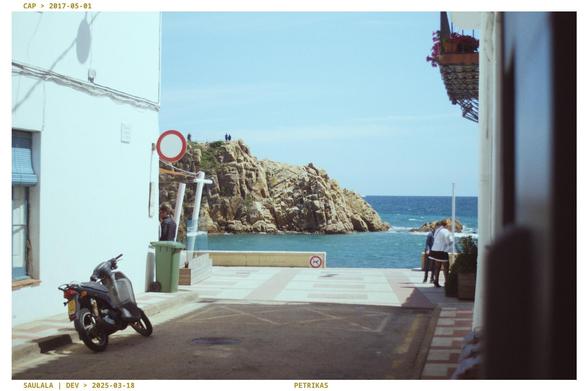
Saulala v0.9.2.6-beta is live on Google Play Store on Android and available to download for PCs
Pipeline improvements, bug fixes and a new 'Sauce'!
More info / downloads:
https://saulala.discourse.group/t/saulala-v0-9-2-6-beta
#Android #Saulala #AgX #FreeSoftware #Photography #GratisSoftware
Global Changes: Fixed a “Camera Neutral XY” ‘highlight’ issue Addressed an X-Trans demosaicing issue reported on GitHub. X-Trans sensors will now use “Linear” demosaicing method. Adjusted “Grain”: it will be faster and contain fewer darker ‘grains’ Added the “Cardinal Zest” Sauce Improved the pipeline by using Barselino’s “print”-like process Added a new persistent setting that replaces the ‘Sharpen’ setting. You can now pick from “Softer”, “Neutral” or “Sharper” Sligh...
Ran into a bit of an annoyance with my #DualMonitor setup while playing #HearthStone; specifically #HearthstoneBattlegrounds.
I couldn't throw my cards up and down as easily to put them into play or buy/sell them, as the cursor would hit the monitor border, and thus the game would think I was still holding the card.
So, I first tried switching my screen layout, so #Windows would think my monitors were positioned side-by-side rather than above each other.
While this worked while playing the game, it just didn't click with my brain, and I kept trying to move between screens across the wrong borders. I needed something to lock my mouse pointer onto the game screen at will.
Enter stage: #DualMonitorTools. With Dual Monitor Tools I was able to set a key that would either lock the cursor to the current monitor, or enable 'sticky' screens.
I ended up going for the latter option, so that when I have #ScrollLock enabled now, I need to overcome a certain level of friction at the monitor edge to cross it to the other screen. I.e. I have to move up against the edge for several seconds before it moves onto the other screen.
It has a couple of other features, such as removing dead spaces when your monitor resolutions don't match, but apart from that one I don't really use any others.
Still have to tweak the stickiness threshold a bit, but so far I'm pretty satisfied with this piece of #free as in #gratis as well as #libre #software. Even though changing the sticky key settings seem to require a restart of the programme...
I'm looking for recommendations for free (as in gratis) offline photo collage software for Windows.
#PhotoscapeX does a pretty good job, but the free version is limited to just a few arrangements per amount of pictures inserted, and doesn't allow saving the project unless you upgrade to the pro version (which is about 409 NOK, which is a bit too steep for the few added features that I'd be interested in).
#free #gratis #GratisSoftware #FreeSoftware #RecommendationWanted #SoftwareRecommendation #software #collage #PhotoCollage #Windows #WindowsSoftware #PhotoEditing