**ESPHome update 2025.08.02: This little maneuvre will cost you … several days.**

(blog post)

TL;DR

Changing the ESPHome framework from Arduino to ESP-IDF is far from trivial. Don’t attempt it at home, if you’re a Home Assistant / ESPHome hobbyist with a poor C++ knowledge.

Read on…

After the last update of ESPHome, some of my compiled firmware images for my ESP32 boards suddenly became too big to fit in their memory. They said that Arduino libraries became too big and bloated. Yelp, I can’t update them anymore!

They (ESPHome developers) said we should switch from Arduion framework to ESP-IDF anyways, because it’s smaller, optimized and closer to the metal.

They said only a small change in esp configuration yaml is needed:

esp32: board: esp32dev framework: type: arduino # <-- change to esp-idf

And that’s almost1 it!

You wish.

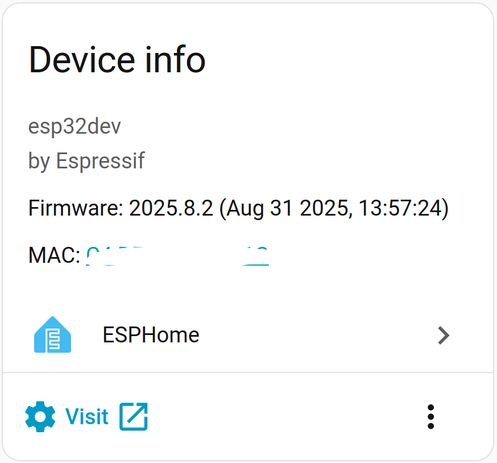
I changed the framework as described above (for one non-critical ESPCam).

I got compile errors (for my lambda functions). But wait, they said everything will work the same, no, even better!

But it looks like there are some differences between Arduino and ESP-IDF framework. For example, there is no String() in esp-idf! Isn’t that a … basic?

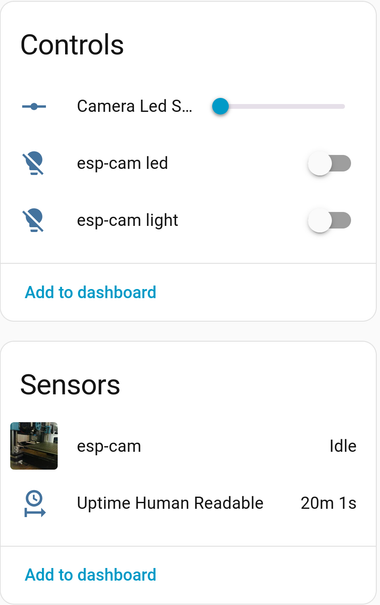
Ok, I surrendered and changed my lambda function that returned uptime in human readable format from:

- platform: uptime name: ${devicename} Uptime in Days id: uptime_sensor_days update_interval: 60s on_raw_value: then: - text_sensor.template.publish: id: uptime_human state: !lambda |- int seconds = round(id(uptime_sensor_days).raw_state); int days = seconds / (24 * 3600); seconds = seconds % (24 * 3600); int hours = seconds / 3600; seconds = seconds % 3600; int minutes = seconds / 60; seconds = seconds % 60; return ( (days ? String(days) + "d " : "") + (hours ? String(hours) + "h " : "") + (minutes ? String(minutes) + "m " : "") + (String(seconds) + "s") ).c_str();

Changed the last bold bit (return…) that caused compile errors to:

...std::string result; if (days) result += std::to_string(days) + "d "; if (hours) result += std::to_string(hours) + "h "; if (minutes) result += std::to_string(minutes) + "m "; result += std::to_string(seconds) + "s"; return result;

And then it compiled ok.

It also linked ok and uploaded firmware to my ESPCam.

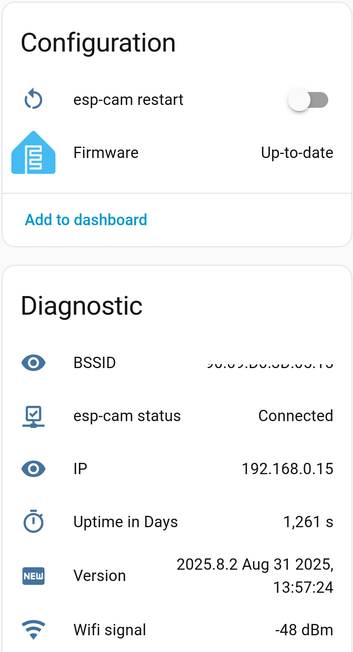
Ping to my ESPCam worked, but sensors (camera web server, uptime, led switch,…) were unavailable.

ESPHome log returned only the following info:

changed lambda. log returns: Uploading: [============================================================] 100% Done... INFO Upload took 6.12 seconds, waiting for result... INFO OTA successful INFO Successfully uploaded program. INFO Starting log output from 192.168.0.15 using esphome API INFO Successfully resolved esp32-cam01 @ 192.168.0.15 in 0.000s INFO Trying to connect to esp32-cam01 @ 192.168.0.15 in the background INFO Successfully resolved esp32-cam01 @ 192.168.0.15 in 0.000s INFO Successfully resolved esp32-cam01 @ 192.168.0.15 in 0.001s INFO Successfully resolved esp32-cam01 @ 192.168.0.15 in 0.000s INFO Successfully resolved esp32-cam01 @ 192.168.0.15 in 0.000s INFO Successfully resolved esp32-cam01 @ 192.168.0.15 in 0.000s

The connection to ESPCam looks ok.

But it wouldn’t connect to ESPHome API:

WARNING Can't connect to ESPHome API for esp32-cam01 @ 192.168.0.15: Error connecting to [AddrInfo(family=<AddressFamily.AF_INET: 2>, type=<SocketKind.SOCK_STREAM: 1>, proto=6, sockaddr=IPv4Sockaddr(address='192.168.0.15', port=6053))]: [Errno 111] Connect call failed ('192.168.0.15', 6053) (SocketAPIError)

I really wasn’t in the mood to research what went wrong and which part of my ESPCam configuration code is not compatible with ESP-IDF.

So I ditched esp-idf framework, reverted it back to arduino, recompiled, uploaded and my espcam works again.

Yes, I’ve searched for possible solutions2, but couldn’t find any that I could use.

My other ESP32 board (the one that has suddenly too big firmware after ESPHome update) will obviously stay in un-updated state for the rest of it’s life. I don’t wan’t to deal with breaking changes, modifying the code, re-learning C++ just to make it work again.

And this little maneuver caused me few days. Don’t go the same path.

Or, if the framework change works for you, please let me know.

Or, maybe I’ll try again when the issues3 are resolved.

  • Official guide says: … Component Compatibility: Some components may need to be replaced with ESP-IDF compatible alternatives (<— WHICH ONES???)
    Library Differences: Arduino-specific libraries won’t be available (<— WHICH ONES???) ↩︎
  • Of course I checked the official guide: https://esphome.io/guides/esp32_arduino_to_idf/. When I read I should go to their Discord for help, I just gave up. ↩︎
  • https://github.com/esphome/esphome/issues ↩︎
  • https://blog.rozman.info/esphome-update-2025-08-02-this-little-maneuvre-will-cost-you-several-days/

    #arduino #espIdf #espcam #ESPHome #homeassistant #lambda

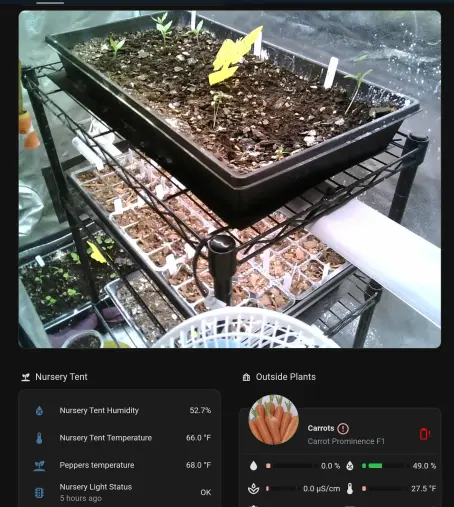
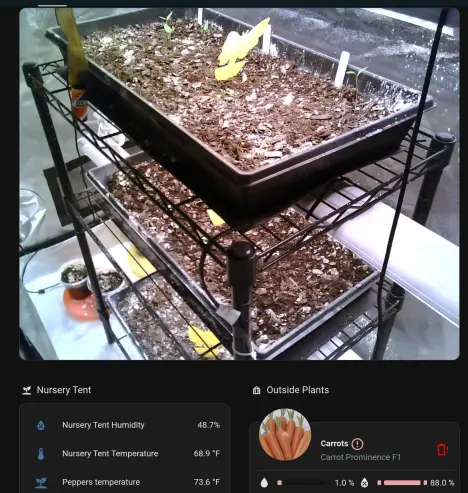
    I spend half the day spying on the nursery tent. Looks warm in there. (It's very very cold out here.) From last week's planting, so far we have some arugula, some cabbage and some brussel sprouts. Still early for most of the rest.

    Thought I'd share my mobile view this time. (Unfolding my phone makes me so living-in-the-future happy every time)
    #homeassistant #snarkhome #esp32 #espcam #garden #growyourown
    I'm winning the war against fungus gnats, slowly.

    #garden #espcam #esp32 #selfhosted #homeassistant
    Yesterday was definitely a neutral-karma day. On the good side, I got the #prusa online again with still more redesigned parts. (Another new filament detector, one that works like pre-MMU stock. Link below.) It is still attached to an #mmu2 with only one sorta-working slot, but it is better than nothing.

    On the flip, I broke yet another $%_* SD card when the pi fell out of it's case. The
    #raspberrypi has always felt intentionally designed to snap cards in half. I guess the next project is multi-instance #octoprint. (Lol "octo" you'd think it could handle 8 printers. Or just 2. But no, the official answer is "human time counts a lot, so buy more raspberry pis instead". I guess the amplified maintenance time and effort from hundreds of users doesn't count. It is easy enough to run multiples with docker, but they end up as pets instead of cattle.)

    I also managed to "test" the P1S power fail recovery and it was PERFECT. (I think it skipped about 3" of an infill line.) Why did I test it? Because I was moving stuff around finding Prusa parts and the workshop is still on a light switch..
    🤦 So the first Prusa print was a switch cover. (I got the 10 prints cancelled award along the way but eventually, acceptable success.)

    This morning I went to print a quick
    #gridfinity battery holder and wow! The P1S can get it done in a pretty reasonable 3 hours, but the Prusa will take 3 times as long, 9 hours. Same settings, using the default 'standard' profile, generic PLA, etc. (It isn't the slicer; Orca is within a minute of PrusaSlicer.) I expected the Prusa to be slower and planned to let it take it's time building small objects, but I was also hoping to be done before the Extinction.

    Also surprising yesterday was the quality difference between Prusa original factory parts and the ones I casually printed on the P1S. I get that the factory parts are never going to be as clean as reprints, but this was night and day different. As much as I hate the nightmare nature of the BambuLabs software, it is without a doubt excellent hardware.

    Now I'm off to solder power to this espcam and hw-468 because I don't trust the Prusa without machine oversight (self-hosted spaghetti detective.)

    www.printables.com/model/275550-no-chimney-mmu2s-mod-super-easy-fs-calibration plus www.printables.com/model/799165-no-chimney-mmu-mod-remix

    #3dprinter #3dprinting #bambulabs #p1s #octoprint #esp32 #esp32cam #espcam @3dprinting #prusa #mk3s #homelab #obico #spaghettidetective
    Printables

    Been a while without a Snarkhome update, so here comes a combo update for the Snarkhome, the Peppers and the Tweeds.

    🌶️ The peppers are fine. Reaper went back outside after the storm and started 2 more fucking death peppers, bringing the total to like 9. Fishie and the Bonnets are all inside under new lights, finishing off their harvests. I even figured out where to dry the rest of them without accidentally less-lethalling the entire house.

    🤖 In smarthome upgrade news, not so much an upgrade as an angry, cursing replacement of complete trash. Since the last update, I've switched out all of the SwitchBot plugs. Fucking 3 of them went horribly terribly fire-startingly wrong. And did I mention they have no warranty? So now all the grow stuff for the tent, hydrotower, peppers, etc is being controlled by "Third Reality" Zigbee switches instead. (https://amzn.to/3t2w0e0) They have been in for about a week and so far they Just Work. (Bonus, they haven't tried to burn down my house. Not even a little.)
    🗣️ Since I needed a break from not burning down the house, I converted my notify actions to use https://github.com/nimroddolev/chime_tts for the common 'chime, talk, exit-chime' tasks. (Like when the Big Ear regains sight of the cat, it plays a fanfare instead of the normal attention chime before announcing his return and location.) There is some issue now where not all of the speakers go off reliably, but if I go back to targeting them in a group it works. I'll just put the helper group back if it gets annoying.

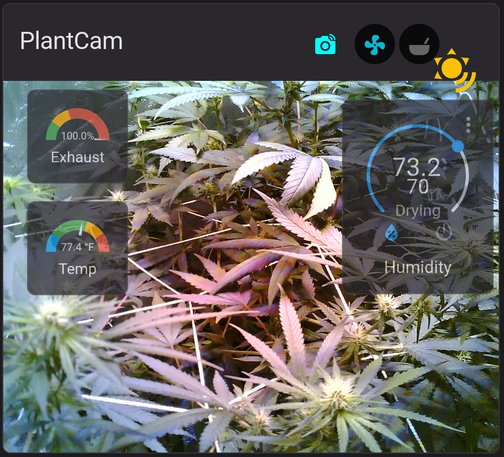
    Finally, the Tweeds are growing nicely. I did get that back corner somewhat under control yesterday, but it is still extra tall over there. It happens. They'll get defoliated with their next (and first) feeding, probably tomorrow. (They are on fresh happy frog, so no need for food yet.) This lovely weather has the windows open, so my tent climate control is mad at me but so long as it keeps up I don't care.
    🤞 We're on day 24 of flower and all is well. #growyourownmedicine #cannabis #growyourown #tweeds #switchbot #weed #snarkhome #espcam #esphome #piper #homeassistant #smarthome #switchbot #bigear #zigbee #homelab
    Amazon.com

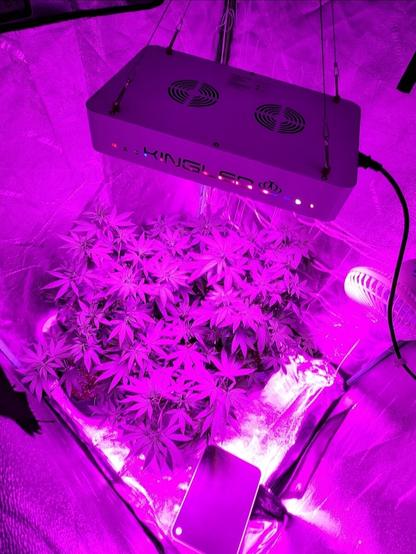
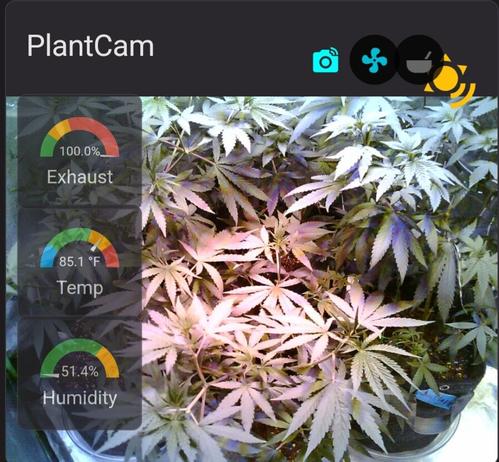
    The #weedlings (now turned to #tweeds) are in school! Not really, but today it turned to fall in the tent. We've still got two Cheetah Piss and two Duct Tape, all from legalization day seeds. Both pics are in the new light, but the #espcam is better at filtering the red.
    It turns out that the heat wave outside is not as helpful as I had expected. Lung room is warm, tent is hot but plants are ok.
    I did a bit of pruning a few days back, but they weren't trained properly so it's no proper lollypop grow. (Only my second try, after all.)
    No nutes since I'm on happy frog.
    Criticism welcome.
    #growyourown #growyourownmedicine #cannabis #weed #420community
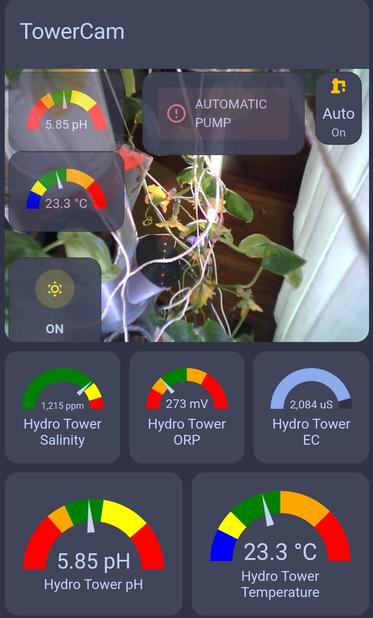
    I was trying to figure out how to move the #hydrotower #ESPCam to see the first, largest #cucumber but it turns out it is already pointed at the 3rd. Basically dead center. (Female flowers look "just like" males except they are growing from a teeny cucumber. If pollination works, the cucumber gets huge.)
    @holtwick ich hab zum Jahreswechsel den #ioBroker von der #SynologyDS auf einen neuen #raspberrypi verschoben. Bei der Gelegenheit hatte ich eine #sdcard für einen älteren #raspberrypi mitbestellt und da, eher aus Langeweile, den #homeassistant draufgepackt. #ESPCam habe ich bislang keine. Den #stromzähler liest der #pulse von #TIBBER ab. Intern laufen ein #powermeter mit #ModbusTCP für den #Hausverbrauch und etliche #ShellyPlugS zur Erfassung des #Strombedarf einzelner Geräte.

    Einer meiner Talks auf dem #rc3

    https://media.ccc.de/v/rc3-249627-c3_pr_how_does_it_work

    #c3pr #esp32 #ESPCam

    Bisher gibt es 5 Interessierte \o/

    C3-PR How does it work?

    media.ccc.de

    Hier flüchtet ein aus dem Internet gesteuerter C3-PR vor dem Staubsaugerroboter. Ein Abend in der Q-Zone :)

    Vorbereitung für den #rC3 kann auch Spaß machen.

    #ESP32 #ESPCam