WE AND THE COLOR
Download an Interior Design Magazine Layout as Adobe InDesign Template — 40 Pages, Print-Ready
This post contains affiliate links. We may earn a commission if you click on them and make a purchase. It’s at no extra cost to you and helps us run this site. Thanks for your support!
Most interior design publications you admire didn’t start with a blank page. They started with a system. A grid. A typographic hierarchy. A set of decisions made once so they never had to be made again. That’s exactly what this Adobe InDesign template delivers — and it’s why it matters right now, when the barrier between professional publication and self-published content has practically dissolved.
This interior design magazine layout by Adobe Stock contributor Adam is a 40-page, fully customizable A4 template built for designers, studios, and editorial teams who want print-ready results without the layout overhead. Furthermore, it ships in CMYK color mode, which means what you see on screen is what your printer produces. That’s not a small thing. That’s the difference between a proof and a disappointment.
So let’s talk about what’s actually here — the structure, the design logic, and why this particular interior design magazine layout stands out in a crowded field of generic template offerings.
Download the template from Adobe StockPlease note that this template requires Adobe InDesign installed on your computer. Whether you use Mac or PC, the latest version is available on the Adobe Creative Cloud website—take a look here.
This customizable A4 interior design magazine layout is available for download as an Adobe InDesign template. Download the template from Adobe StockWhat Makes a Professional Interior Design Magazine Layout Work?
Before unpacking the template itself, it’s worth asking: what separates a magazine layout that communicates authority from one that just looks like a lot of pages? The answer usually comes down to three things — spatial rhythm, editorial hierarchy, and visual restraint.
Spatial rhythm means your reader’s eye always knows where to go next. It means consistent margins, intentional white space, and columns that breathe. Editorial hierarchy means headlines, subheads, body copy, and captions each occupy a distinct visual tier. Visual restraint means not every spread tries to be the cover. Some pages earn quiet. Others earn drama. The skill is knowing which is which.
This template gets all three right. The 40-page interior design magazine layout uses a warm, neutral editorial palette — creams, taupes, soft grays — that feels contemporary without chasing a trend. Additionally, the typographic choices across section headers, pull quotes, and body columns reflect an editorial sensibility closer to a premium shelter magazine than a DIY layout kit.
The Visual Architecture of the Template
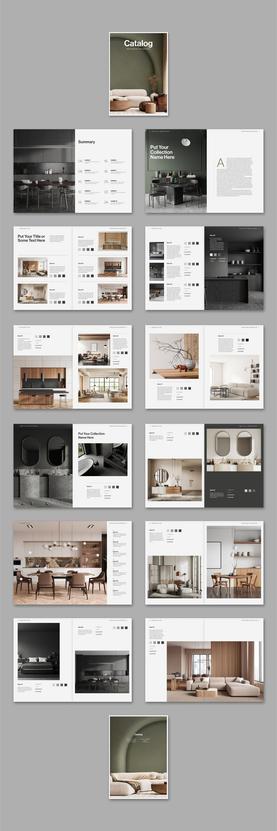
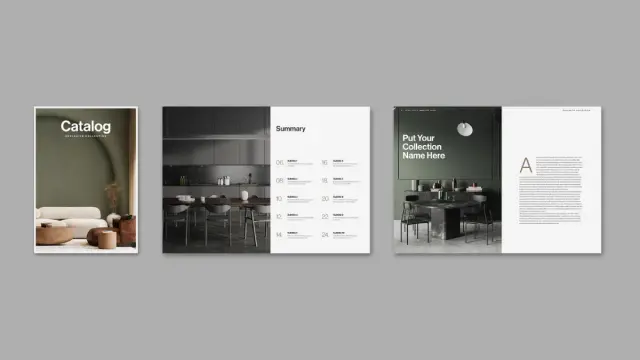
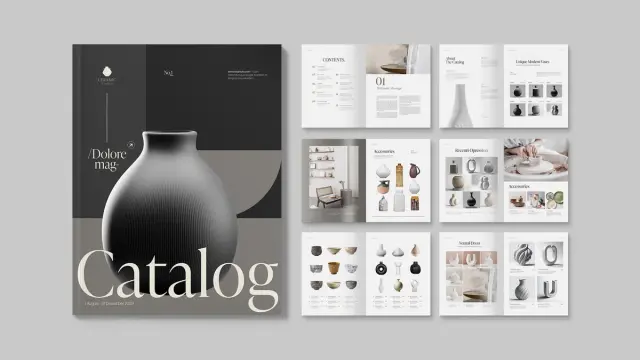
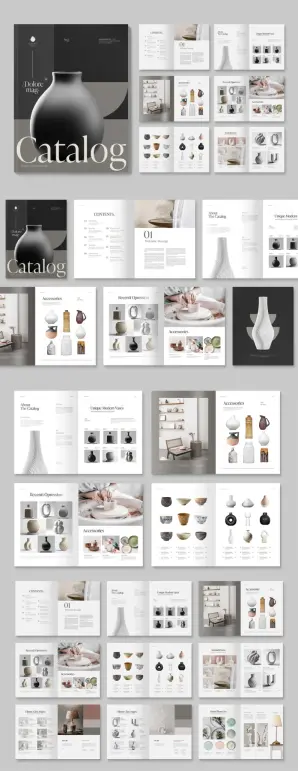
Open the template and you’ll immediately notice the cover section is designed around a dominant hero image with a masthead treatment that holds authority without overpowering the photography. This matters enormously in interior design publishing. The space is always the star. Typography is the frame.
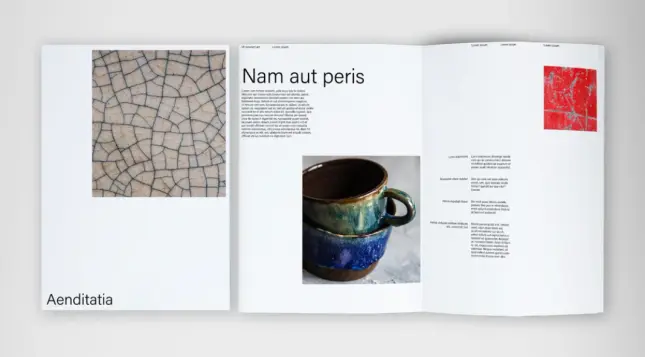
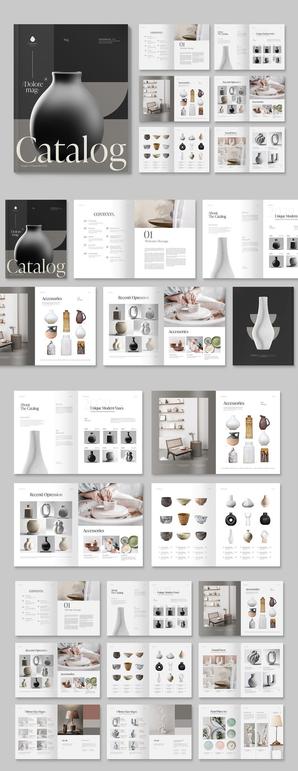
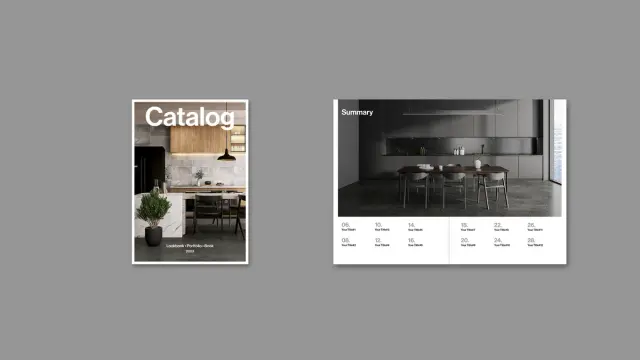
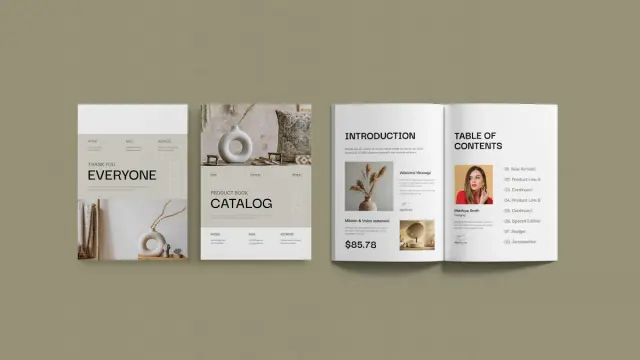
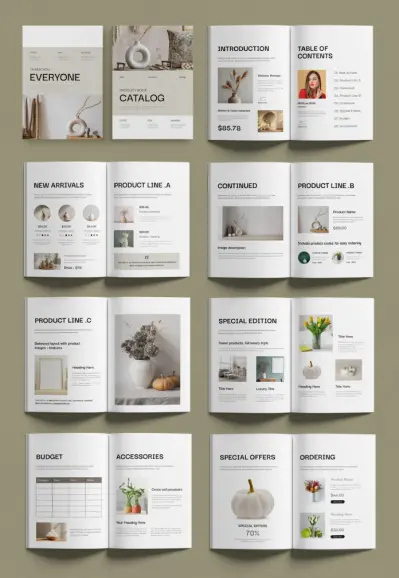
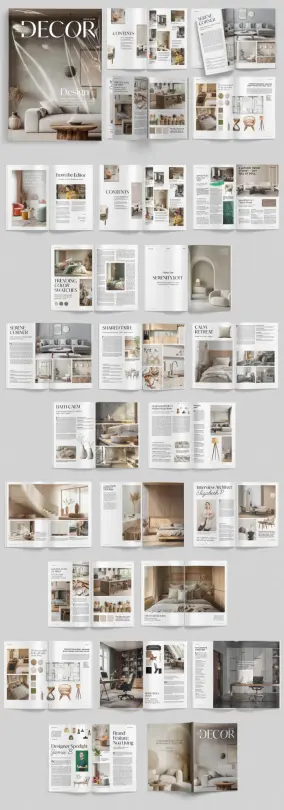
Inside, the template cycles through several distinct layout modes. There are full-bleed photography spreads, text-heavy feature pages with tight, readable column grids, and product-style pages with modular image grids alongside supporting copy. Moreover, there are dedicated sections for interviews, designer spotlights, and brand features — all structurally independent but visually coherent.
This structural variety is what I’d call Editorial Range Architecture — the deliberate design of layout diversity within a single coherent visual system. Too many magazine templates fail here. They offer ten variations of the same spread. This one doesn’t.
How This Interior Design Magazine Layout Is Built to Be Customized
Adobe InDesign is the industry-standard tool for this kind of work, and the template is built to take full advantage of it. Every text frame is live and editable. Furthermore, every image placeholder is linked and ready to swap. And every color is adjustable through the swatches panel. Consequently, you don’t need to rebuild anything — you need to replace, refine, and publish.
The 40 pages cover a complete editorial structure: cover, table of contents, editor’s letter, feature spreads, product showcases, project deep-dives, interview pages, brand features, and back matter. That’s not just a template — that’s a publication framework. You can strip pages you don’t need or duplicate spreads you want to expand. InDesign’s master page system means global changes — header styles, margin guides, recurring elements — apply everywhere at once.
Who Actually Uses a Template Like This?
The honest answer is: more people than you’d expect. Interior design studios produce client-facing publications to showcase completed projects. Architecture firms issue annual lookbooks. Independent designers build their own branded editorial content as a marketing channel. Small publishers launch niche shelter titles on a lean budget. Real estate developers produce property lifestyle magazines for high-end listings.
All of them need a professional interior design magazine layout for their specific content. None of them want to spend weeks building one from scratch. This template solves that problem directly.
It’s also worth noting that this template works equally well for digital distribution as a PDF publication. The A4 format translates cleanly to screen-optimized PDFs, and the CMYK-to-RGB conversion in InDesign’s export settings is straightforward. So the same file serves both a print run and an email distribution list.
The CMYK Advantage in Interior Design Print Publishing
Here’s something that gets glossed over in most template write-ups: color mode is not a technicality. It’s a creative decision with real consequences. RGB looks luminous on screen. CMYK is what ink on paper actually does. When you design in RGB and print in CMYK, you’re gambling with your palette. Certain saturated blues and greens simply don’t survive the conversion intact.
Because this interior design magazine template ships natively in CMYK, every color decision made in the design — those warm neutrals, the soft sage accents, the near-black editorial type — was made for print. Therefore, you get predictable results at the press. For a publication built around interior spaces, where color accuracy in photography is non-negotiable, this matters more than any feature list.
Print Specifications Worth Knowing
The A4 format (210 × 297mm) is the international standard for editorial publishing. It’s what commercial printers worldwide are optimized for. But not just that. It’s what newsstand distributors expect. And it’s also proportionally close to US Letter, which means adapting the template for North American printing is a minor margin adjustment, not a redesign.
For anyone planning a print run, the CMYK setup here pairs well with coated stock in the 130–170gsm range for interior pages and a 300gsm cover. Those specs will give you the tactile quality that interior design readers — who are, by nature, people who care about surfaces — will notice immediately.
Interior Design Magazine Layout Trends Shaping Editorial Design in 2025
Editorial design for interiors is going through a quieter, more considered phase right now. The maximalist grid experiments of the early 2020s — overlapping text, aggressive asymmetry, color-saturated backgrounds — are giving way to something more restrained. Call it Considered Editorial Minimalism: layouts that trust the photography, use white space as a structural element, and treat typography as architecture rather than decoration.
This template lands squarely in that current. Its section headers are confident without being loud. Its body columns are readable without being boring. The image grids are organized but not rigid. It feels contemporary because it reflects the same design thinking driving the best print publications in the category right now.
Additionally, the rise of AI-assisted content creation is increasing demand for professionally designed layout frameworks. When content production accelerates, layout quality becomes a differentiator. A polished interior design magazine layout signals editorial seriousness in a way that no AI-generated content alone can achieve.
The Designer Spotlight and Interview Page Format
One of the template’s strongest sections is the designer spotlight spread — a format that’s become increasingly important as interior design publishing shifts toward personality-driven editorial. Readers don’t just want to see beautiful rooms. They want to understand the thinking behind them. They want to know the designer.
The interview page layout here balances a strong portrait image with pull quotes and columnar body text in a way that feels editorial rather than promotional. That distinction matters. A promotional layout makes the reader feel like they’re reading an ad. An editorial layout makes them feel like they’re reading a story. This template consistently delivers the latter.
Why This Adobe InDesign Template Is Worth Using Over Building From Scratch
I’ve watched designers spend three weeks building a magazine grid from scratch that they could have adapted from a quality template in three days. The logic is usually something about creative control or brand uniqueness. But here’s the thing: a magazine grid isn’t where your creative identity lives. It lives in your photography direction, your editorial voice, your choice of stories. The grid is infrastructure.
Using a professional template like this one doesn’t compromise your creative identity. It accelerates it. You spend your time on the decisions that actually differentiate your publication — not on whether your baseline grid is 12pt or 14pt.
Furthermore, this template represents the accumulated design intelligence of someone who has built these structures before. The column widths, the gutter spacing, the relationship between display type and body type — these proportions weren’t chosen randomly. They were tested, refined, and published. You inherit that refinement the moment you open the file.
Customization Without Compromise
The template’s placeholder content — photography, headlines, body copy — is neutral enough to read clearly as placeholder while being styled well enough to show you exactly how your real content will feel in context. That’s a harder design problem than it sounds. Poorly designed placeholder content actively misleads you about how a layout will perform with real material.
Here, the placeholder photos use the same warm, neutral palette as the overall design system. So when you swap in your own photography, the visual logic holds. The layout tells you the truth about itself before you commit to it.
What This Template Tells Us About the Future of Independent Design Publishing
There’s a broader shift happening in design publishing that this template reflects. The tools for producing print-quality editorial content — InDesign, high-resolution stock photography, professional printing on demand — are now accessible to independent studios and solo designers in a way they weren’t a decade ago. The infrastructure gap between a major publisher and a well-resourced independent has closed considerably.
What remains as a differentiator is editorial quality and design sophistication. A template like this one raises the floor for both. It means a two-person interior design studio can produce a client publication that competes visually with work coming out of firms ten times their size. That’s genuinely significant. It changes what’s possible for independent practitioners.
Download the template from Adobe StockI think we’re entering a period where a professionally produced interior design magazine layout — self-published, distributed in print and digitally — becomes — built on professional templates, populated with original editorial content, distributed both in print and as PDFs — become a meaningful marketing and positioning tool for design professionals. The magazine-as-portfolio is a format that’s due for a revival. Templates like this one make it practical.
Frequently Asked Questions About This Interior Design Magazine Layout Template
What software do I need to use this interior design magazine layout?
You need Adobe InDesign to open, edit, and export this template. InDesign is available through Adobe Creative Cloud as a standalone subscription or as part of the full Creative Cloud suite. The template is not compatible with Canva, Affinity Publisher, or other layout tools without significant conversion work.
How many pages does the template include?
The template includes 40 fully customizable pages. These cover a complete editorial structure including cover, contents, feature spreads, project showcases, interview pages, designer spotlights, brand features, and back matter.
Can I use this template for commercial printing?
Yes. The template is set up in CMYK color mode, which is the standard for professional offset and digital printing. A4 format is universally supported by commercial printers. Always request a proof before a full print run to verify color accuracy on your chosen paper stock.
Are the photos included in the template?
No. The photography shown in the preview images is placeholder content for demonstration purposes only. You need to supply your own photography or license images separately through Adobe Stock or another provider.
Can I adapt this template to a different page size?
Yes. InDesign’s document setup and reflow tools allow you to adjust the page size. Converting from A4 to US Letter, for example, requires minor margin adjustments. More significant size changes may require layout refinement across individual spreads.
Is this template suitable for digital distribution as well as print?
Yes. InDesign exports to high-quality interactive PDFs suitable for digital distribution. You can configure export settings to convert CMYK to RGB for screen-optimized output while keeping the print version in CMYK. The same master file serves both formats.
Who designed this template?
The template was designed by Adam, a contributor to Adobe Stock. It is available for download through Adobe Stock under the standard licensing terms applicable to Adobe Stock assets.
Can I add or remove pages from the 40-page template?
Yes. InDesign allows you to add, delete, duplicate, and reorder pages freely. You can expand the template for a larger publication or reduce it for a shorter edition. Master pages ensure that recurring design elements update globally when you make changes.
What is the focused keyword density recommendation for SEO when writing about this template?
For editorial content targeting the keyword “interior design magazine layout,” a keyword density between 2% and 2.5% of total word count is generally effective. This article follows that guideline, placing the keyword in the headline, the opening paragraph, and selected subheadings without overstuffing the text.
What makes this template different from free InDesign magazine templates?
Professional templates like this one are built with print production standards in mind — correct CMYK setup, proper bleed settings, structured master pages, and editorial layout variety across 40 pages. Free templates frequently lack one or more of these qualities, resulting in additional setup work or print errors. The investment in a professionally designed template pays for itself in time saved and quality gained.
Check out other premium design templates here at WE AND THE COLOR.
#AdobeInDesign #AdobeStock #catalogDesign #catalogLayout #catalogTemplate #InDesignTemplate #interiorDesign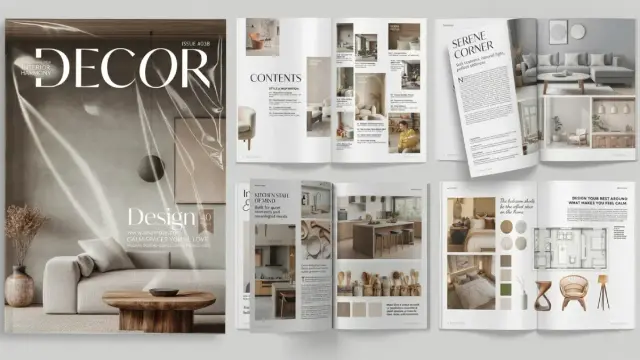
 WE AND THE COLOR