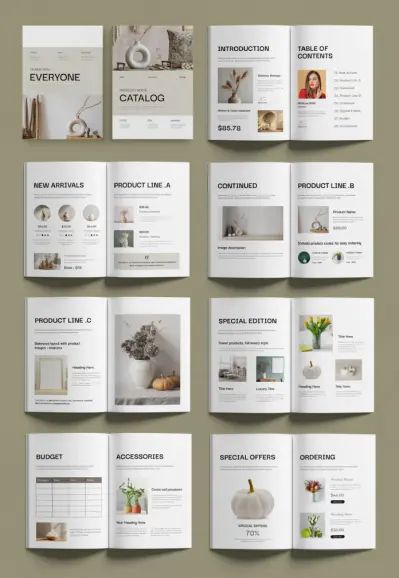
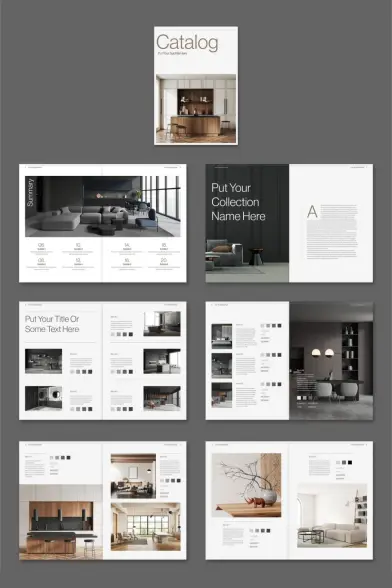
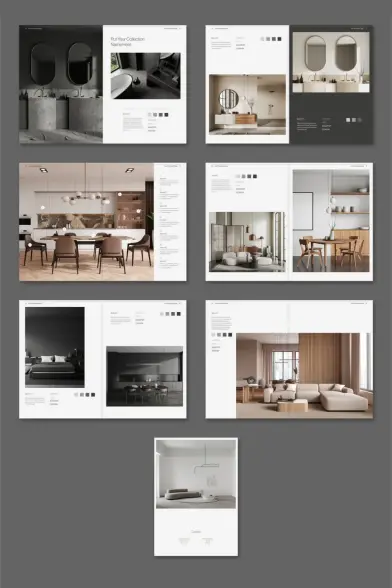
Download an InDesign Catalog Layout That Makes Designer Furniture Look Unmissable

Presentation sells. That’s not an opinion — it’s a truth every furniture brand eventually learns the hard way. You can have the most beautifully crafted sofa or the most architecturally precise shelving unit on the market. But without a catalog that communicates that quality, the product remains silent. This InDesign catalog layout by Tom Sarraipo changes that conversation entirely. It gives sophisticated design brands a visual system that matches their product ambitions — right out of the box, fully customizable, and ready for professional print.

This template isn’t for everyone, and that’s exactly the point. It targets a specific kind of brand: one that values restraint over excess, editorial clarity over flashy decoration. Moreover, it speaks directly to designers, art directors, and brand managers who already know InDesign and need a structured starting point that doesn’t waste their time.

You can download the template from Adobe Stock

Please note that this template requires Adobe InDesign installed on your computer. Whether you use Mac or PC, the latest version is available on the Adobe Creative Cloud website—take a look here.

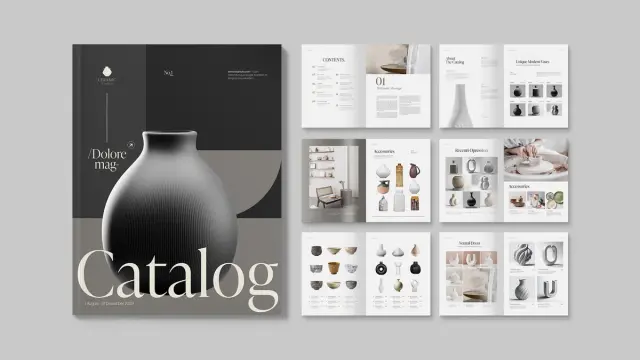
Download a fully customizable Adobe InDesign catalog layout in A4 by Tom Sarraipo. You can download the template from Adobe Stock

What Makes This InDesign Catalog Layout Different From Generic Templates?

Most catalog templates solve a layout problem. This one solves a brand positioning problem. Tom Sarraipo’s design operates within what I’d call the Editorial Restraint Framework — a visual philosophy where negative space does as much work as the content itself. The result feels closer to a luxury editorial spread than a product sheet.

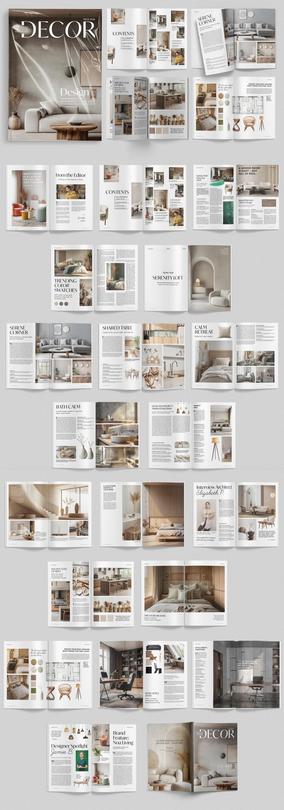
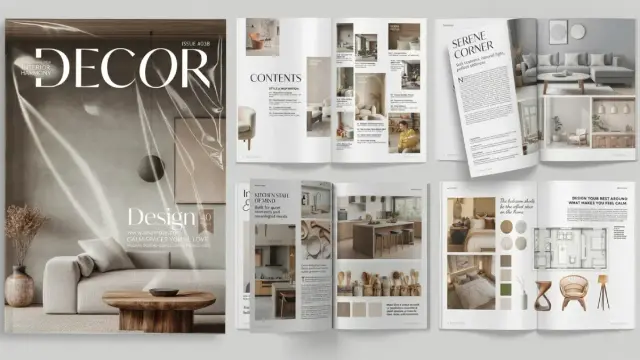
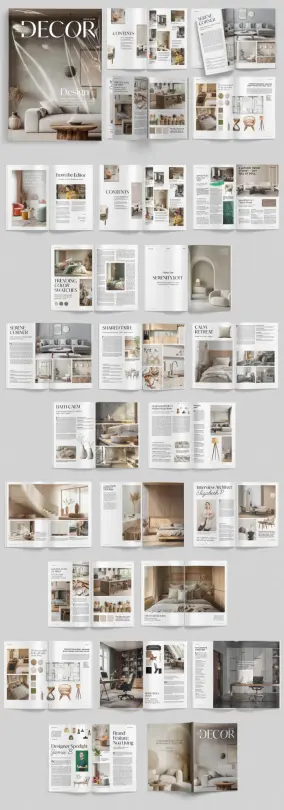
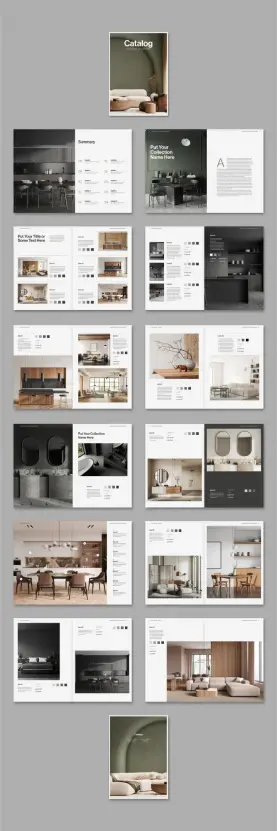
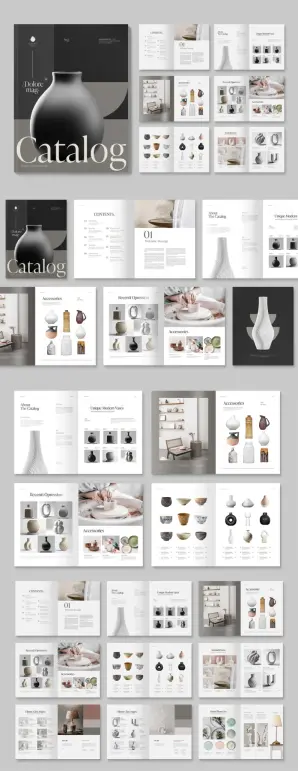
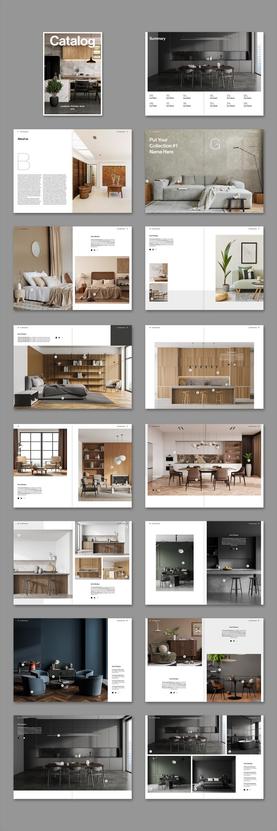
The template includes 26 predesigned, fully customizable A4 pages. Each spread balances large-format photography with structured product data — item names, color swatches, and descriptive text fields. Furthermore, it opens with a clean summary index page, transitions through collection chapters, and closes with a back cover that mirrors the front. That structural consistency is rare in off-the-shelf templates.

The color palette is neutral and intentional. Deep charcoal, warm ivory, and muted sage anchor every page without competing with product photography. Additionally, the typography hierarchy is clear — bold display text for collection names, light-weight body copy for specs, and generous spacing throughout. Nothing fights for attention. Everything guides the eye.

The Catalog Structure Framework: How 26 Pages Tell a Brand Story

Structure is narrative. A catalog without a logical page flow is just a brochure with ambitions. Sarraipo’s layout follows what I’d define as the Three-Phase Catalog Arc — a sequencing model built around orientation, immersion, and resolution.

Phase One: Orientation

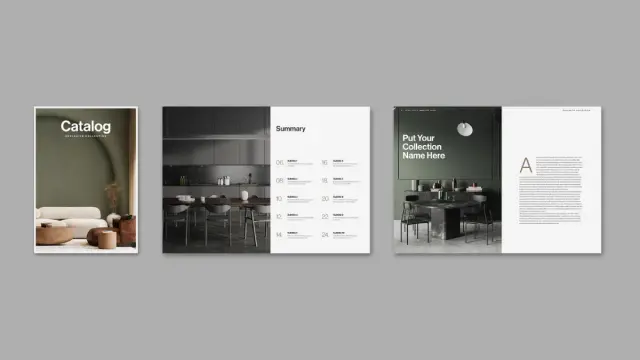
The opening pages establish the brand world immediately. A full-cover image introduces the aesthetic, while the summary page maps the catalog structure. Consequently, the reader knows exactly where they are and where they’re going.

Phase Two: Immersion

The middle section carries the product weight. Grid-based spreads display multiple items per page, each with color-chip swatches, item labels, and layered photography. Importantly, these pages use a modular grid system — meaning you can swap images, shuffle items, or expand a collection chapter without breaking the visual logic.

Phase Three: Resolution

The closing pages slow the pace. Full-bleed lifestyle imagery dominates, pulling the reader back into the brand atmosphere before the back cover closes the loop. This pacing isn’t accidental — it mirrors how luxury print editorials move through their content.

CMYK Color Mode and the Print-Ready Advantage

Digital-first designers often overlook print specifications until it’s too late. This InDesign catalog layout is built in CMYK color mode from the ground up. That means every element — backgrounds, typography, swatches — is calibrated for professional offset and digital print reproduction. Therefore, what you see on screen translates faithfully to paper.

For furniture brands printing high-volume catalogs through commercial printers, this matters enormously. RGB-to-CMYK conversions can shift warm tones and neutrals in ways that misrepresent materials like linen, walnut, or brushed brass. Because this template skips that conversion step entirely, you start from a trustworthy baseline.

Additionally, A4 format is globally standardized — making this template immediately usable across European and international print suppliers without resizing or reformatting headaches.

How to Customize This InDesign Catalog Layout in InDesign

The customization workflow is straightforward. All images in the preview are placeholder visuals — you replace them using InDesign’s place command or by dragging directly into the existing image frames. Text fields work the same way. Click, replace, style. Consequently, you spend your time on brand decisions, not technical problem-solving.

Color System Customization

The template’s neutral palette is a starting point, not a constraint. You can adapt the background tones to match your brand’s primary and secondary colors using InDesign’s swatches panel. Moreover, the typographic system uses clean sans-serif and serif pairings that you can swap for your brand fonts with a few paragraph style updates.

Grid Flexibility

Each page uses a consistent underlying grid. However, the modular structure allows you to reorder pages, duplicate spreads, or remove sections without visual inconsistency. This Plug-and-Play Grid Logic — my term for template systems that allow structural changes without visual collapse — is one of this design’s strongest technical features.

Who Should Use This InDesign Catalog Layout?

The obvious answer is furniture brands. But the template’s visual language works equally well across a broader category of sophisticated, object-driven brands. Think ceramic studios, lighting designers, architectural hardware companies, or high-end kitchen brands. Essentially, any brand that sells considered objects benefits from a catalog system.

Freelance designers working with interior brands or product manufacturers will also find immediate value here. Furthermore, the template gives clients a tangible, professional deliverable without requiring months of custom development. You present this mockup, align on customization scope, and proceed from a solid foundation.

Small studios launching their first printed catalog should pay particular attention. Starting from a professionally structured InDesign catalog layout like this one eliminates one of the most common first-catalog mistakes: inconsistent page rhythm. Sarraipo’s template builds that rhythm in by default.

The Visual Grammar of Luxury Catalogs

Luxury print design operates on a specific set of visual rules. Understanding them helps you customize this template more intelligently. I’d summarize these rules as the Five Signals of Print Authority.

1. Proportional breathing room. High-end catalogs never crowd the page. Generous margins and internal padding signal confidence in the product.

2. Photography hierarchy. One dominant image per spread, supported by smaller contextual shots. Hierarchy creates visual gravity.

3. Typographic restraint. Fewer typefaces, more weight variation. This template nails this with its two-family typographic system.

4. Consistent swatch language. Color chips alongside product entries establish a design-literate visual shorthand that your audience recognizes and trusts.

5. Structural repetition with controlled variation. Every spread follows a recognizable pattern, but no two pages feel identical. That balance between predictability and surprise keeps readers engaged across all 26 pages.

Why Print Still Matters for Design Brands in 2025

Screen fatigue is real. Trade show visitors, interior designers, and specification-led buyers still respond to physical catalogs in ways that PDFs can’t replicate. A well-produced print catalog communicates permanence, investment, and brand confidence. Additionally, physical catalogs have a longer lifespan than digital assets — they sit on desks, get referenced months later, and circulate through studios organically.

This template is optimized for both. You can export it as a print-ready PDF for your commercial printer or as an interactive PDF for digital distribution. Both outputs benefit from the CMYK foundation and the clean layout architecture Sarraipo built in.

The trend toward hybrid catalog strategies — print for trade and clients, digital for reach — makes a template like this one especially practical. You build once and deploy across both channels without duplication of effort. That’s genuine workflow intelligence built into the file structure.

Tom Sarraipo’s Design Sensibility: Reading the Template as a Design Statement

Good templates reveal their designer’s thinking. Sarraipo’s choices throughout this InDesign catalog layout reflect a clear editorial sensibility — one that prioritizes material honesty, spatial calm, and typographic precision over decorative complexity. This is Scandinavian-influenced design logic applied to Italian-quality print format.

The sage green accent on the cover and back isn’t decorative. It anchors the catalog in a contemporary color conversation that connects with interior design trends without following them slavishly. Similarly, the charcoal page backgrounds in product sections create a dark-mode visual contrast that elevates warm-toned furniture photography dramatically.

Personally, I find the summary page particularly strong. Most catalog templates treat the table of contents as a functional necessity. Sarraipo treats it as a design moment — pairing index entries with small product thumbnails in a grid that previews the catalog’s visual richness before the reader turns the page. That’s editorial thinking, not template thinking.

Practical Tips for Getting the Most Out of This Template

First, shoot or source your photography at high resolution — 300 DPI minimum for print. The template’s image frames are sized for print output, so low-res images will look soft. This matters most on the full-bleed lifestyle spreads.

Second, finalize your product list before you start placing content. The 26-page structure accommodates a specific number of collection entries. Consequently, knowing your full product range upfront prevents mid-project restructuring.

Third, use InDesign’s master pages to manage repeating elements — headers, footers, page numbers — across the document. The template already has this logic baked in. Don’t override it manually unless you have a specific reason to do so.

Fourth, when printing commercially, request a proof before your full print run. Even CMYK-calibrated files can shift slightly across different paper stocks and press configurations. A physical proof protects your investment.

You can download the template from Adobe Stock

Frequently Asked Questions

What software do I need to use this InDesign catalog layout?

You need Adobe InDesign to open and edit this template. Any recent version of InDesign that supports A4 document formats and CMYK color mode will work. Adobe Creative Cloud subscribers have full access through their plan.

Is this template suitable for digital distribution as well as print?

Yes. You can export the completed catalog as a print-ready PDF for commercial printing or as an interactive PDF for email and digital channels. The CMYK color setup is optimized for print, but the layout works cleanly in digital PDF format as well.

Can I use this InDesign catalog layout for products other than furniture?

Absolutely. The template’s editorial visual language works well for any brand that sells sophisticated, design-led objects — including lighting, ceramics, architectural hardware, kitchen products, and premium lifestyle goods.

How many pages does this catalog template include?

The template includes 26 predesigned, fully customizable A4 pages. These include a cover page, summary index, collection chapter spreads, product detail pages, lifestyle imagery sections, and a back cover.

Are the images in the template included for commercial use?

No. All images in the preview are placeholder visuals for demonstration purposes only. You replace them with your own licensed photography or product imagery inside InDesign.

How difficult is it to customize this template if I’m not an expert in InDesign?

The template is built for efficient customization. You replace placeholder images using InDesign’s place command and update text fields directly. Basic InDesign familiarity is sufficient. Additionally, the modular grid structure means you can reorder or duplicate pages without disrupting the visual system.

Is this template compatible with both Mac and Windows versions of InDesign?

Yes. Adobe InDesign is cross-platform, and this template functions identically on both Mac and Windows systems.

What color mode does this InDesign catalog layout use?

The template uses CMYK color mode throughout. This makes it immediately compatible with professional offset and digital print workflows without requiring color profile conversion.

Feel free to find other high-quality graphic design templates here at WE AND THE COLOR.

#AdobeInDesign #AdobeStock #catalogDesign #catalogTemplate #design #graphicDesign #InDesignTemplate
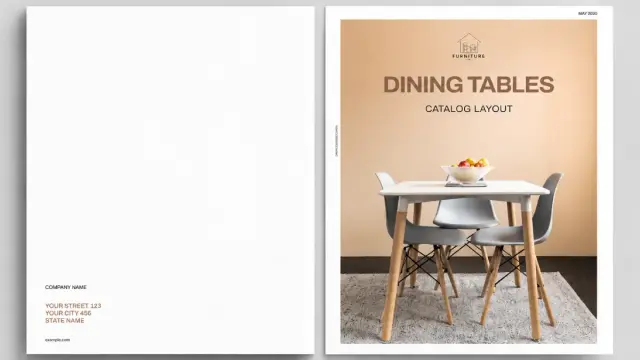
This Adobe InDesign Catalog Template is the Standard for Modern Minimalist Curation

Design often suffers from noise, yet this Adobe InDesign catalog template by BrandPacks proves that silence captures attention. Curators and designers frequently search for layouts that balance functionality with aesthetic restraint. This specific template does not merely hold content; it elevates the subject matter through a framework we can call “Silent Grid Architecture.” BrandPacks has crafted a tool that prioritizes the user’s visual journey over decorative excess. The layout serves professionals who require a printable portfolio design that speaks with authority. We must analyze why this specific Adobe InDesign catalog template succeeds where others fail.

Download the template from Adobe Stock

Please note that this professional branding template requires Adobe InDesign installed on your computer. Whether you use Mac or PC, the latest version is available on the Adobe Creative Cloud website—take a look here.

A fully customizable Adobe InDesign catalog template by BrandPacks in A4 and US Letter. Download the template from Adobe Stock

How does Silent Grid Architecture define this layout?

You might wonder what separates a chaotic brochure from a high-end publication. The answer lies in the invisible structure. This Adobe InDesign catalog template utilizes a rigid, albeit flexible, underlying grid. We define “Silent Grid Architecture” as a layout system that guides the eye without revealing its mechanics. BrandPacks employs this technique across all 20 distinct pages. Consequently, the viewer focuses entirely on the product, whether it is ceramic art or architectural hardware.

The design relies heavily on negative space. This is not empty space; it is active “breathing room.” By isolating images against stark backgrounds, the template forces the viewer to engage with the texture of the product. Furthermore, the typography acts as a navigational beacon rather than a distraction. Bold headers contrast sharply with delicate serif body text. This creates a visual rhythm. Readers scan the page effortlessly. Therefore, the Adobe InDesign catalog template functions as a museum wall rather than a grocery flyer.

Technical Precision in Adobe InDesign

Adobe InDesign remains the industry standard for a reason. This software handles multi-page documents with a precision that Illustrator or Photoshop cannot match. BrandPacks delivers this Adobe InDesign catalog template in two critical formats: A4 and US Letter. This ensures global compatibility for printing. Moreover, the file operates in CMYK color mode. This guarantees that physical prints match the digital preview.

Designers appreciate the inclusion of master pages. These allow for rapid, global changes to headers, footers, and page numbers. Additionally, the template uses a layer-based organization system. You can separate text, images, and background elements easily. This speeds up the workflow significantly. For a professional catalog layout, efficiency is as vital as beauty. The template provides fully editable placeholders. You simply drag and drop your imagery. InDesign automatically scales the content to fit the pre-defined frames.

Why is “Tactile Digitalism” crucial for modern catalogs?

We live in a screen-first era, yet we crave physical texture. This layout champions a concept I call “Tactile Digitalism.” The design aesthetic mimics the feeling of matte paper, stone, and raw material, even on a screen. The Adobe InDesign catalog template achieves this through careful image masking and muted color palettes. Although the download features placeholders, the styling suggests a clear direction. It favors organic, high-contrast photography.

Consider the typography choices. The fonts suggest a blend of classical editorial design and modern brutalism. This juxtaposition creates tension. Tension keeps the reader interested. Consequently, a furniture designer or a ceramicist will find this product brochure layout ideal. It complements organic shapes. The text does not fight the image; it supports it. This is the essence of a successful Adobe InDesign catalog template. It provides a stage, not a show.

The Strategic Advantage of Pre-Designed Assets

Some purists argue that custom design is the only path. However, a high-quality, customizable InDesign file offers a strategic advantage. It saves time. Designing a 20-page grid from scratch takes days. Using this Adobe InDesign catalog template reduces that time to hours. You focus on content creation rather than margin alignment.

BrandPacks has already solved the difficult problems. They determined the optimal font sizes. But not just that. They calculated the margins and balanced the image-to-text ratios. You are acquiring a design system, not just a file. For small agencies or freelancers, this is vital. It allows you to deliver a corporate brochure template quality at a fraction of the cost. The template acts as a sophisticated container. You pour your brand identity into it.

Is this Adobe InDesign Catalog Template right for your brand?

You must evaluate your content before choosing a layout. This Adobe InDesign catalog template favors high-quality imagery. If your photos are low-resolution, this design will expose them. The minimalism leaves no place to hide. Therefore, this layout suits brands with strong visual assets.

Think about your narrative. The flow of the 20 pages allows for storytelling. You can alternate between full-page mood shots and detailed product specifications. This versatility makes it a powerful creative agency portfolio. It also works as a minimalist lookbook. The adaptability is the key feature. Furthermore, the neutral style absorbs any brand color. You can change the black and grey accents to match your corporate identity.

A Critical Perspective on Layout Pacing

A good catalog has a heartbeat. We call this “Layout Pacing.” It is the speed at which a user flips the pages. This Adobe InDesign catalog template manages pacing exceptionally well. It alternates between dense information pages and open visual spreads. This prevents reader fatigue.

Download the template from Adobe Stock

When you open the file, notice the sequence. It starts with an introduction, moves to highlight features, and ends with a contact section. This is a classic narrative arc. BrandPacks understands that a catalog is a sales tool. It must convince the buyer. The structure leads the viewer to a conclusion. Thus, the Adobe InDesign catalog template becomes an active participant in the sales process.

Frequently Asked Questions

What software do I need to edit this template?
You need Adobe InDesign. The file is compatible with CS4 and higher versions. It uses the .INDD and .IDML formats.

Does the Adobe InDesign catalog template include the photos?
No. The images in the preview are for display purposes only. The file contains grey placeholders where you place your own images.

Can I print this design on a home printer?
Yes, but professional printing yields better results. The file uses CMYK color mode, which standard home printers might not replicate perfectly.

Is it difficult to change the fonts?
No. You can use the “Find/Replace Font” feature in InDesign. This allows you to swap the template fonts for your brand fonts instantly.

Can I add more pages to the Adobe InDesign catalog template?
Absolutely. You can duplicate existing spreads using the Pages panel. The master pages ensure the layout remains consistent.

What is the difference between A4 and US Letter?
A4 is the standard paper size in Europe and Asia. US Letter is the standard in North America. This download includes both.

Is this template suitable for a fashion lookbook?
Yes. The minimalist brochure template style works perfectly for fashion. It places the focus entirely on the clothing and photography.

Check out other recommended graphic design templates here at WE AND THE COLOR. Our professional reviews will help you to find exactly what you are looking for.

Subscribe to our newsletter!

[newsletter_form type=”minimal”]

#AdobeInDesign #AdobeStock #catalog #catalogDesign #catalogLayout #catalogTemplate #InDesignTemplate

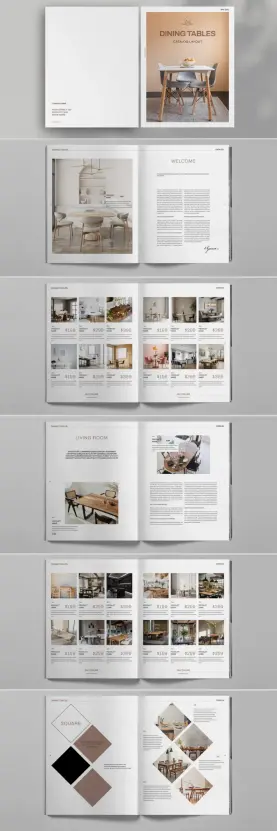
The Perfect InDesign Product Catalog Template for Your Brand’s Visual Storytelling

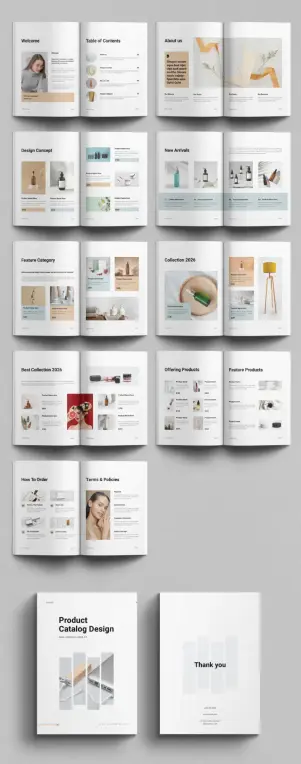
In a marketplace saturated with digital noise, the tangible appeal of a well-crafted product catalog remains a potent tool for brands. A thoughtfully designed catalog does more than just list products. It tells a story, builds an identity, and creates a tactile connection with customers. For businesses aiming to present their offerings with elegance and professionalism, this InDesign product catalog template, created by Adobe Stock contributor DesignCoach, offers a sophisticated and streamlined solution.

Download from Adobe Stock

Please note that this professional graphic design template requires Adobe InDesign installed on your computer. Whether you use Mac or PC, the latest version is available on the Adobe Creative Cloud website—take a look here.

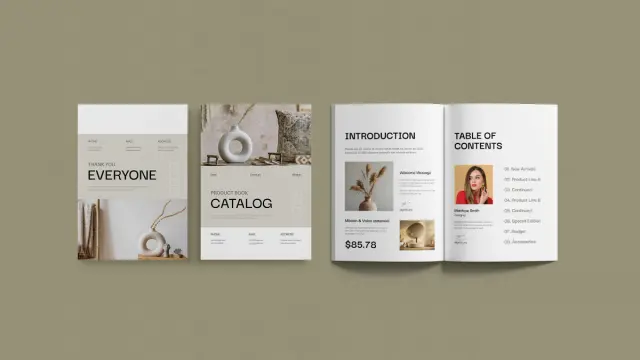
Modern InDesign Product Catalog Template for Business and Branding by DesignCoach Download from Adobe Stock

Why a Professional Catalog Still Matters

The conversation around marketing collateral often circles back to digital platforms. Yet, the physical catalog holds a unique authority. It provides an immersive, distraction-free experience that online platforms struggle to replicate. A professionally designed catalog also communicates permanence and quality. It powerfully reinforces your brand’s image in a way that transient digital ads cannot. The catalog becomes a reference point, a source of inspiration that customers can return to, fostering a deeper engagement with your products.

This particular InDesign product catalog template is engineered for businesses that understand this value. It provides the perfect framework for creating marketing material that is not only visually stunning but also highly effective. By leveraging a pre-designed template, companies can save significant time and resources without compromising on a high-end, bespoke feel.

Deconstructing the DesignCoach InDesign Product Catalog Template

Crafted with a minimalist and modern aesthetic, this template is a versatile tool for a wide range of industries. It works beautifully for fashion, home decor, technology, and artisan goods. Its clean layouts, balanced use of white space, and elegant typography ensure that the products themselves remain the central focus.

Key Features of This Professional Catalog Design:

  • Standard A4 Size: The template is designed in the universally recognized A4 format. This makes it practical for both printing and digital distribution.
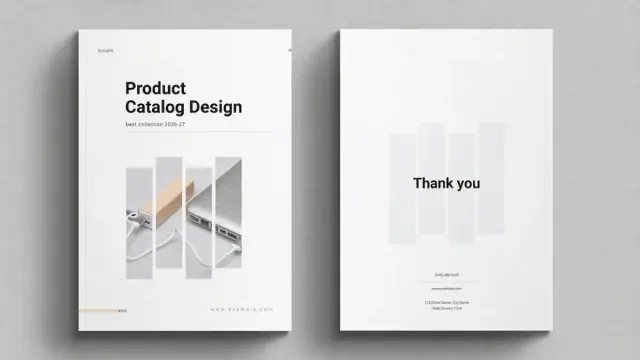
  • 16 Fully Customizable Pages: With 16 pre-designed pages, it offers a comprehensive structure for a variety of content. You can feature introductions, new arrivals, special offers, and detailed product lines.
  • Print-Ready CMYK Color Mode: The template is built in CMYK color mode. This ensures that the colors you see on screen will be accurately reproduced in print, eliminating costly color-matching issues.
  • User-Friendly Customization: Created for Adobe InDesign, the industry standard for page layout, the template is exceptionally easy to edit. Users can seamlessly replace placeholder images and text with their own content. This makes creating a professional catalog a swift and efficient process.

How to Maximize the Impact of Your Catalog

Simply having a beautiful template is just the beginning. The real art lies in how you utilize it to tell your brand’s story and entice your audience. How can you make your catalog truly unforgettable?

Curate High-Quality Imagery

Your product photography is the hero of the catalog. Therefore, high-resolution, professionally shot images are non-negotiable. This template’s minimalist design provides the perfect canvas for stunning visuals to shine. It allows the quality and detail of your products to capture the customer’s attention immediately.

Craft Compelling and Concise Copy

While images draw the eye, well-written copy seals the deal. Product descriptions should be informative, engaging, and concise. You should utilize the template’s clean typographic hierarchy. This helps present key features, benefits, and pricing in a way that is easy to scan and digest.

Maintain Brand Consistency

A catalog is a powerful tool for reinforcing your brand identity. This InDesign product catalog template allows for easy customization of colors and fonts. You can align every detail with your existing branding guidelines. Consistency across all your marketing materials builds recognition and trust with your audience.

A Personal Take on This Design Tool

From a design critic’s perspective, the strength of the DesignCoach template lies in its intelligent restraint. It does not rely on flashy gimmicks. Instead, it employs a sophisticated, grid-based layout. This structure brings a sense of order and calm to the presentation. It guides the reader’s eye naturally through the pages, creating a seamless and enjoyable browsing experience. This is not just a template; it is a well-considered piece of design. It empowers businesses to present themselves with confidence and clarity.

The versatility is another key aspect. While it is presented with a neutral, earthy palette, one can easily envision it transformed. Imagine it with bold, vibrant colors for a tech brand or soft pastels for a children’s boutique. The underlying structure is so strong that it can support a multitude of brand aesthetics without losing its inherent elegance.

Download from Adobe Stock

For any business owner, creative director, or marketing manager, the question is how to elevate the presentation of your products. How can you cut through the digital clutter to make a lasting impression? An expertly designed, tangible catalog is a compelling answer. This InDesign product catalog template provides an accessible and professional path to achieving that goal. It democratizes high-quality design, enabling even small businesses to produce marketing collateral that rivals that of established brands.

Don’t hesitate to find other high-quality graphic design templates in the reviews here at WE AND THE COLOR.

Subscribe to our newsletter!

By continuing, you accept the privacy policy

Product Catalog Design Layout: Create a Professional Sales Brochure with Tom Sarraipo’s InDesign Template https://weandthecolor.com/catalog-design-layout-professional-sales-brochure-tom-sarraipo-indesign-template/203884

#catalogdesign #catalogtemplate #adobeindesign

Product Catalog Design Layout: Create a Professional Sales Brochure with Tom Sarraipo’s InDesign Template

Creating a tangible connection with your audience is more powerful than ever. A beautifully crafted brochure or catalog does just that. It tells a story, showcases your products with elegance, and solidifies your brand identity in a way digital media often cannot. Finding the perfect catalog design layout is the crucial first step. It requires a balance of stunning visuals, clear information, and a professional structure. This is where the exceptional Adobe InDesign template by graphic designer Tom Sarraipo comes into play, offering a sophisticated and highly customizable solution for any brand looking to make a lasting impression. This isn’t just a template; it’s a foundation for building a powerful marketing tool.

Download from Adobe Stock

Please note that this template requires Adobe InDesign installed on your computer. Whether Mac or PC, the latest version is available on the Adobe Creative Cloud website—take a look here.

Download a Customizable Catalog Design Layout by Tom Sarraipo as an Adobe InDesign Template Download from Adobe Stock

Why Your Brand Needs a Superior Catalog Design Layout

In an era saturated with fleeting digital ads, a physical catalog offers a moment of focused engagement. Have you ever considered the tactile experience of a well-made catalog? The weight of the paper, the clarity of the images, and the thoughtful organization all contribute to a premium brand perception. A superior catalog design layout does more than just list products; it creates an immersive experience. It guides the customer’s eye, highlights key features, and builds a narrative around your collection. This professional brochure design can elevate your products from mere items to aspirational objects, directly influencing purchasing decisions and fostering long-term brand loyalty. It acts as a silent salesperson, representing your company’s commitment to quality and detail long after a meeting has ended or a website has been closed.

Exploring the Features of This Modern Catalog Template

This is not a generic, one-size-fits-all solution. Tom Sarraipo’s template is meticulously designed for brands that value sophistication and clarity. The template is provided in A4 size and includes 26 pre-designed pages, offering a comprehensive framework for a complete product showcase. Every page is built with a clean, modern aesthetic that puts your products in the spotlight. Notice the generous use of white space, the elegant typography, and the grid-based structure? These elements ensure the content is readable and visually appealing.

Furthermore, the template is fully print-ready, configured in CMYK color mode to guarantee that what you see on your screen translates accurately to the printed page. This attention to technical detail saves you time and prevents costly printing errors, making it a reliable tool for both seasoned designers and business owners. Whether you are showcasing high-end furniture, fashion, or architectural products, this versatile layout provides the perfect canvas.

The Power of Adobe InDesign for Your Catalog Creation

Why Adobe InDesign? For professionals in the graphic design industry, InDesign is the undisputed gold standard for creating multi-page documents like catalogs, magazines, and books. Its power lies in its precise control over typography, layout, and image placement. This is exactly why this catalog design layout is offered as an InDesign template. The software allows for seamless integration of text and graphics, management of master pages for consistency, and advanced pre-flight checks to ensure your file is perfect for printing. Using a template built specifically for InDesign means you are leveraging the full potential of professional-grade software without needing to build a complex layout from scratch. It gives you a head start with a design that already incorporates best practices for visual hierarchy and readability.

Customization Made Simple: An Easy-to-Edit InDesign Catalog Template

Perhaps the most compelling feature of this template is its remarkable ease of use. The prospect of customizing a 26-page document might sound daunting, but this catalog design layout is built for efficiency. All text and image elements are set up as simple placeholders. You can effortlessly drag and drop your own product photos, update descriptions, and input your item specifications.

The structure is intuitive. Do you need to change the color palette to match your branding? It’s a simple adjustment. Want to switch the fonts to your corporate typeface? That is also easily done. This template empowers you to infuse your unique brand identity into every page without compromising the professional integrity of the original design. This makes it an ideal resource for anyone wondering how to create a professional product catalog without investing weeks in design development. It’s a shortcut to a polished, bespoke result.

So, Who Can Benefit from This Professional Brochure Design?

The versatility of this clean catalog template makes it suitable for a wide range of industries and users.

  • Furniture and Interior Design Companies: The placeholder images already showcase how perfectly this layout complements modern furniture and decor, making it an obvious choice for businesses in this sector.
  • Small Business Owners: For entrepreneurs who need high-quality marketing materials without a massive budget, this template is a game-changer. It provides access to a top-tier design at a fraction of the cost of hiring a design agency.
  • Freelance Graphic Designers: Add this A4 print-ready catalog design to your toolkit. It’s a fantastic starting point for client projects, allowing you to deliver stunning results faster and focus more on creative strategy.
  • Marketing Agencies: Streamline your workflow by using this robust template for various clients. Its clean and adaptable design can be tailored to fit different brand aesthetics, ensuring you always have a reliable foundation for your print projects.

Ultimately, anyone who understands the value of a strong physical presence can benefit from this template. By downloading this design by Tom Sarraipo, you are not just getting a file; you are acquiring a powerful tool to elevate your brand’s story and present your products in the most compelling way possible.

Download from Adobe Stock

You want to see more design assets? If so, feel free to browse WE AND THE COLOR’s Templates category.

#AdobeInDesign #AdobeStock #catalog #catalogDesign #catalogLayout #catalogTemplate #design #graphicDesign

Your Ultimate Product Catalog Template for Adobe InDesign (US Letter & A4)

Are you searching for a way to present your products in a truly captivating manner? Imagine a product catalog template so polished and professional that it practically sells your items for you. This isn’t just a dream. We’re talking about a game-changing product catalog template for Adobe InDesign, like those meticulously crafted by talented designers such as Adobe Stock contributor E-Type. This versatile tool, available in both US Letter and A4 formats, is designed for businesses and individuals who understand the power of exceptional presentation. If you’re ready to elevate your brand and make a lasting impression, exploring such a template might just be the solution you’ve been looking for.

A well-designed catalog can be a powerful marketing instrument. It tells your brand’s story, showcases your products in their best light, and ultimately, can significantly boost your sales. But what if you don’t have a dedicated design team or an extensive budget? That’s where a high-quality product catalog template becomes invaluable.

Download from Adobe Stock

Please note that this template requires Adobe InDesign installed on your computer. Whether Mac or PC, the latest version is available on the Adobe Creative Cloud website—take a look here.

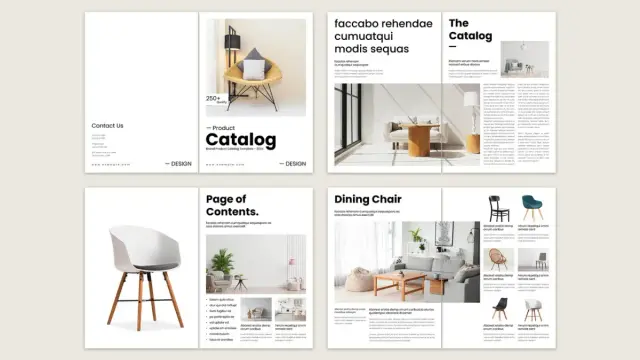
A Professional Adobe InDesign Product Catalog Template in US Letter and A4 by E-Type. Download from Adobe Stock

Why This Specific Kind of Product Catalog Template Stands Out

When you consider a product catalog template, especially for a professional application like Adobe InDesign, you’re looking for a blend of aesthetics and functionality. Templates designed by skilled contributors, such as E-Type on Adobe Stock, often hit this mark perfectly. Why? Because they are created with the end-user in mind. These designers understand that Adobe InDesign is the industry standard for professionals creating print and digital layouts, including sophisticated catalogs. Therefore, a product catalog template built for this software is inherently geared towards quality and flexibility.

Think about the convenience. You receive a file that’s already structured, with thoughtful page layouts, and often includes multiple page variations to suit different types of content. The beauty is that this professional foundation is entirely yours to customize.

The Undeniable Impact of a Professional Product Catalog

Ever flipped through a catalog that just felt premium? The quality of the paper, the clarity of the images, the elegant typography – it all contributes to a perception of value, not just for the products, but for the brand itself. A professional product catalog can:

  • Boost Brand Image: A sleek, well-organized catalog communicates professionalism and attention to detail. It suggests that if you care this much about your catalog, you must care equally about your products and customer service.
  • Increase Sales: Clear product information, compelling visuals, and an easy-to-navigate layout make it simpler for customers to find what they want and make a purchase decision.
  • Serve as a Tangible Reminder: In a digital world, a physical catalog can stand out. It sits on a coffee table or desk, offering a constant, tactile reminder of your brand and offerings. Even digital PDF catalogs, when well-designed, offer a curated browsing experience.
  • Reach Different Audiences: Some customers prefer browsing a physical copy, while others appreciate a downloadable PDF. A good product catalog template allows you to cater to both.

Can your current marketing materials achieve all this effectively? If not, it might be time for an upgrade.

Adobe InDesign: The Gold Standard for Your Product Catalog Design

There’s a reason professionals flock to Adobe InDesign for page design and layout work. It offers unparalleled control over typography, graphics, and imagery. When you choose a product catalog template designed for InDesign, you’re tapping into this power.

Adobe InDesign allows for:

  • Pixel-perfect placement of elements.
  • Advanced typographic controls for beautiful and readable text.
  • Easy integration of vector graphics and high-resolution images.
  • Efficient management of multi-page documents.
  • Seamless export options for print-ready files and interactive PDFs.

Using an InDesign-based product catalog template means you’re starting with a file that’s built correctly from the ground up. It’s structured for professional output, saving you from potential headaches down the line. This is crucial because a poorly constructed file can lead to printing errors or a less-than-stellar digital version.

Effortless Customization: Tailor Your Product Catalog Template with Ease

Perhaps the most appealing aspect of using a high-quality product catalog template is the ease of customization. You’re not starting from a blank canvas, which can be daunting. Instead, you get a beautifully designed framework. The creative minds behind these templates, like E-Type, ensure that all product images and texts are essentially placeholders.

What does this mean for you?
You can easily:

  • Add your own product images: Simply replace the placeholder images with your stunning product photography.
  • Insert your graphics: Incorporate your logo, brand icons, and other visual elements seamlessly.
  • Write your descriptions: The text areas are ready for your compelling product details, specifications, and pricing.
  • Adjust colors and fonts: While the initial design is often superb, you can tweak colors to perfectly match your brand identity and choose fonts that resonate with your style.

The clean layouts characteristic of these professional templates are fully customizable. This makes it an ideal editable product catalog for small business owners who need a high-end look without hiring an expensive agency from scratch. You get to be the director of your brand’s visual story, with a fantastic script already written for you.

Features That Make This Kind of Product Catalog Template a Must-Have

When evaluating a product catalog template, especially for InDesign, look for these key features that signify quality and usability:

  • Compatibility: Designed specifically for Adobe InDesign (IDML and INDD files often included for different versions).
  • Standard Sizes: Available in common formats like US Letter and A4, making printing straightforward.
  • Professional Design: A clean, modern, and aesthetically pleasing layout created by experienced designers.
  • Easy-to-Edit Placeholders: Clearly marked spots for your images and text, simplifying the customization process.
  • Organized Layers: Well-structured layers in InDesign make it easier to navigate and modify elements.
  • Print-Ready: Correctly set up with bleed, proper color modes (CMYK for print), and high resolution.
  • Font Information: Usually includes links to (often free) fonts used, or uses commonly available ones.
  • Multiple Page Layouts: Variety in page designs to accommodate different content types (e.g., intro pages, product spreads, contact pages).

A product catalog template ticking these boxes ensures you’re investing in a tool that will save you time and help you produce professional results.

Who Will Benefit Most from This Versatile Product Catalog Template?

The beauty of a well-crafted product catalog template is its versatility. A wide range of users can benefit:

  • Small to Medium-Sized Businesses: Create stunning catalogs without the overhead of a large design agency. This is a fantastic way to present your product line professionally.
  • E-commerce Store Owners: Supplement your online presence with a digital or printed catalog for a different kind of customer engagement.
  • Freelance Designers: Speed up your workflow by using a high-quality template as a starting point for client projects, customizing it to their specific brand.
  • Marketing Departments: Quickly produce updated catalogs, seasonal lookbooks, or promotional brochures with a consistent brand look.
  • Artisans and Crafters: Showcase your unique creations in a format that reflects the quality and care you put into them.

If you need to present multiple products in an organized, visually appealing way, a product catalog template is an incredibly efficient solution. Think about it: how much time could you save while achieving a top-tier result?

Showcasing Your Products: Let This Product Catalog Template Do the Heavy Lifting

The primary goal of any catalog is to sell products. A superior product catalog template achieves this by ensuring your products are the heroes. The design should enhance, not overshadow, what you’re selling.

Look for templates with:

  • Ample white space: This prevents pages from looking cluttered and allows products to breathe.
  • Clear typographic hierarchy: Makes it easy for customers to scan for prices, product names, and key features.
  • High-impact image areas: Generous space for high-quality photography is crucial.
  • Consistent styling: A unified look across all pages reinforces brand identity and professionalism.

When your products are presented within such a thoughtful design, their perceived value increases. Customers are more likely to engage, explore, and ultimately, make a purchase. This is what makes it one of the best product catalog templates for Adobe InDesign options you can find.

Getting Started: Your Quick Guide to Using the Product Catalog Template

Wondering how to create a professional product catalog easily using a template? It’s simpler than you might think:

  • Acquire the Template: Find a reputable source for Adobe InDesign templates, like Adobe Stock, and choose one that suits your brand’s aesthetic (e.g., a clean layout product catalog template from a contributor like E-Type).
  • Download and Open: Download the template files (usually a .zip containing .indd, .idml, and supporting documentation). Open the appropriate file in Adobe InDesign.
  • Customize Content: Systematically go through the pages, replacing placeholder images with your product photos. Update all text boxes with your product names, descriptions, SKUs, prices, and any other relevant information.
  • Adjust Branding: Modify colors, fonts (if desired), and add your logo to align the template perfectly with your brand identity.
  • Review and Proofread: Meticulously check every page for typos, correct image placement, and consistent formatting. Get a second pair of eyes if possible!
  • Export: Export your finished catalog. For print, you’ll typically create a high-resolution PDF with bleed and crop marks. For digital use, an optimized PDF is perfect for emailing or website downloads.
  • This streamlined process means you can have a stunning, professional product catalog ready much faster and more cost-effectively than starting from scratch.

    Beyond Print: Digital Possibilities with Your InDesign Product Catalog Template

    While the tactile experience of a printed catalog is valuable, don’t overlook the digital potential of your product catalog template. Once your design is finalized in Adobe InDesign, you can easily export it as a PDF. This digital version can be:

    • Featured on your website: Allow customers to download it directly.
    • Emailed to subscribers: A great way to announce new collections or special offers.
    • Shared on social media: Link to your digital catalog in posts or your bio.
    • Used by sales teams: A convenient and professional tool for sales representatives on the go.
    • Made interactive: InDesign allows for adding hyperlinks, making it easy for users to click from a product in the PDF directly to its page on your e-commerce site.

    This dual utility – print and digital – maximizes the return on your investment in a quality product catalog template. The layout available in both sizes, US Letter and A4, ensures you can use this Adobe InDesign file to create high-quality catalogs in international standard sizes.

    In a competitive marketplace, how you present your products can make all the difference. A professional, well-designed product catalog template for Adobe InDesign, like those offered by skilled designers on platforms such as Adobe Stock, empowers you to create stunning marketing materials efficiently and effectively.

    By leveraging the power of InDesign and the creative groundwork laid by a professional template designer, you can produce a catalog that not only showcases your products beautifully but also elevates your brand perception and drives sales. Say goodbye to generic listings and hello to a compelling visual journey for your customers. Isn’t it time your products got the spotlight they deserve with a product catalog template designed for success?

    Download from Adobe Stock

    In our Templates section, we feature way more design assets available for different creative needs. Just take a look!

    Subscribe to our newsletter!

    [newsletter_form type=”minimal”]

    #AdobeInDesign #AdobeStock #catalog #catalogDesign #catalogLayout #catalogTemplate #graphicDesign #productCatalog #ProductCatalogTemplate

    E-Type photos, images, assets

    Download E-Type photos, images and assets from Adobe Stock.

    Adobe Stock
    Create a Product Catalog Effortlessly with This Stunning InDesign Template https://weandthecolor.com/create-product-catalog-effortlessly-stunning-indesign-template/194305 #catalogdesign
    Create a Product Catalog Effortlessly with This Stunning InDesign Template

    So, you're thinking about creating a product catalog? Maybe you’re feeling a little overwhelmed? It’s okay; many people do. Designing a catalog from

    WE AND THE COLOR