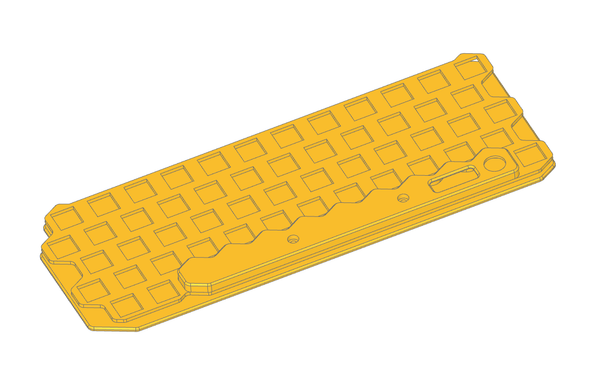
OCCT 8.0 (aka Open Cascade Technology) is out! It's the CAD kernel used by many projects such as @freecad, #CadQuery , #build123d or even @kicad ! It has wrappers for STEP and IGES and can use BRep topology representation. A very important open source tool for the hardware world!

➡️ https://occt3d.com/occt3d-open-source-8-0-is-released

#occt #occt3d #opencascade #cad #FreeCAD #OpenSource

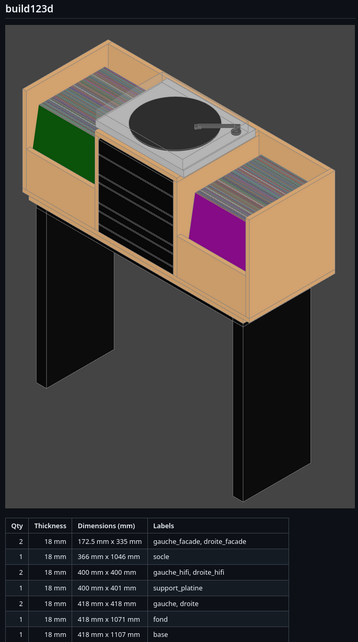
Le DevOps modélise en 3D avec build123d

Je suis passé de OpenSCAD à build123d : plus flexible, plus “DevOps friendly”.

Code, versioning, et même génération de la liste de coupe intégrée.

Le meuble hifi est entièrement défini… en Python 👇
https://github.com/badele/CADLibrary/blob/master/build123d/hifi_furniture.py

#DevOps #Python #build123d

GitHub - gumyr/build123d: A python CAD programming library

A python CAD programming library. Contribute to gumyr/build123d development by creating an account on GitHub.

GitHub
@mntmn if you're exploring and haven't tried it yet, give #build123d a try as well. Should work in CQ Editor.

CAD-as-code (and maybe CAD people in general) people, newbie question for you:

Where do you typically put the origin of simple parts such that will be combined into larger assemblies?

Geometric centre? Pick a corner and grow everything in positive x, y, z? Something else?

I ask because the centre seems to me like the most general approach, but then you're having to constantly be moving parts around, typically by doing a lot of floating point division (which is terribly imprecise), like halving dimensions all the time to keep them centred. And then when centred, you have to shuffle them again by a bunch of half-as-muches to build them into assemblies.

But OTOH, having the origin off in some random corner seems somewhat pyrrhic also.

Thoughts? Feelings? Comments?

#CAD #CadAsCode #Build123d #OpenSCAD
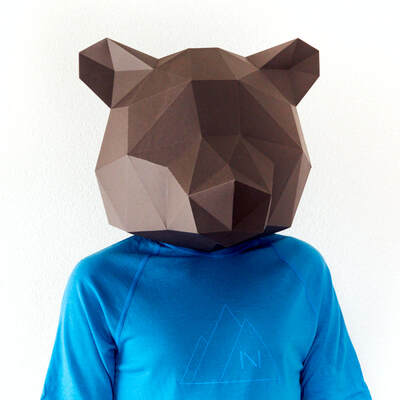
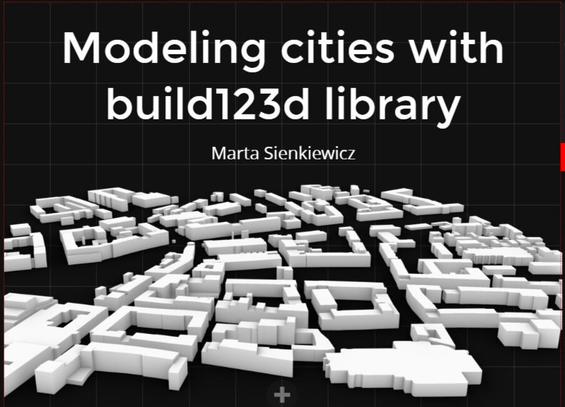
Jest taka akcja że na najbliższym #PyDataTrójmiasto wystąpi nasza Marta Sienkiewicz by opowiedzieć jak #Python może pomóc w modelowaniu miast (jeśli zatrudnimy do tego bibliotekę #build123d i dane z #OpenStreetMap .

Niektórzy mogli już widzieć zajawkę na #PyGda -- przygotujcie się że będzie jeszcze lepiej!

taking the chance to re-implement the whole CAD file in #build123d instead of cadquery (https://build123d.readthedocs.io/). It's quite some effort but coming out a lot more readable, which means more editable, which is what I need right now as I tweak it and experiment with things like a possible "fully closed shell" design.

Thanks again @alderwick for the suggestion on how to solve the design dilemma! I haven't cut the USB-hole yet as you can see, but the spot is reserved ;)

About — build123d 0.10.1.dev127+g428e11d68 documentation

I have released version 0.9 of `cq-studio`, my hot-reloading server for using the excellent #YACV viewer to interact with models you build in #CadQuery (or #build123d) with #Python code, programmatically. It lets you edit your model code module(s) in any editor/IDE you like, and the models are re-rendered whenever changes to your files are saved.

https://pypi.org/project/cq-studio/

You can install it with just `pipx install cq-studio`. If you've never used pipx before, it requires a tiny amount of setup to add the programs it installs to your file search PATH environment variable.

CadQuery is an alternative to the perhaps better-known OpenSCAD package. CadQuery uses a more advanced CAD kernel than OpenSCAD, but they both have their uses.

#CQStudio #CAD #CAD3D #modelling #SolidModelling #model #programmatic #HotReload #OpenSCAD #PyOpenScad

cq-studio

Hot-reloading server for CadQuery 3D objects with in-browser viewer from yacv-server

PyPI

Well, so I just published my first-in-a-long-time brand-new #OpenSource / #FreeSoftware project. And I decided it was finally time to get a #PyPI account, so it actually shows up there.

It's `cq-studio`:
https://pypi.org/project/cq-studio/

It's to use with #CadQuery (or #build123d, perhaps), a way to #model #3D objects programmatically, with #Python code. You edit your code in whatever editor, and view the results with a great interactive viewer in your browser.

1/x

cq-studio

Hot-reloading server for CadQuery 3D objects with in-browser viewer from yacv-server

PyPI