 Unofficial PetaPixel Bot
Generative AI Gemini Nano Banana is Now Inside Google Photos https://petapixel.com/2025/11/11/generative-ai-gemini-nano-banana-is-now-inside-google-photos/ #artificialintelligenceediting #artificialintellgence #googlephotos #nanobanana #Software #gemini #google #update #News #ai

Popular Asset Marketplace Artlist Adds AI Voiceover Generator https://petapixel.com/2024/06/24/popular-asset-marketplace-artlist-adds-ai-voiceover-generator/ #artificialintelligenceediting #artificialintelligence #aivideoediting #Software #News #ai

 petapixel (unofficial)
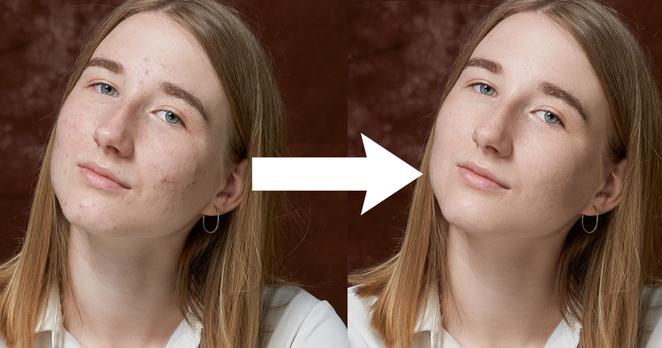
This AI Retouching Software May Be the Most Like a Human Editor Yet
#news #software #ai #aiediting #artificialintelligence #artificialintelligenceediting #neuralnetwork #photoeditingsoftware #photoretouching #postproduction #retouch #retouch4me

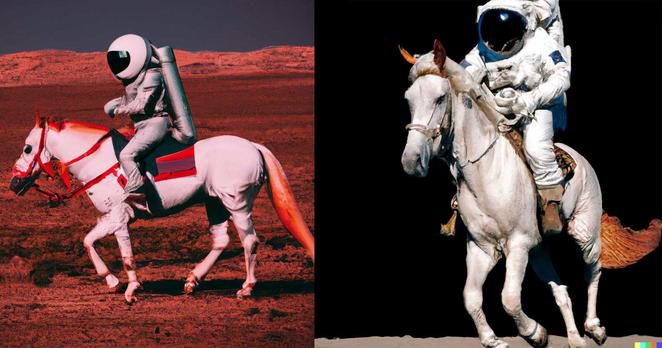
OpenAI’s New Tech Lets You Generate Any ‘Photo’ By Just Describing It
#news #technology #ai #artificialintelligence #artificialintelligenceediting #artificialintelligencephotos #dalle2 #openai

AI-Created Art Cannot be Copyrighted, US Copyright Office Says
#law #news #ai #artificialintelligence #artificialintelligenceediting #copyright #copyrightoffice #decision #ruling


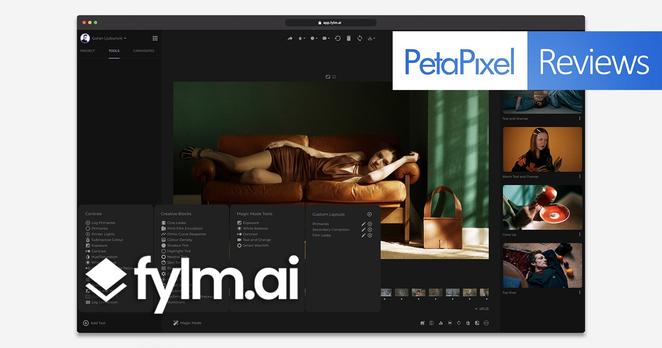
Fylm.AI Photo Editor Review: A Specialized Tool for the Color Obsessed
#postprocessing #reviews #software #ai #artificialintelligence #artificialintelligenceediting #color #colorgrading #edit #editing #editor #fylmai #machinelearning

ImagenAI Review: Is Bulk Artificial Intelligence Editing Finally Here?
ImagenAI is a personalized photo editing assistant that is designed to learn individual photographer's styles using artificial intelligence (AI) to help make applying bulk edits to entire catalogs quick and easy. So, does it work, and are we about to enter into a new age of AI editing?
Given that many photographers have reported an upswing in weddings and events again, it is worth checking in to see just how good these AI editing applications have gotten, and if this particular one is worth the investment.
It is probably safe to say that sitting in front of the computer part is the least favored task of most photographers. It is also by far the least glamorous since every hour spent behind the lens averages to four or more in front of the screen culling, editing, cropping, and fine-tuning. While this isn't such a bad gig during the winter and off-season, spending too much time on editing can seriously eat away at the valuable time working with additional clients during peak seasons. So with the potential of new work and clients, it is time to look into ways to save us time spent in front of the computer dealing with post-processing all those images.
What Does ImagenAI Do?
ImagenAI is an AI-powered desktop app for Mac or PC that was developed by programmer Yav Chai after he was waiting (too long, as he says) for his own wedding images to be delivered. The ultimate goal of the tool he built was to simply make it easier and faster for photographers to get bulk edits of their images completed, thus freeing them up to move on to other projects, and more importantly, delivering the completed images to their clients.
The software is built to work seamlessly with Adobe Lightroom Classic and learn the way a specific photographer edits to create an independent style that will be automatically applied to any files uploaded through the application. The company says the algorithm learns each user's editing style by reviewing several catalogs worth of edited images (5,000 or more images for the best results) to build this unique profile, and it keeps learning as a photographer continues to use the app by tweaking any edits sent back by the services and reuploading them for further training.
Once a user has trained the system in their preferred style, they can then apply it to their own images at the same time as still granting the ability to add options like cropping and straightening. Depending on the connection speed for the upload, the system takes an average of about 20 minutes to edit 1,000 images, at which point it will send the edits back to be imported by the user.
As a note, this will be slower depending on how many users are tasking the ImagenAI system at the same time, which has me questioning the feasibility of future scalability.
In addition to learning each individual's personal style for the work, users also have the option to select from "Talents" that ImagenAI works with, which are photographers who have shared their distinct styles. You can think of these Talents pretty much like an automatic preset pack for Lightroom.
Like other bulk editing services, it will not always get everything exactly right, but it can help save hours of editing time per shoot by providing a baseline starting point to work from. The application targets photographers who work in the wedding, product, real estate, and events markets, but can certainly benefit other disciplines.
The application supports adjustments to all of the "Basics" sliders like exposure, white balance, contrast, vibrance, and texture. Additionally, the service can also make adjustments to the hue/saturation/luminance sliders as well as the sharpening and noise reduction tools. This level of granularity will theoretically leave you with a broad starting point with only the micro-adjustments left to be made with tools like spot healing, graduated filters, and so on.
The Workflow Process
The steps have mostly been outlined above, and in practice I found the software to be gratefully as straightforward and simple as ImagenAi makes it sound.
After you install the application, the software uploads the baseline "learning" images to its server in order to train the AI on your specific style. Ideally, it will be easiest if these images are in a single catalog. After the AI trains itself, you are notified by an email that your personalized profile is ready and that you can upload your RAW files to be edited. ImagenAI will then process those images and notify you again via email when the project is ready for download once completed.
At that point, simply reopen the application and select the "Download and Update your Lightroom Catalog with edits" and select the desired project. This is when it is safe to reopen the actual Lightroom catalog to check out how the AI has done with the RAW files and make any additional adjustments before sending to your client or making further edits in another processing application like Photoshop.
Afterward, especially if you plan to continue using the service, the company recommends using the "Fine-tune" tool at the bottom of the application's main window to re-upload the final, manually-edited images so that the system can better learn and enhance the accuracy of how it understands your particular style which the company says will make it faster and more accurate with each ensuing project.
But Does It Work?
The short answer? Yes. Is it perfect? No.
With my training session, I sent the application a series of images ranging from a concert, a comic con, two modeling sessions, a few landscape images, some goofy photos of my dog, as well as a celebrity clothing line project. I did my best to give ImagenAI as many photos as I could, well more than the 5,000 photos it said would be a solid target, as a baseline for my personal Lightroom style. After a few hours, the system emailed me to let me know the learning was done, and I was ready to start processing images.
To make things interesting, I created a new catalog full of random images from several different events including shooting behind the scenes for an upcoming film, a different comic con, and a smattering of portraits and landscape images just to see how the app would react. This particular upload consisted of just over 800 images and took just about two hours to upload, process, and return to me.
What I got back was honestly quite impressive. The convention and behind-the-scenes images were shot under some pretty challenging lighting situations not to mention the bevy of non-linear angles and perspectives, but the system learned my style pretty quickly and accurately. I honestly couldn't have been happier with what came back in this case, unless the app culled them down for me also (I'll keep my fingers crossed that becomes a feature someday, or at least a grouping and ranking system of some sort to help speed up the fat-trimming).
For a majority of the photos, it almost felt like I hit an "auto" button for the settings but with the added benefit of a personal touch. I did notice that in the portrait files, the colors were a little more muted than I would have preferred, but I imagine that would improve with each similar and ensuing file I re-upload to the system which would further train the AI.
For those who want to try this, I advise photographers who do more than one style of work to create multiple "profiles" within the application. In my case where I hit the AI with a smattering of very different types of photos, what came out worked great for one style but less so for another.
Granted, I only was able to test the application out using a small sample set of images, but it feels a little more accurate than some other previous services I have outsourced to in the past, and definitely much faster. I haven't even continued to train the AI and I'm already impressed.
For my own personal work, I could see this being used on-site for large corporate events at situations like comic conventions, fashion events, trade shows, and other large corporate events, concerts, and possibly even product and food photography. I don't personally shoot weddings anymore, but I feel like from a dollars-per-image perspective, that would be one of the best use cases for ImagenAI as well.
What It Can't Do
While I was impressed with the application and the results it returned, that does not mean it is without issue. The first thing I noticed (and I touched on this above) is that the application does not rank/rate/group or cull the images down. While it can apply your style and level out the images (if required), it still will leave in the out of focus, lower quality, misfired, and so on photos. Yes, it saves a ton of time "editing," but users will still be left with the task of culling the images down themselves. Perhaps this is not such a big deal in the behind-the-scenes and events market, but you definitely do not want to deliver the "bad" shots to a wedding or portrait client and because of that, photographers will still have to spend the time to reject images.
The application also cannot identify and pick out images where you would apply your "signature style" like black and white or more customized edits. Again, it might be possible to train a separate profile for things like monochrome or other stylized looks, but users will have to apply that profile to an entire upload. Unless you are incredibly organized and have already culled and sorted the images out into separate folders and categories, it will be pretty tedious to do this task even with ImagenAI's tools helping the process.
The reality is, custom and detailed edits for the "printable" images will still need to be manually chosen and worked on. This is not really a deal-breaker by any means, but worth noting to make sure readers are aware before diving into the app.
The last thing worth noting about the limitations of ImagenAI is it is currently built entirely on the Adobe Lightroom architecture. This means that any photographers using other RAW processing engines in their workflows like Capture One Pro, or even Photo Mechanic will have to use Lightroom Classic to be able to benefit from this service.
AI Editing is Here
ImagenAI seems to learn each photographer's editing style from Lightroom at an impressive speed, making it much easier and faster to churn through excessive image catalogs and it will only get better each time a user adds to their catalogs with the application. As a bonus, the software offers users 1,000 edited images for free before you have to subscribe, so you can see if the platform will work for you without having to lay down a cent.
The ImagenAI platform is available to both PC and Mac users for $7 per month as part of a subscription plan, plus a per-image fee of $0.04 to $0.06 per image based on the number of images in a batch. The scale slides from $0.06 per photo at 1 to 1,000 images, $0.05 per photo at 1,001 to 5,000 images, and $0.04 per photo from 5,001 to 10,000 and more . The structure may seem a bit strange, but the $7 monthly fee gets put up against the monthly final bill for any images uploaded and edited which means it is not just a fee for access, it actually counts towards each users images and carries over if it doesn't get used at the end of the month.
ImagenAI allows you to cancel your memberships at any time without any penalties or additional fees as well, which is nice. If a photographer is shooting a lot of bulk images, ImagenAI's somewhat convoluted pricing tiers do end up saving you money and time, especially when compared to a digital tech or editor for those who might want to use it on site. Others may just like the service because it saves time being stuck at your desk, even if the lack of culling capability does mean it doesn't remove this step entirely.
After doing the math on a recent gig I worked personally where an editor was hired, I found that this app could have done the job faster and cheaper. This will obviously not always be the case, but it is definitely worth having around as a tool to have in those clutch situations.
Are There Alternatives?
There is definitely no shortage of outsourced image editing platforms and software on the market. One of the first to consider is ShootDotEdit, which is one of the premier wedding photography outsourcing sites. However, this particular business uses actual retouchers and has a turn-around average of five business days. Under the same umbrella is a service called Weddit which offers a similar service and turnaround time, and again, is focused almost entirely on the wedding business.
On the AI front and for a more broad coverage of genres, there are apps like Autoretouch and RetouchPro.AI, but both seem to cost a fair bit more than ImagenAI.
Should You Buy It?
Yes, if you are a creative that shoots a lot of high-quantity image events like weddings, trade shows, concerts, and conventions. ImagenAI is worth the investment for at least a single project and will likely only grow in its reliability over time.
#reviews #software #adobe #ai #aiediting #artificialintelligence #artificialintelligenceediting #automated #automatic #imagenai #lightroom #lightroomclassic #review


Pixelmator Pro Update Adds AI-Powered Automatic Background Removal
Pixelmator Pro has released a new update that adds several new features including an artificial intelligence-powered automatic background removal feature, automatic subject selection, and a new select and mask tool.
This update comes less than a month after the previous major update that added macOS Monterey support, M1 Max and Pro optimizaton, Split Comparison viewer, Bokeh Blur, and several other features.
Pixelmator says that these new features that are launching as part of its 2.3 update are the result of the last year of work, where the company has developed a set of machine learning algorithms that are capable of detecting, refining, and decontaminating the colors at the edges of objects.
The company is calling its background removal tool that is powered by artificial intelligence (AI) the "Magic Background Eraser." With it, editors can remove the background from nearly any image with a single click. The company says that it has trained its convolutional neural network (which is actually a combination of three different machine learning models) to find the subject in pretty much any image and automatically isolate it from the background.
Pixelmator doesn't just cut out a subject and leave it at that, though. When a subject is clipped from a surrounding image, it can often have traces of that previous background around its edges. Pixelmator's AI-powered "Decontaminate Colors" feature automatically removes those so the clipped subject can be blended more seamlessly into a new background. The company says the feature is usually done automatically when it senses the need for it, but editors can also manually apply it to any layer, even those that have been cut out in other applications.
The company also added a new Select and Mask tool, which it says allows editors to make accurate selections of any object and is specifically aimed at making difficult selections like hair and fur or anything with complex edges much easier to tackle. As part of this addition, Pixelmator Pro has the Smart Refine and Refine Edge Brush. The Smart Refine option automatically makes a rough outline into a more accurate selection and the Refine Edge Brush is made to be used on what the company calls "tricky edge areas," where it can create smart and accurate selections by brushing over the area.
Full patch notes for the 2.3 update can be found on Pixelmator's website.
#news #software #ai #artificialintelligence #artificialintelligenceediting #backgroundremoval #editing #machinelearning #photoeditor #pixelmator #pixelmatorpro


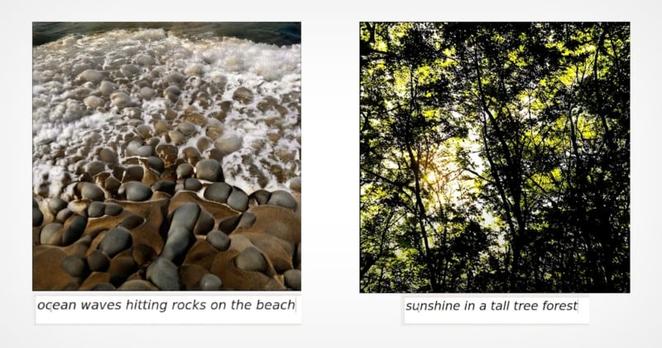
NVIDIA’s AI Creates Realistic Photos Based Only on Text Descriptions
NVIDIA's GauGAN2 artificial intelligence (AI) can now use simple written phrases to generate a fitting photorealistic image. The deep-learning model is able to craft different scenes in just three or for words.
GauGAN is NVIDIA's AI program that was used to turn simple doodles into photorealistic masterpieces in 2019, a technology that was eventually turned into the NVIDIA Canvas app earlier this year. Now NVIDIA has advanced the AI even further to where it only needs a brief description in order to generate a "photo."
NVIDIA says that the deep learning model behind GauGAH allows anyone to make beautiful scenes, and now it's even easier than it ever has been. Users can simply type in a phrase like "sunset at a beach" and the AI will generate the scene in real time as each word is added. Adding an adjective like "sunset at a rocky beach" or swapping "sunset" for "afternoon" or "rainy day" and the model will modify the photo based on what is called generative adversarial networks (GAN).
"With the press of a button, users can generate a segmentation map, a high-level outline that shows the location of objects in the scene," NVIDIA says. "From there, they can switch to drawing, tweaking the scene with rough sketches using labels like sky, tree, rock, and river, allowing the smart paintbrush to incorporate these doodles into stunning images."
An AI-generated image created with the phrase, "a peaceful lake surrounded by tall trees in a foggy day."
NVIDIA says that the demo is one of the first to combine multiple modalities within a single GAN network. GauGan2 combines segmentation mapping, inpainting, and text-to-image generation in a single model which NVIDA says makes it a powerful tool to allow users to create photorealistic art with a mix of words and drawings. The goal is to make it faster and easier to turn an artist's vision into a high-quality AI-generated image. NVIDIA says that compared to other state-of-the-art models specifically for text-to-image or segmentation map-to-image applications, GauGAN2 produces a greater variety and higher-quality set of images.
"Rather than needing to draw out every element of an imagined scene, users can enter a brief phrase to quickly generate the key features and theme of an image, such as a snow-capped mountain range," NVIDIA says. "This starting point can then be customized with sketches to make a specific mountain taller or add a couple of trees in the foreground, or clouds in the sky."
An AI-generated image created with the phrase, "a tropical island with white sand beach view from above."
While the realistic image creation is probably the most impressive, GauGAN2 is not limited to that kind of recreation. Artists can also use the demo to depict otherworldly, fictional landscapes. NVIDIA shows a scene that recreates something akin to the Star Wars fictional planet of Tatooine, where the desert scene is initially created by the model but a second sun is added afterward.
An AI-generated image created with the phrase, "endless tall mountains in a sunny day."
"It’s an iterative process, where every word the user types into the text box adds more to the AI-created image."
The text-to-image feature can be tested on NVVIDIA AI Demos where anyone can try creating custom scenes with text prompts and further adjust them with quick sketches to create more refined results.
#news #technology #ai #aigenerated #aigeneratedscenes #aimodel #artificialintelligence #artificialintelligenceediting #artificialintelligencephotos #gan #gaugan2 #landscapephotos #nvidia #nvidiacanvas #nvidiagaugan2