 Dźwiedziu
Trying to use `aerc` as an e-mail client and it pisses me off.
Each time I try to write in the CC field the input goes to the `:` prompt.
Edit: it expects me to type `:cc <e-mail>` to add to the CC…
UX--
Trying to use `aerc` as an e-mail client and it pisses me off.
Each time I try to write in the CC field the input goes to the `:` prompt.
Edit: it expects me to type `:cc <e-mail>` to add to the CC…
UX--
Task: save all messages in the (IMAP) mail folder, if using aerc client.
Solution: use aerc commands and `formail` formatter from procmail package
Snippet:
# select all messages
1. :mark -a
# pipe each one to formail, which in turn will call cat
2. :pipe -m sh -c 'formail -s sh -c "cat > ~/path/\$(uuid).eml"'
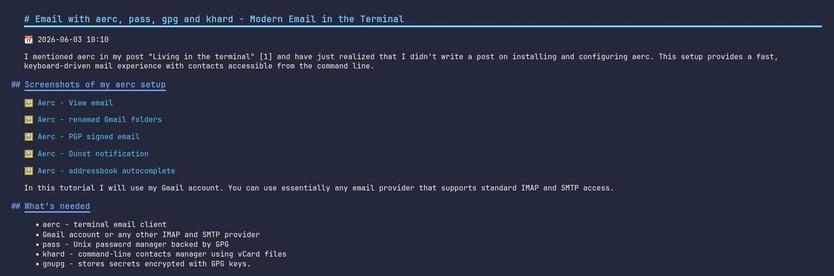
Email with aerc, pass, gpg and khard - Modern Email in the Terminal
This setup provides a fast, keyboard-driven mail experience with contacts accessible from the command line.
https://sava.rocks/blog/email-with-aerc-pass-gpg-and-khard-modern-email-in-the-terminal/
I‘m late to the party, but I have to say it: #aerc is such a delightful e-mail client for the terminal.
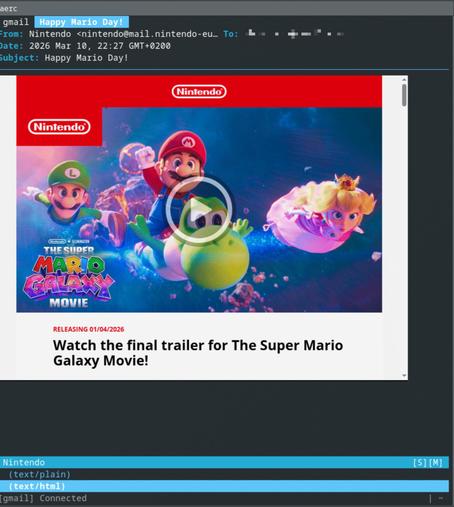
Trying out aerc as email client, and just noticed one thing that mutt is doing really well: showing key bindings in the top bar, which makes learning so much easier, and impossible to forget.
Not building a lot of interactive CLI tools myself, but this is really worth keeping in mind.
📻 ■ Un nuevo estudio sitúa a la Radio como el medio más confiable y el más rentable para las marcas ■ La AERC celebra el Día Mundial de la Radio presentando nuevos datos que confirman el liderazgo del medio en credibilidad y retorno publicitario
https://los40.com/2026/02/13/un-nuevo-estudio-situa-a-la-radio-como-el-medio-mas-confiable-y-el-mas-rentable-para-las-marcas/?int=MASTODON_WORLD
 gemelen
 Aury Vaz
 Sava
Sava nikolasdi
 Jens Ohlig
 daniel lublin
 Jan Antoš
 Simon Dassow
 Los40.com