
I've been running two degraded ZFS arrays for the last few weeks (Debian host).

Yeah, I know. Whatevs.

One of the pools was basically "scratch" backup space and one of the spindles died (breaking the utility of the mirror). Pulled the drive, wiped the remaining, put back in service with minimum fuss as a single drive. I'll throw another spindle at it when drive prices drop again.

The other array had the SSD cache die and it's been chugging along fine ever since. Not a big deal, but from a "experience" point of view it "feels slow" like a working md array.

New SSD arrived in the mail so that'll get sorted sometime today/tomorrow.

So, what's this post about?

Linux peeps, if you are thinking about md arrays, just stop, take the time, and throw 'yer leg over the zfs horse. It's worth it.

#Linux #RunBSD #zfs #md #mdadm #raid #homelab #SelfHosted #SelfHosting

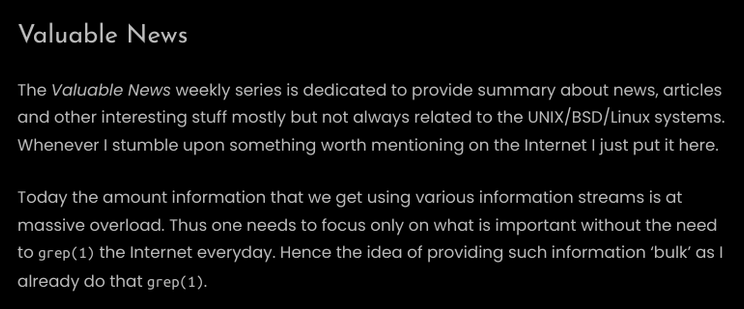
Latest 𝗩𝗮𝗹𝘂𝗮𝗯𝗹𝗲 𝗡𝗲𝘄𝘀 - 𝟮𝟬𝟮𝟲/𝟬𝟰/𝟭𝟯 (Valuable News - 2026/04/13) available.

https://vermaden.wordpress.com/2026/04/13/valuable-news-2026-04-13/

Past releases: https://vermaden.wordpress.com/news/

#verblog #vernews #news #bsd #freebsd #openbsd #netbsd #linux #unix #zfs #opnsense #ghostbsd #solaris #vermadenday

Latest 𝗩𝗮𝗹𝘂𝗮𝗯𝗹𝗲 𝗡𝗲𝘄𝘀 - 𝟮𝟬𝟮𝟲/𝟬𝟰/𝟭𝟯 (Valuable News - 2026/04/13) available.

https://vermaden.wordpress.com/2026/04/13/valuable-news-2026-04-13/

Past releases: https://vermaden.wordpress.com/news/

#verblog #vernews #news #bsd #freebsd #openbsd #netbsd #linux #unix #zfs #opnsense #ghostbsd #solaris #vermadenday

My guide on how to do this. It took me a whole weekend to learn and figure this out. Never found a suitable basic guide that was super verbose. I hope this helps some #nixos + #zfs curious people

ZFS Encrypted Root with NixOS Minimal Install
https://blog.arkadi.one/p/zfs-encrypted-root-with-nixos-minimal-install/

If NixOS masters have suggestions on how to improve this guide, let me know.

#blog #fediblog #arkadicloud

ZFS Encrypted Root with Nixos Minimal Install

I have been looking for a simple ZFS encrypted root guide on the internet. It doesn’t seem to exist. I am putting emphasis on the word simple. I decided to sacrified my weekend and mental health to make it happen. Before attempting this, please read these links, so you have some idea about what you’re doing and are aware of the main steps needed to install NixOS manually. It looks scary, but luckily you can skip most of these steps with the tool, Disko.

arkadi-cloud
@freya I am trying out #ZFS on my "homelab" server but was most surprised that it seems one has to do all the ZFS setup external to the #flake which only lives within the manually made ZFS pool environment. That seems to mean I need a sort of orchestration script like tool to match flake /persist data settings (am using #impermanence lite currently) to the ZFS setup hoo-ha. Works fine but is not declarative #nixos at all really. Any ideas there ?

@dibben @hetzner That might let me kick this problem a bit further down the road.

The $20/mo version would get me 10TB.

I'm getting 4TB with an auction server for $32/mo.

Thanks for suggesting. I'm loathe to part with the magical #zfs replication as that's one of the much vaulted features of running it, but at the end of the day I may need to put aside my caviar dreams and eat the twinkie like everybody else :)

@daedalus @mwl You could always use #FreeBSD and then you get that sweet #ZFS sauce that is a first class citizen on the operating system. Plus porters keep software up to date, not some snapshot of old code when the distro was released.
Ну коль понеслась: при скрубе #zfs на тинке догрел вторичный трансендовский ssd диск до 80°C и продержал его минут 15-20 -- на что ругнулся мониторинг смарта. Кстати впервые. Здесь хоть и нервно, но радует: что алерты работают когда нужно и без необходимости не беспокоят, скруб тоже по тихому следит за целостностью.
Огромный лайк, кстати, для zfs, что они втащили скрипты, в частности -- смарта, непосредственно: чтобы посмотреть основные состояния накрутки, температуры, релокейты -- сразу по месту во вменяемом формате, без продирания через атрибуты.
@[email protected] ZFS Boot Menu (if you want ZFS on root): https://docs.zfsbootmenu.org/en/v3.1.x/ (not done this but I hear good things and it is mentioned often on 2.5 Admins

Or if you're not fussed about root, only wanted encrypted datasets, I think installation on Debian is fairly easy
https://wiki.debian.org/ZFS

After that, it's just standard #ZFS all the way down - man zpool and man zfs are your friends.

Noting I've only done this on Arch, which was as simple as installing the packages and enabling some systemd (boo) units. I believe in Debian it is more supported though.
Overview — ZFSBootMenu 3.1.0 documentation

@ironicbadger, borgbackup backup of all my servers in my home and on the Internet to rsync.net which is then rsync’ed down to my main home server running #ZFS. All Linux computers run ZFS, make backups using #sanoid and send to that server using #syncoid. I’m planning to set up a personal remote backup at my in-laws’ place which provides a ZFS send target over #Tailscale