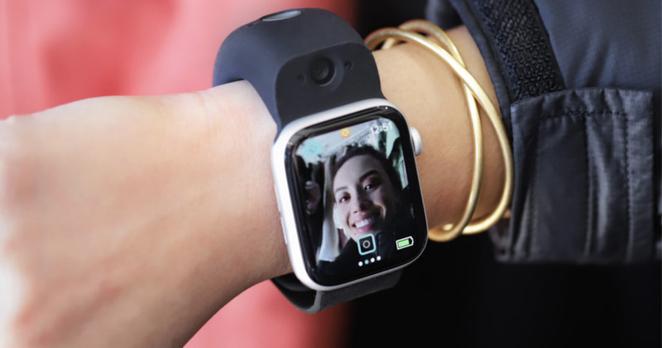
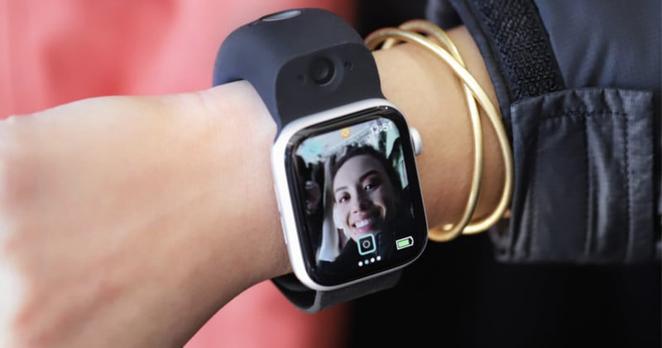
Wristcam Launches Video Chat Capability from the Apple Watch
Wristcam, an accessory strap with two built-in cameras, has announced expanded functionality through its new Wristcam Messenger app. Users can now send and receive live video with anyone with an iPhone, even if they don't have a Wristcam or an Apple Watch.
The launch of the Messenger app makes it what the company calls "the first and only Apple Watch experience to offer live video communication." In addition to the new app, Wristcam is also introducing a computer vision SDK for Apple Watch app developers.
Last year, Wristcam unveiled the $300 accessory and touted it as an easier way to more seamlessly take photos while on the go. While bulkier than a typical Apple Watch strap, it packs two Sony cameras: one is an 8-megapixel “world-facing” camera designed to take photos and videos of surroundings, and the other is a 2-megapixel self-facing camera made for taking video calls.
Below are a few 4K screen captures taken with the Wristcam and provided by the company:
At the time, both cameras were touted as supporting video streaming, but with the dedicated integration of a chat app, Wristcam clearly is looking to create a community of users in addition to those who would purchase its hardware.
The Wristcam App for Apple Watch allows video communication to be sent to anyone with an Apple device, and doesn't require the use of the Wristcam nor an Apple Watch to use. Video chats that are sent can be viewed in real-time or later. The concept is a spin on popular apps like Marco Polo, but differentiates itself by keeping messages to a fixed, short length and deleting them once they are watched. Of course, the company also differentiates itself by focusing on and targeting users of its watch-strap-based camera.
For those with an Apple watch that has a cellular plan, the Wristcam allows video communication without an iPhone, which the company touts as a lighter, freer way of communicating while on the go. That air of simplicity is echoed in some design decisions, like the ability for Wristcam users to activate the app with Siri. Commands like "Hey Siri, snap a selfie/photo, start/stop video," allow for what the company is billing as a "completely hands-free" capture and share experience and eliminate "friction points around camera capture and communication."
In conversations with PetaPixel , Wristcam's founder and developers strongly believe that the Apple Watch, once outfitted with its camera system, is the future of communication, and the launch of this messaging app is a core part of making that belief a reality.
The Wristcam Messenger app is free to download and separate from the original Wristcam app that is used to customize and set up the Wristcam. Wristcam istelf is now available from both Wristcam.com and Amazon for $300.
#equipment #mobile #news #products #accessory #applewatch #applewatchcamera #iphone #iphonephotography #thirdparty #videomessaging #wristcam #wristcamera
 HubSite 365

 wpWax Official


 petapixel (unofficial)