And oh boy all terms seem so foreign to me as a long time #Linux user. The same disk is called ada0 with a partition like ada0p2 in #FreeBSD, will be called something like sd0 with sd0h in #OpenBSD, ld0 and dk2 in #NetBSD . Then to experiment, all the #dkctl, #disklabel and #fdisk commands are like blue and red wires on a dynamite you have to get rid of ๐Ÿ˜ฑ. Linux distros nowadays seem to be going to the #gdisk way which feels very much like #gpart in FreeBSD.
#UseBSD #RUNBSD #BSD #FOSS #UNIX #Linux
Another thing is, in #FreeBSD and also #Linux, using #efibootmgr to change #UEFI boot entries is quite handy. But it is not available for #OpenBSD and #NetBSD . However seems NetBSD has got something cooking already in -current and it is called efi.
#UseBSD #RUNBSD #BSD #FOSS #UNIX
Having toyed around for a while in #QEMU #VM boxes with #FreeBSD, #OpenBSD and #NetBSD as well. I found that #gpart in FreeBSD is intuitive and easy to use for disk partition manipulation, followed by gpt in NetBSD. For me, powerful and flexible as fdisk is, it has always been mysteriously difficult and fighting.
#UseBSD #RUNBSD #BSD #FOSS #UNIX
This is really cool, runs on #freebsd #usebsd too
https://github.com/Skardyy/mcat
GitHub - Skardyy/mcat: Terminal image, video, and Markdown viewer

Terminal image, video, and Markdown viewer. Contribute to Skardyy/mcat development by creating an account on GitHub.

GitHub
After seeing the video from the GaryH Tech channel (@[email protected]) I tried #NetBSD on real hardware for the first time too. The installation really was not as intuitive to me as #OpenBSD and #FreeBSD , especially I was trying to install the system to a separate partition alongside FreeBSD on the same disk. But hey I finally did it after some googling!

#BSD #RUNBSD #Unix #UseBSD #FOSS
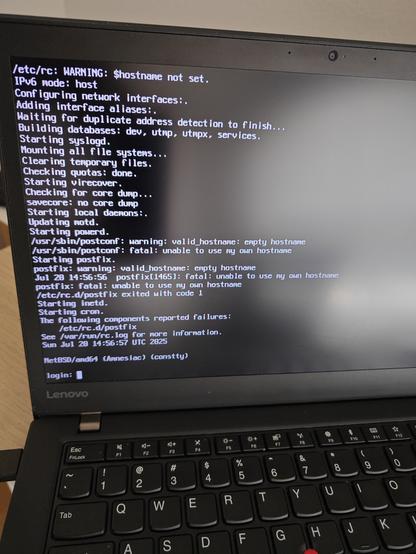
What a big surprise! I just found out that #OpenBSD suspend to S3 and wake up worked flawlessly on my #ThinkPad T470S. #X with good old #Fvwm and network with WiFi worked fine after wakeup. Fn function keys for backlight. I previously tested #FreeBSD and everything was working great too which is no surprise at all. I don't know if it's because tp had better support for #Unix or because devs tend to use tp thus support them at greater effort. Nevertheless, this is the best performance for the puffy and the beastie I have even seen on bare metal.
#RUNBSD #UseBSD #BSD #FOSS
Came across the thread about #Rust in #FreeBSD base today. Good read:

The Case for Rust (in the base system)

#BSD #RUNBSD #UseBSD #Unix #FOSS
The Case for Rust (in the base system)

Also I am curious about #FreeBSD with #ports and #poudriere, how do you guys manage #Firefox and possibly #LibreOffiice? It took me~5h to compile #LLVM default flavor on my laptop, I would just assume giants I listed above will take more than 10 hours? I still remember old days when I was using #Gentoo #Linux and whenever there was updates for them I had to keep my PC on overnight...But nowadays #Firefox seems to update more frequently, I dare not to compile few times a month.

#BSD #Unix #UseBSD #RUNBSD #FOSS
A few days with #FreeBSD and #poudriere managed #ports, found following pages useful and just keep them as notes here:

- FreeBSD man 8 poudriere , examples are good
- poudriere wiki: various use case settings
- FreeBSD Journal: Custom Poudriere Packages in Your Own Repository
- vermaden's blog: Simple FreeBSD Poudriere Harvester Guide : comprehensive and easy to follow as always

#BSD #Unix #RUNBSD #UseBSD #FOSS
poudriere

Hi fedi #FreeBSD friends, I am still new to #ports system. I got an error message while building #xorg using #poudriere seems exactly like this bug report: graphics/mesa-libs: configure failed: Python (3.x) mako module >= 0.8.0 required to build mesa
I am running 14.3-RELEASE latest with latest ports tree. Do any of you get this error message when building graphics/mesa-libs too ?

#BSD #UseBSD #RUNBSD #Unix #FOSS
287567 โ€“ graphics/mesa-libs: configure failed: Python (3.x) mako module >= 0.8.0 required to build mesa