 Hackaday [Unofficial]
Giving a Power Mac G4 a USB Upgrade, For Free!
https://fed.brid.gy/r/https://hackaday.com/2026/06/10/giving-a-power-mac-g4-a-usb-upgrade-for-free/

Giving a Power Mac G4 a USB Upgrade, For Free!
https://fed.brid.gy/r/https://hackaday.com/2026/06/10/giving-a-power-mac-g4-a-usb-upgrade-for-free/
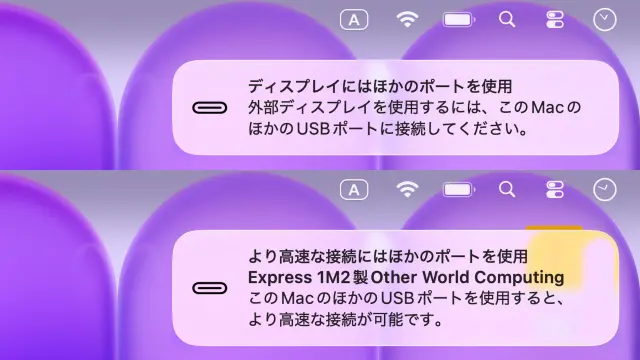
MacBook NeoのUSB-Cポートは映像出力や高速データ転送が可能なUSB 3と充電やマウス接続などに適したUSB 2仕様のポートがあるため、USB 2側にディスプレイや高速ストレージを接続するとUSB 3側を使うよう通知が表示されるように。
https://applech2.com/archives/20260312-macbook-neo-usb-c-ports-notification.html
#applech2 #MacBook #MacBook_Neo #USB_C #USB2 #USB3_2 #通知 #通知センター
MacBook NeoのUSB-Cポートは映像出力や高速データ転送が可能なUSB 3と充電やマウス接続などに適したUSB 2仕様のポートがあるため、USB 2側にディスプレイや高速ストレージを接続するとUSB 3側を使うよう通知が表示されるように。
#Linux does it again. My #laptop has three #USBPorts and all those are #USB2 at best. That could be a severe restriction and limit the number of things I could attach to the #computer at once. At work, they provide a #DockingStataion which allows me to run three #ExternalMonitors through one #USBC connection via an adaptor.
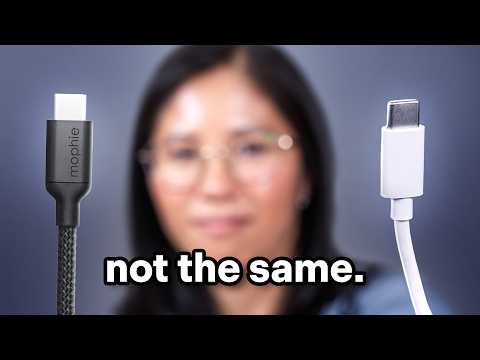
The Frustrating Reality of USB-C (and why it never works)
This lady teaches us what here USB-C frustrations are and which fix works for her
#technology #USB #USBC #power #DC #5V #19V #12V #AC #electronics #USB1 #USB2 #USB3 #USB4
For some reason and it wasn't installed on my Debian based MX Linux distro.
I've just installed sysstat, the package it comes in, and I have to Thank you for pointing me to the program
#IOstat #USB #USB3 #USB2 #technology #filesystem #ext4 #thumb #drive
I remember that command from Linux and I've just checked online since I'm on the phone and found this hit
I didn't see that specific switch though
https://www.man7.org/linux/man-pages/man1/iostat.1.html
#USB #USB3 #USB2 #technology #filesystem #ext4 #thumb #drive
Up to now I have not seen any USB thumb drive which can write as fast as it reads in practicality
The 64 to 256 GB thumb drives that I work with, write at about 6 to 8 Mbps when they are in sync mode
In the beginning the drive seems to lie and shows speeds that are close to the absolute speed of the USB 3 Connection. In reality is not really a lie because the Linux Operating System loves to cache it's file systems, especially if they're native, like ext4
However the file system warns you never to remove the thumb drive until it's actually done writing. If you use something like Midnight Commander it will show you that the writing speed drops all the way down to six to eight megabytes a second!
That happens on both modern systems and on Old obsolete systems with just USB 2
#USB #USB3 #USB2 #technology #filesystem #ext4 #thumb #drive


 AAPL Ch.
 AAPL Ch. [Unofficial]
 Khurram Wadee ✅
 Snagburz
 Dendrobatus Azureus
 Dendrobatus Azureus