There's now an option to select the shortcut for the #toolbar (3/4)

#Firefox #Android

Toolbar images: AISSClassic 1.1

"Amiga Image Storage System" (AISS) is a system for managing toolbar images. Following the initial release last January, developer Martin Merz has now published an update of AISS on Aminet. The new version 1.1 contains around 1,400 additional pictograms and PNG files without metadata, which promises a significant improvement in the speed at which images are loaded.

https://www.amiga-news.de/en/news/AN-2026-02-00077-EN.html

#Amiga #AmigaOS3 #icons #toolbar

amiga-news.de - Toolbar images: AISSClassic 1.1

Agentation

The visual feedback tool for agents.

"Amiga Image Storage System" (AISS) is a system for managing toolbar images. With "AISSClassic", Martin Merz is releasing the first version of the AISS environment specifically for AmigaOS 3.x with images in the AmigaOS 3.2 Glowicons design. As the author explained to us upon request, the icons with the AmigaOS 3.2 palette use an 8-bit format that is much more resource-efficient than AISS with full colour depth + 8-bit alpha channel.

https://www.amiga-news.de/en/news/AN-2026-01-00087-EN.html

#Amiga #toolbar #images #AISS

amiga-news.de - Toolbar images: AISSClassic 1.0

Создание кастомного Toolbar с Jetpack Compose. Подробный разбор всех попыток и решений

Привет, Хабр! Меня зовут Максим Сазонов, я android-разработчик в ПСБ. Сегодня предлагаю разобрать путь создания кастомного тулбара от первой кривой реализации до оптимизированного решения. И главная проблема, которую надо решить при создании этого компонента это центрирование title и subtitle. Эта проблема возникает потому что у нас может быть тулбар с разным количеством иконок по обе стороны от заголовка, текстом и иконками или только с title. И если ширина иконок у нас стандартна (44 dp), и достаточно просто умножить эту ширину на количество иконок справа, чтобы понять свободное пространство для title и subtitle, то с текстом с одной или с двух сторон всё намного сложнее, так как мы не можем заранее вычислить ширину этого текста, а значит не можем правильно центрировать и задать ширину title и subtitle. В статье я расскажу, как я решил этот вопрос.

https://habr.com/ru/companies/psb/articles/974368/

#kotlin #android #android_development #jetpack_compose #jetpack #toolbar #custom_toolbar

Создание кастомного Toolbar с Jetpack Compose. Подробный разбор всех попыток и решений

Привет, Хабр! Меня зовут Максим Сазонов, я android-разработчик в ПСБ.  Сегодня предлагаю разобрать путь создания кастомного тулбара от первой кривой реализации до оптимизированного решения. ...

Хабр

#Design #Releases
A guided tour of Copenhagen · Sketch’s latest update features a major redesign https://ilo.im/168k9w

_____
#Sketch #LiquidGlass #Layers #Inspector #Toolbar #DesignTool #ProductDesign #UiDesign #DigitalDesign #WebDesign

A guided tour of Sketch Copenhagen — exploring an all-new UI design · Sketch Blog

Our Copenhagen release features an all-new design for macOS Tahoe — here’s how we’ve balanced a fresh look with functionality.

Sketch

Tip #767

Gain screen real estate by merging Address and Tab Bars.

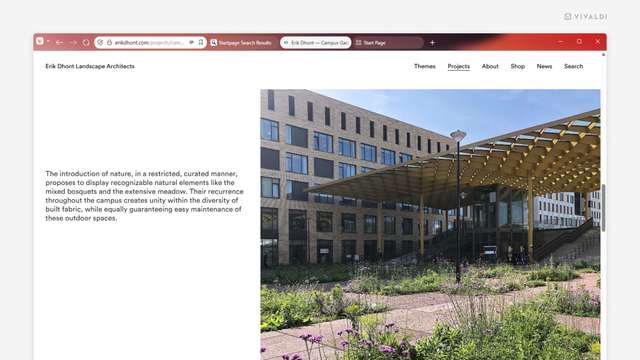
Whether you’re working on a small laptop screen where every pixel counts or just prefer a more compact look, Vivaldi’s toolbar customisation settings are here to help you achieve a configuration that works for you.

To combine the Address Bar and the Tab Bars, you need to move components from the Address Bar to the Tab Bar. Here’s how!

  • Open the Toolbar Editor from the main menu > View > Customize Toolbar, or right-click on a component on the toolbars and select Customize Toolbar.
  • While the icons are wiggling in their place, drag components you regularly use from the Address Bar to the Tab Bar (or to other toolbars).
  • When you see a line in your theme’s highlight color appear, drop the component to its new place.
  • When you’re happy with the result, click “Done” in the editor window.
  • Then, in the main menu > View, click on “Show Address bar” to hide the Address Bar.
  • #addressBar #customisation #TabBar #Tabs #toolbar #Vivaldi #VivaldiBrowser

    https://vivaldi.com/blog/tips/tip-767/

    Slowly but surely my Website Navigation Bar is getting closer to being a modern, user-friendly toolbar I wanted it to be. I wonder how I'm going to contribute all of these changes back to #SeaMonkey lol

    https://forum.palemoon.org/viewtopic.php?t=26767&p=267132#p267132

    #XUL #toolbar #addon
    Website Navigation Bar - Pale Moon forum

    People don't talk about Bookmarklets.
    Esp if you talk about Favorites, and not Bookmarks because-- of course, in that case-- you'd be talkin about Favelets. how about, Script-lets

    Curious about @chrispederick #WebDeveloper #Toolbar #Browser #Extension

    Clear cache of course somehow never clearxs the cache, right? so you spend how many seconds with that nonsense? do the math. it wastes a lot of time.

    So, this approach however, does NOT waste time. And it works, every time.

    Reload Style Sheet.
    But my question is this. How's that work, yo?
    I recokon you appreciate my affinity for the classic #Favelet #Bookmarklet javascript one-liners for execution in browser addr bar/ javascript as the URL "bookmark" which executes on click.
    Jesse's and Squrefree. that's funny. I guess the XSS / CORS stuff prevents them for functioning. I've not extensively research, but am curious.

    Tip #675

    Hide the Navigation Bar in Vivaldi on Android.

    When you move the Tab and Address Bars to the bottom the Navigation Bar disappears and you have more screen space. If you prefer to keep the Tab and Address Bars on top there’s still a way to hide the Navigation Bar.

    To hide the Navigation Bar:

  • Go to Settings > Appearance & Theme.
  • Disable “Show Navigation Bar”.
  • When hidden, the Tab Switcher button is moved to the Address Bar and other features are available from the main Vivaldi menu.

    #android #customization #toolbar

    https://vivaldi.com/blog/tips/tip-675/

    Settings on Android | Vivaldi Browser Help

    Change your Vivaldi on Android preferences in Settings. Learn about the available settings from this Help article.

    Vivaldi Browser Help