#AlbionOnline #FishShell #Scrot #Imagemagick #Linux
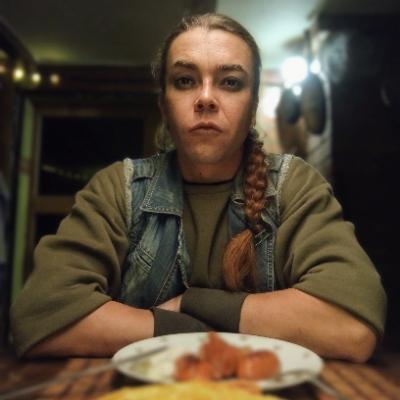
I started gathering in red zones. I prefer areas where no hostile players are active. There is a little indicator in the right bottom corner displaying the number of hostile players. I have to keep an eye on it. I wrote a little helper script that warns me when the number changes. It uses a sleep loop, scrot to snapshot the indicator and imagemagick-compare to validate it, finally paplay plays a warning sound. Works nicely 😎
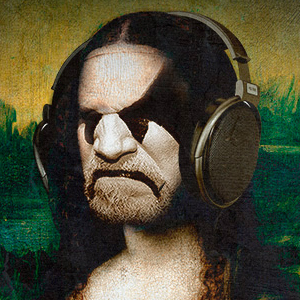
12 Months of Gentoo. Was a success, I hit a couple of random speed bumps along the way but nothing too dramatic.

Gentoo will probably be home for the forseeable future :)

#gentoo #sundayscreenshot #scrot #suckless

Can I call myself a Gentoo user now?

@cienmilojos

> now running on real metal, #ThinkpadX280 #NetBSD10

Beautiful!! Congrats! :D

> #wifi working, graphics seem to work, xrandr down to 1368x768 on this tiny screen

Still a totally usable resolution. ;)

> #scrot for screenshots

Yes! See if you can find i3-scrot somewhere. It's a little easier to use. Holler if you can't find it.

> Issues still to address:

> Where do I configure keeping the set wallpaper and screen resolution size?

Put stuff in ~/.Xsession.
For wallpaper, you can use feh or nitrogen, or just something like Xbackground??? I'm not running X11 on here, so I'm having to go on memory.
Xrandr will write a file that you can source like a shell script, IIRC

> Can't seem to figure out sleep. Closing the laptop lid does nothing.

man zzz or man apm. Search the web for 'suspend when closing lid "NetBSD"'

> A battery icon or some type of notifier would be nice.

Gkrellm??

> Using Firefox Nightly and sometimes dialogue boxes extend passed the edges of the screen.

Try alt-drag or super/meta-drag inside a window to see if you can grab and move it past the screen edges. Otherwise consult the WM docs.

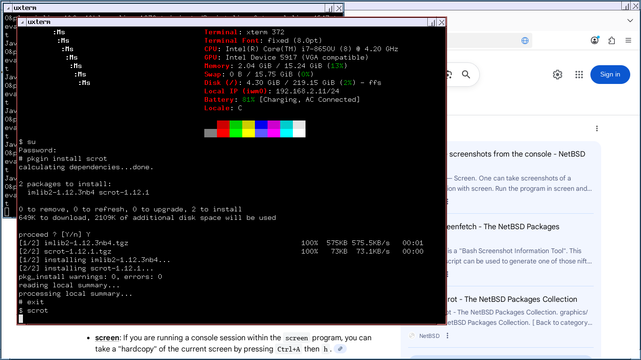
now running on real metal, #ThinkpadX280 #NetBSD10

#wifi working, graphics seem to work, xrandr down to 1368x768 on this tiny screen

#scrot for screenshots

Issues still to address:

Where do I configure keeping the set wallpaper and screen resolution size?

Can't seem to figure out sleep. Closing the laptop lid does nothing.

A battery icon or some type of notifier would be nice.

Using Firefox Nightly and sometimes dialogue boxes extend passed the edges of the screen.

acabo de eliminar xfce de mi instalacion con debian 13,esto lo hago con el proposito de lograr algun tipo de entorno ultra minimalista,mezclando lo mejor de las apps GUI y TUI a su vez,es algo que ya hacia antes con mi vieja instalacion de void linux solo que esta vez intento llevarlo al extremo.

como recomendacion para aquellos que buscan un screenshooter sencillo y simple pueden usar #scrot para ello,se puede configurar con multiples atajos y no pesa nada.

https://github.com/resurrecting-open-source-projects/scrot

GitHub - resurrecting-open-source-projects/scrot: SCReenshOT - command line screen capture utility

SCReenshOT - command line screen capture utility. Contribute to resurrecting-open-source-projects/scrot development by creating an account on GitHub.

GitHub

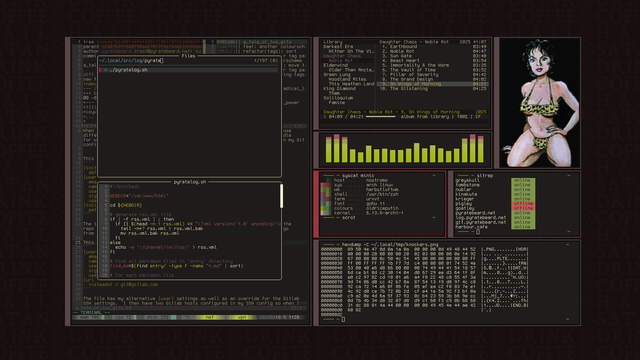
and here's a new scrot for the long weekend

#linux #unixart #unixporn #oldriceputin #scrot #neovim #knockers

Annoyances fixed (1)

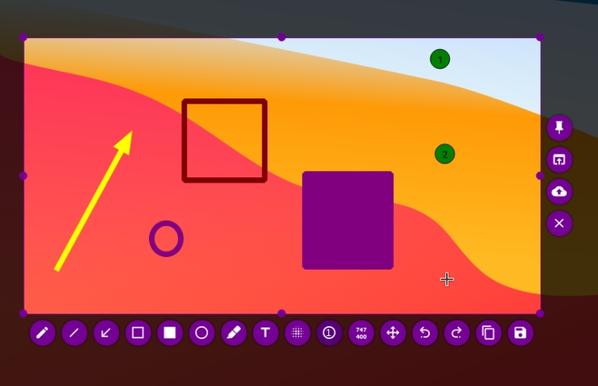
Since a long time I was annoyed about the blurred screenshots on my Linux computer. I like Flameshot. It allows to make a screenshot and then draw circles or squares or insert some text, use a marker. But just like with the PrintScreen button on the keyboard it gives blurred screenshots.

<inserting blurred screenshot made with Flameshot>

A few days ago I found enlightenment with the good old (old school) scrot command line tool, which gives no such blurring.

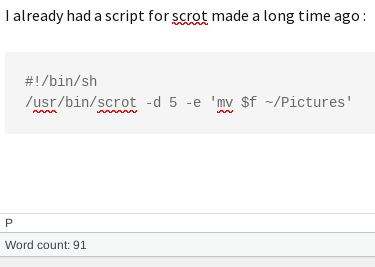
I already had a script for scrot made a long time ago but didn’t use it very often :

#!/bin/sh/usr/bin/scrot -d 5 -e 'mv $f ~/Pictures'

<inserting screenshot made with scrot>

See the shiny difference ?

Drawback is that I need to crop the result manually but since it is only for uploading to Mastodon, which I don’t do very often, this is OK for now.

Years ago I used Shutter to screengrab but the development of that was stalled (Cause sometimes there’s for example GKT3 -> GTK4 or Python2 -> Python3 migrations needed for a programmer and that can take a lot of time. I think this was the case with Shutter too) and I stopped using it. It is back though. Maybe I’ll try that again too.


#flameshot #linux #scrot

Flameshot

Flameshot is a free and open-source, cross-platform tool to take screenshots with many built-in features to save you time.

Flameshot

So apparently I can add creating libre ebooks from scans to my list of calming, relaxing activities for weekend evening candle and death metal routine.

#gnu #linux #scrot #tesseract #vim #sigil #librerian ☠️