 TugaTech 🖥️
Novos SanDisk 320 e 520 trazem formato SATA para recuperar computadores antigos
🔗 https://tugatech.com.pt/t84506-novos-sandisk-320-e-520-trazem-formato-sata-para-recuperar-computadores-antigos
 cnx-software.com [Unofficial]
ODROID-H5 – A $250 Intel Core i3-N300 SBC with 10GbE networking, four M.2 PCIe slots
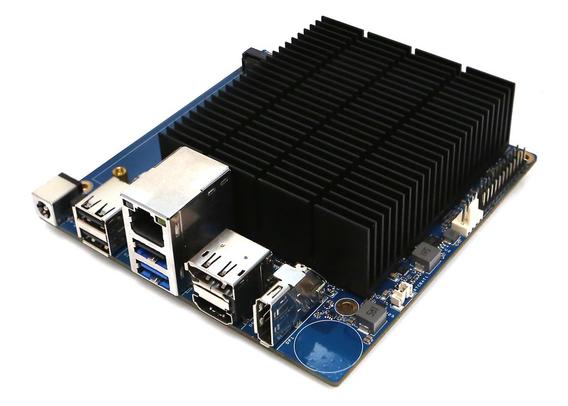
ODROID-H5 – A $250 Intel Core i3-N300 SBC with 10GbE networking, four M.2 PCIe slots
Hardkernel ODROID-H5 is an affordable Intel Core i3-N300 octa-core Alder Lake-N SBC providing a 10GbE RJ45 networking jack, and four M.2 PCIe slots for storage, wired/wireless networking, or AI accelerator expansion. It relies on the same SoC as in the earlier ODROID-H4 Ultra SBC, but trades a single PCIe Gen3 x4 M.2 slot and four SATA ports for four M.2 slots, and upgrades from dual 2.5GbE to single 10GbE. It still features four USB ports, but only one USB 3.0 port, and three USB 2.0 ports. ODROID-H5 specifications: SoC- Intel Core i3-N300 CPU - Octa-core "Alder Lake-N" processor @ up to 3.8 GHz (Turbo single-core) or 2.3 GHz (Turbo multi-core) with 6MB cache GPU - 32EU Intel UHD Graphics @ 1.25 GHz TDP: 7W System Memory – Up to 64GB DDR5 4800 MHz SO-DIMM memory Storage Up to 4x 2280 NVMe SSDs via M.2 slots (See Expansion section) eMMC flash
 CTCservers
🚀 NVMe vs. SATA SSD for your dedicated server?
While SATA is fine for backups, NVMe crushes it with 10x faster speeds and near-zero latency. Perfect for high-traffic sites, databases, and VMs! ⚡💻
#NVMe #ServerHosting #SSD #SATA #CTCservers
Read More... https://www.ctcservers.com/blogs/nvme-vs-sata-ssd-dedicated-server/
 Chris
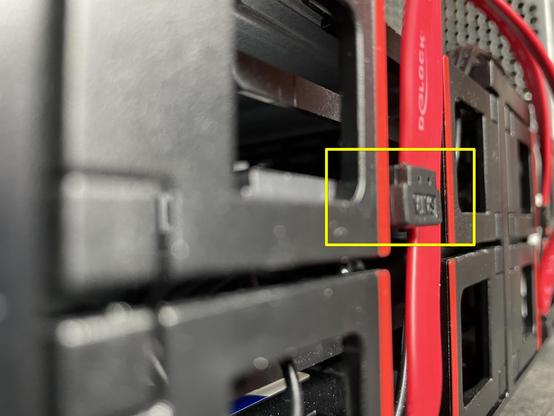
ChrisHilfegesuch: Suche 30+ cm SATA 6GB/s Kabel mit gewinkeltem Stecker auf einer Seite. Kabelweggang nach oben. Gekauft habe ich diese von Delock:
https://www.delock.de/produkt/83973/merkmale.html
Die haben aber einen etwa 2-3mm zu tiefen/langen/breiten Stecker (siehe Foto). Stehen also über, sodass das PC-Gehäuse nicht geschlossen werden kann.
Konkret geht es um eine gebraucht gekaufte P510 Workstation von Lenovo. Lenovo selbst ruft für alleine ein Kabel indiskutable 50€+ auf.
 Rekall Incorporated
SATA drives ain't dead: Kingston announces it has shipped 100 million A400 SSDs
Perfect for when you’re feeling precious about PCIe lanes…
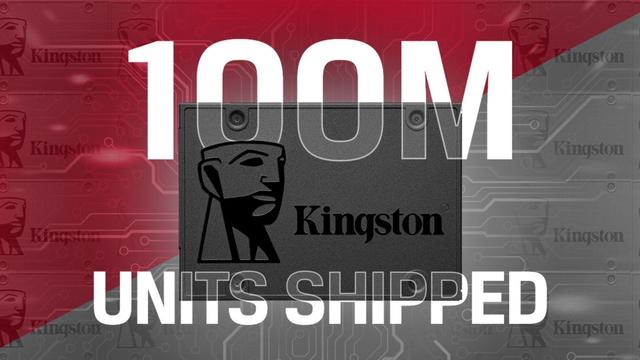
Kingston vendeu 100 milhões de SSDs A400 e o formato SATA resiste ao tempo
🔗 https://tugatech.com.pt/t83390-kingston-vendeu-100-milhoes-de-ssds-a400-e-o-formato-sata-resiste-ao-tempo
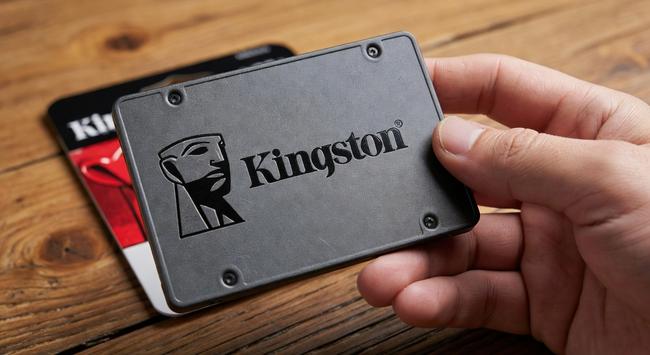
 Тунеядец 🛌
@OurParadise mein #Lenovo verträgt sich anscheinend nicht mit dem installierten #linuxmintxfce und #luks. Bei jedem Stromeinstöpseln semmelt er ab. Auch mit Testkonto. Und auch nach kompletter #neuinstallation inkl. Neupartitionierung, mit/ohne LUKS, speziellen Kerneloptionen.
Mit #liveusb-Systemen (auch #LinuxMint #Xfce) passiert das nicht.
Die Fehlermeldungen betreffen #iwlwifi und #sata, ich dachte an einen #hardwarefehler (#Wackelkontakt?)
Jetzt läuft #kdeneon ohne Probleme.
 Uncle hadsn
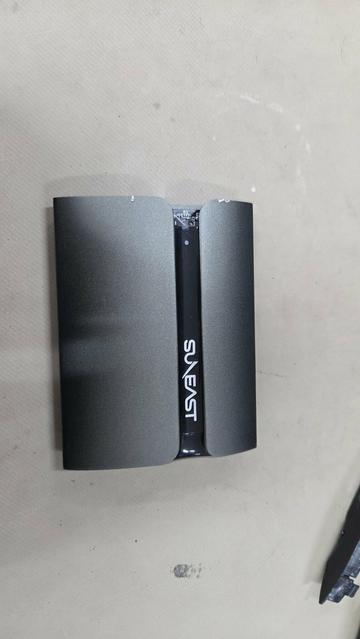
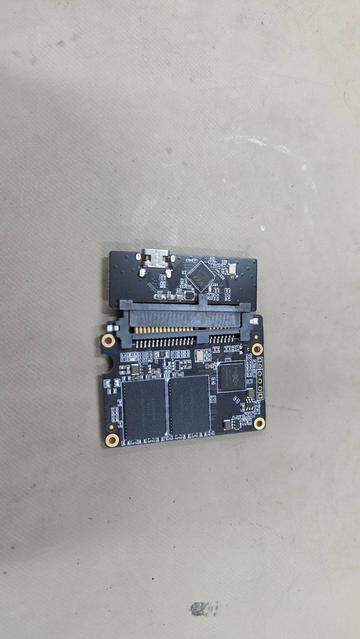
#SUNEAST ( #旭東エレクトロニクス ) の外付け #SSD SE-PSSD01ACって、分解すると2.5インチ #SATA SSDの基板が出てくるんだ
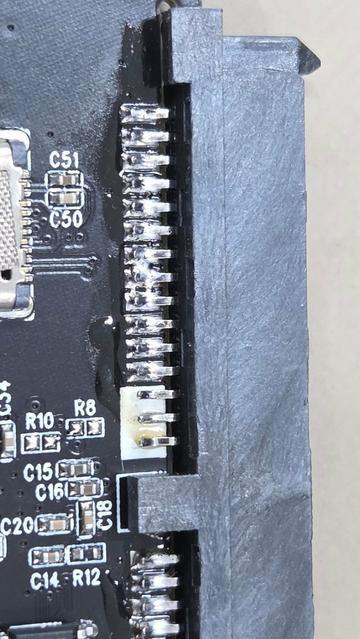
"昔購入したsuneastの外付けSSDが認識しなくてばらした結果
SATA半差し、ピンショートあるんだけど
これ直したら復旧するかな"
https://x.com/i/status/1999723542716596438?
 BlablaLinux
☝ Interfaces SATA I, II, III ▶ différences (rappels) | Test débit raid 0 mdadm
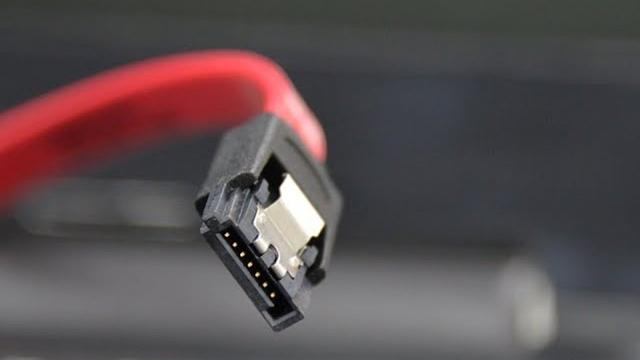
☝ Interfaces SATA I, II, III ▶ différences (rappels) | Test débit raid 0 mdadm
 Eugene

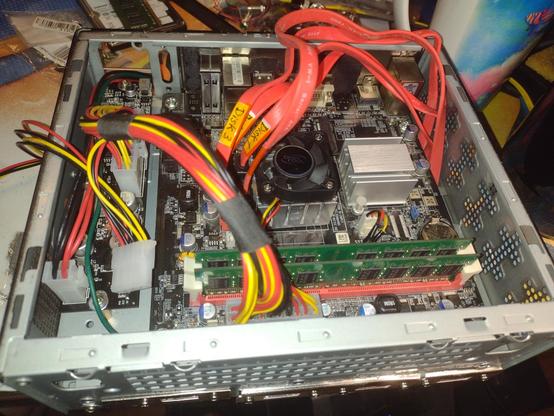
Process of building my own silent NAS from Item Atom based ITX motherboard going well 
The motherboard itself and the Pico PSU fit well into the ITX case. The system (without disks) is almost silent — there is hardly noticed noise from a small fan, but I think that it will be unnoticed from the closed case.
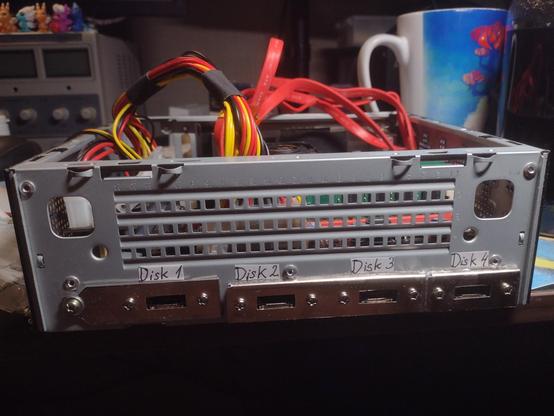
One of the problem was — how to connect four 3.5" HDDs to the motherboard, since they are obviously will not fit into the ITX case. First, I thought about making a hole in the case, to pass the SATA cables through it  . But, I know that SATA interface is not designed for use outside of protected (from ESD) computer's case. So this idea was considered dumb.
Then, I remembered about eSATA — this is like SATA but designed to connect external HDDs to computer: connector has bigger lifetime than SATA connector, also the eSATA cable using differential signal, so it is more resilient to the electric noise  . Sadly, this technology was lost because of USB 3, but the connectors and cables still exists. The good thing — eSATA is electrically (but not physically) compatible with SATA, so to connect disks I need: SATA cables for motherboard with eSATA connector at the end; eSATA cables with SATA connector for HDD at the end.
Thusly, I bought some "made in China" SATA cables with eSATA connectors with metal strips (like at PCI cards), sawed these strips and glued them to the case with epoxy glue. Now it's time to buy eSATA cables and make another hole in the case for power connector (for HDDs).